Try Room Design Ideas on Your Real Photo
Upload a real room photo, pick a direction, and see whether a new layout or style is worth pursuing before you spend money.
What You Can Try First
Start with a few real previews. The details about credits, downloads, and watermarks are covered below.
10 starter previews
New users get 10 credits after signing in. Use them to test real room photos before buying more.
All design styles
Modern, Scandinavian, Farmhouse, Industrial, Japanese, Contemporary, Mid-Century, Minimalist, Bohemian, Coastal, Art Deco, and Tropical are available from the start.
Saved to your account
Sign in once so your previews, purchases, and downloads stay connected to you.
Free AI Room Design Results
These examples show the kind of visual direction RoomFlip can produce from real room photos. Use starter credits to judge whether the result helps your room.
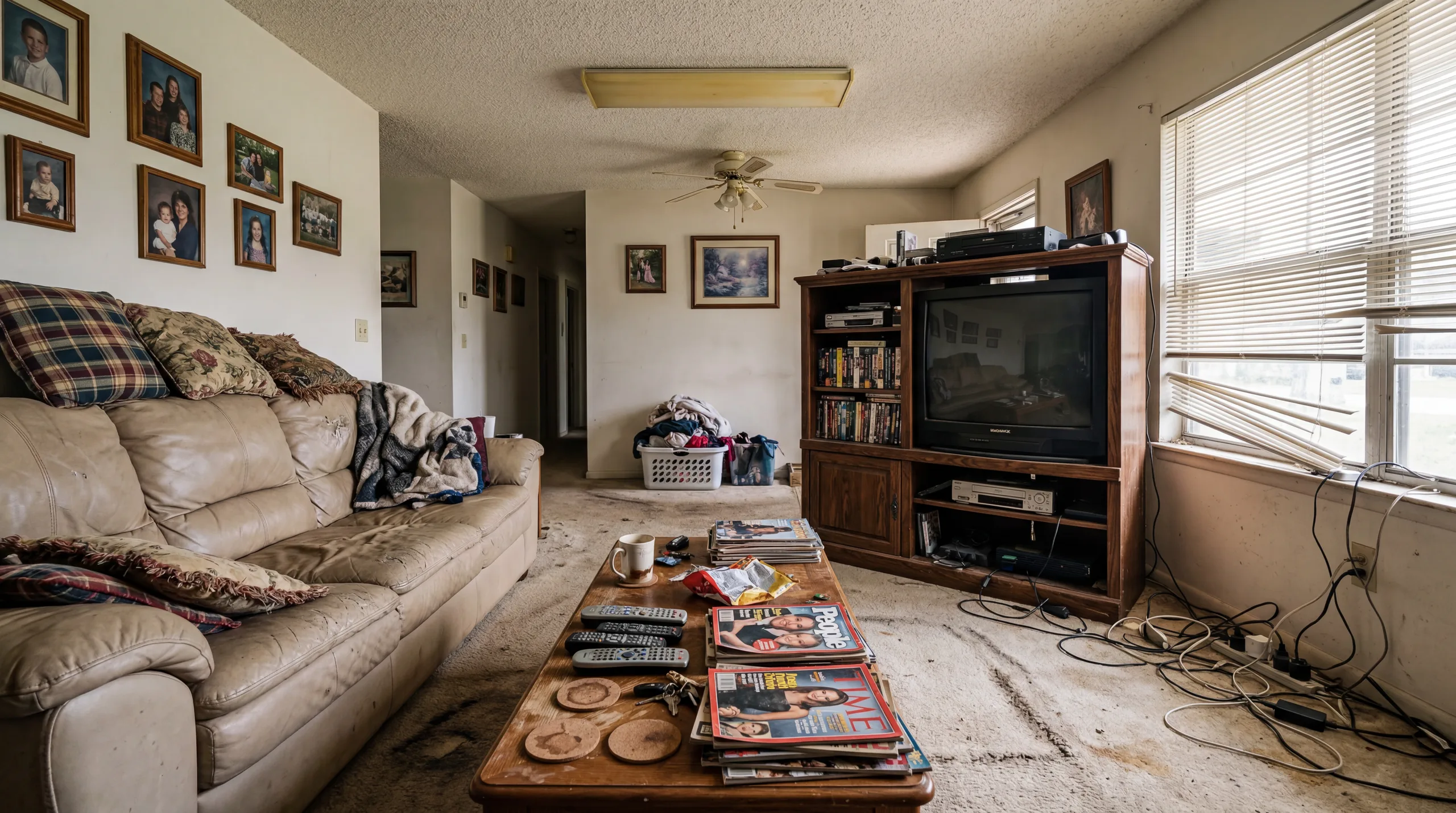 Before
  After
After Living Room
AI-redesigned room created with RoomFlip starter credits.
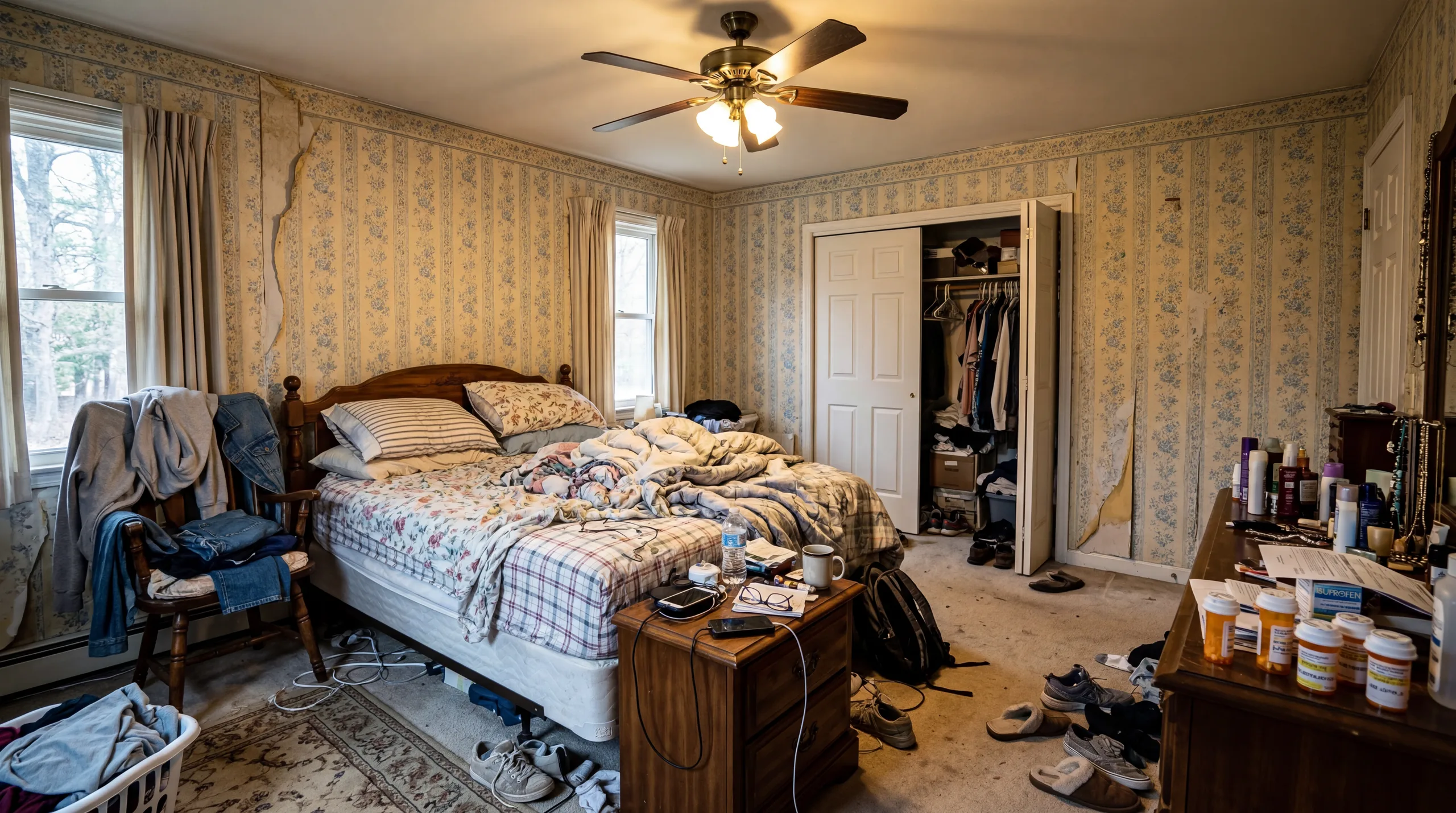 Before
 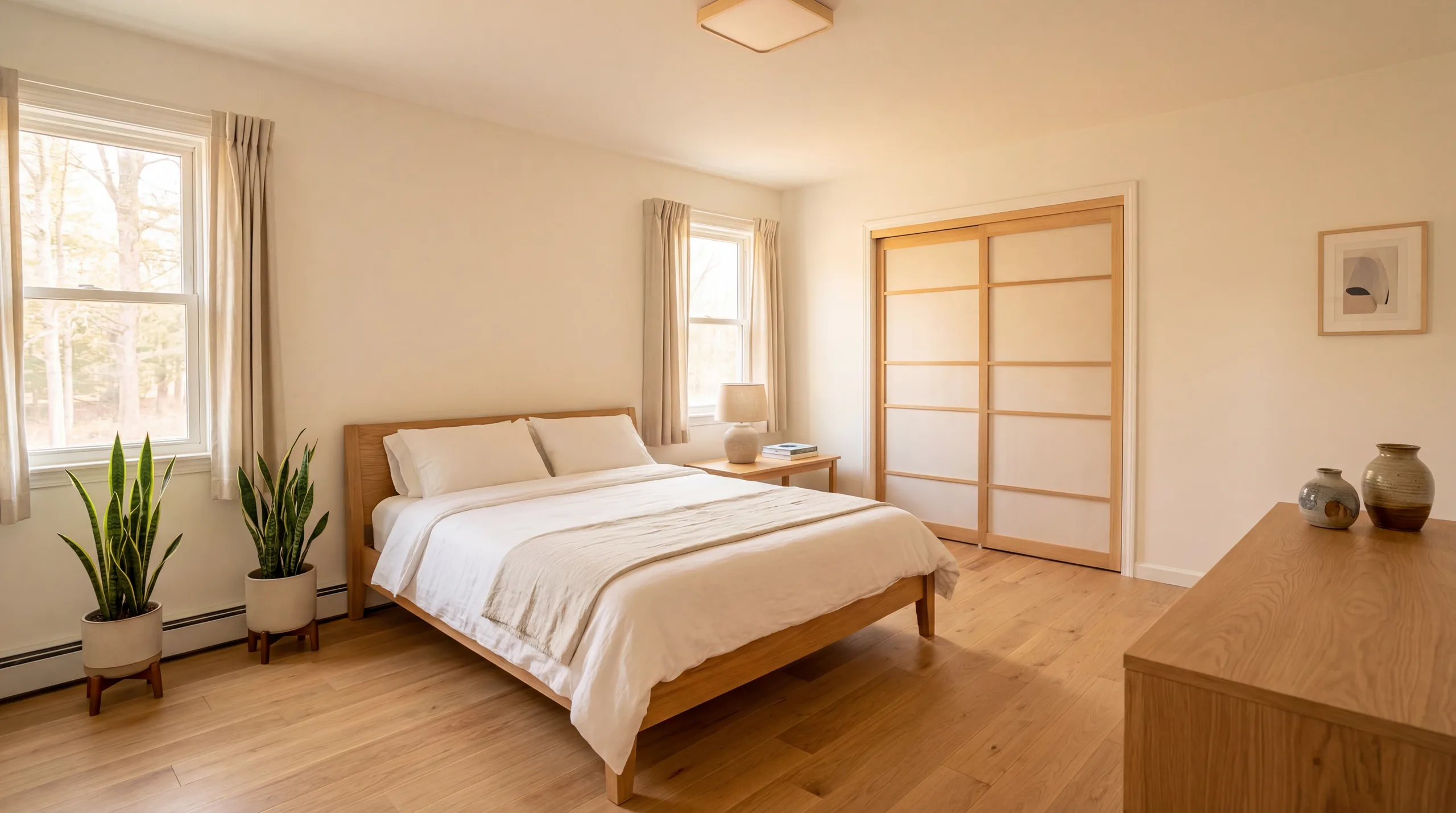 After
After Bedroom
AI-redesigned room created with RoomFlip starter credits.
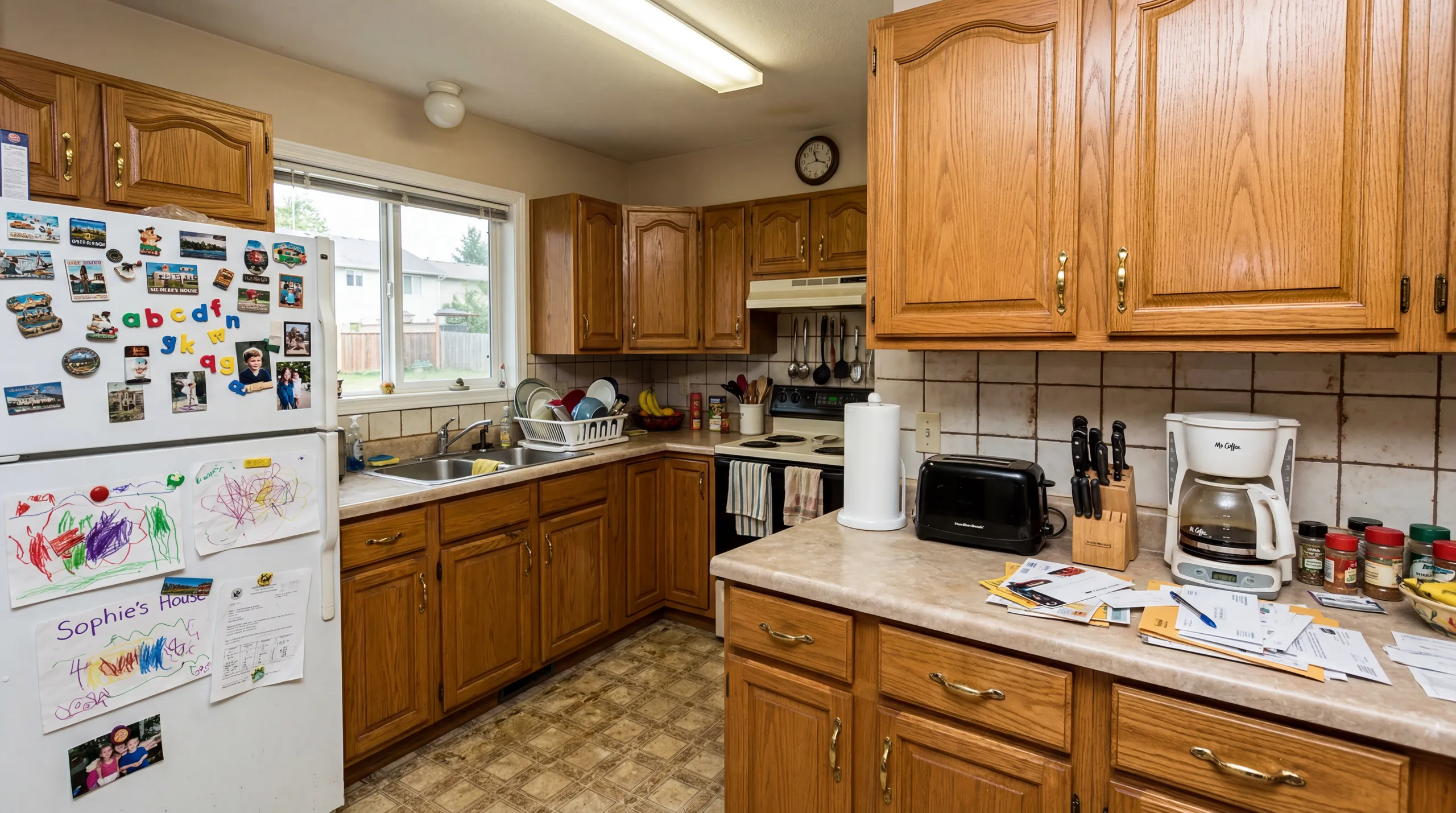 Before
 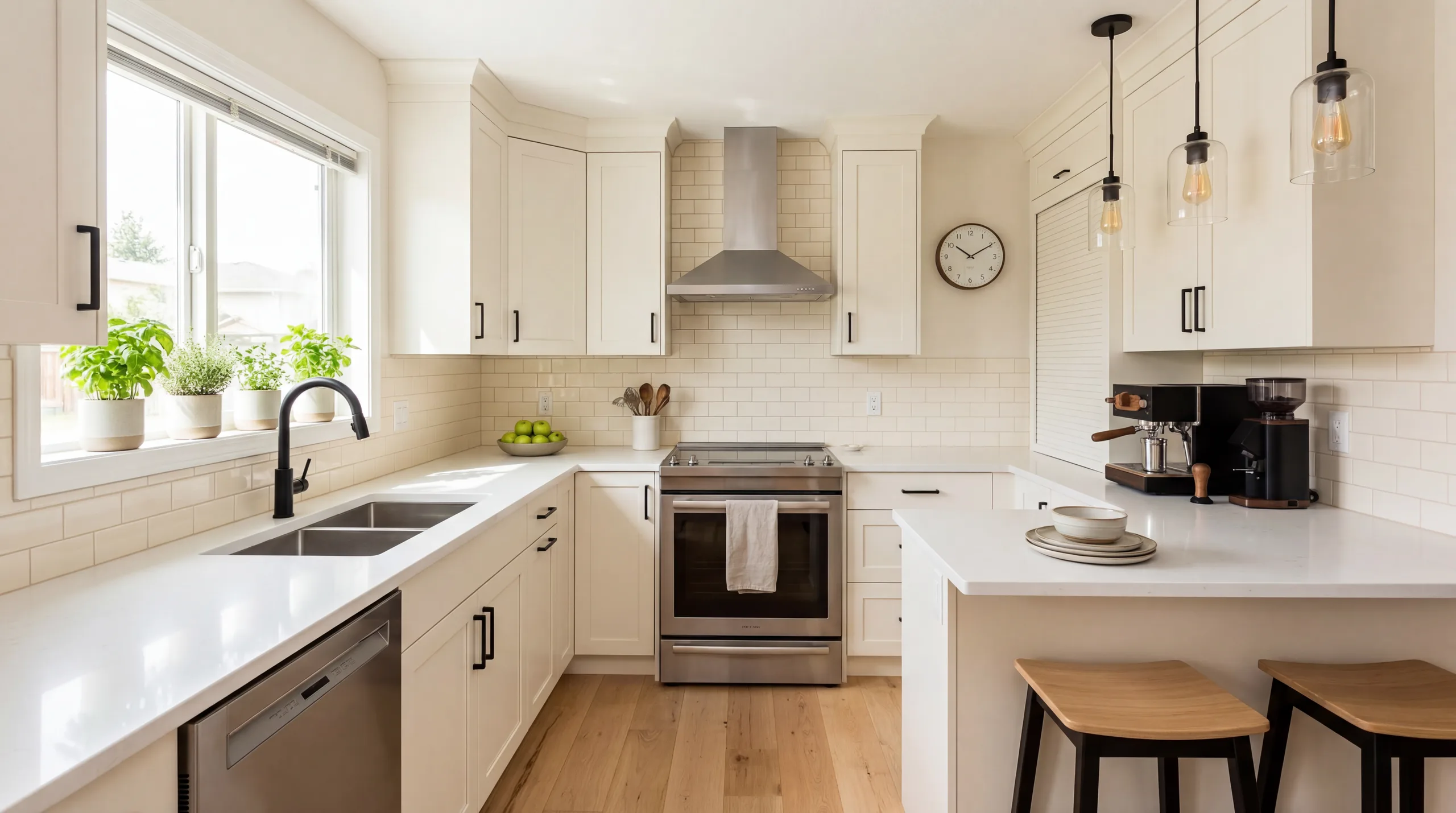 After
After Kitchen
AI-redesigned room created with RoomFlip starter credits.
How Free AI Room Design Works
Three steps from your current room to a generated redesign you can review with starter credits.
Upload Your Photo
Take a clear, wide photo of the room when possible. The original guides the generation, but walls, windows, proportions, and layout can change and require review.
Pick a Style
Choose from 12+ interior design styles. Each style applies a different furniture, color, and material direction. If you are unsure, start with Move-in Ready (Modern), then compare another style with the original room.
Get Your Free Redesign
The AI generates a visual concept in the chosen style. Compare it with the original and check every room detail, then start another generation if you want to test a different direction.
Who Uses Free AI Room Design?
Free AI room design is useful for anyone who wants to visualize a space before committing to changes.
Homeowners
Planning a renovation or redecorating? Use a starter-credit preview to compare a possible direction before choosing furniture, paint, or a deeper plan.
Renters
Cannot make permanent changes? Compare generated furniture and color directions as visual references, then check every idea against the real rental and its rules.
Airbnb Hosts
Use a generated style refresh to plan possible room upgrades. Update the real space and take current photos before publishing a live rental listing.
Real Estate Agents
Try a virtual staging preview on a vacant room with starter credits. Review the result and current credit pricing before deciding whether to create more room concepts for a listing.
Getting the Most Out of Your Starter Credits
Starter credits are most useful when you test deliberately. These pairings can help you choose what to generate first.
Pair 1 — Safe and stretch
Pick one restrained style, such as Modern or Scandinavian, plus one more distinct direction, such as Industrial, Japanese, or Bohemian. Use the first as a baseline, then compare what the second changes. Neither result is guaranteed to fit every room.
Pair 2 — Two versions of the same idea
If you already know you want a "warm and cozy" room, try Farmhouse and Scandinavian back to back. Both are warm, but they disagree on materials (reclaimed vs. pale wood) and palette (earthy vs. cool neutral). Comparing two nearby styles surfaces subtle preferences that are hard to describe in words but obvious once you see them side by side.
Pair 3 — Same style, two rooms
If you are planning several rooms in one style, test one prominent room and one room that is harder to visualize. Compare both generated concepts with the real spaces before deciding whether the direction feels consistent.
Common mistake — two conservative styles
Do not spend starter credits on close siblings like Modern and Contemporary if you need a clear contrast. Pick Modern plus something genuinely different, such as Industrial or Japanese, so you can see how far each direction actually pushes the room.
Free AI Room Design FAQ
Is AI room design really free to start?
Yes. New RoomFlip users get 10 free credits after signing in. Each preview uses 1 credit, so you can test real room photos before buying a credit pack. No subscription is required.
Do I need to sign in?
You can choose room photos locally before signing in. Sign in before RoomFlip sends the photos for generation so credits, purchases, and generated results stay tied to the right account.
How many free room designs can I get?
You receive 10 free credits when you start. Each preview-quality redesign costs 1 credit. If you need more, credit packs start at $4.99 for 30 credits.
What is included with free AI room design?
The starter credits are meant for checking whether RoomFlip helps your room. Preview results may include free-tier limitations, while paid credits unlock higher-resolution, watermark-free download options. Review the current terms and any destination-platform rules before professional use.
Are free designs watermarked?
Free preview saves may include a RoomFlip watermark. Paid options are intended for cleaner professional downloads.
Can I use free designs for real estate listings?
RoomFlip previews can support listing preparation, marketing drafts, and social posts. Before publishing, make sure you have rights to the source photo, review the current RoomFlip terms, keep the original image, and follow the disclosure rules for the specific listing service and jurisdiction.
How long does a free AI room design take to generate?
Processing time varies with the image, connection, and current demand. If a result appears stuck, check the workspace before retrying so you do not start an unnecessary second generation; contact support if the credit balance looks incorrect.
What file types and sizes are supported?
RoomFlip accepts JPG, PNG, and WebP room photos. Use a clear, level, well-lit image that shows the room boundaries, and review any upload message before continuing because processing limits can change.
Can I redesign a room I am not in yet, like a future apartment?
You can use a clear room photo that you have the right to upload. For listing, rental, or third-party images, confirm the source-photo rights and destination-platform rules before uploading, publishing, or sharing a generated result.
Does the free tool work on mobile browsers?
RoomFlip is designed for current mobile browsers, including iOS Safari and Chrome on Android, without requiring an app install. Browser and device behavior can vary, so use the current interface and report any upload, viewer, or download problem to support.
Explore More
AI Room Designer
The main RoomFlip tool — upload any room photo and redesign it in 12+ styles with AI.
View details →AI Room Design
Learn how AI room design works, explore supported room types, and decide whether it fits your planning needs.
View details →AI Interior Design Styles
Browse all 12+ interior design styles available in RoomFlip — from modern to bohemian.
View details →Virtual Staging
Transform vacant properties into beautifully staged spaces for real estate listings.
View details →Design Styles Gallery
Visual gallery of every design style with before-and-after examples and detailed guides.
View details →Pricing & Credit Packs
See all credit pack options — from 30 credits at $4.99 to 300 credits at $29.99.
View details →Design Blog
Tips, trends, and inspiration for AI-powered room design and interior styling.
View details →Design My Room
A personal approach to AI room design — upload your photo and see your space transformed.
View details →Free AI Interior Design
Explore 12+ interior design styles for free — see which aesthetic fits your space best.
View details →Start Designing for Free
Sign in, upload any room photo, and use your starter credits to see whether RoomFlip is useful for your space.