Design My Room with RoomFlip AI
Upload a photo of your space and preview new furniture, colors, and decor in an available style. Check generated walls, windows, proportions, and layout against the original image.
If you searched for RoomFlip or room flip, start with the RoomFlip AI room designer, RoomFlip FAQ for credits, downloads, and best-fit use cases.
How to Design Your Room
Three simple steps from your current room to a generated redesign you can compare with the original.
Upload Your Photo
Take a clear photo of your room with a wide view when possible. The original image guides the generation, but RoomFlip may alter architectural details, so check every result.
Pick Your Style
Choose from 12+ interior design styles: Move-in Ready, Premium Guest Suite, Warm Family Home, Urban Loft, Zen Retreat, Luxury Showcase, and more. If you are unsure, start with Modern and compare another direction with the original room.
Get Your Redesign
The AI generates a realistic rendering in the chosen style. Compare it with the original and check the details before downloading it or starting another style generation.
Design My Room — Before & After
See how AI transforms real rooms. Every example below started as an ordinary photo — just like yours.
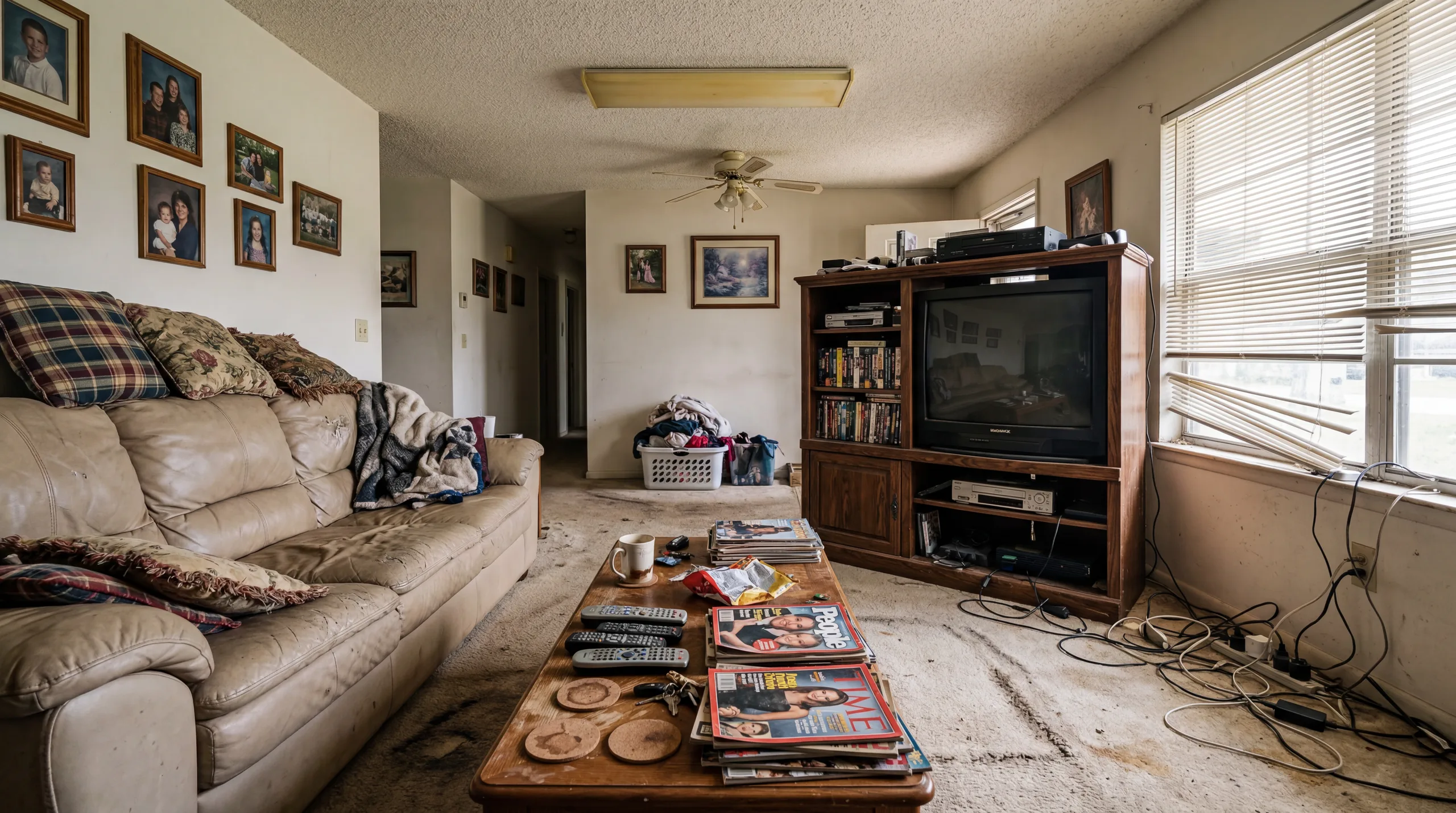 Before
  After
After Living Room
Your living room is where you spend the most time. See how AI transforms your sofa arrangement, color scheme, and lighting into a space that feels fresh and inviting.
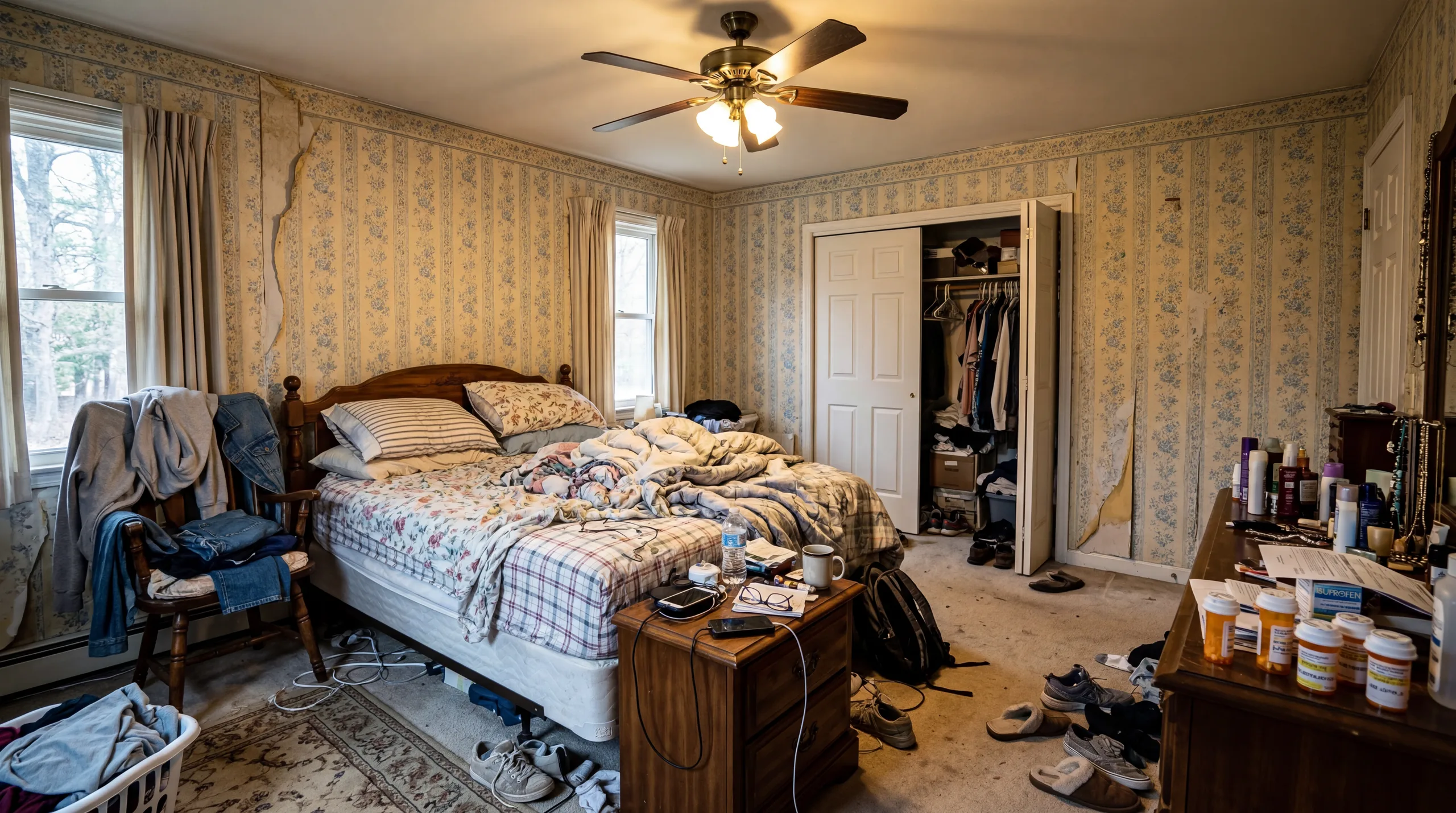 Before
 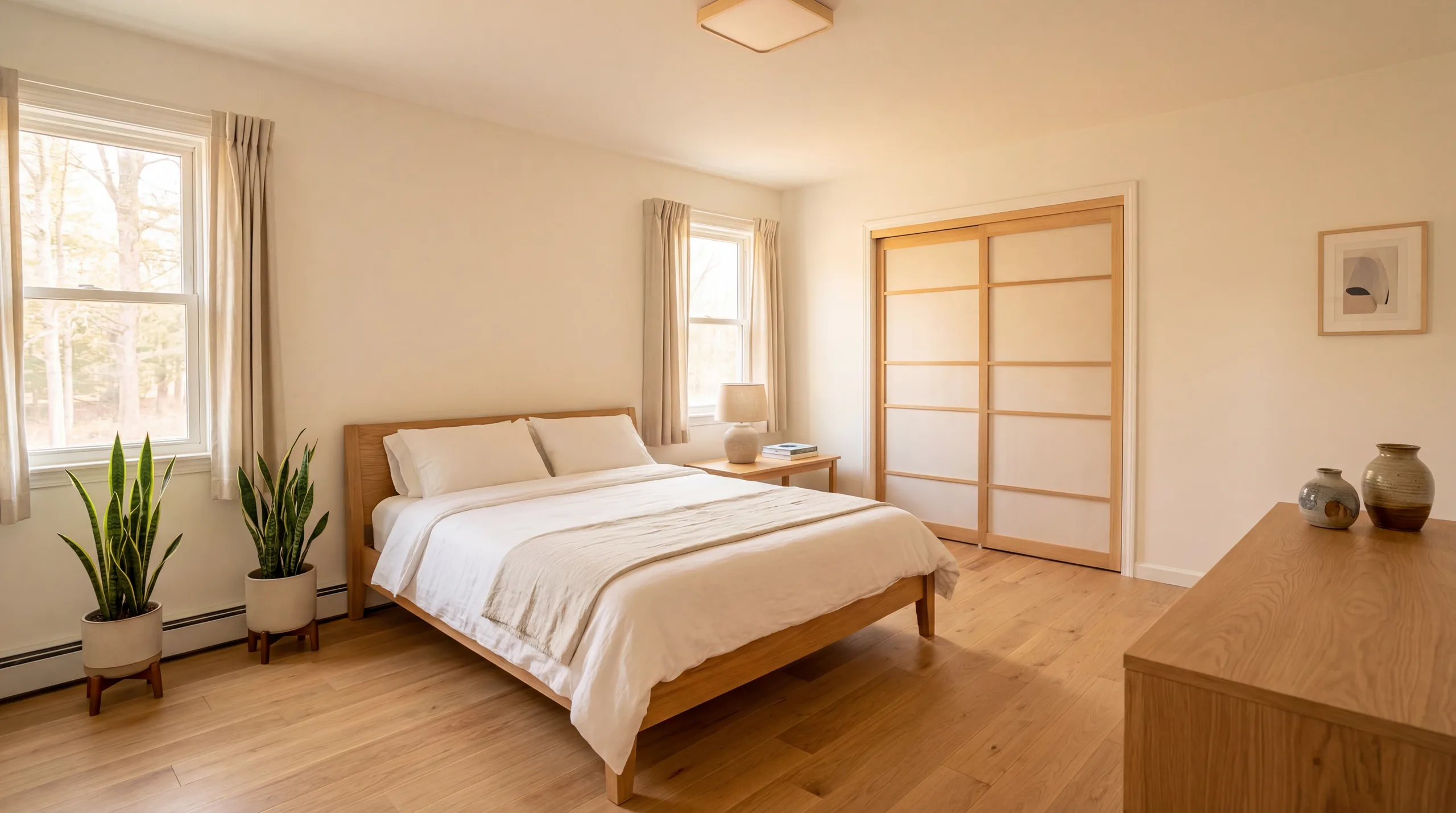 After
After Bedroom
Your bedroom should be a sanctuary. Upload a photo and discover how new bedding, furniture placement, and a cohesive color palette transform your personal retreat.
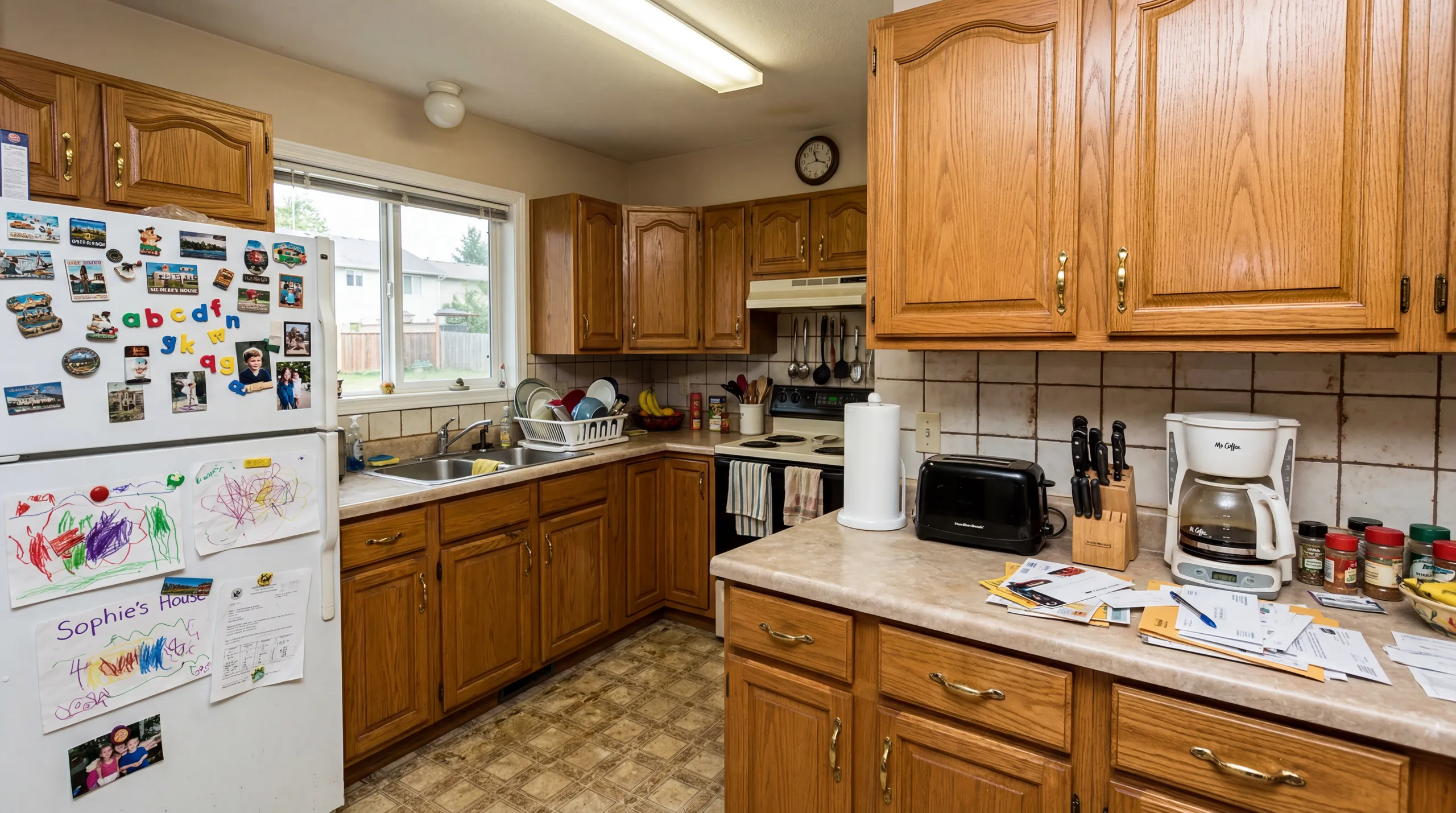 Before
  After
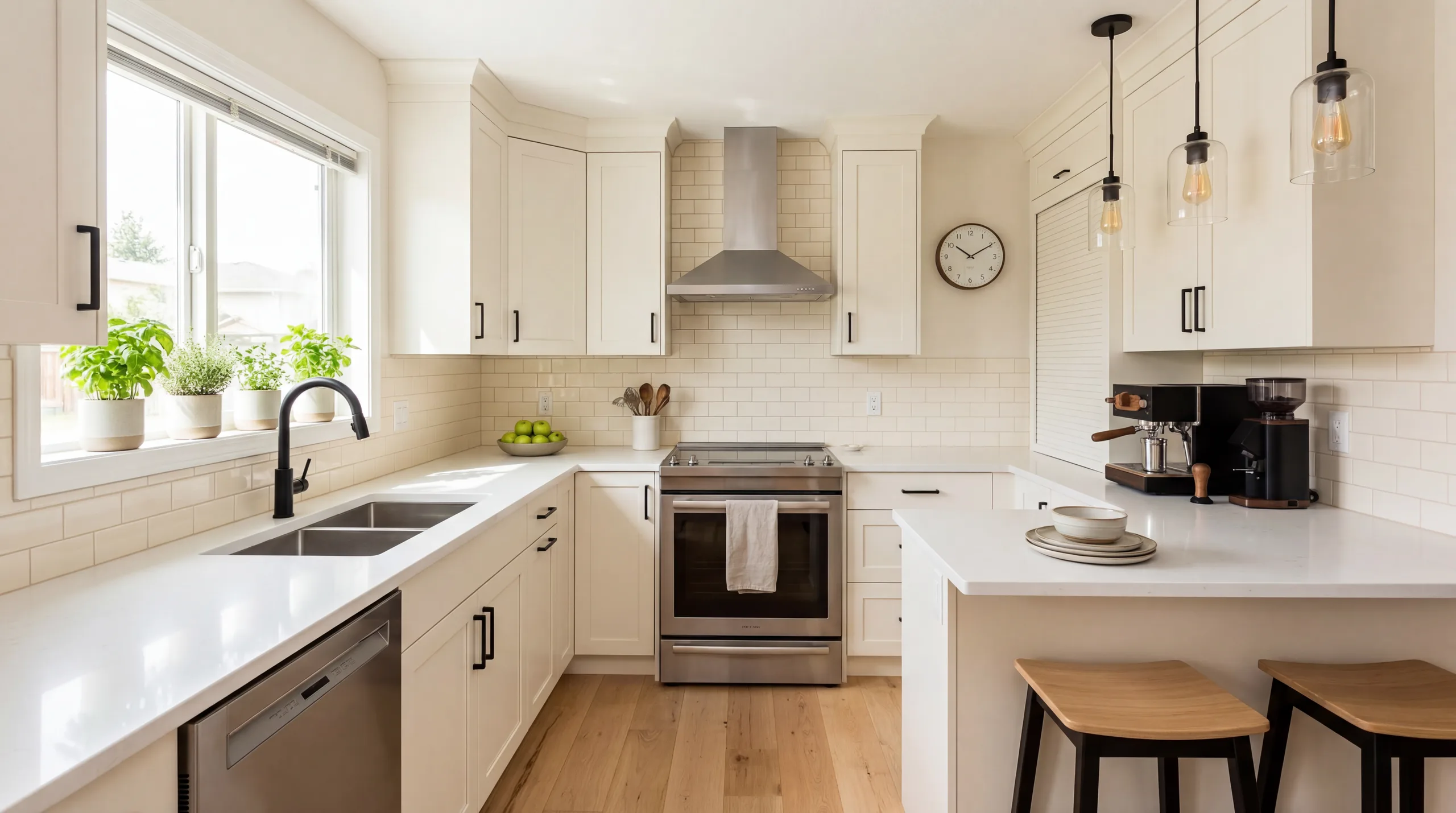
After Kitchen
Your kitchen is the heart of your home. AI redesign shows you how updated cabinetry tones, countertop materials, and styling details could refresh your cooking space.
 Before
  After
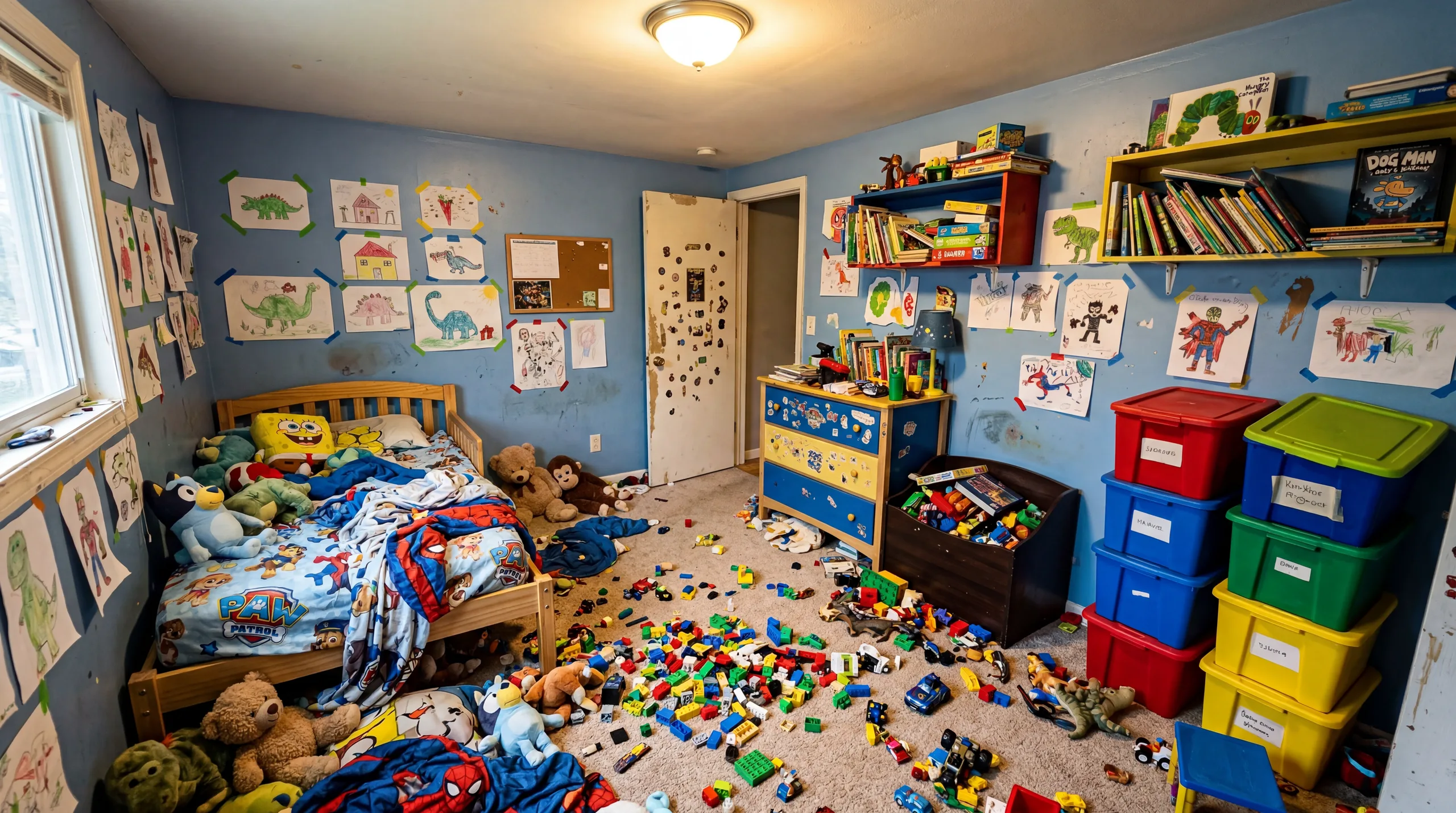
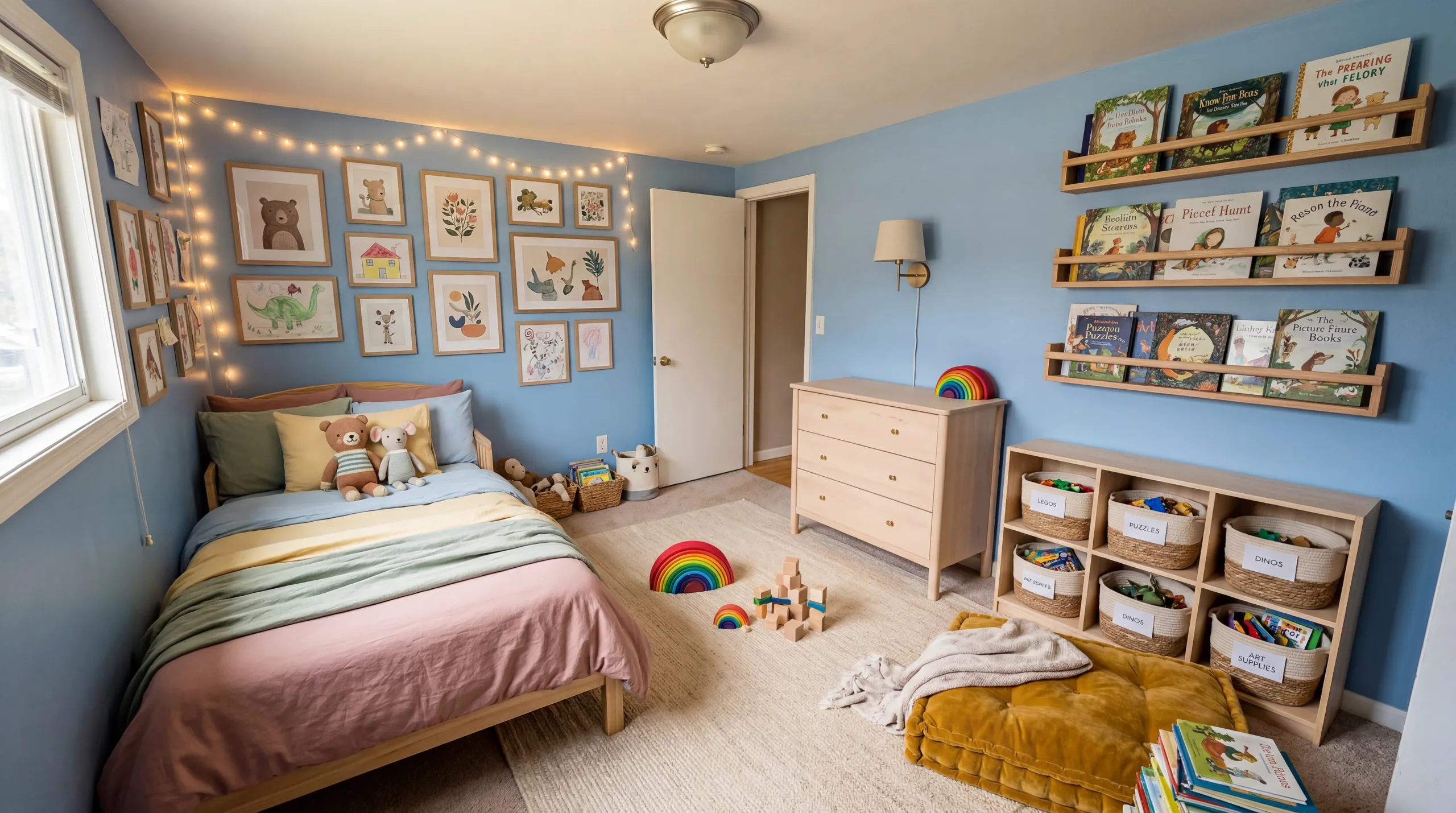
After Kids Room
Your child's room should grow with them. See how playful color palettes and smart furniture choices create a space that is both fun and functional for your family.
Design My Room For...
Whatever your reason for redesigning, AI can provide a visual concept to review before you commit to real changes.
Remodel Planning
Visualize your renovation before it starts. Upload your current room and see what a modern kitchen, updated bathroom, or refreshed living room could look like — then show the result to your contractor as a design reference.
Rental Styling
Cannot paint the walls or change the floors? AI room design shows you how different furniture styles and decor transform your rental space without any permanent modifications. Find your style within your lease terms.
Guest Experience
Rental hosts can use AI room design to preview a possible style update before changing the real room. RoomFlip does not predict listing performance or bookings.
Property Staging
Real estate agents can use AI to create a disclosed furnishing concept for a vacant room. Physical and virtual staging have different scopes and costs; review current pricing and listing rules before use.
What Makes AI Room Design Different
Traditional interior design may include consultations, mood boards, measurements, and several rounds of revision. RoomFlip offers an earlier visual exploration step: upload a photo and create a realistic concept in a selected style before planning real work.
RoomFlip uses your room photo as context rather than a generic template. It aims to change furniture, colors, materials, and decor, but walls, windows, doors, proportions, and floor-plan details can also change and must be checked.
Use a room photo to compare a Scandinavian style with an Industrial look. Each generation is a visual concept; verify dimensions, lighting, architecture, furniture, and products separately.
AI room design does not replace a professional designer for renovations involving structural changes, permits, measurements, or contractor coordination. It can help you compare visual directions before redesigning a living room, planning a kitchen refresh, or staging a property for sale.
Design My Room FAQ
How do I design my room with AI?
Upload a photo of your room to RoomFlip and choose a style. The AI uses the image to generate a redesign concept with different furniture, colors, and decor. Check the result against the original because generated architectural details can change.
What rooms can I design?
You can try living rooms, bedrooms, kitchens, bathrooms, home offices, dining rooms, nurseries, and outdoor patios. Results vary by photo and space, and generated scale, architecture, furniture, and materials require review.
How realistic are AI room designs?
RoomFlip aims for realistic visual previews, but generated images may change room details, proportions, furniture, lighting, or materials. Check each result against the original photo before relying on it.
Can I try multiple styles on my room?
Yes. You can upload the same room photo and generate separate redesigns in Modern, Scandinavian, Farmhouse, Industrial, Japanese, Contemporary, and other available styles. Each generation uses the credit amount shown before confirmation.
Do I need design experience?
No design software experience is required to create a concept. RoomFlip proposes furniture, colors, materials, and placement, while you remain responsible for taste, dimensions, safety, availability, and feasibility.
How long does it take to design my room?
Processing time varies with the image, connection, and current demand. The workspace shows progress, and additional styles require separate generations.
Explore More
AI Room Designer
The main RoomFlip tool — upload any room photo and redesign it in 12+ styles with AI.
View details →RoomFlip FAQ
Brand-level answers about credits, pricing, virtual staging, ownership, and downloads.
View details →Virtual Staging
Transform vacant properties into beautifully staged spaces for real estate listings.
View details →Free AI Room Design
Start with 10 free credits after signing in and test RoomFlip on a real room photo.
View details →Design Styles Gallery
Visual gallery of every design style with before-and-after examples and detailed guides.
View details →Pricing & Credit Packs
See all credit pack options — from 30 credits at $4.99 to 300 credits at $29.99.
View details →Design Blog
Tips, trends, and inspiration for AI-powered room design and interior styling.
View details →Ready to Design Your Room?
Upload a photo of your space and preview a new design direction. No design software experience is required, and starter credits are available after sign-in.