AI Room Redesign — See Your Before & After
Upload a photo and create a before-and-after redesign preview. RoomFlip uses the original room as context, but generated architectural details can change and should be checked.
What Is AI Room Redesign?
AI room redesign takes a photo of your existing room and generates a visual concept in a different style. The before-and-after comparison helps you review new furniture, colors, materials, and decor, but generated walls, windows, proportions, and layout can differ from the source.
Unlike a generic mood board, AI redesign starts from a photo of your living room, kitchen, or bedroom. Treat the result as a direction to compare with the original, not a measured representation of the real space.
Try a Zen Retreat style or an Urban Loft look, then compare each generated result with the real room. Processing time varies and each generation uses the credits shown before the action.
AI Room Redesign — Before & After
Real transformations generated by AI. Each pair shows an actual room photo and its AI-generated redesign so you can judge whether the direction is believable.
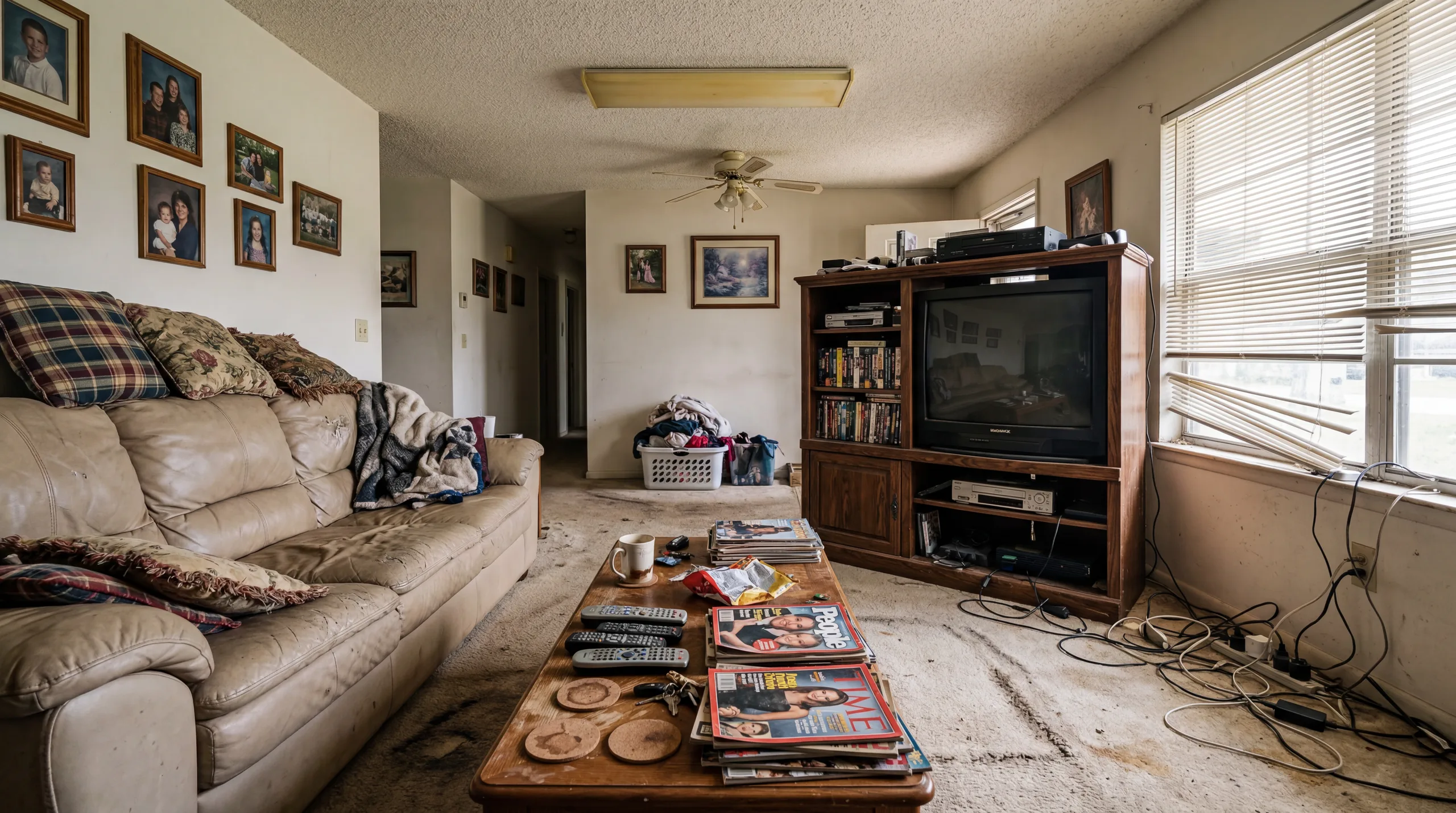
Before

After
Living Room Redesign
This concept applies contemporary furniture and a coordinated palette to the original living-room photo. Check windows, layout, proportions, and fixtures against the original; the image does not change the room's actual size.
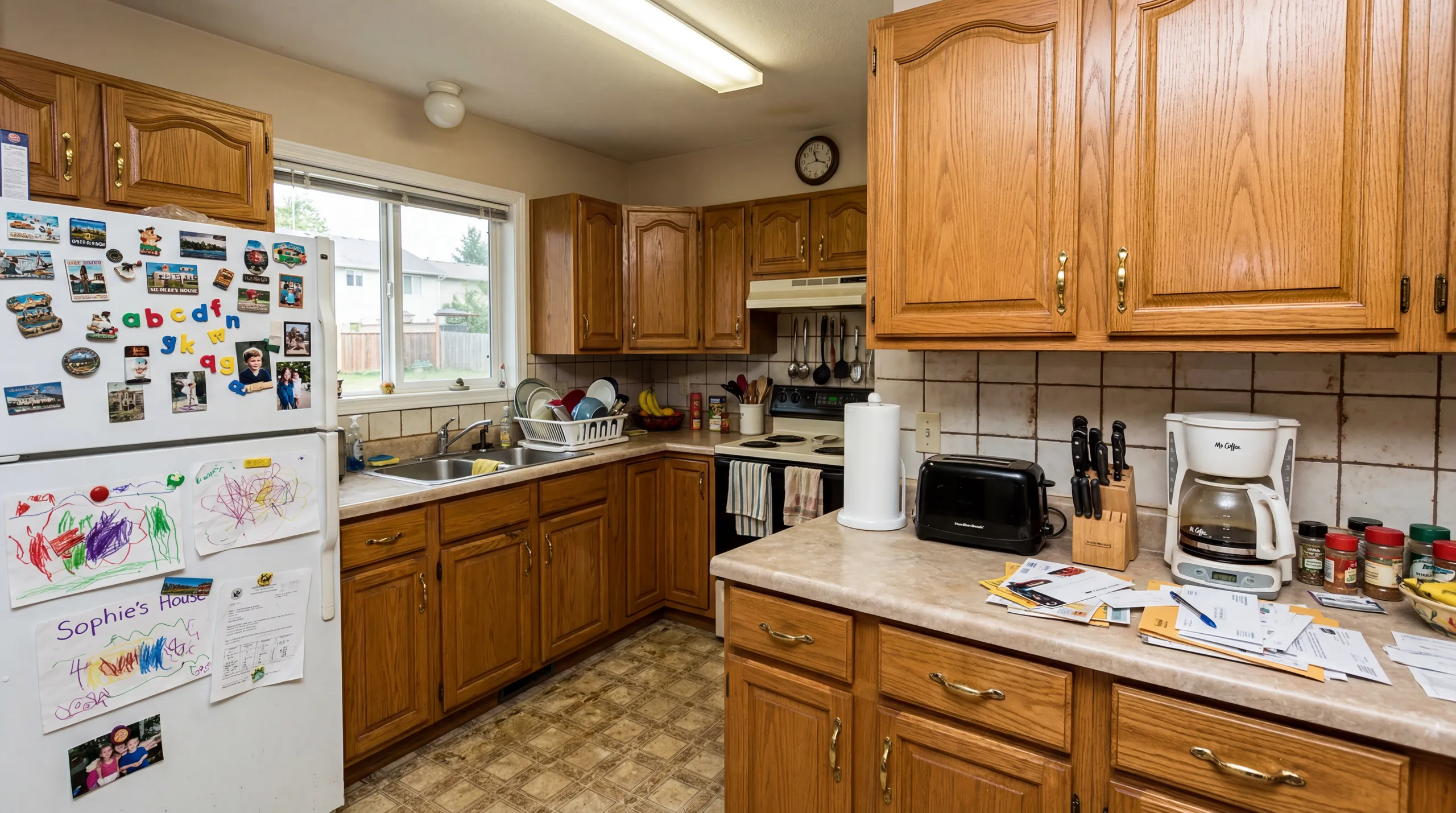
Before
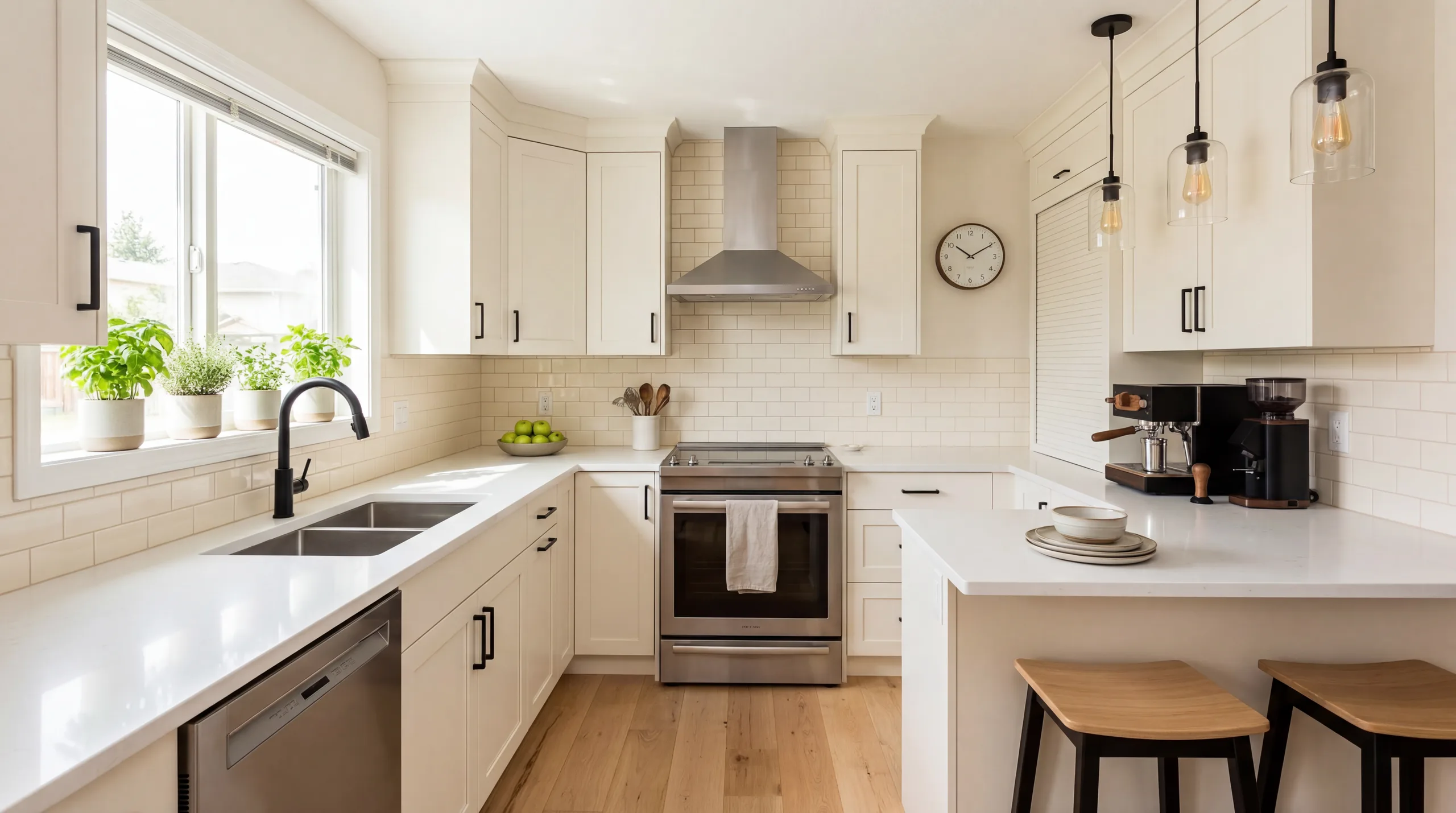
After
Kitchen Redesign
A kitchen preview with updated cabinetry tones, countertop materials, and lighting. Use it to compare a visual direction before planning real work or purchases.
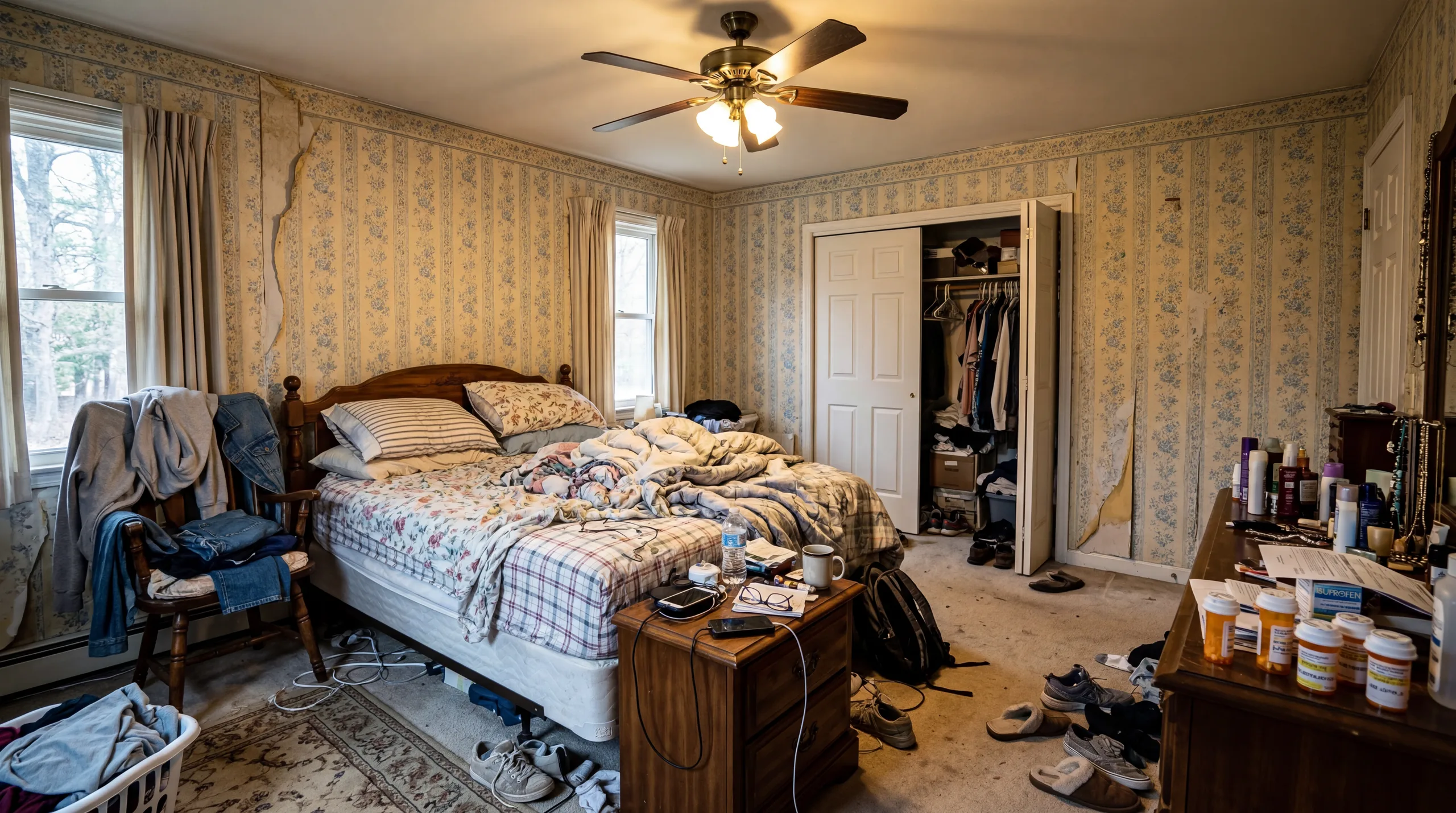
Before

After
Bedroom Redesign
From generic to sanctuary. The AI redesign introduced calming colors, layered textiles, and balanced furniture placement that turns this bedroom into a restful retreat. Every element — from bedding to lighting — works together in a cohesive style.
How AI Room Redesign Works
Three steps from your current room to a stunning before-and-after transformation.
Upload Your Room
Take a photo of the room you want to redesign. Any angle works, but a wide corner shot captures the most of your space. The AI analyzes the room's architecture — walls, windows, doors, and proportions — to understand the space it is transforming.
Choose Your New Style
Pick from 12+ interior design styles. Each style creates a completely different transformation — from the clean lines of Move-in Ready to the cozy warmth of Warm Family Home. Not sure? Try multiple styles to compare redesign directions.
See Your Transformation
The AI generates a redesign concept. Compare it with the original, check the room details, and then download, share, or start another style generation.
Popular Room Redesign Ideas
Each style creates a dramatically different before-and-after transformation. Explore the redesign direction that matches your vision.
Move-in Ready
A clean redesign direction with a neutral palette and contemporary furniture. Appeal is subjective, so compare it with other styles and the real room.
Premium Guest Suite
Uses soft-texture, muted-color, and polished-accessory cues for a more refined visual direction. Consider it for guest bedrooms or short-term-rental planning, then make the real room and published photos match.
Warm Family Home
Cozy, inviting, and comfortable. Wood tones, warm lighting, and layered textures make a room feel like a place where families gather and relax. Works beautifully in kitchens, dining rooms, and living rooms.
Urban Loft
Industrial attitude with a modern edge. Exposed textures, darker tones, and bold furniture choices give any room personality and character. Best for living rooms, home offices, and open-plan spaces.
Zen Retreat
A restrained direction using natural materials, fewer objects, and a muted palette. It can be explored for bedrooms and bathrooms depending on the room and your preference.
Luxury Showcase
A polished direction using premium-looking materials, reflective surfaces, and statement furniture. Compare it with the real room and other styles before choosing a direction.
Who Uses AI Room Redesign?
AI room redesign is useful for anyone who wants to see a transformation before committing to changes.
Homeowners
Planning a renovation but unsure about the direction? Use AI room redesign to compare visual concepts before committing to paint, furniture, or a contractor, then verify products, dimensions, and feasibility separately.
Real Estate Agents
Virtual staging can help viewers understand how a vacant or outdated room might be furnished. It does not guarantee a faster sale or greater listing engagement, and staged images should be disclosed where required.
Interior Design Students
Test design concepts from room photos and use selected before-and-after images as clearly labeled concept work. Check image rights and disclose AI generation where appropriate.
Airbnb & Rental Hosts
Compare a possible style refresh before investing, then update the real room and photograph its actual condition for a live listing. RoomFlip does not predict reviews or bookings.
AI Room Redesign FAQ
How does AI room redesign work?
Upload a room photo and choose a style to create a before-and-after concept. Generated architecture, proportions, furniture, colors, materials, and decor can differ from the real space and require review.
Is AI room redesign free to start?
Yes, you can start with free credits after signing in. Each preview uses 1 credit. If you want more redesigns, credit packs start at $4.99 for 30 credits.
How realistic are AI room redesigns?
RoomFlip aims for a realistic visual concept, but proportions, lighting, architecture, furniture, and materials can change. Use results as references only and verify real products, dimensions, and feasibility separately.
Can I redesign the same room in multiple styles?
You can upload the same room photo and start additional generations in different styles to compare directions. Each generation uses the credit amount shown before you confirm it, and processing time varies.
What rooms can I redesign with AI?
You can try living rooms, bedrooms, kitchens, bathrooms, home offices, dining rooms, nurseries, children's rooms, and outdoor spaces. Results vary with the photo and space; check generated scale, architecture, furniture, and materials against the original.
Can I use AI redesigns for real estate?
RoomFlip previews can support staging and show one possible furnishing direction for an empty or dated room. Before publishing, keep the original photo available, check every generated detail, confirm source-photo rights, and follow the rules for the specific listing service and jurisdiction.
Explore More
AI Room Designer
The main RoomFlip tool — upload any room photo and redesign it in 12+ styles with AI.
View details →Design My Room
A personal approach to AI room design — upload your photo and see your space transformed.
View details →Free AI Room Design
Start with 5 free credits after signing in and test RoomFlip on a real room photo.
View details →Virtual Staging
Transform vacant properties into beautifully staged spaces for real estate listings.
View details →Design Styles Gallery
Visual gallery of every design style with before-and-after examples and detailed guides.
View details →Pricing & Credit Packs
See all credit pack options — from 30 credits at $4.99 to 300 credits at $29.99.
View details →Redesign Your Room Now
Sign in, upload a photo, and use starter credits to create and review a room redesign preview.