Design My Room with AI
Upload a photo of your space and see it completely redesigned in seconds. Your walls, your windows, your layout — transformed with new furniture, colors, and decor in 12+ styles.
How to Design Your Room
Three simple steps from your current room to a photorealistic redesign of your space.
Upload Your Photo
Take a photo of your room — your living room, your bedroom, your kitchen, or any other space. Natural daylight and a wide angle give the best results. The AI preserves your room's architecture exactly as it is.
Pick Your Style
Choose from 12+ interior design styles: Move-in Ready, Premium Guest Suite, Warm Family Home, Urban Loft, Zen Retreat, Luxury Showcase, and more. Not sure? Start with Modern — it works beautifully in any room.
Get Your Redesign
In under 30 seconds, the AI generates a photorealistic rendering of your room in the chosen style. Download the result, compare it with your original, or try another style on the same photo.
Design My Room — Before & After
See how AI transforms real rooms. Every example below started as an ordinary photo — just like yours.
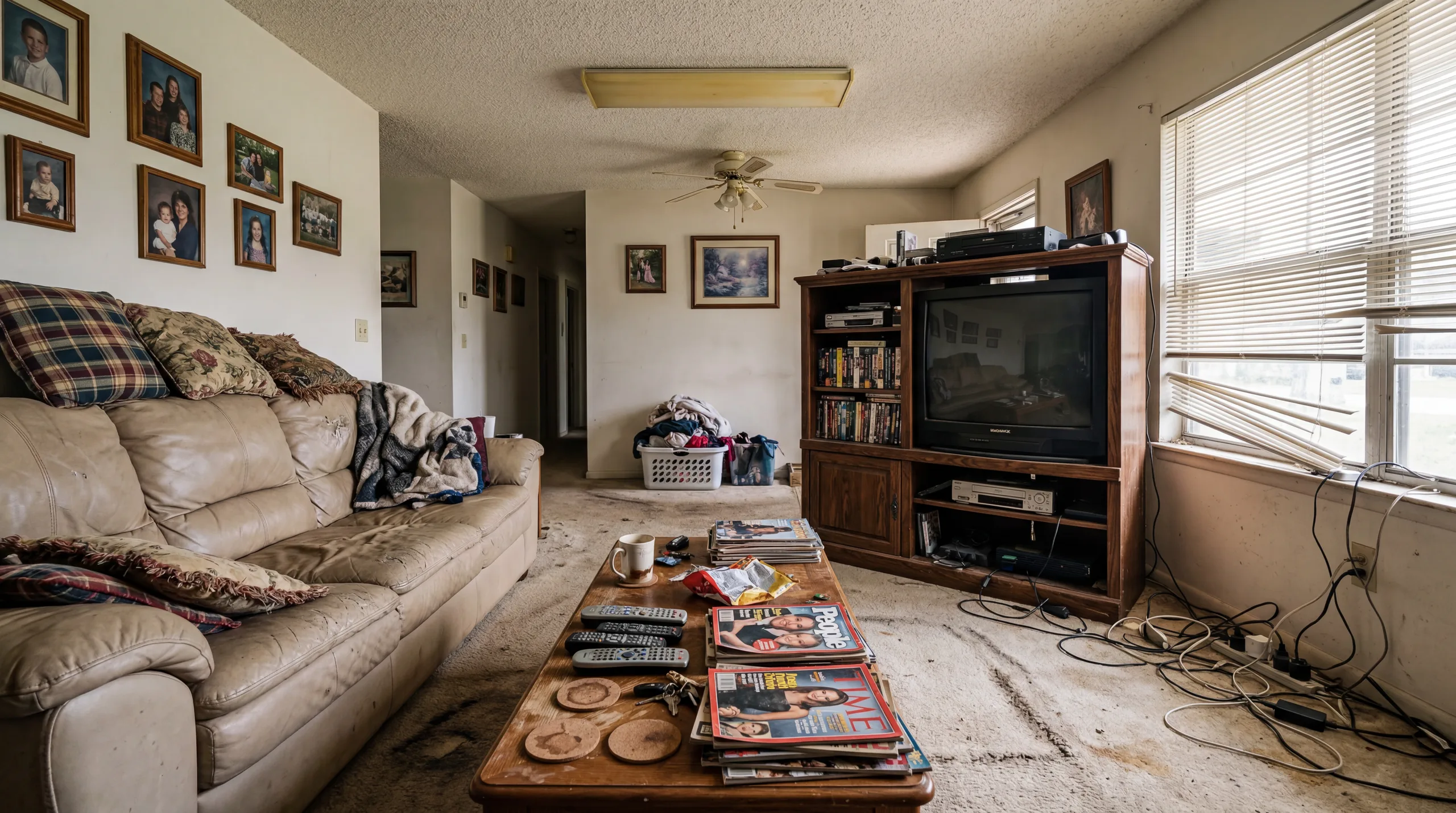 Before
  After
After Living Room
Your living room is where you spend the most time. See how AI transforms your sofa arrangement, color scheme, and lighting into a space that feels fresh and inviting.
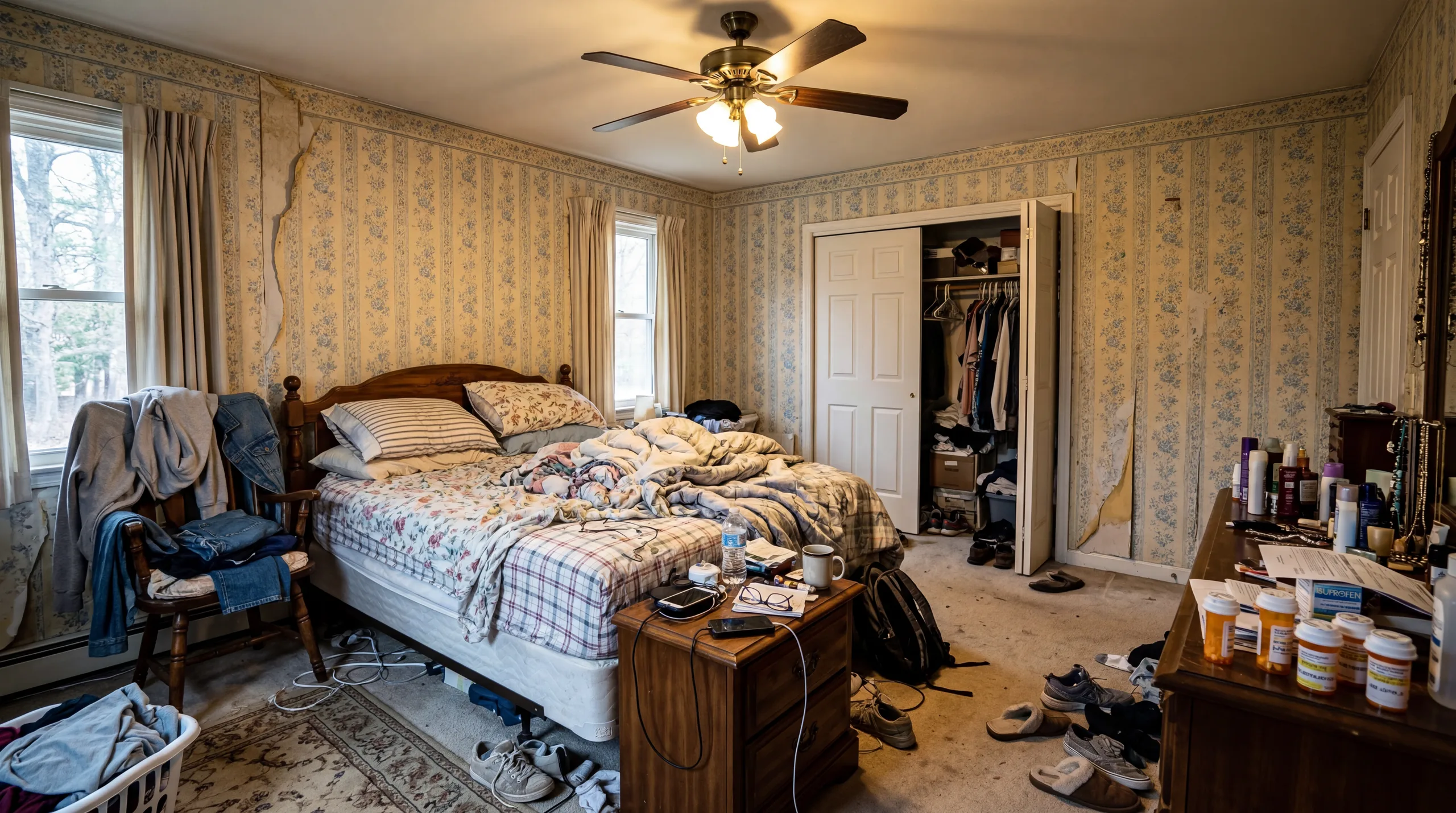 Before
  After
After Bedroom
Your bedroom should be a sanctuary. Upload a photo and discover how new bedding, furniture placement, and a cohesive color palette transform your personal retreat.
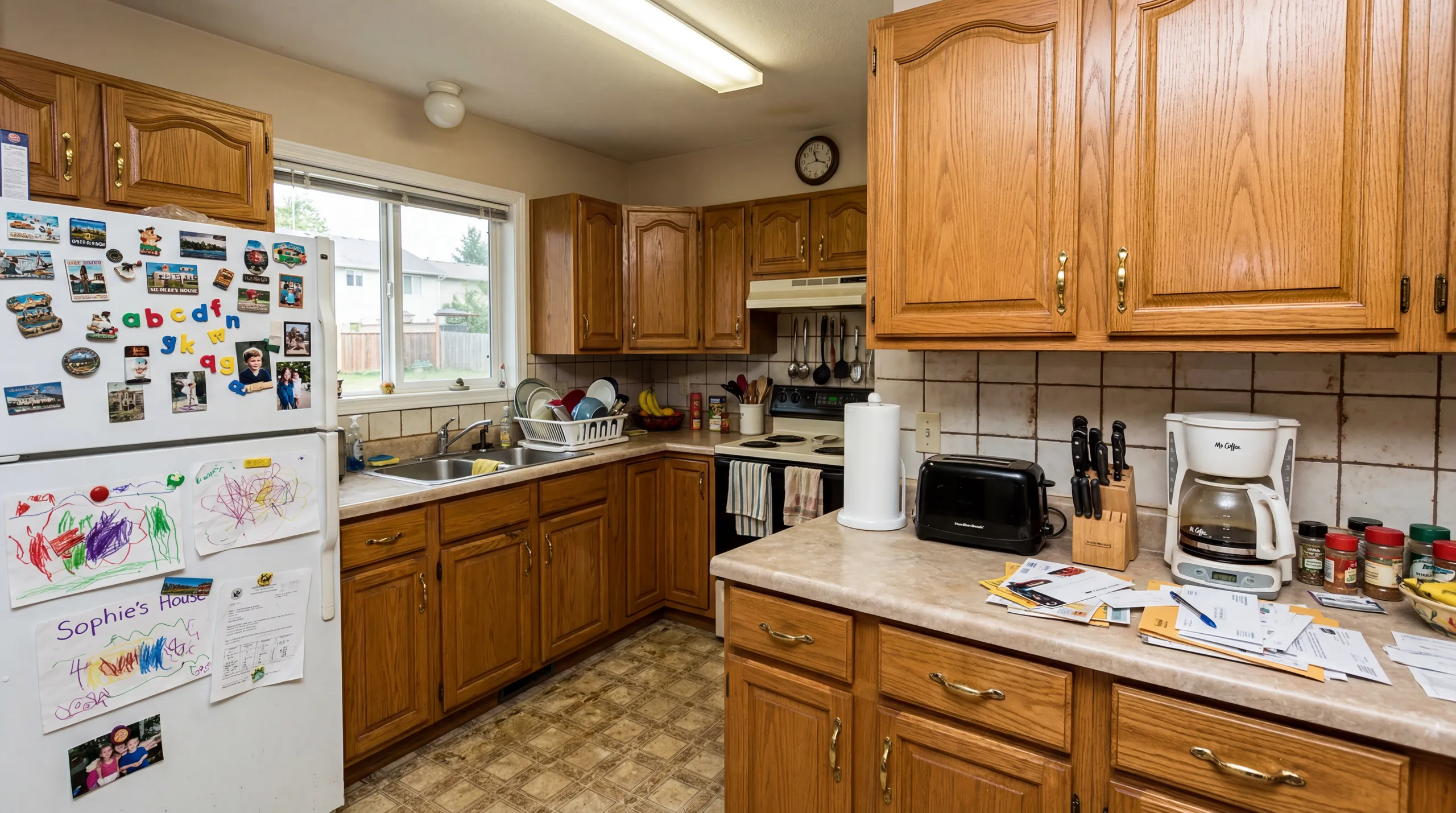 Before
 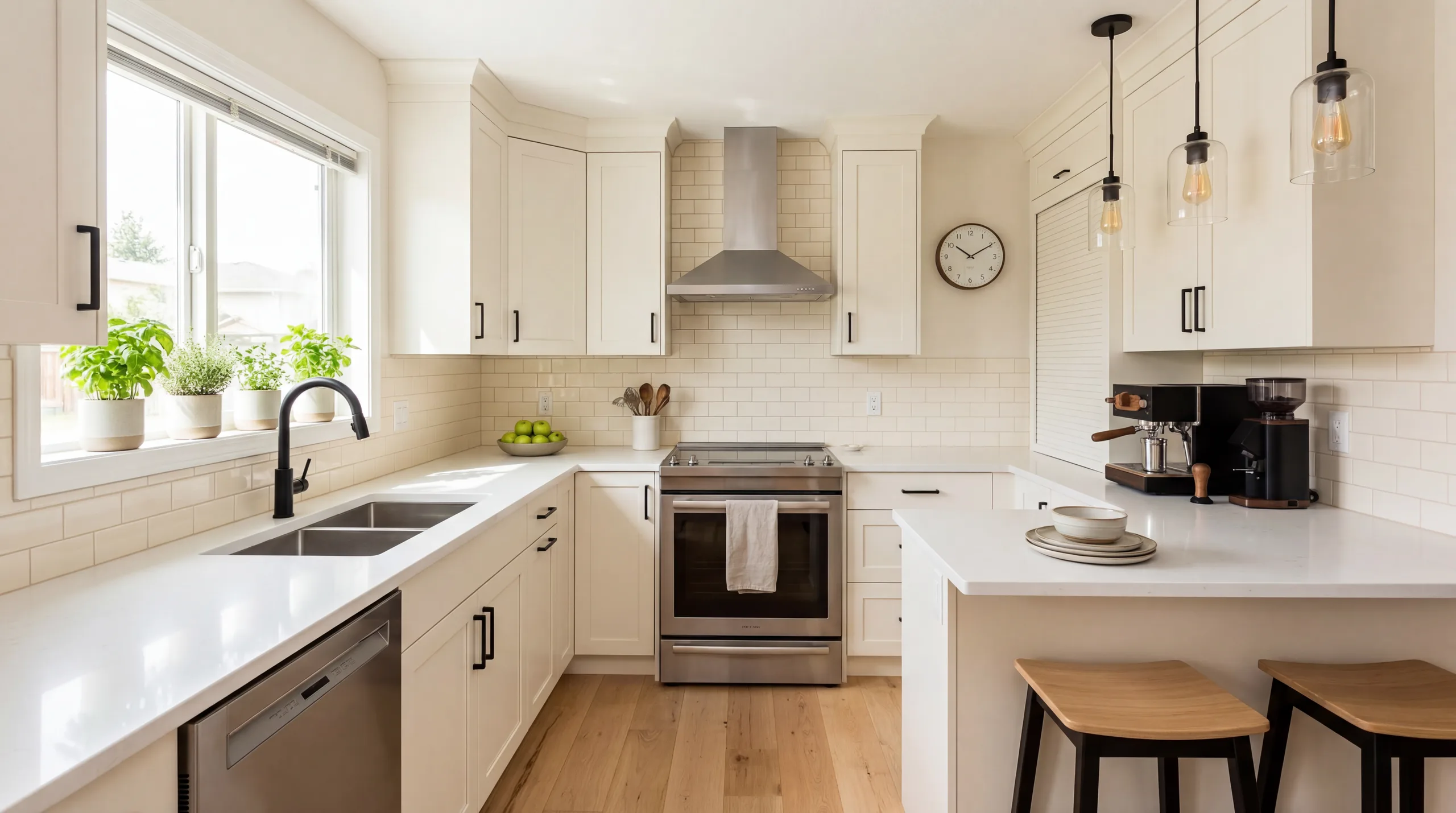 After
After Kitchen
Your kitchen is the heart of your home. AI redesign shows you how updated cabinetry tones, countertop materials, and styling details could refresh your cooking space.
 Before
  After
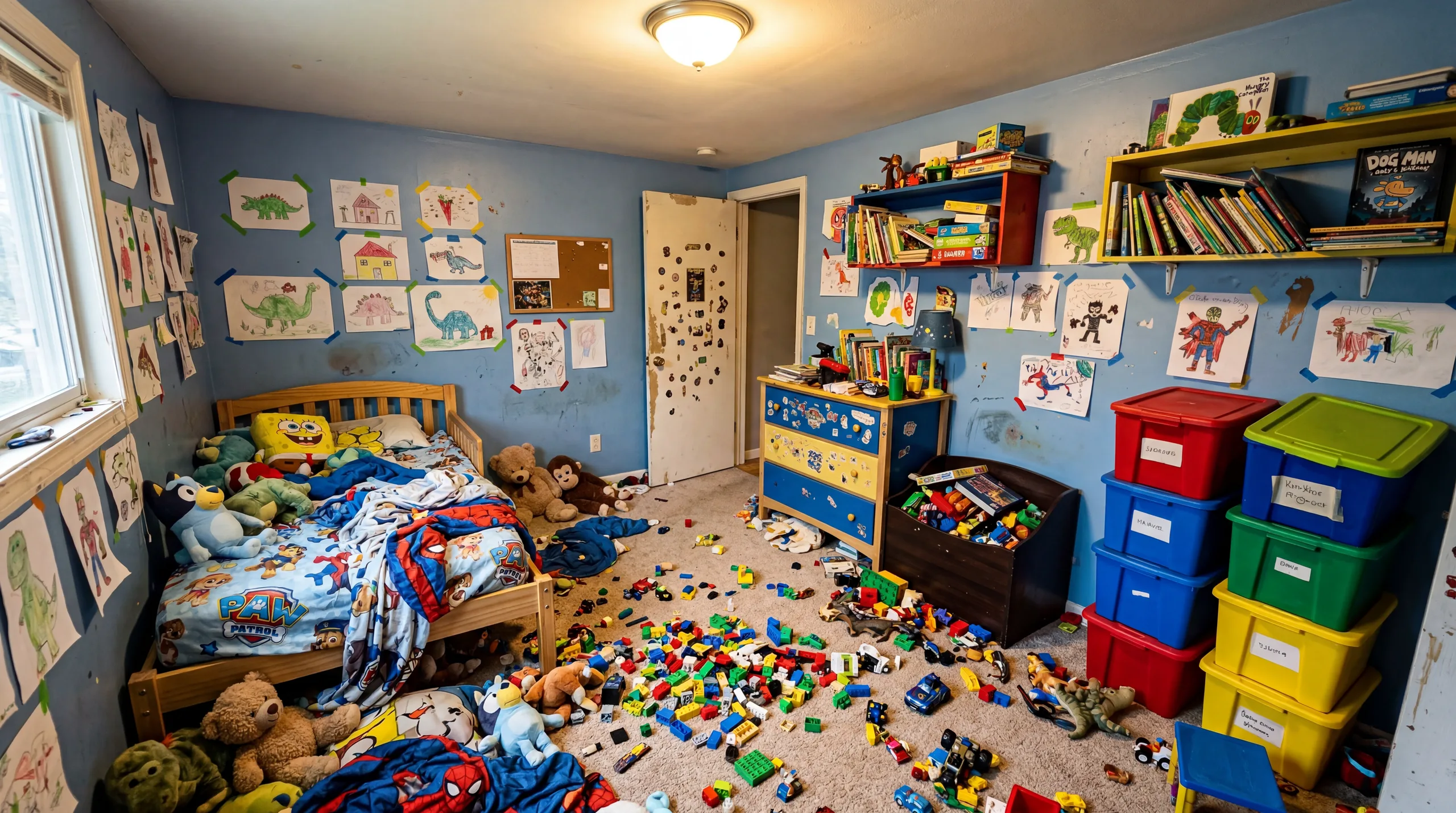
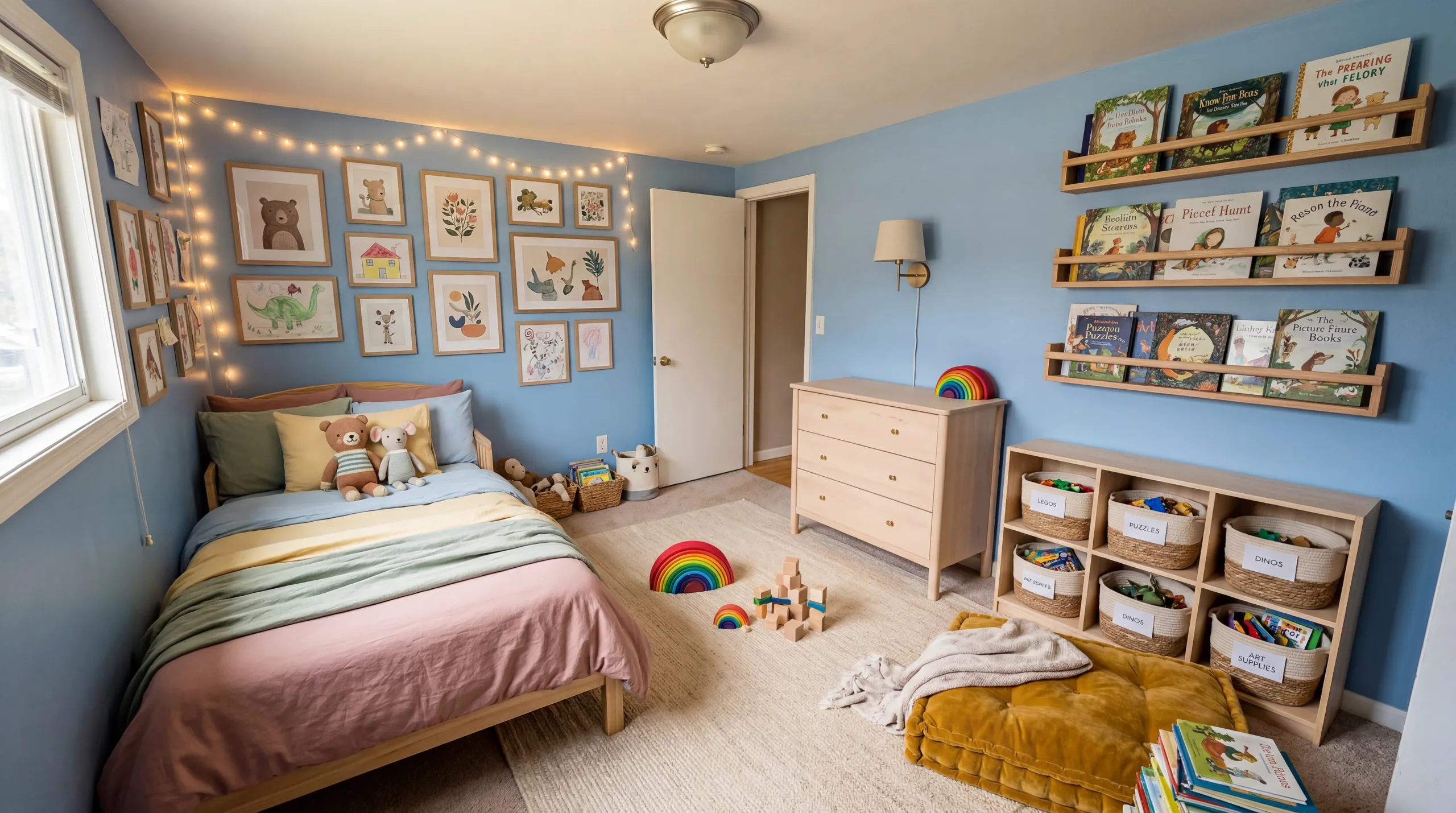
After Kids Room
Your child's room should grow with them. See how playful color palettes and smart furniture choices create a space that is both fun and functional for your family.
Design My Room For...
Whatever your reason for redesigning, AI gives you a photorealistic preview before you commit to any changes.
Remodel Planning
Visualize your renovation before it starts. Upload your current room and see what a modern kitchen, updated bathroom, or refreshed living room could look like — then show the result to your contractor as a design reference.
Rental Styling
Cannot paint the walls or change the floors? AI room design shows you how different furniture styles and decor transform your rental space without any permanent modifications. Find your style within your lease terms.
Guest Experience
Airbnb and vacation rental hosts use AI room design to test how a style upgrade could improve their listing photos and boost bookings. Preview the change, then invest with confidence.
Property Staging
Real estate agents design rooms with AI to virtually stage vacant properties. Show buyers what an empty room looks like fully furnished — at a fraction of the cost of traditional staging.
What Makes AI Room Design Different
Traditional interior design requires weeks of consultations, mood boards, and back-and-forth revisions before you see a single concept. When you design your room with AI, you skip directly to the result — a photorealistic image of your actual space, redesigned in the style you chose, generated in under 30 seconds.
The key difference is that AI works with your room, not a generic template. When you upload a photo of your living room, the AI preserves your walls, windows, doors, and floor plan. It changes only the "surface layer" — furniture, colors, materials, and decor. This means what you see in the result is a realistic preview of what your room could actually become, not an aspirational image from someone else's home.
This specificity changes how you make decisions. Instead of browsing Pinterest and wondering if a Scandinavian style would work in your bedroom, or whether an Industrial look suits your kitchen, you see the answer immediately — on your room, with your dimensions, in your light. Many users try 3-5 styles on the same photo before they find the direction that feels right.
AI room design does not replace a professional designer for complex renovations involving structural changes or permits. But for the 90% of design decisions that are about style, color, and furniture — it gives you answers in seconds that used to take weeks and cost thousands. Whether you are redesigning your living room, planning a kitchen refresh, or staging a property for sale, AI design gives you the confidence to move forward.
Design My Room FAQ
How do I design my room with AI?
Upload a photo of your room to RoomFlip. The AI analyzes the space — walls, windows, doors, layout — and generates a photorealistic redesign in your chosen style. Your room's architecture stays intact while the furniture, colors, and decor are completely transformed. The entire process takes under 30 seconds.
What rooms can I design?
Any room in your home works — living rooms, bedrooms, kitchens, bathrooms, home offices, dining rooms, nurseries, and even outdoor patios. The AI adapts to whatever space it sees in your photo, so there are no limitations on room type or size.
How realistic are AI room designs?
Very realistic. RoomFlip uses advanced image generation models that preserve your room's actual architecture — your walls, windows, and floor plan stay exactly the same. The AI generates photorealistic furniture, lighting, and materials that look like professional interior photography.
Can I try multiple styles on my room?
Yes. You can upload the same room photo and generate redesigns in every style we offer — Modern, Scandinavian, Farmhouse, Industrial, Japanese, Contemporary, and more. Many users try 3-5 styles on the same room to compare directions before making a decision.
Do I need design experience?
Not at all. The AI handles all design decisions — furniture selection, color palettes, material combinations, and spatial arrangement. You just upload a photo and pick a style you like. The result is a professional-quality design without any design knowledge required.
How long does it take to design my room?
About 30 seconds from upload to finished redesign. Upload your photo, select a style, and the AI generates a photorealistic result almost instantly. Trying additional styles on the same room is even faster since the photo is already uploaded.
Explore More
AI Room Designer
The main RoomFlip tool — upload any room photo and redesign it in 12+ styles with AI.
Learn more →AI Room Design
Learn how AI room design works, explore room types, and see why thousands of homeowners trust it.
Learn more →AI Interior Design Styles
Browse all 12+ interior design styles available in RoomFlip — from modern to bohemian.
Learn more →Virtual Staging
Transform vacant properties into beautifully staged spaces for real estate listings.
Learn more →Free AI Room Design
Design any room for free — 2 free credits, no signup, no cost.
Learn more →Design Styles Gallery
Visual gallery of every design style with before-and-after examples and detailed guides.
Learn more →Pricing & Credit Packs
See all credit pack options — from 30 credits at $4.99 to 300 credits at $29.99.
Learn more →Design Blog
Tips, trends, and inspiration for AI-powered room design and interior styling.
Learn more →Free AI Interior Design
Explore 12+ interior design styles for free — see which aesthetic fits your space best.
Learn more →Ready to Design Your Room?
Upload a photo of your space and see it transformed in seconds. No design skills needed. Start free — your first 2 redesigns are on us.