不動産業者
空室が、ようやく「何を売るべきか」を知った。
 ビフォー
ビフォー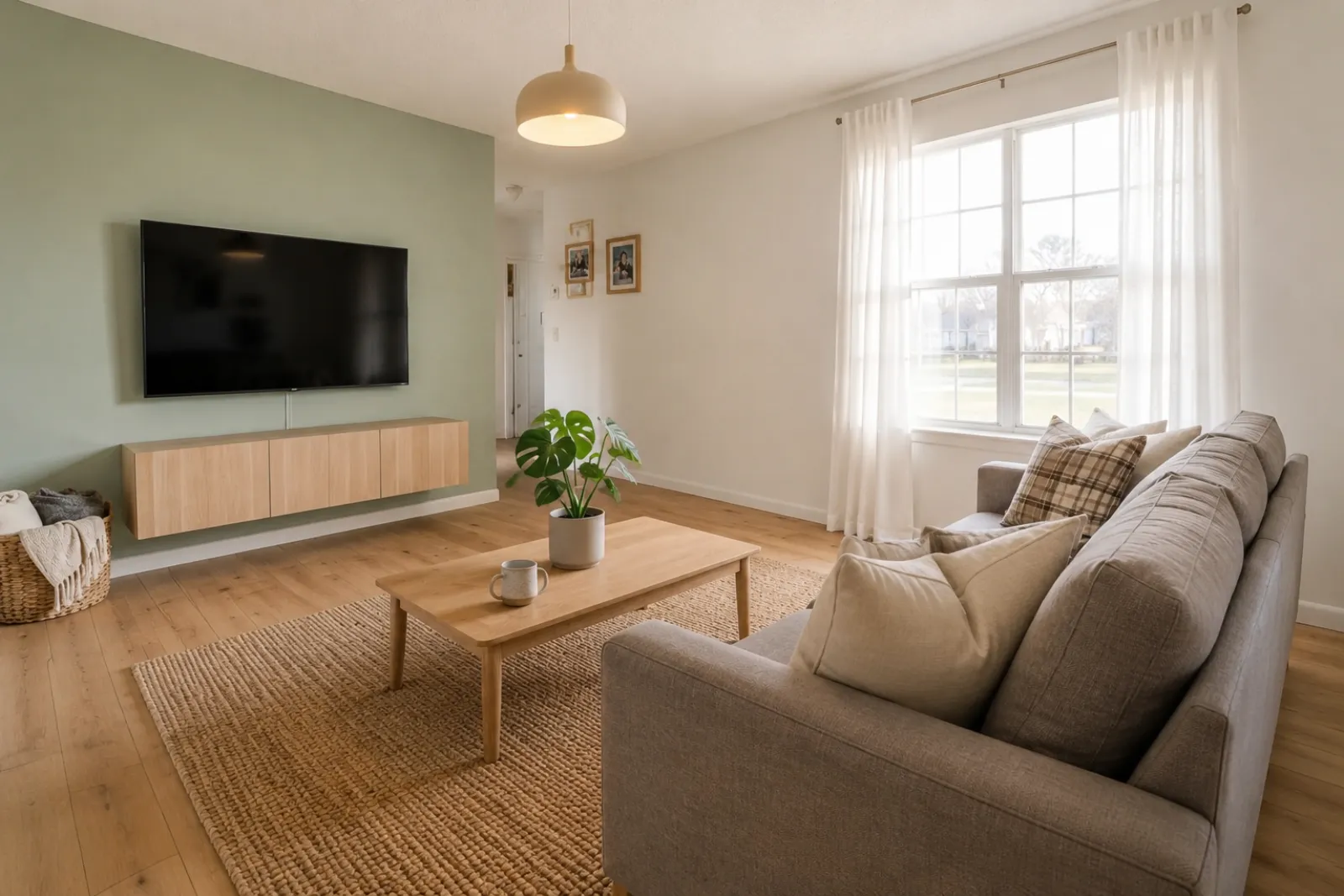 アフター
アフタービフォーアフター事例
"窓も床も、間取りも同じままです。違うのは、買い手がひと目で部屋を読み取れるようになったこと。ソファをどこに置くか、光がどう差し込むか、そしてなぜこの空間が内見に値するのか——それが伝わります。"
物件掲載や賃貸、リフォーム計画、クライアントとの会話に使える、ビフォーアフターのバーチャルステージングプレビューを素早く作成できます。結果はあくまでビジュアル資料としてご活用ください。開示や実際の確認の代わりにはなりません。
実際の部屋の写真から始めて、信頼性のために元の写真もそばに残しておきましょう。
ビフォーアフター事例
それぞれの事例は実際の部屋から始まり、ビフォーをそのまま見せながら、空間をより分かりやすくする方向性を提示します。
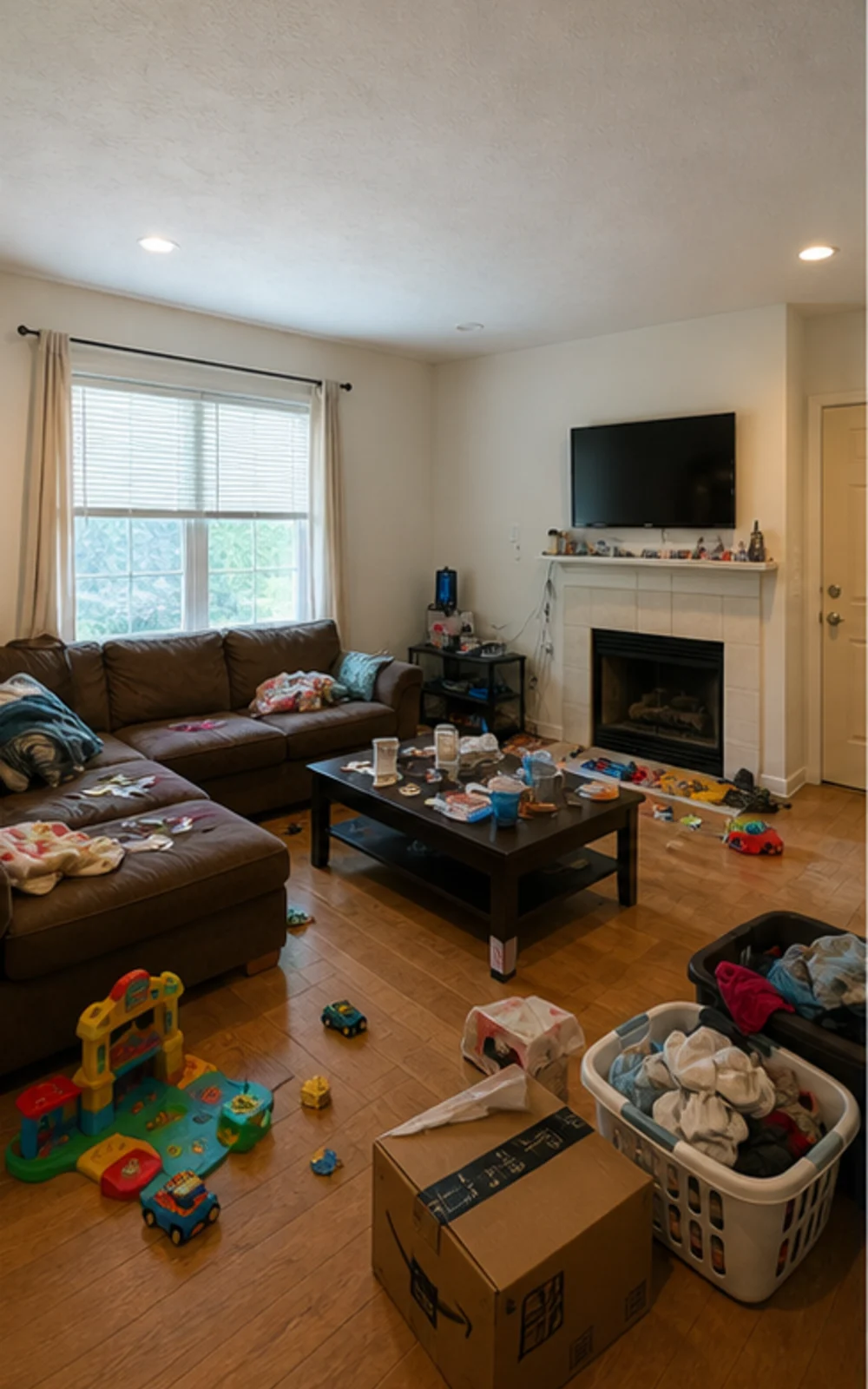
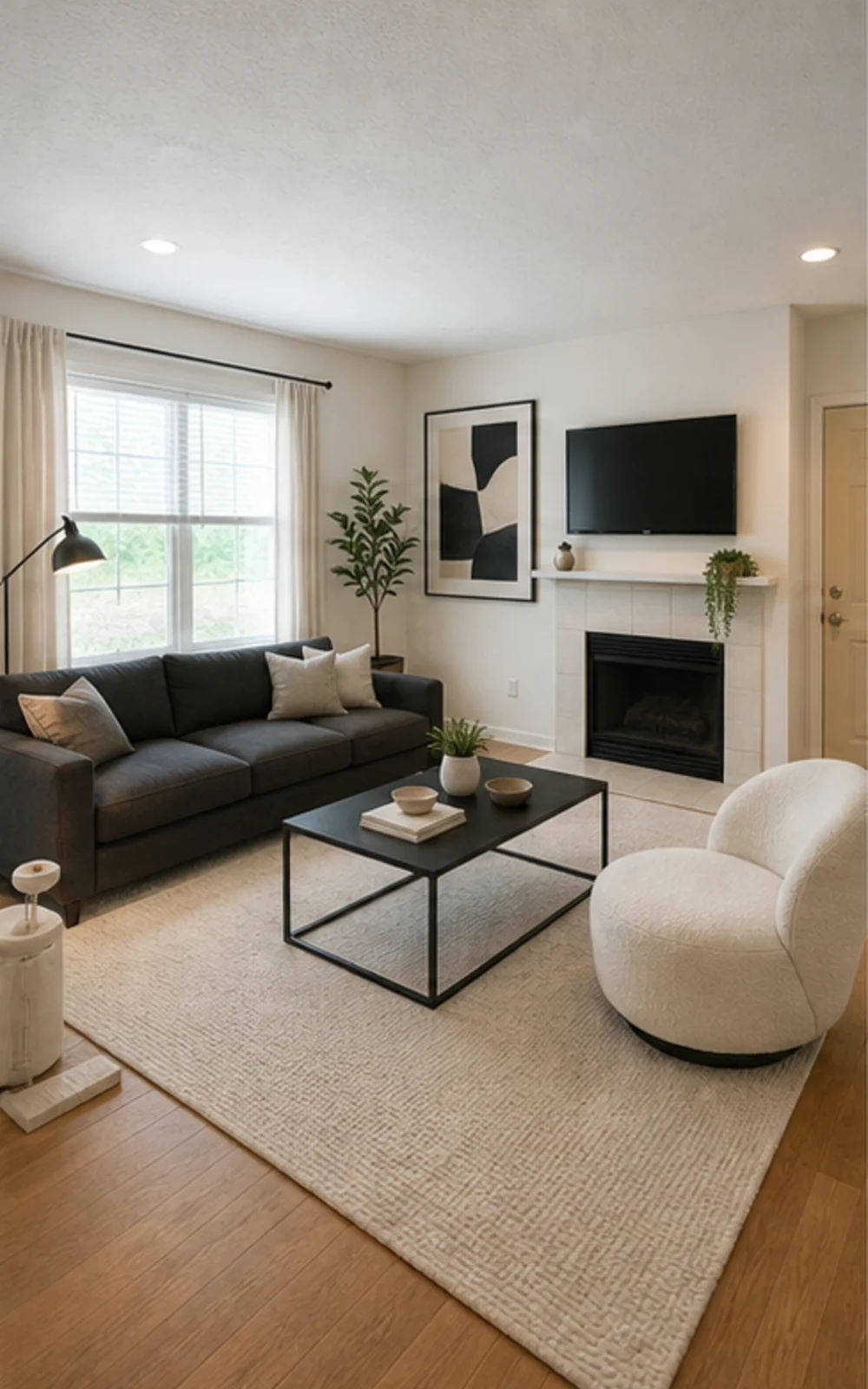
片付けてから演出
散らかったファミリールームが、シャープな家具のライン、落ち着いたラグ、抽象アート、明るい自然光の、クリーンなモダン掲載写真に変わります。
ビフォーアフター事例
不動産業者、ホスト、投資家、施工業者が実際に使うトークスクリプト。同じ間取りの中でより良い暮らしをイメージしてもらうために。
不動産業者
ビフォーアフタービフォーアフター事例
"窓も床も、間取りも同じままです。違うのは、買い手がひと目で部屋を読み取れるようになったこと。ソファをどこに置くか、光がどう差し込むか、そしてなぜこの空間が内見に値するのか——それが伝わります。"
Airbnbスーパーホスト
 ビフォー
ビフォー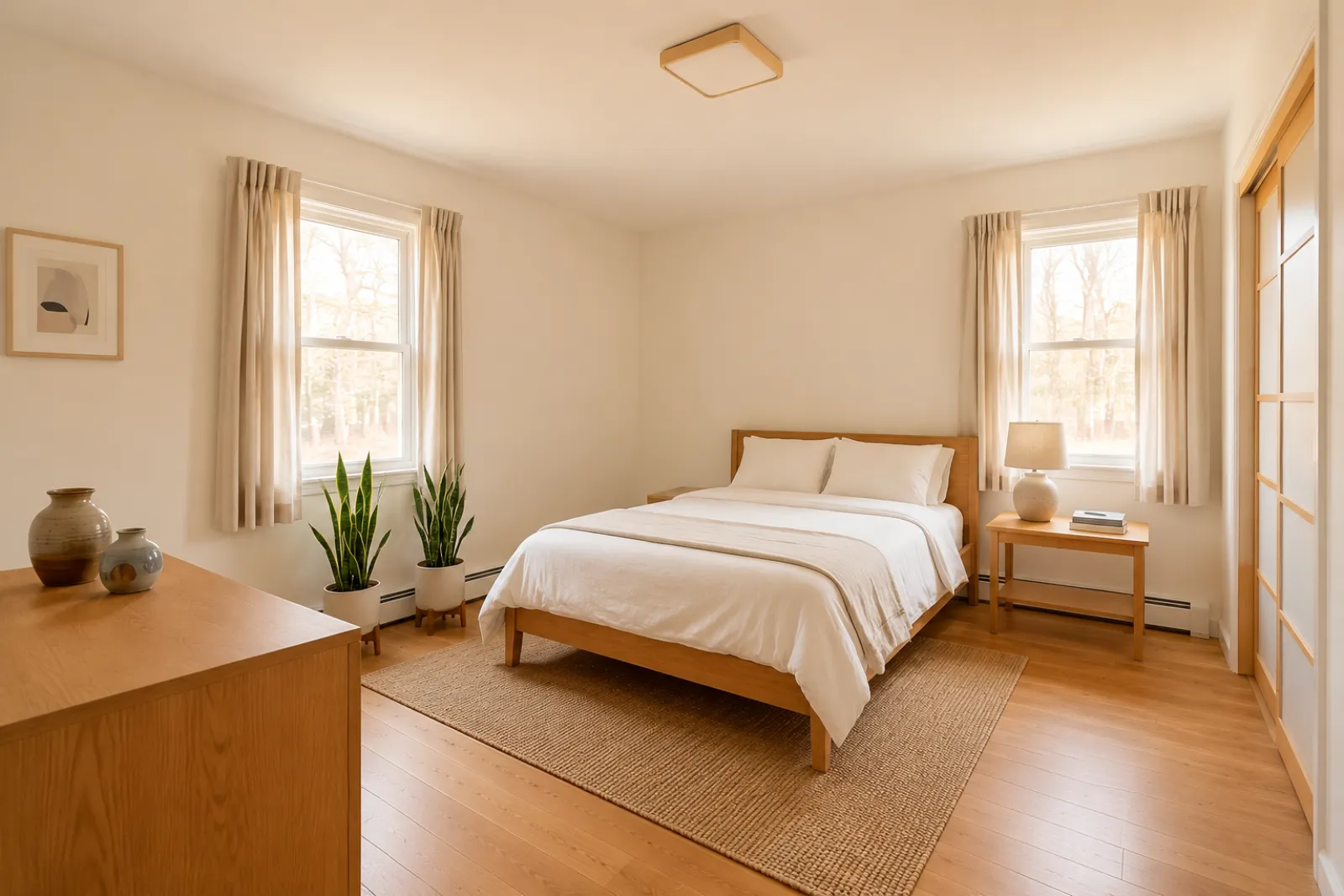 アフター
アフタービフォーアフター事例
"ゲストルームは、旅行者がアメニティを読む前に、意図の伝わる空間であるべきです。RoomFlipは、より落ち着いた上質な方向性が撮影前に投資する価値があるかどうかを、ホストが見極める助けになります。"
リフォームコンサルタント
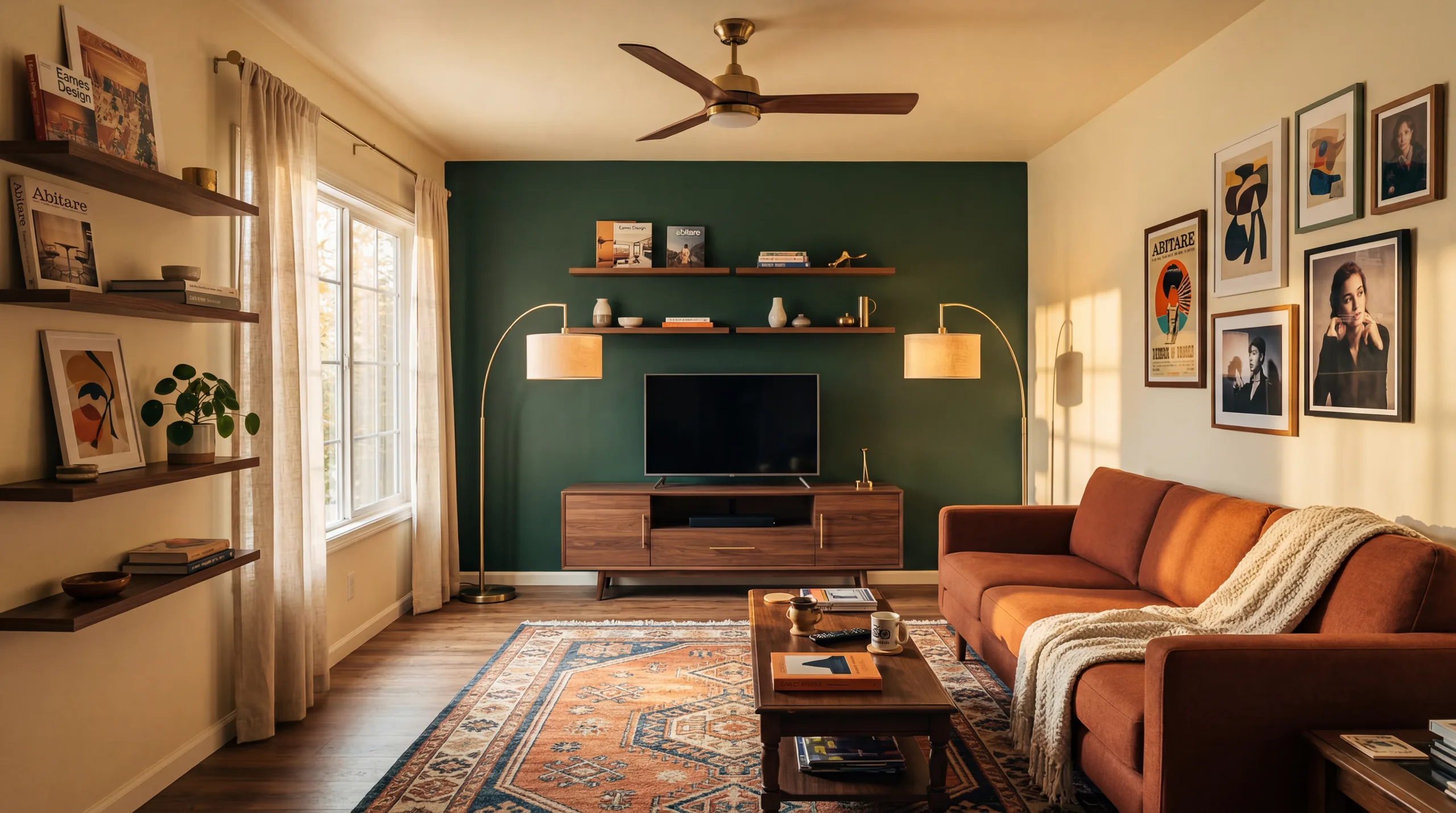 ビフォー
ビフォー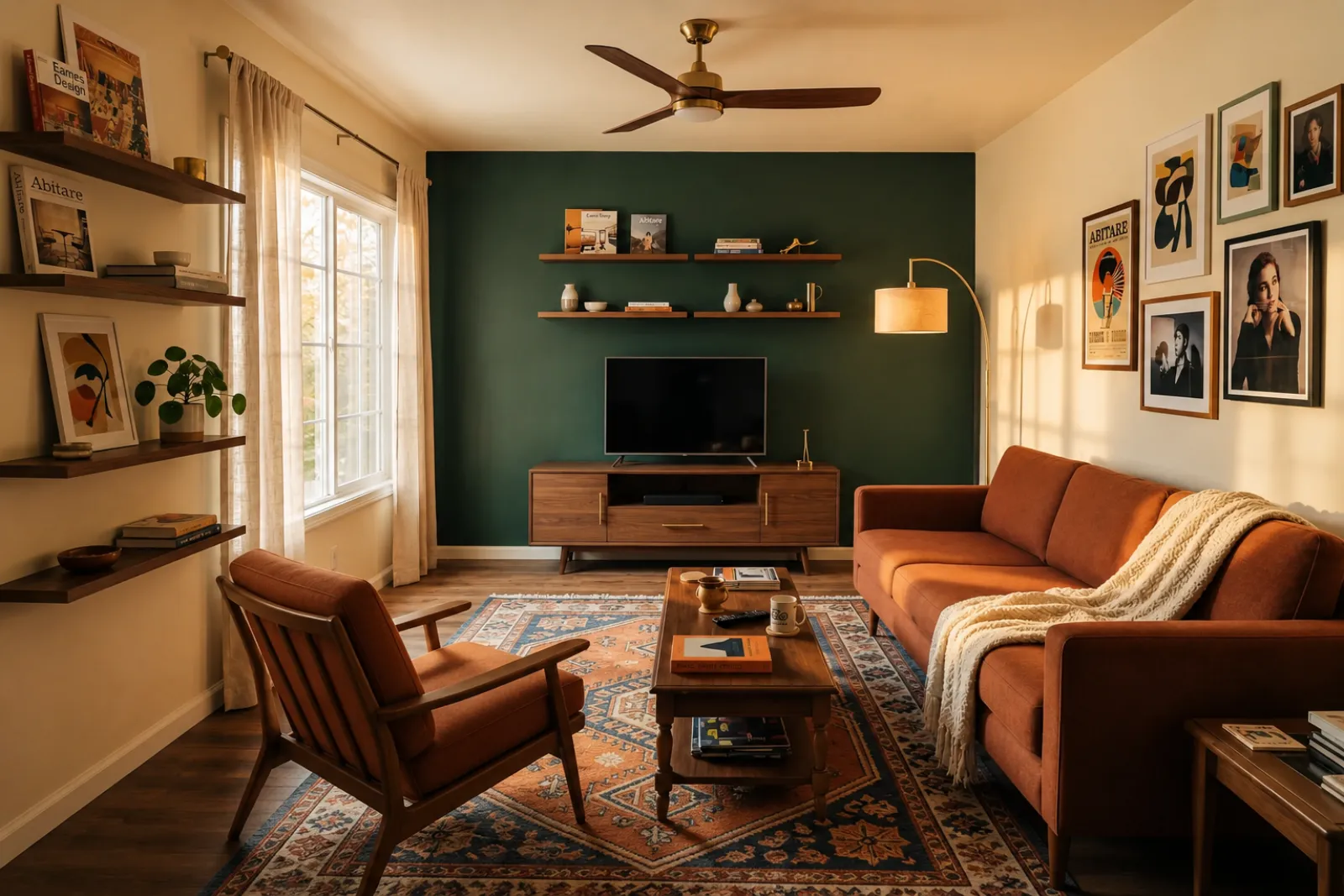 アフター
アフタービフォーアフター事例
"ムードボードでは、クライアントに想像させすぎてしまいます。実際の部屋のプレビューがあれば、会話に共通の土台が生まれます——このカラー、この質感、このくらいの変化を、すでに知っているあの部屋の中で。"
子育て世帯
ビフォーアフタービフォーアフター事例
"私たちはいつも「リビングルームはいつか片付けよう」と言っていました。これを見て、いつかではなく「今週末にでも」という気持ちになりました。子供たちはまだ遊ぶスペースがありますが、部屋には単なる広さだけでなく、魂が宿るようになりました。"
まずは現在のビジュアルツールから始めましょう。物件掲載や賃貸、クライアントとの計画に役立つ専門ページはありますが、掲載や提案の全工程をカバーするものではありません。
空室や古びた掲載写真から、ビフォーアフターのステージングプレビューを作成できます。
家具を購入したり実際の掲載写真を更新したりする前に、賃貸物件の模様替えアイデアをプレビューできます。
家具が届く前の、新築の何もない部屋を買主がイメージしやすくします。
ステージング済みの部屋プレビューを使って、売主との会話をよりビジュアルで具体的なものにしましょう。
本格的なリフォーム検討に入る前に、実際の部屋の写真から見た目の方向性をプレビューできます。
顧客の部屋の写真からビジュアルの方向性を示し、そこに自社の施工範囲と価格を加えましょう。
実際の空間を変える前に、季節ごとの賃貸模様替えアイデアを試してみましょう。
ソファ、ベッド、テーブルが実際に入り、動線も確保できるか — 注文前に確認。
何も手を加えていない部屋の写真から、判断材料になるプレビューまでの4ステップ。
広角のリスティング写真を投入 — 空室、半装、生活感ありどれでもOK。壁、窓、床、自然光は元のまま保持されます。
エージェント向け、Airbnb更新、リフォームプレビュー、施工業者提案から選択。各業務ごとにチューニングされたプロンプトで適切な見た目をレンダリング。
生成されたステージングのプレビューを確認し、使用または共有する前に元の部屋と丁寧に照合してください。
元の写真は必ず残しておき、必要な場合はバーチャルステージングである旨を明記し、公開や見積もり提示の前に実際の詳細を確認しましょう。
ビフォーアフター
基本の流れ
30秒
プレビューにかかる時間
実際の写真
出発点
計画の参考
最適な使い方
サインイン後に5クレジット無料。単一の成約にはクレジットパック、毎回ステージングが必要ならサブスクリプションを。
ログイン後、5クレジットからスタート。1回限りのパックとサブスクリプションが利用可能です。購入前に現在の合計と条件をご確認ください。
サブスクリプションプラン
掲載・賃貸・クライアント向けの継続的な作業に。購入前に更新時期と合計を確認してください。
自宅のオーナー、不動産エージェント、ホストが数部屋を準備する方に
毎月 100クレジット
エージェンシー、賃貸運営者、複数写真の掲載セットを扱う方に
毎月 400クレジット
買い切りクレジットパック
たまの掲載写真、賃貸のリフレッシュ、クライアント向けの選択肢に:1回の支払い、サブスクリプションなし。
30クレジット
≈ 15 HD images
Covers one room100クレジット
≈ 50 HD images
300クレジット
≈ 150 HD images
Stripeによる安全な決済・価格はUSD表示
実際の部屋や物件掲載、賃貸、クライアントとの会話にRoomFlipのバーチャルステージングを使う前に知っておきたいこと。
RoomFlipは、実際の写真からビフォーアフターの部屋プレビューを作成するのに最適です。方向性を把握したり、会話の準備をしたり、模様替えを計画したりする際にお使いください。開示ルールや査定、施工業者の見積もり、プラットフォームの要件の代わりにはなりません。
元の写真が鮮明で、水平が取れていて、明るいほど良い結果が得られます。公開して使う前に、必ず出力結果を実際の部屋と見比べて確認してください。
はい。米国の不動産リスティングではAIバーチャルステージングは合法で、Airbnbも既存物件の正確な表現を許可しています。大半のMLSシステムと全米不動産業協会は、バーチャルステージング写真である旨の明示を要求するため、RoomFlipは画像と一緒にコピーできる開示キャプションを自動付与します。買い手やゲストとの信頼維持のため、必ずラベル付けしてください。
新規ユーザーはサインイン後にスタータークレジットを受け取れます。プレビューがもっと必要な場合や、きれいな画質でダウンロードしたい場合は、有料のクレジットパックやサブスクリプションもご利用いただけます。
作りません。プロンプトで壁、窓、ドア、床、天井、固定建築構造を変更しないよう明示しています。AIが追加するのは家具、装飾、柔らかな照明のみ。コーナーまたはドアから撮影された明るく鮮明な写真をアップロードすれば、別の部屋ではなく、同じ部屋をプロが撮影したような結果になります。
はい。同じ部屋に対して複数の方向性を生成し、保存する価値があるものや計画の参考にするものを決める前に比較できます。
屋内空間ならどこでも対応:リビング、寝室、キッチン、バスルーム、ダイニング、ホームオフィス、子ども部屋、多目的ルーム。コーナーまたはドアから撮った、床・天井・窓・主な壁面を捉えた広角で明るい写真でモデルは最も良く機能します。物が多い写真でも動作しますが結果は安定しません — 可能なら床を片付けてから撮影してください。
不要です。エージェント、ホスト、投資家、施工業者がデザイン経験ゼロでも公開可能な画像を作れるよう、全ワークフローを設計しています。業務を選び、写真をアップロードすれば、プロンプト調整、照明補正、リスティング文の作成はワークスペースが担当。より細かい制御が必要な場合は有料プランでスタイルスライダーや部屋ごとのオーバーライドが利用可能 — ただしデフォルトでも初回レンダリングで実用的な結果が得られます。
物件の写真と詳細をアップロードして、MLS説明、Zillowコピー、Instagramキャプション、Facebook投稿、SEOタイトル、公正住宅コンプライアンスチェックを即座に生成します。不動産業者向け。
詳細を見る →購入前に、ソファ、テーブル、ベッド、収納家具が部屋に収まりそうか確認します。部屋寸法、家具寸法、通路幅からすばやく見積もれます。
詳細を見る →最大6枚の部屋の写真をアップロードし、物件、Airbnbのレンタル、リフォームプレビュー、クライアントプレゼンテーションのために一貫したAIバーチャルステージングセットを作成します。
詳細を見る →ソファ、テーブル、ベッド、キャビネットが注文前に部屋に収まるかどうかを確認してください。まず寸法を確認し、次に実際の写真からスタイルをプレビューします。
詳細を見る →