Realitní makléř
Vejděte a nechte tíhu dne odejít z vašich ramen
 Před
Před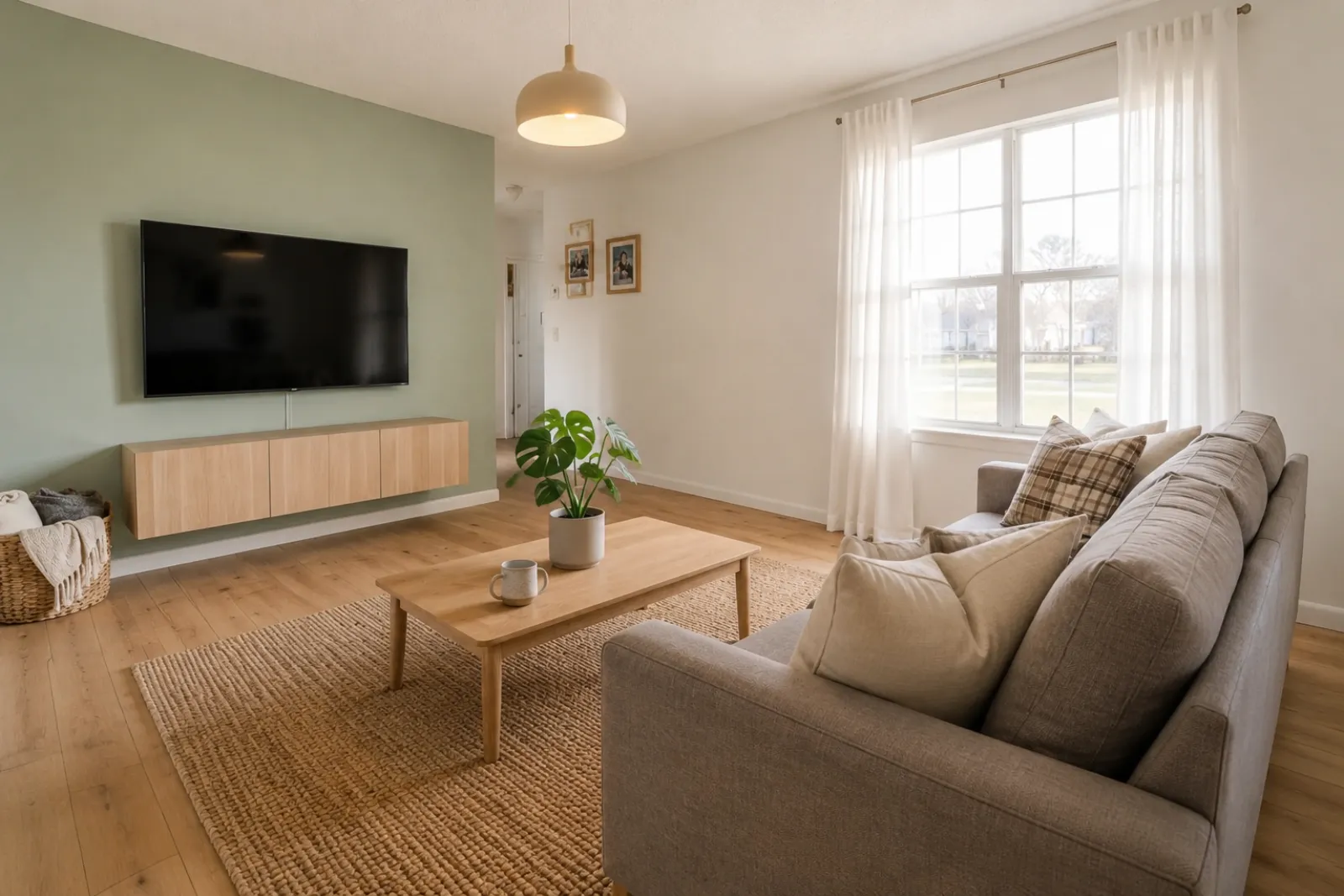 Po
PoPříběhy proměn
"Vygenerované obrázky jsou vizuální koncepty. Ověřte architekturu, rozměry, nábytek, materiály a označení podle skutečného pokoje."
Vytvářejte rychlé náhledy pokojů před a po pro inzeráty, pronájmy, plánování rekonstrukcí a rozhovory s klienty. Výsledek použijte jako vizuální pomůcku, ne jako náhradu za zveřejnění nebo ověření ve skutečném světě.
Začněte skutečnou fotkou pokoje a uchovejte originál poblíž kvůli důvěře.
Případy před a po
RoomFlip je nejsilnější, když jeden vygenerovaný obrázek slouží obchodnímu účelu: pomoci kupujícímu pochopit měřítko, pomoci hostovi představit si pobyt nebo pomoci klientovi schválit směr, než se utratí peníze.
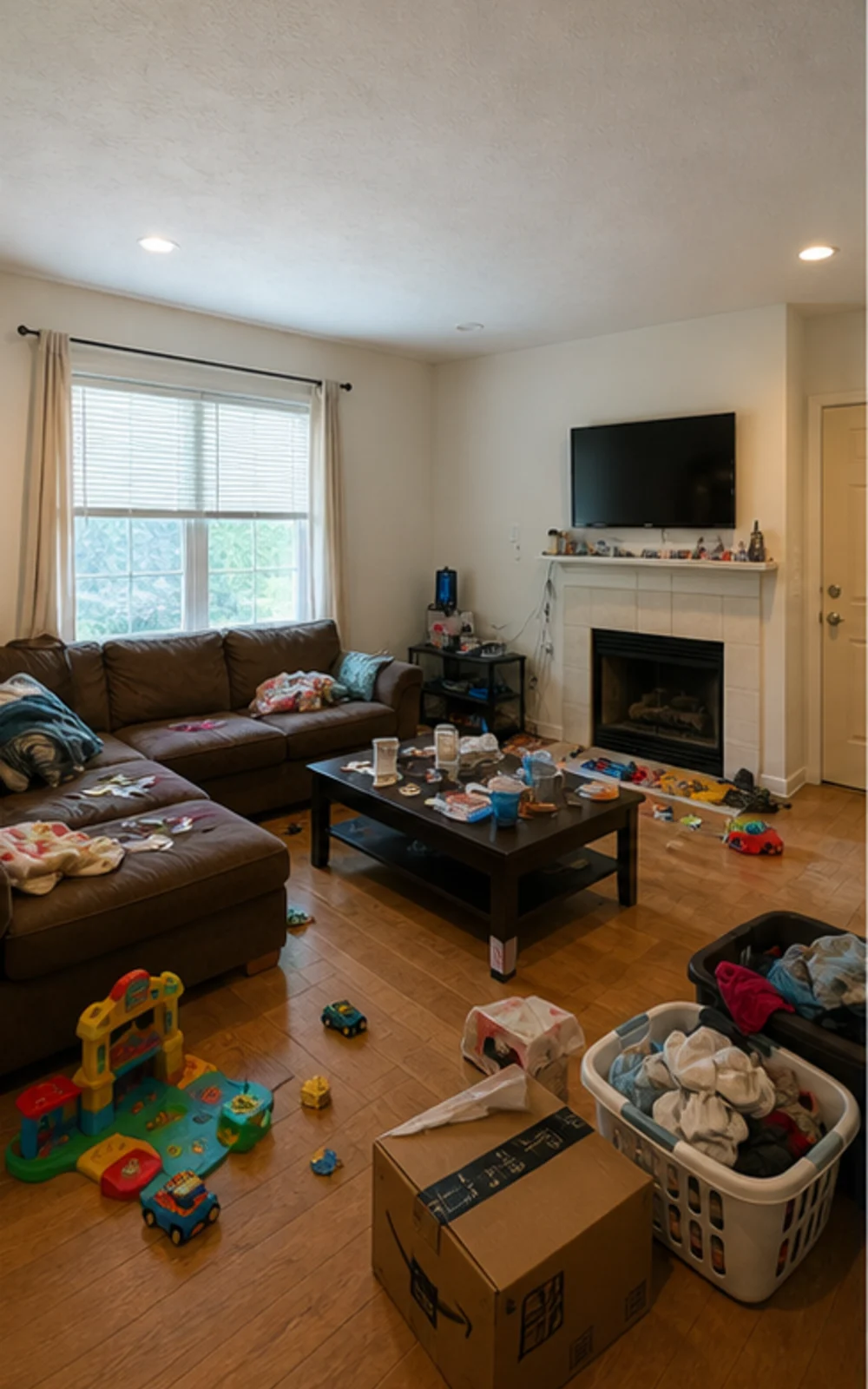
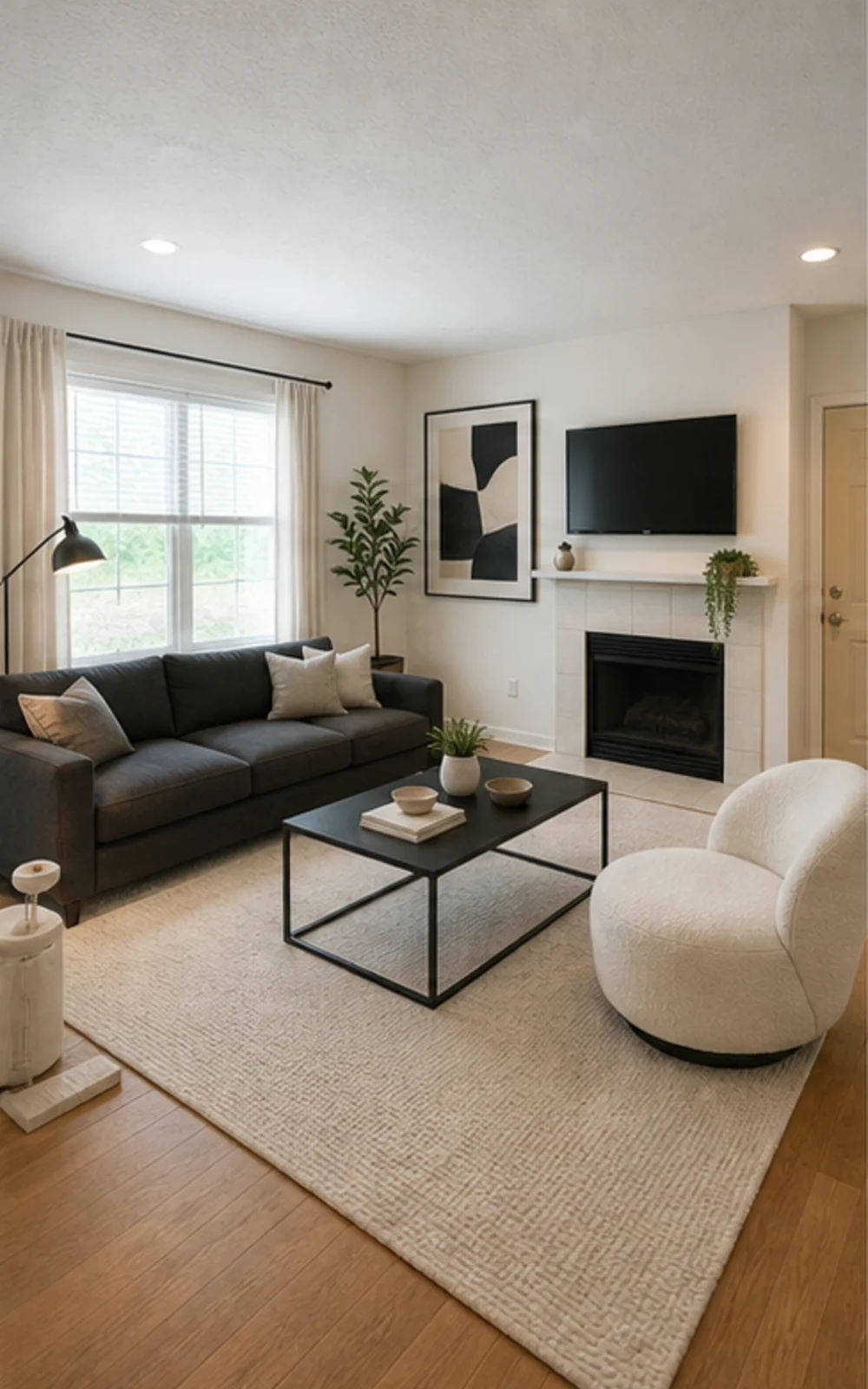
Odstraňte nepořádek, pak stagujte
Nepřehledný rodinný pokoj se stává čistou moderní fotkou do inzerátu s ostřejšími liniemi nábytku, klidným kobercem, abstraktním uměním a jasnějším denním světlem.
Příběhy proměn
Vygenerované obrázky jsou vizuální koncepty. Ověřte architekturu, rozměry, nábytek, materiály a označení podle skutečného pokoje.
Realitní makléř
PředPoPříběhy proměn
"Vygenerované obrázky jsou vizuální koncepty. Ověřte architekturu, rozměry, nábytek, materiály a označení podle skutečného pokoje."
Airbnb Superhostitel
 Před
Před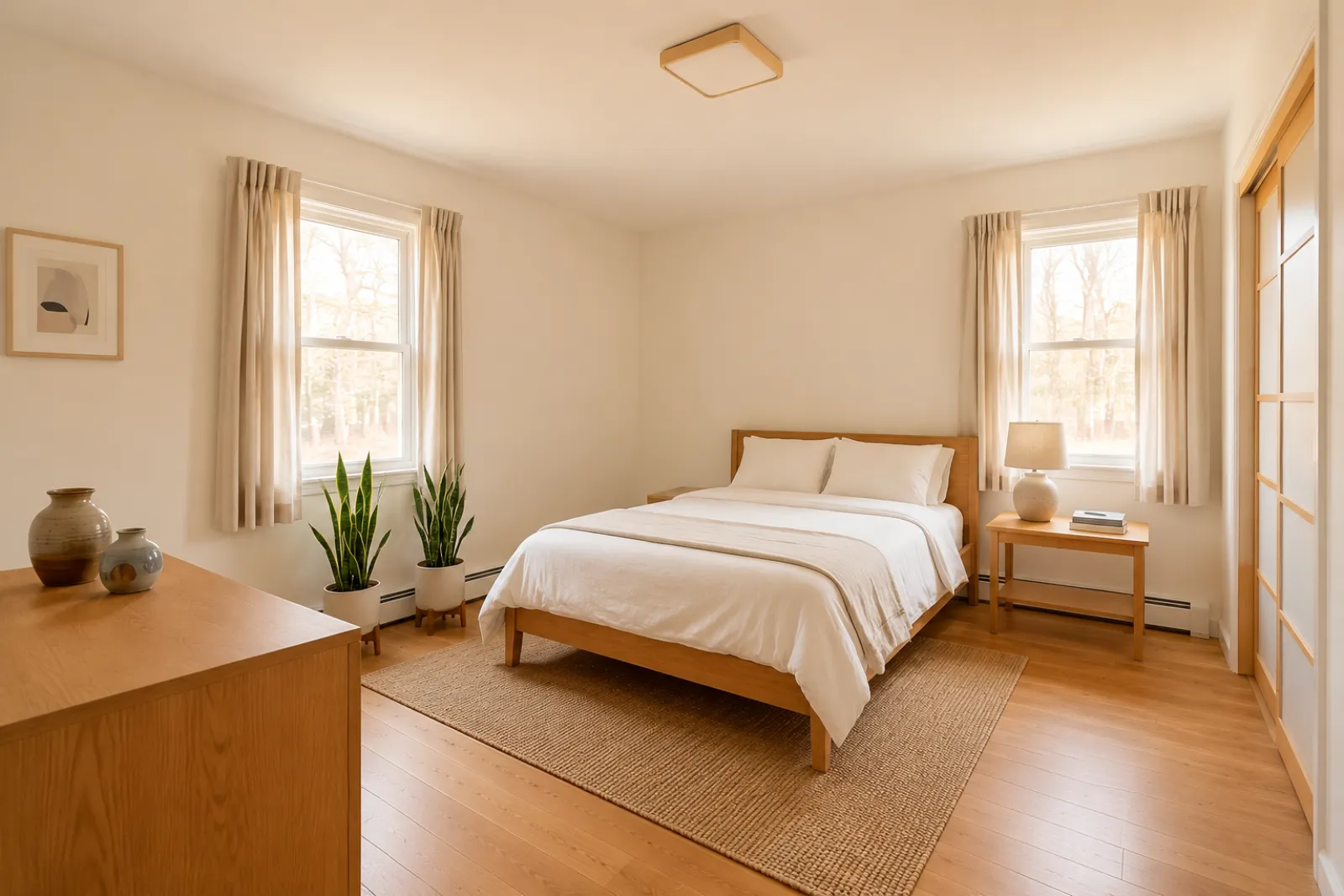 Po
PoPříběhy proměn
"Vygenerované obrázky jsou vizuální koncepty. Ověřte architekturu, rozměry, nábytek, materiály a označení podle skutečného pokoje."
Konzultant renovací
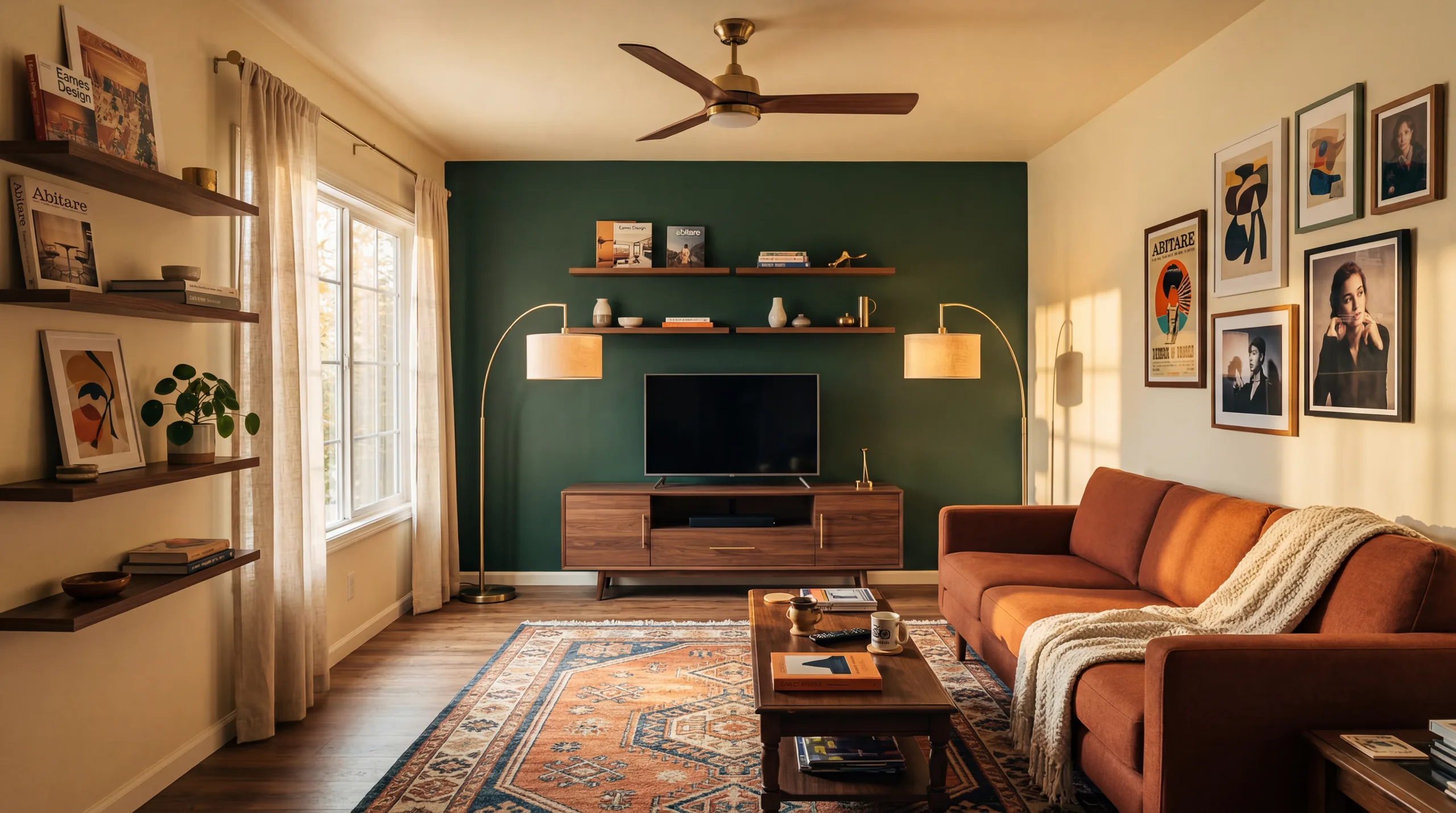 Před
Před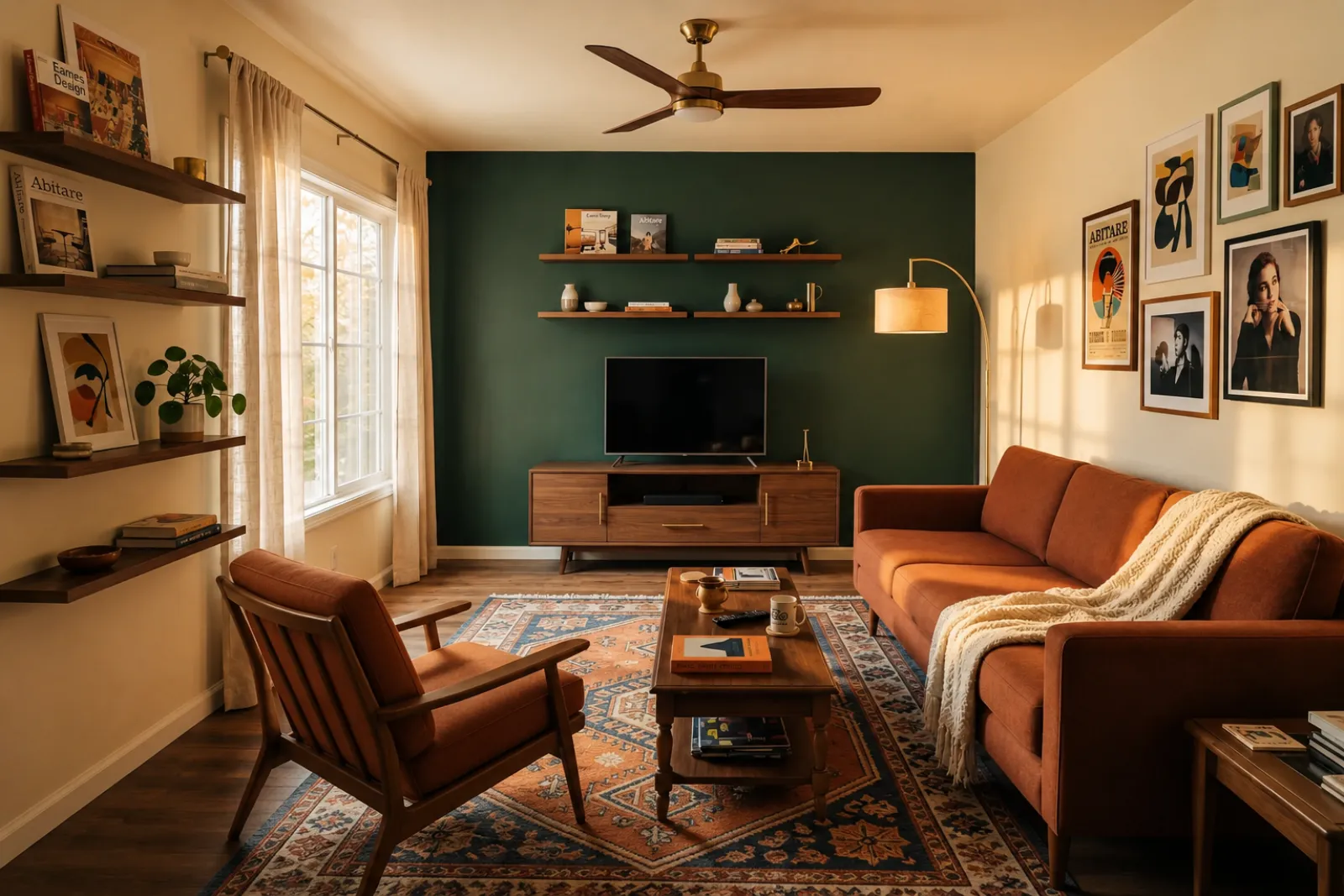 Po
PoPříběhy proměn
"Vygenerované obrázky jsou vizuální koncepty. Ověřte architekturu, rozměry, nábytek, materiály a označení podle skutečného pokoje."
Rozrůstající se rodina
PředPoPříběhy proměn
"Vygenerované obrázky jsou vizuální koncepty. Ověřte architekturu, rozměry, nábytek, materiály a označení podle skutečného pokoje."
Začněte aktuálními vizuálními nástroji. Profesionální stránky použijte pro kontext plánování inzerátů, pronájmů a klientů, aniž byste předpokládali kompletní inzertní nebo nabídkový proces.
Vytvořte náhledy stagingu před a po pro neobsazené nebo zastaralé fotky inzerátů.
Zobrazte si nápady na osvěžení pronájmu, než koupíte nábytek nebo aktualizujete skutečné fotky inzerátu.
Pomozte kupujícím pochopit prázdné novostavby, než dorazí nábytek.
Použijte naaranžovaný náhled pokoje, aby byl rozhovor s prodávajícím vizuálnější a konkrétnější.
Zobrazte si kosmetické směry ze skutečné fotky pokoje před hlubším posouzením rekonstrukce.
Ukažte vizuální směr z fotky pokoje klienta a pak doplňte vlastní rozsah a ceny.
Otestujte sezónní nápady na osvěžení pronájmu, než změníte skutečný prostor.
Zkontrolujte, jestli se pohovka, postel nebo stůl skutečně vejde a zůstane místo na chození — ještě než ho objednáte.
Čtyři kroky od surové fotky pokoje k náhledu, který můžete posoudit.
Vygenerované obrázky jsou vizuální koncepty. Ověřte architekturu, rozměry, nábytek, materiály a označení podle skutečného pokoje.
Vyberte staging pro makléře, refresh Airbnb, náhled rekonstrukce nebo nabídku dodavatele. Každý úkol používá vyladěný prompt a vykreslí správný vzhled.
Doba zpracování se liší podle obrázku a aktuální poptávky. Každý výsledek porovnejte s původní fotografií.
Uchovejte původní fotku poblíž, označte virtuální staging, když je to nutné, a před zveřejněním nebo nabídkou ověřte skutečné detaily.
Před/po
Základní pracovní postup
Liší se
Typický čas náhledu
Skutečná fotka
Výchozí bod
Plánovací pomůcka
Nejlepší použití
Začněte s 5 kredity zdarma po přihlášení. Přidejte si balíček kreditů na jednu zakázku, nebo si předplaťte, pokud je staging součástí každého inzerátu.
Po přihlášení začnete s 5 kredity. K dispozici jsou jednorázové balíčky a předplatné; před platbou si projděte aktuální celkovou částku a podmínky.
Předplatné plány
Pro opakovanou práci na inzerátech, pronájmech nebo pro klienty. Před platbou si projděte načasování obnovení a celkové částky.
Vyzkoušejte pracovní postup, než utratíte peníze
5 startovacích kreditů po přihlášení
Pro majitele domů, makléře a hostitele připravující pár pokojů
100 kreditů / měsíc
Pro agentury, provozovatele pronájmů a vícenásobné sady fotografií do inzerátů
400 kreditů / měsíc
Jednorázové kreditové balíčky
Pro příležitostné fotky do inzerátů, osvěžení pronájmů nebo varianty pro klienty: jedna platba, žádné předplatné.
30 kreditů
≈ 15 HD images
Covers one room100 kreditů
≈ 50 HD images
300 kreditů
≈ 150 HD images
Bezpečná platba přes Stripe · Ceny v USD
Co vědět, než použijete virtuální staging RoomFlip pro skutečný pokoj, inzerát, pronájem nebo rozhovor s klientem.
RoomFlip je nejlepší pro vytváření náhledů pokojů před a po ze skutečných fotek. Použijte ho k pochopení směru, přípravě rozhovoru nebo plánování osvěžení. Nenahrazuje pravidla zveřejňování, odhady, nabídky dodavatelů ani požadavky platforem.
Nejlepší výsledky jsou, když je původní fotka jasná, rovná a dobře osvětlená. Před veřejným použitím každý výstup zkontrolujte proti skutečnému pokoji.
Ano. AI virtuální staging je legální pro realitní inzeráty v USA a Airbnb povoluje přesné znázornění existující jednotky. Většina MLS systémů a National Association of Realtors vyžaduje jasné označení, že fotky jsou virtuálně vybavené, takže RoomFlip automaticky přidá popisek s upozorněním, který lze zkopírovat s obrázkem. Vybavené fotky vždy označujte, abyste si udrželi důvěru kupujících a hostů.
Noví uživatelé získají startovací kredity po přihlášení. Placené balíčky kreditů a předplatné jsou k dispozici, když potřebujete více náhledů nebo čistší stahování.
Ne. Prompt modelu výslovně říká, aby stěny, okna, dveře, podlahy, stropy a pevnou architekturu nechal beze změny. Jediné, co AI přidá, je nábytek, dekor a jemnější dotyky osvětlení. Pokud nahrajete jasnou, dobře osvětlenou fotku z rohu nebo dveří, výstup vypadá jako profesionálně vyfocená verze té samé místnosti, ne jako úplně jiná místnost.
Ano. Můžete vygenerovat více směrů pro stejný pokoj a porovnat je, než se rozhodnete, který stojí za uložení nebo použití jako plánovací referenci.
Jakýkoli vnitřní prostor: obývací pokoje, ložnice, kuchyně, koupelny, jídelny, domácí kanceláře, dětské pokoje a bonusové místnosti. Model funguje nejlépe na širokých, dobře osvětlených fotkách z rohu nebo dveří, které zachytí podlahu, strop, okna a hlavní plochy stěn. Silně nepřehledné fotky stále fungují, ale výsledek je méně předvídatelný — pokud lze, uvolněte podlahu.
Vygenerované obrázky jsou vizuální koncepty. Ověřte architekturu, rozměry, nábytek, materiály a označení podle skutečného pokoje.
Nahrajte fotografie a podrobnosti o nemovitosti a okamžitě vygenerujte popisy MLS, texty pro Zillow, popisky pro Instagram, příspěvky na Facebook, SEO tituly a kontrolu dodržování pravidel pro spravedlivé bydlení. Vytvořeno pro realitní makléře.
Zobrazit podrobnosti →Před nákupem zkontrolujte, zda se pohovka, stůl, postel nebo skříň pravděpodobně vejde do pokoje. Použijte rozměry pokoje, nábytku a průchodu pro rychlý odhad.
Zobrazit podrobnosti →Nahrajte až 6 fotografií pokojů a vytvořte konzistentní sadu AI virtuálního aranžování pro nabídky, pronájmy Airbnb, náhledy renovací a prezentace pro klienty.
Zobrazit podrobnosti →Před objednáním si ověřte, zda se pohovka, stůl, postel nebo skříň pravděpodobně vejdou do vašeho pokoje. Nejprve použijte rozměry, poté si prohlédněte styl na skutečné fotografii.
Zobrazit podrobnosti →