Real estate agents
Listing staging that makes empty rooms easier to read
Before
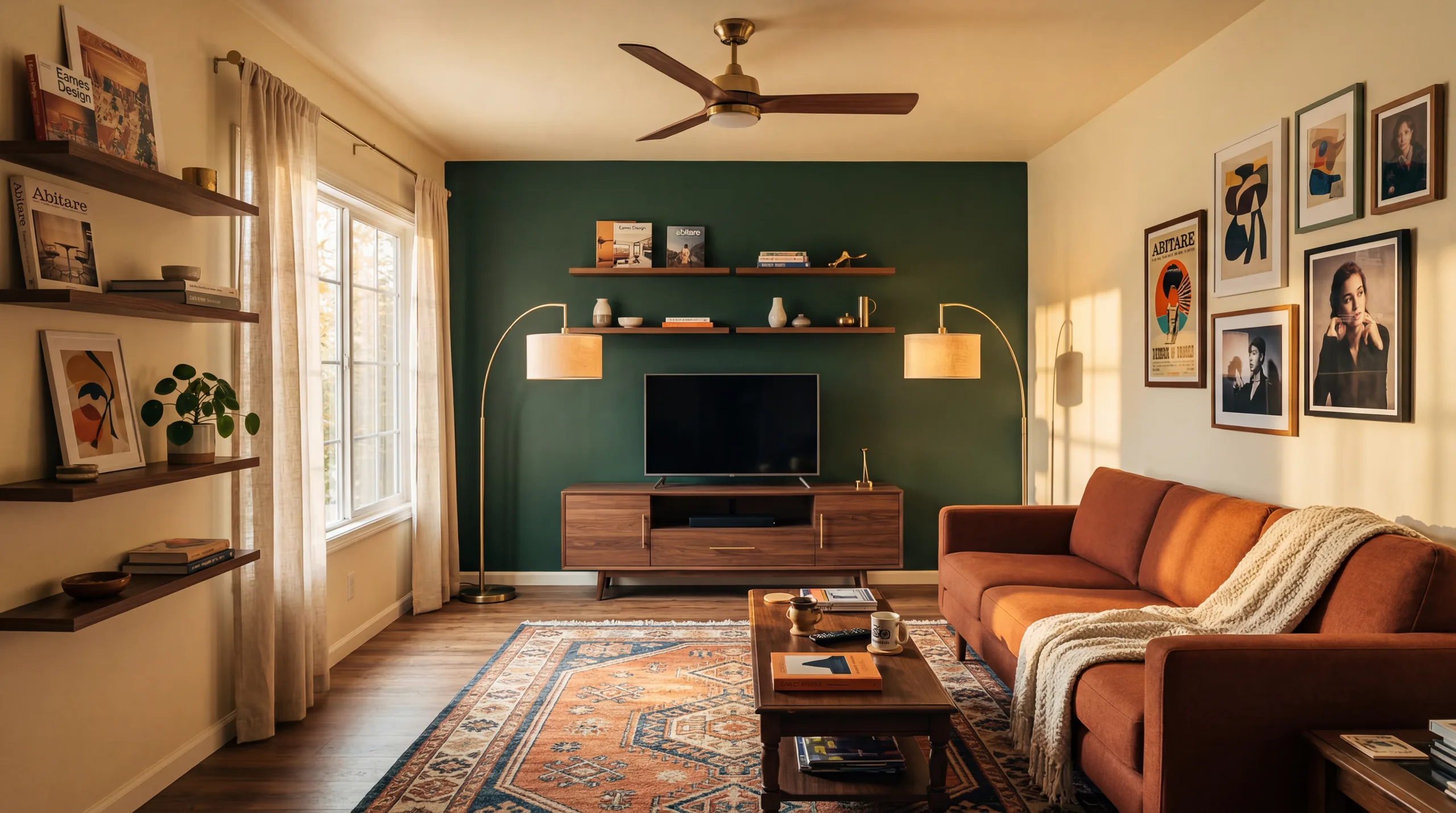
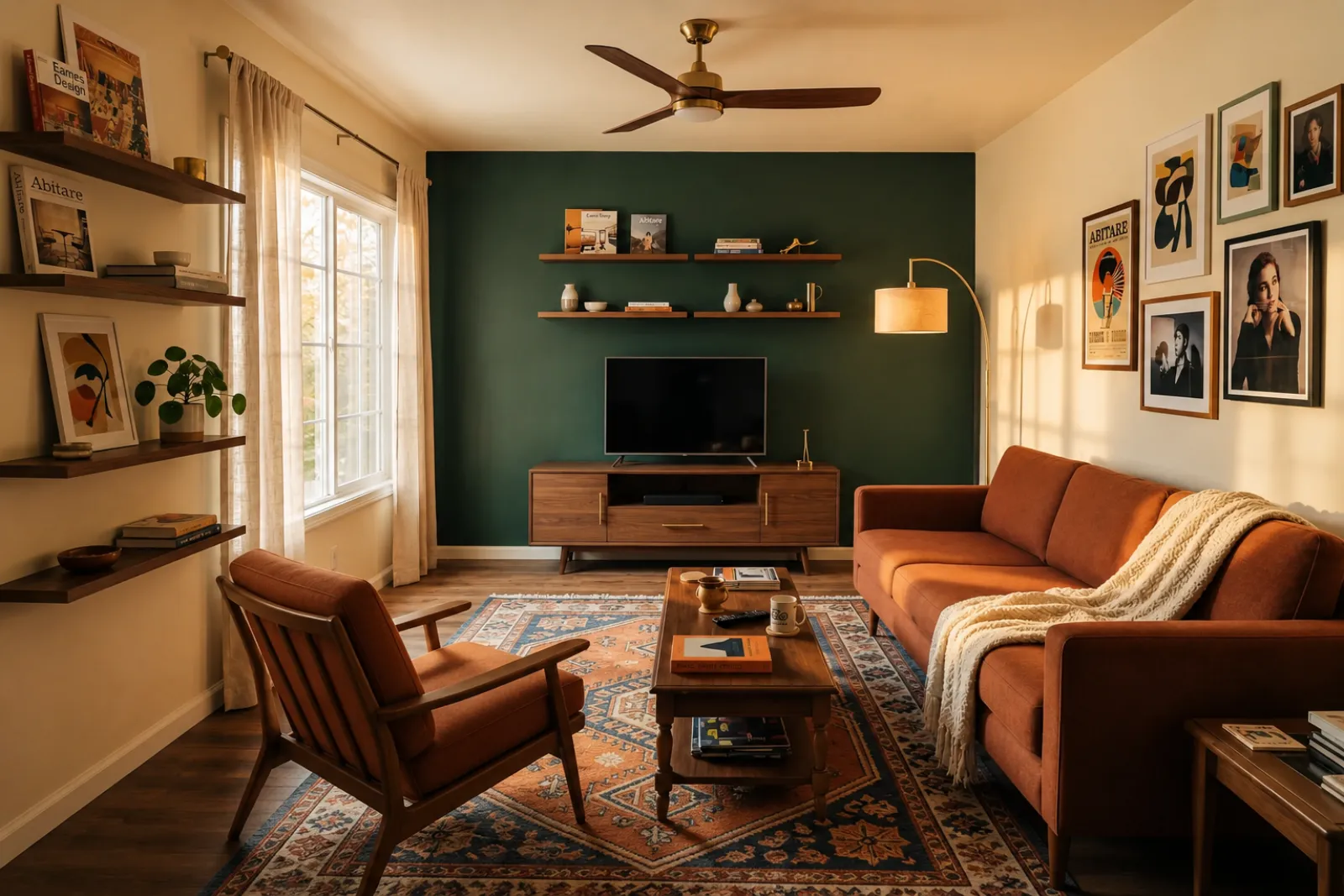
AfterTalk Track
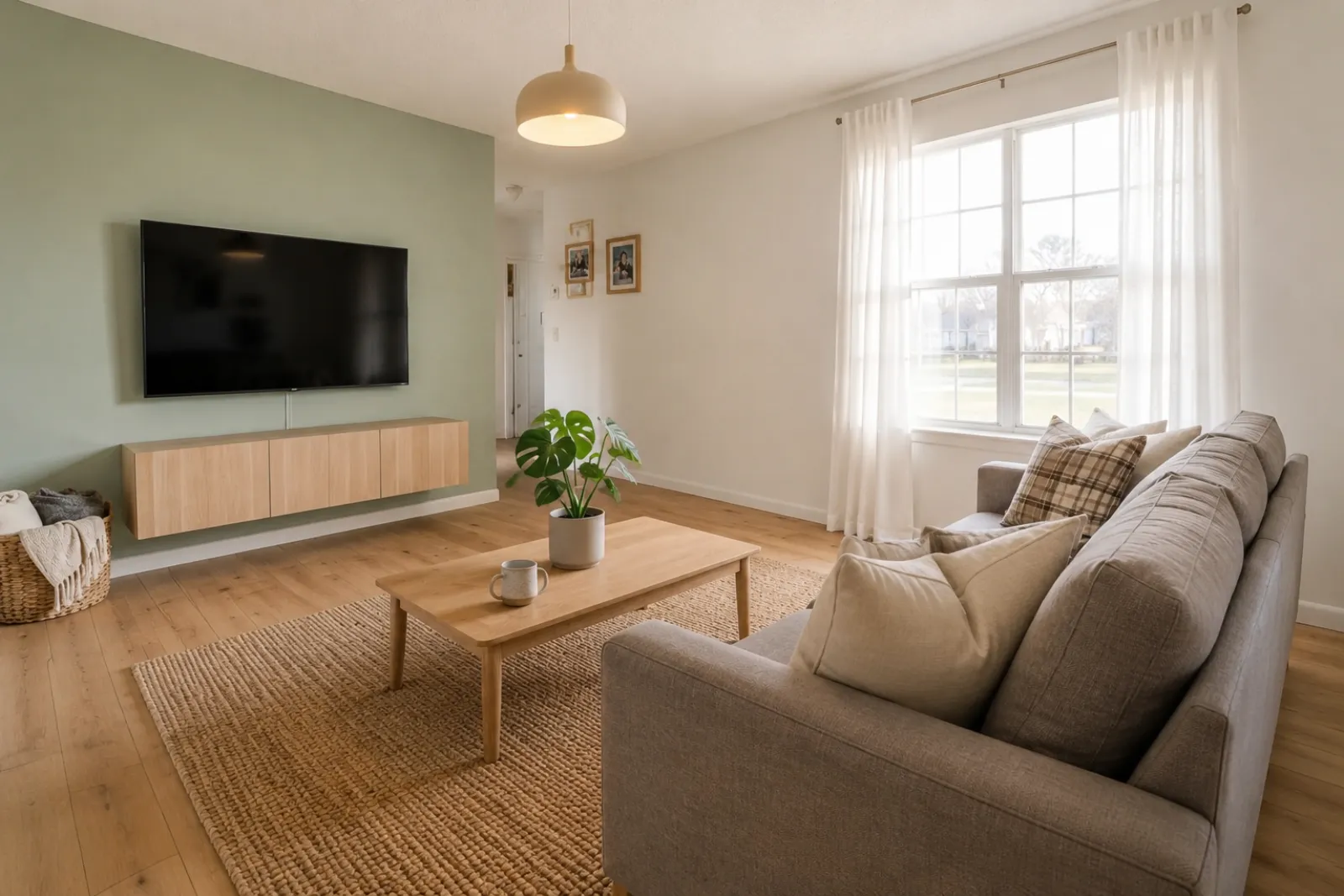
"Upload listing photos and compare before-and-after staging directions. Keep the original visible so sellers and buyers can understand what changed."
Create quick before-and-after room previews for listings, rentals, renovation planning, and client conversations. Use the result as a visual aid, not a substitute for disclosure or real-world verification.
Start from a real room photo and keep the original nearby for trust.
Style proof
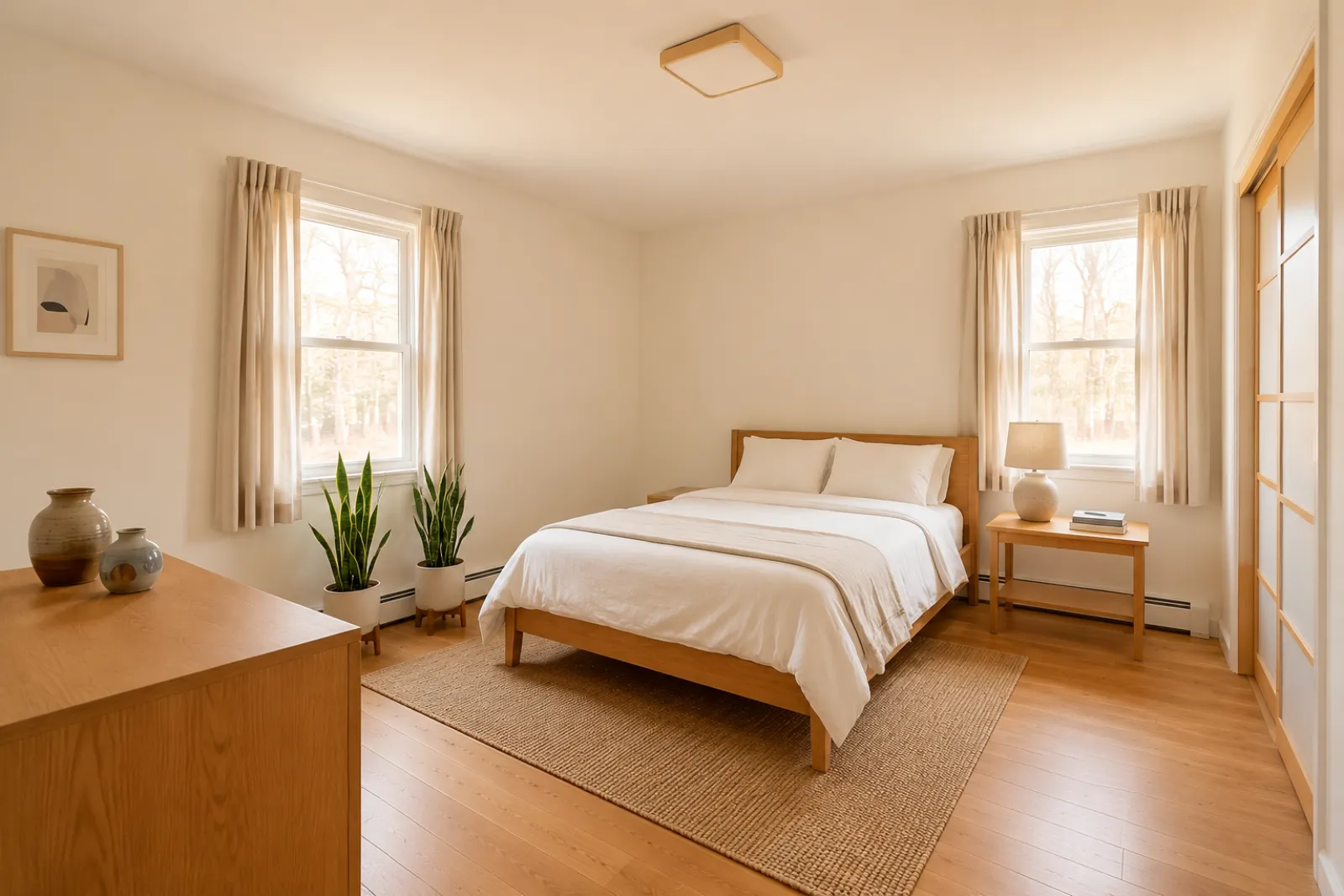
A virtual staging page needs to show the difference quickly. These examples keep the original room context visible while switching between room types and staging jobs.


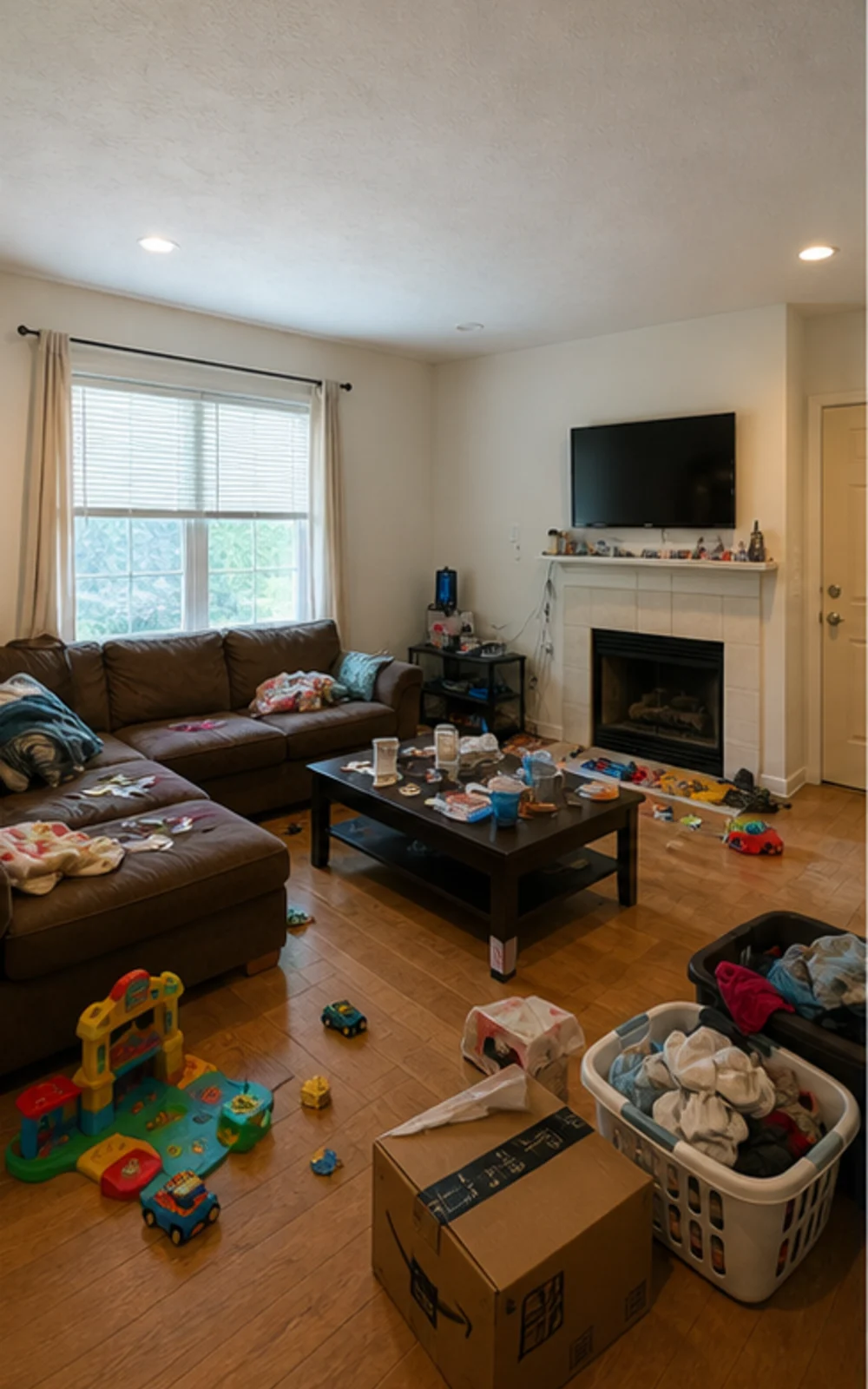
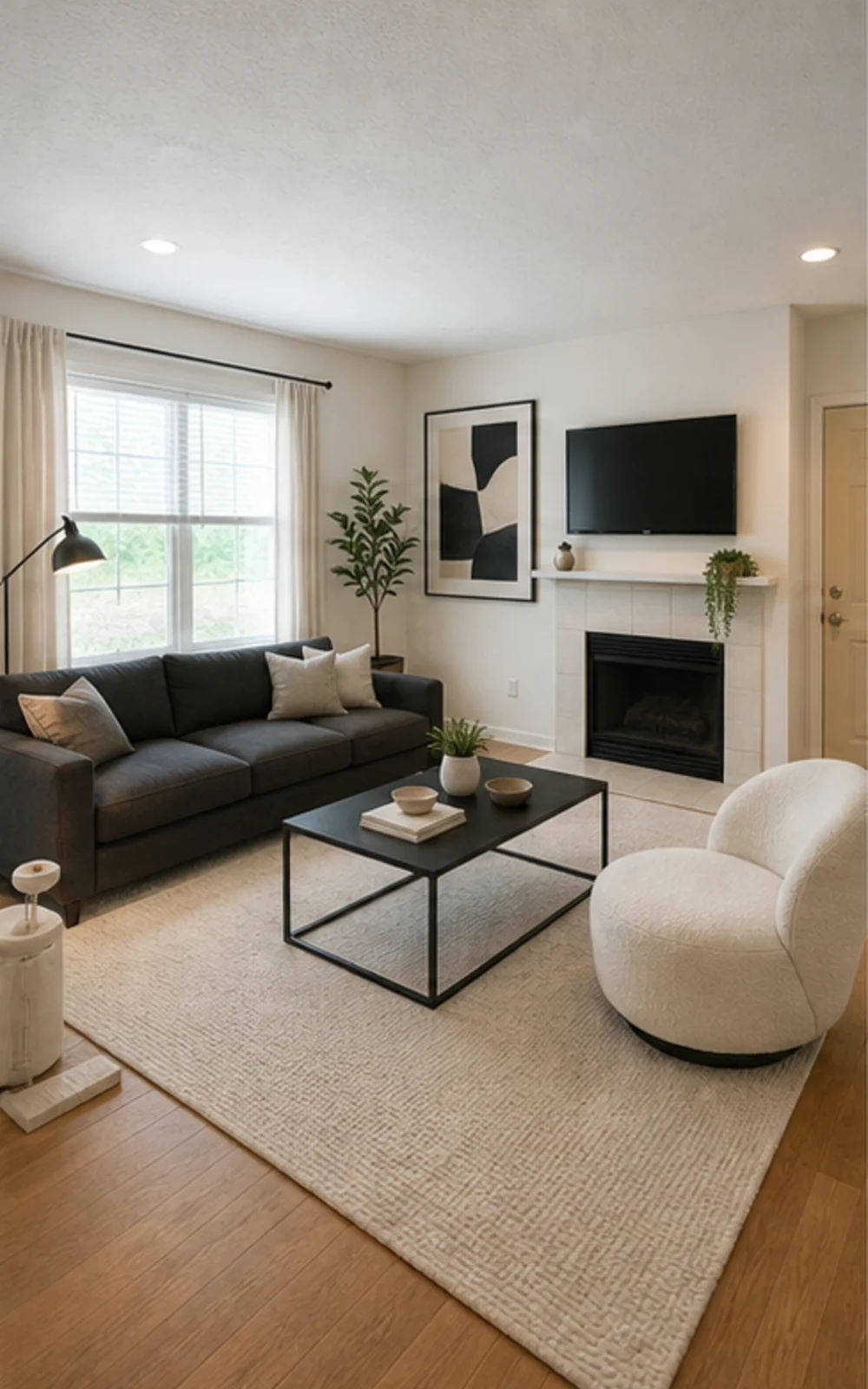
Remove clutter, then stage
The messy family room becomes a clean modern listing photo with sharper furniture lines, a calm rug, abstract art, and brighter daylight.
改造案例
挂牌经纪、房东、投资人、承包商在用的真实话术,帮助客户在同样的户型里想象更好的生活。
Real estate agents
Before
AfterTalk Track
"Upload listing photos and compare before-and-after staging directions. Keep the original visible so sellers and buyers can understand what changed."
Airbnb hosts
Before
AfterTalk Track
"Test seasonal looks before you commit. Use the strongest direction as a planning reference, then photograph the real room once the refresh is done."
Investors & flippers
Before
AfterTalk Track
"Use a real room photo to compare cosmetic directions before you spend contractor time. Verify scope, budget, and value outside RoomFlip."
Contractors
Before
AfterTalk Track
"Show a before-and-after direction from the client's own room photo, then pair it with your real estimate, measurements, and proposal process."
Start with the current visual tools. Use professional pages for listing, rental, and client planning context without assuming a complete listing or proposal workflow.
Create before-and-after staging previews for vacant or dated listing photos.
Preview rental refresh ideas before buying furniture or updating real listing photos.
Help buyers understand empty new-build rooms before furniture arrives.
Use a staged room preview to make a seller conversation more visual and specific.
Preview cosmetic directions from a real room photo before deeper renovation review.
Show a visual direction from a client room photo, then add your own scope and pricing.
Test seasonal rental refresh ideas before changing the real space.
下单前先确认沙发、床、餐桌能不能塞进去、还能不能走动。
Four steps from raw room photo to a preview you can judge.
上传一张广角挂牌照 — 空房、半装修、有人住过的都可以。模型会保留真实墙面、窗户、地板和自然光。
经纪软装、Airbnb 换装、翻新预览、承包商方案,选一种。每个任务都跑过专门调优的提示词,出图风格直接对应场景。
约 30 秒就能得到一张写实软装图,保留原始建筑结构,看上去像专业摄影出的成品。
Keep the original photo nearby, label virtual staging when required, and verify real-world details before publishing or quoting.
Before/after
Core workflow
30s
Typical preview time
Real photo
Starting point
Planning aid
Best use
登录后赠送三次免费额度。单笔成交可以直接买积分包,挂牌量大就订阅。
Start free with 3 photos after sign-in. Pay only when you want more — a one-time pack or a monthly plan.
Free
$0
3 starter photos
30 photos
$4.99
$0.17 per photo
100 photos
$12.99
$0.13 per photo
300 photos
$29.99
$0.10 per photo
What to know before using RoomFlip virtual staging for a real room, listing, rental, or client conversation.
RoomFlip is best for creating before-and-after room previews from real photos. Use it to understand a direction, prepare a conversation, or plan a refresh. It does not replace disclosure rules, appraisals, contractor quotes, or platform requirements.
Results work best when the original photo is clear, level, and well lit. Review every output against the real room before using it publicly.
可以。AI 虚拟软装在美国房产挂牌中是合法的,Airbnb 也允许对现有房源进行准确还原的展示。大多数 MLS 系统和美国房地产经纪人协会要求明确标注照片为虚拟软装,所以 RoomFlip 会自动附带一段披露文案,可以与图片一起复制。请始终标注软装图,以维系买家和房客的信任。
New users get starter credits after sign-in. Paid credit packs and subscriptions are available when you need more previews or cleaner downloads.
不会。提示词会明确告知模型保持墙、窗、门、地板、天花板以及固定建筑结构不变。AI 只会添加家具、装饰和柔和灯光。如果你上传一张从角落或门口拍摄、光线充足的照片,出图就像同一个房间的专业摄影版,而不是另一个房间。
Yes. You can generate multiple directions for the same room and compare them before deciding which one is worth saving or using as a planning reference.
任何室内空间都可以:客厅、卧室、厨房、浴室、餐厅、家庭办公室、婴儿房、多功能房。模型在广角、光线充足、从角落或门口拍摄、能拍到地板、天花板、窗户和主要墙面的照片上表现最好。杂物堆积的照片也能用,但效果不太稳定 — 拍之前尽量清理地面。
不需要。每个工作流都为零设计背景的挂牌经纪、房东、投资人或承包商而设计,直接出可发布的图。选作业、上传照片,工作台会自动完成提示词调优、灯光修正和挂牌文案。付费版会开放风格滑块和单房间细节控制 — 但默认路径一次出图就能用。
Staged photos, MLS description, social captions, and print-ready PDFs in one bundle.
View details →Check whether a sofa, bed, or table will actually fit and leave walking room.
View details →Stage an entire home with consistent styling across kitchen, bedrooms, and living spaces.
View details →Compare RoomFlip pricing with traditional staging, manual virtual staging, and one-time preview packs.
View details →Add furniture, remove furniture first, or rearrange existing furniture from one room photo.
View details →Reimagine any room in 12+ design styles while keeping real architecture intact.
View details →Preview a specific sofa or table inside your real room before committing to the purchase.
View details →Same room, same furniture, three new layouts — no floor plan required.
View details →