Real estate agents
Listing staging that makes empty rooms easier to read
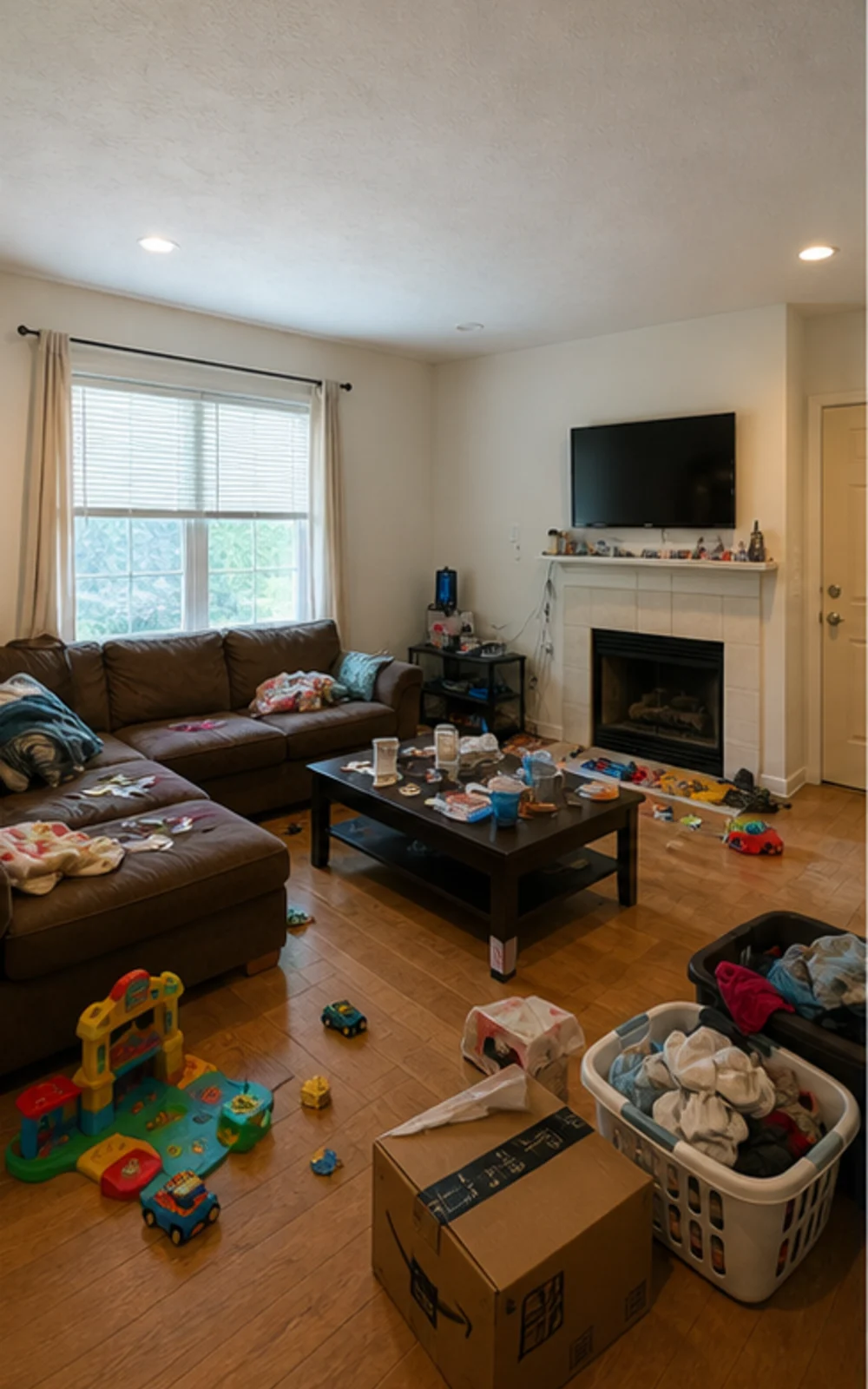
Before
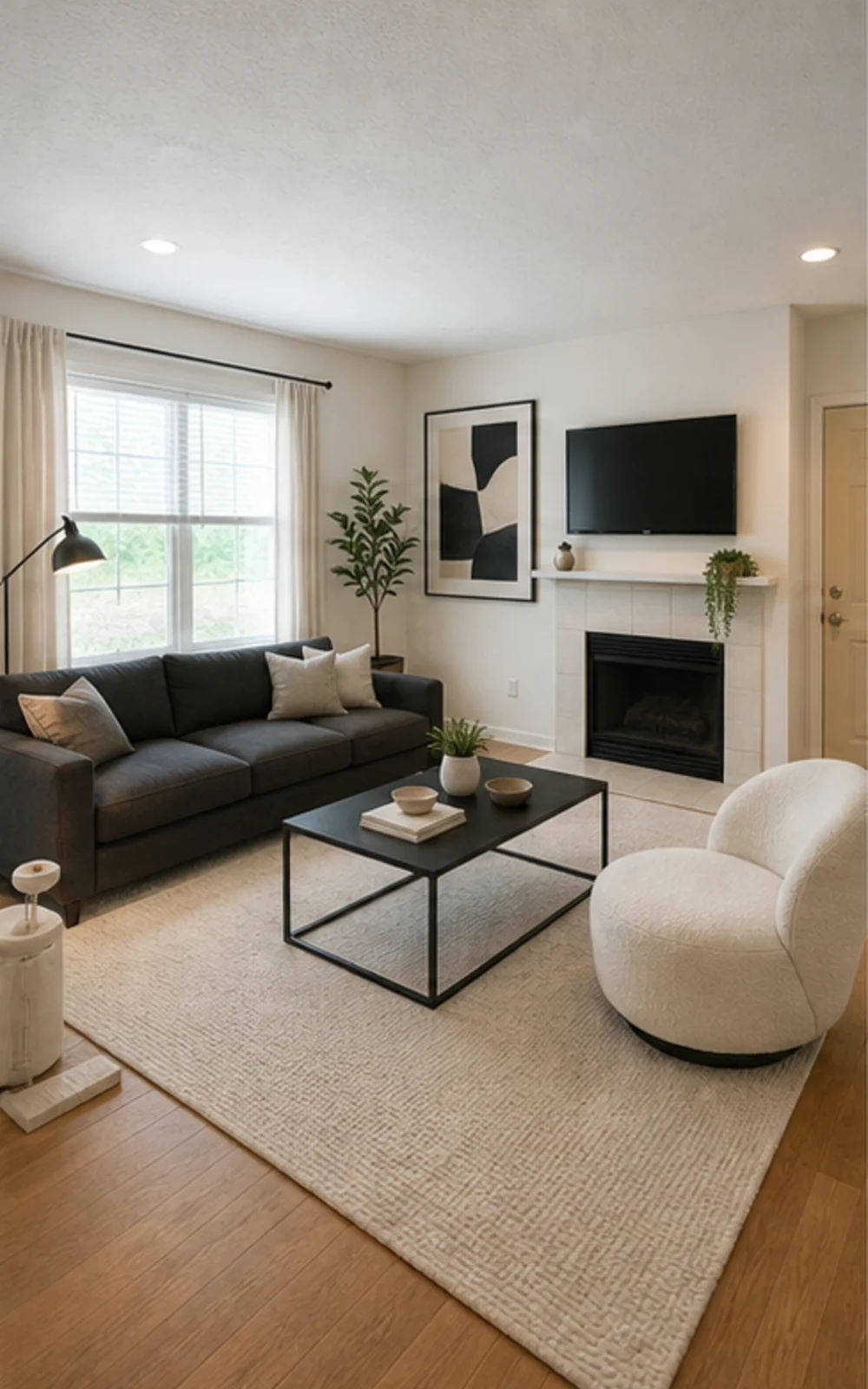
AfterTalk Track
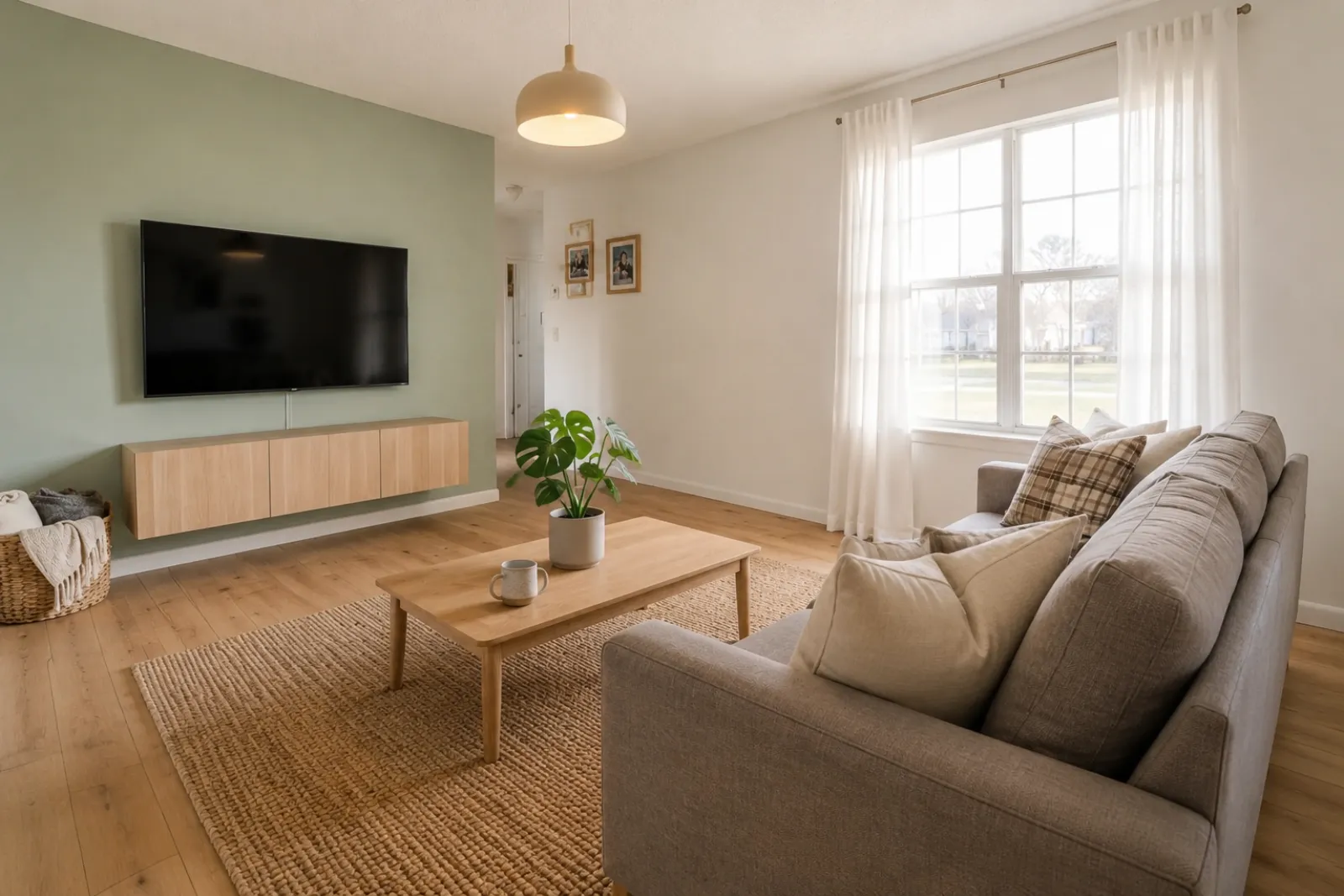
"Upload listing photos and compare before-and-after staging directions. Keep the original visible so sellers and buyers can understand what changed."
Create quick before-and-after room previews for listings, rentals, renovation planning, and client conversations. Use the result as a visual aid, not a substitute for disclosure or real-world verification.
Start from a real room photo and keep the original nearby for trust.
Style proof
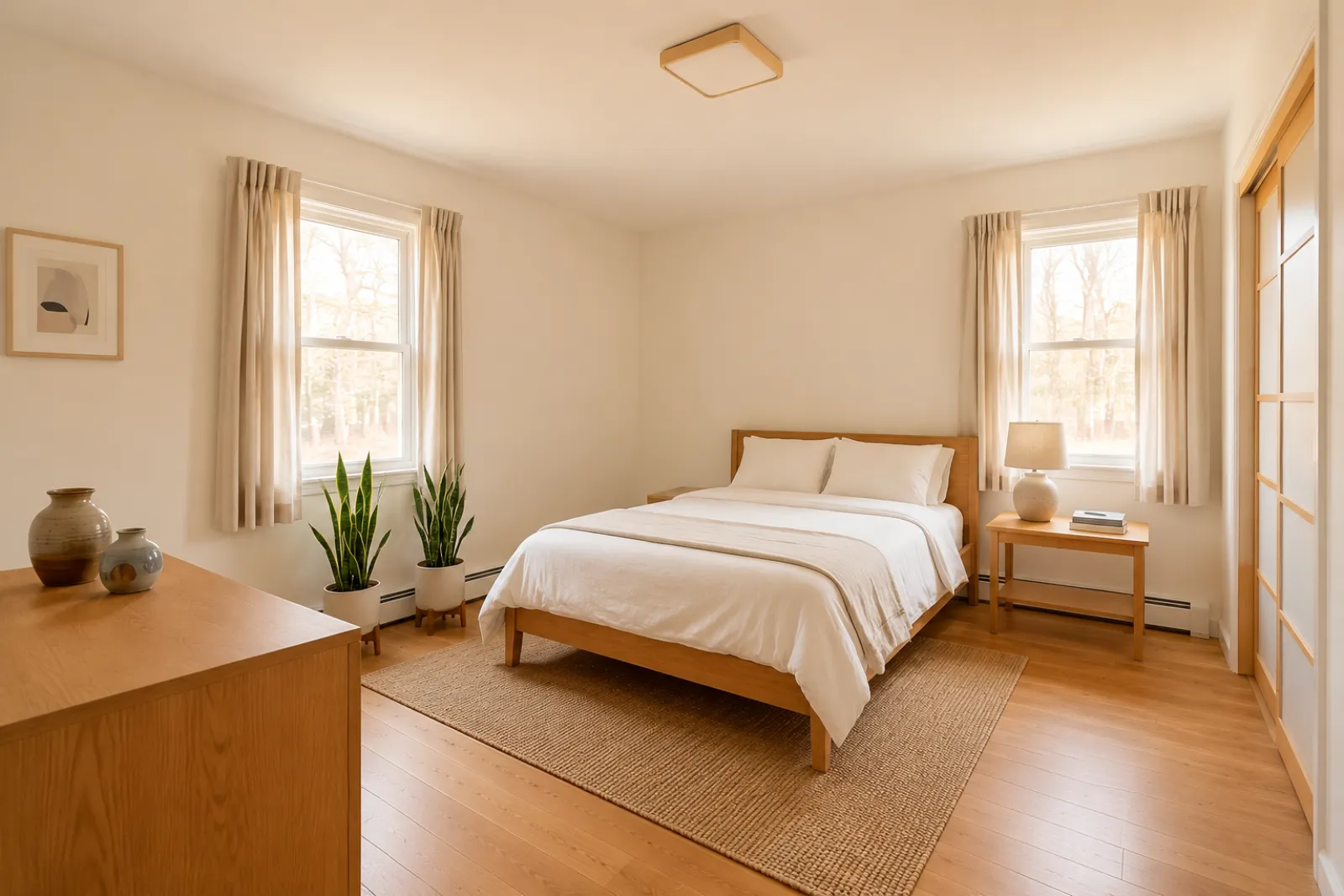
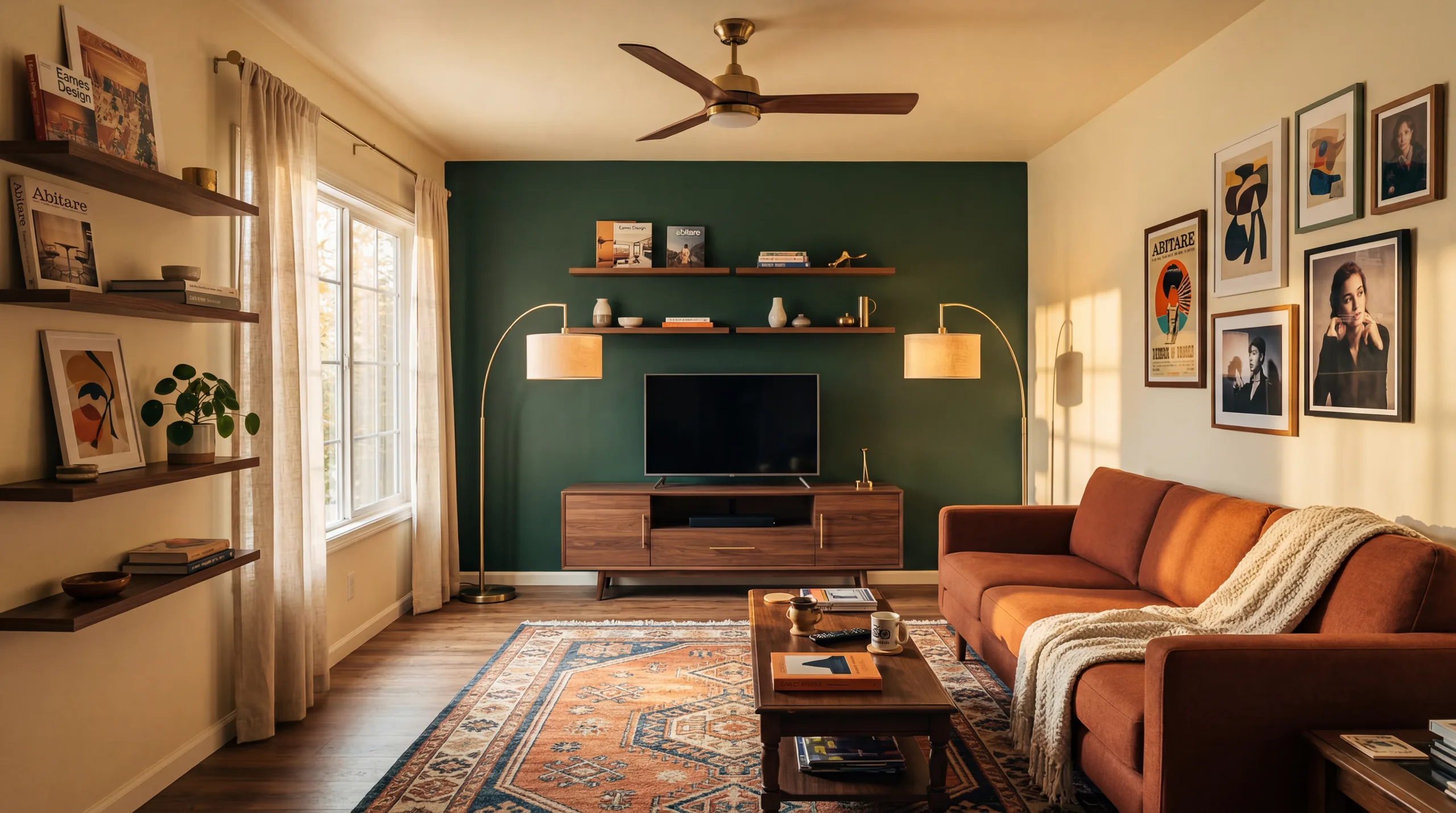
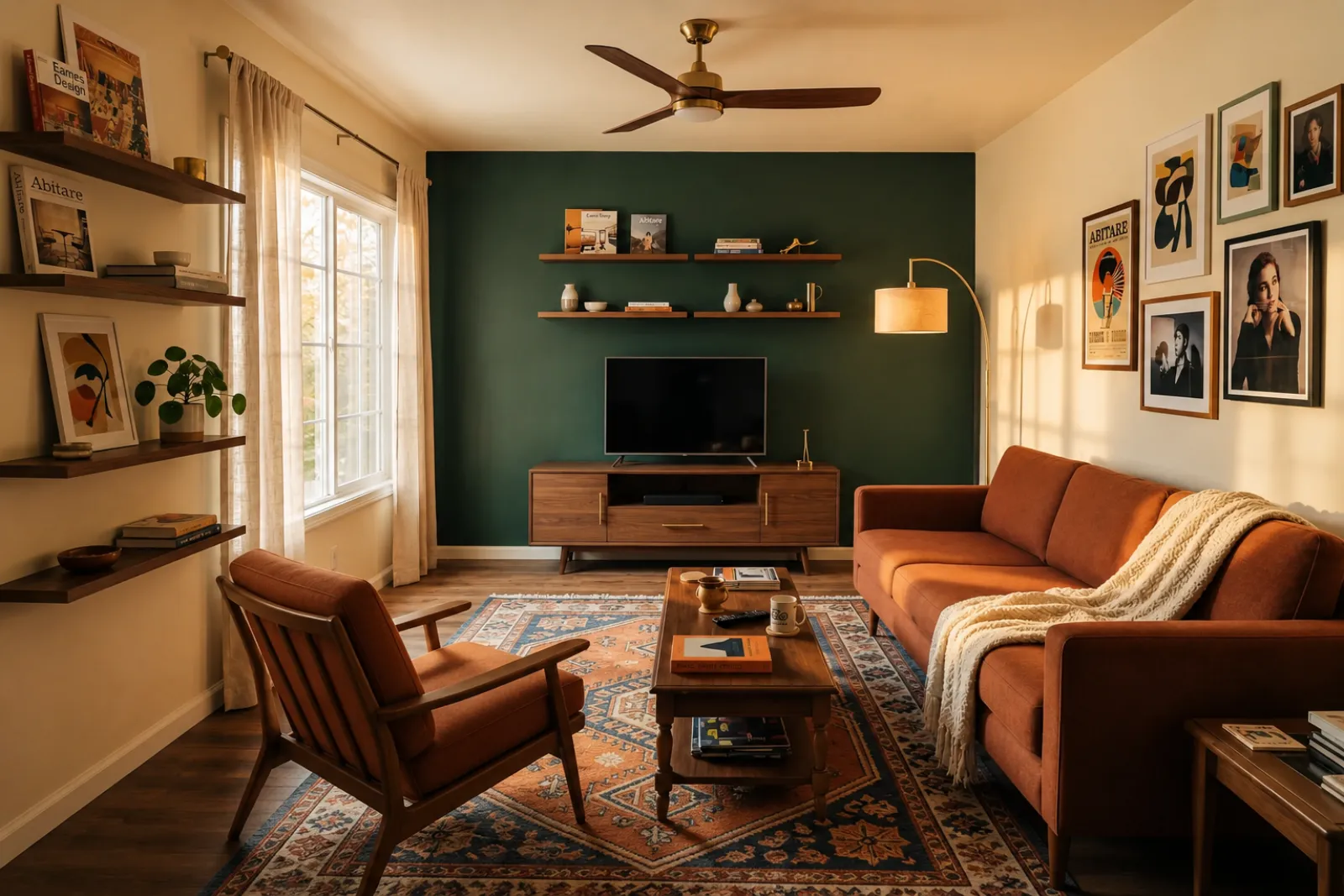
A virtual staging page needs to show the difference quickly. These examples keep the original room context visible while switching between room types and staging jobs.


Remove clutter, then stage
The messy family room becomes a clean modern listing photo with sharper furniture lines, a calm rug, abstract art, and brighter daylight.
Transformatieverhalen
Echte gespreksinvallen die makelaars, hosts, beleggers en aannemers gebruiken om iemand een beter leven binnen dezelfde vierkante meters te laten zien.
Real estate agents
Before
AfterTalk Track
"Upload listing photos and compare before-and-after staging directions. Keep the original visible so sellers and buyers can understand what changed."
Airbnb hosts
Before
AfterTalk Track
"Test seasonal looks before you commit. Use the strongest direction as a planning reference, then photograph the real room once the refresh is done."
Investors & flippers
Before
AfterTalk Track
"Use a real room photo to compare cosmetic directions before you spend contractor time. Verify scope, budget, and value outside RoomFlip."
Contractors
Before
AfterTalk Track
"Show a before-and-after direction from the client's own room photo, then pair it with your real estimate, measurements, and proposal process."
Start with the current visual tools. Use professional pages for listing, rental, and client planning context without assuming a complete listing or proposal workflow.
Create before-and-after staging previews for vacant or dated listing photos.
Preview rental refresh ideas before buying furniture or updating real listing photos.
Help buyers understand empty new-build rooms before furniture arrives.
Use a staged room preview to make a seller conversation more visual and specific.
Preview cosmetic directions from a real room photo before deeper renovation review.
Show a visual direction from a client room photo, then add your own scope and pricing.
Test seasonal rental refresh ideas before changing the real space.
Controleer of een bank, bed of tafel echt past en loopruimte overlaat — voordat je bestelt.
Four steps from raw room photo to a preview you can judge.
Drop een brede listingfoto — leeg, half ingericht of bewoond. Het model laat echte muren, ramen, vloeren en natuurlijk licht intact.
Kies uit makelaarsstaging, Airbnb-refresh, renovatiepreview of aannemersofferte. Elke taak gebruikt een afgestemde prompt en levert de juiste look.
In ongeveer 30 seconden krijg je een fotorealistisch beeld dat de echte architectuur van de kamer behoudt en natuurlijk gefotografeerd aanvoelt.
Keep the original photo nearby, label virtual staging when required, and verify real-world details before publishing or quoting.
Before/after
Core workflow
30s
Typical preview time
Real photo
Starting point
Planning aid
Best use
Begin met drie gratis credits na inloggen. Pak een creditpakket voor één afsluiting, of neem een abonnement als staging onderdeel is van elke listing.
Start free with 3 photos after sign-in. Pay only when you want more — a one-time pack or a monthly plan.
Free
$0
3 starter photos
30 photos
$4.99
$0.17 per photo
100 photos
$12.99
$0.13 per photo
300 photos
$29.99
$0.10 per photo
What to know before using RoomFlip virtual staging for a real room, listing, rental, or client conversation.
RoomFlip is best for creating before-and-after room previews from real photos. Use it to understand a direction, prepare a conversation, or plan a refresh. It does not replace disclosure rules, appraisals, contractor quotes, or platform requirements.
Results work best when the original photo is clear, level, and well lit. Review every output against the real room before using it publicly.
Ja. AI virtual staging is wettelijk toegestaan voor vastgoedlistings in de Verenigde Staten en Airbnb staat nauwkeurige weergaven van een bestaande unit toe. De meeste MLS-systemen en de National Association of Realtors vereisen duidelijke vermelding dat foto's virtueel gestyled zijn, dus RoomFlip voegt automatisch een disclosure-caption toe die je samen met het beeld kunt kopiëren. Label gestylede beelden altijd om het vertrouwen van kopers en gasten te behouden.
New users get starter credits after sign-in. Paid credit packs and subscriptions are available when you need more previews or cleaner downloads.
Nee. De prompt geeft het model expliciet opdracht om muren, ramen, deuren, vloeren, plafonds en vaste architectuur ongewijzigd te laten. Het enige wat de AI toevoegt is meubilair, decor en zachtere lichtaccenten. Als je een heldere, goed verlichte foto uploadt vanuit een hoek of deuropening, oogt het resultaat als een professioneel gefotografeerde versie van dezelfde kamer, niet als een andere kamer.
Yes. You can generate multiple directions for the same room and compare them before deciding which one is worth saving or using as a planning reference.
Elke binnenruimte werkt: woonkamers, slaapkamers, keukens, badkamers, eetkamers, thuiskantoren, kinderkamers en bonusruimtes. Het model presteert het best op brede, goed verlichte foto's vanuit een hoek of deuropening die vloer, plafond, ramen en de hoofdwandvlakken vastleggen. Sterk volgestouwde foto's werken ook, maar geven minder voorspelbare resultaten — maak de vloer vrij waar dat kan.
Nee. Elke workflow is zo gebouwd dat een makelaar, host, belegger of aannemer zonder design-achtergrond publicatieklare beelden oplevert. Kies de taak, upload een foto en de werkruimte regelt prompt-tuning, lichtcorrectie en listingtekst. Wil je meer controle, dan bieden betaalde plannen stijlsliders en per-kamer overrides — maar het standaardpad levert al een bruikbaar resultaat bij de eerste render.
Staged photos, MLS description, social captions, and print-ready PDFs in one bundle.
View details →Check whether a sofa, bed, or table will actually fit and leave walking room.
View details →Stage an entire home with consistent styling across kitchen, bedrooms, and living spaces.
View details →Compare RoomFlip pricing with traditional staging, manual virtual staging, and one-time preview packs.
View details →Add furniture, remove furniture first, or rearrange existing furniture from one room photo.
View details →Reimagine any room in 12+ design styles while keeping real architecture intact.
View details →Preview a specific sofa or table inside your real room before committing to the purchase.
View details →Same room, same furniture, three new layouts — no floor plan required.
View details →