매물 담당자
드디어 무엇을 팔아야 할지 아는 빈 방
 이전
이전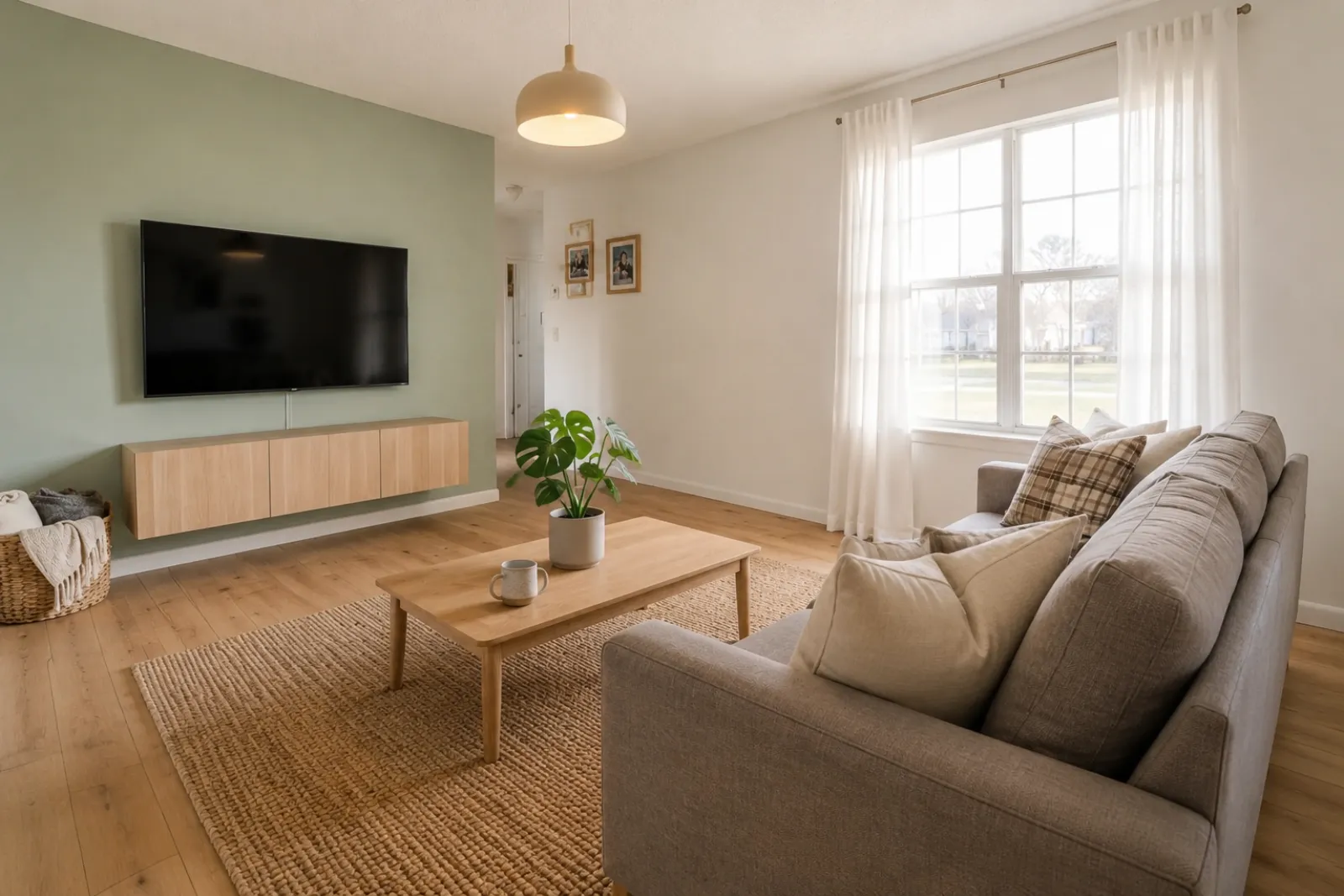 이후
이후변신 사례
"방의 창문, 바닥, 구조는 그대로예요. 달라진 건 매수자가 한눈에 방을 읽을 수 있다는 점이에요. 소파는 어디에 놓일지, 빛은 어떻게 들어오는지, 왜 이 공간이 방문해볼 가치가 있는지까지요."
매물, 렌탈, 리모델링 계획, 고객 대화를 위한 비포 & 애프터 가상 스테이징 미리보기를 빠르게 만들어 보세요. 결과물은 시각 자료로 활용하고, 공개 의무나 실제 확인을 대체하는 용도로 쓰지 마세요.
실제 방 사진에서 시작하고, 신뢰를 위해 원본을 항상 함께 두세요.
이전 / 이후 사례
각 예시는 실제 방에서 시작해 비포를 그대로 보여주고, 공간을 더 이해하기 쉽게 만드는 방향을 제시해요.
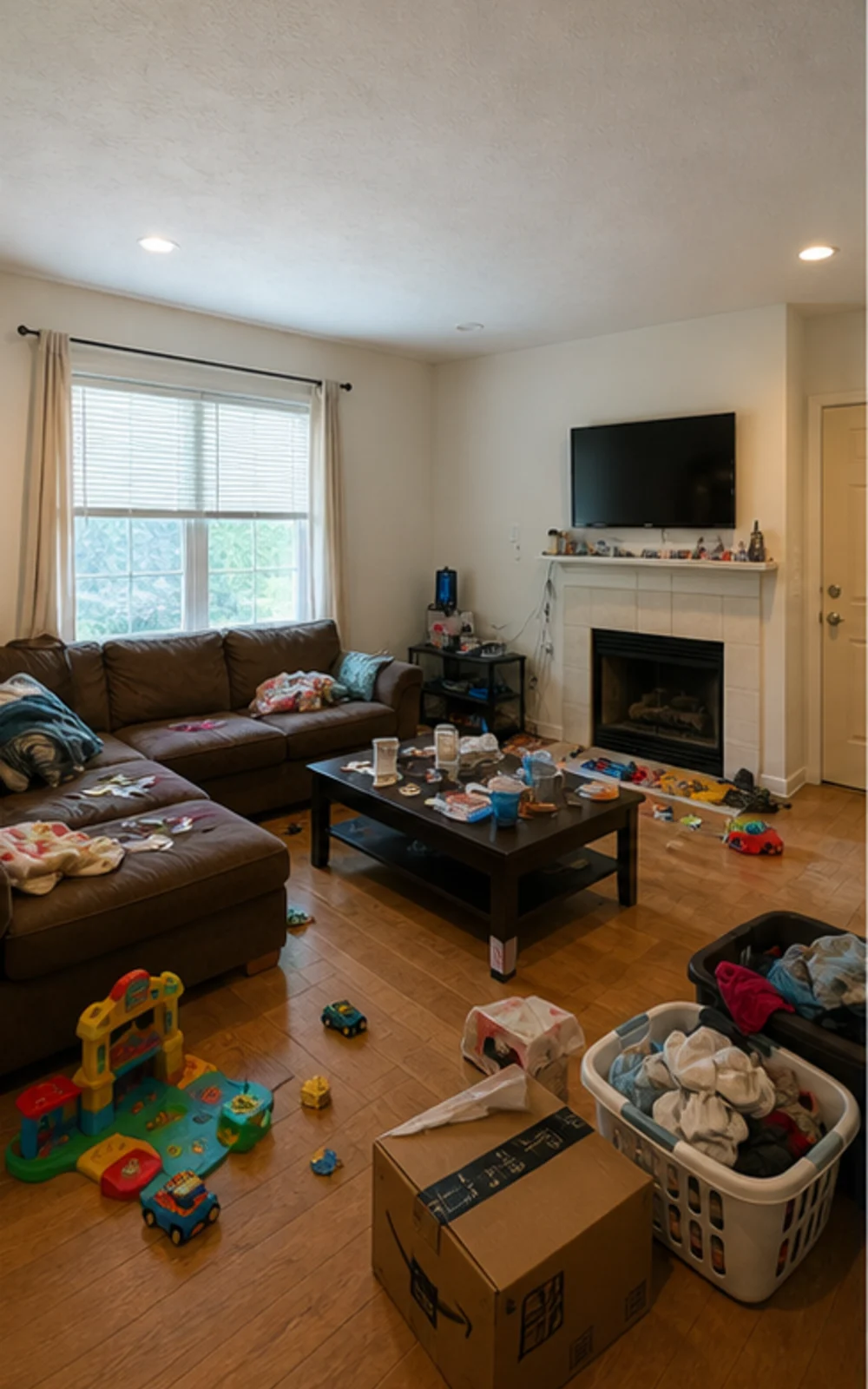
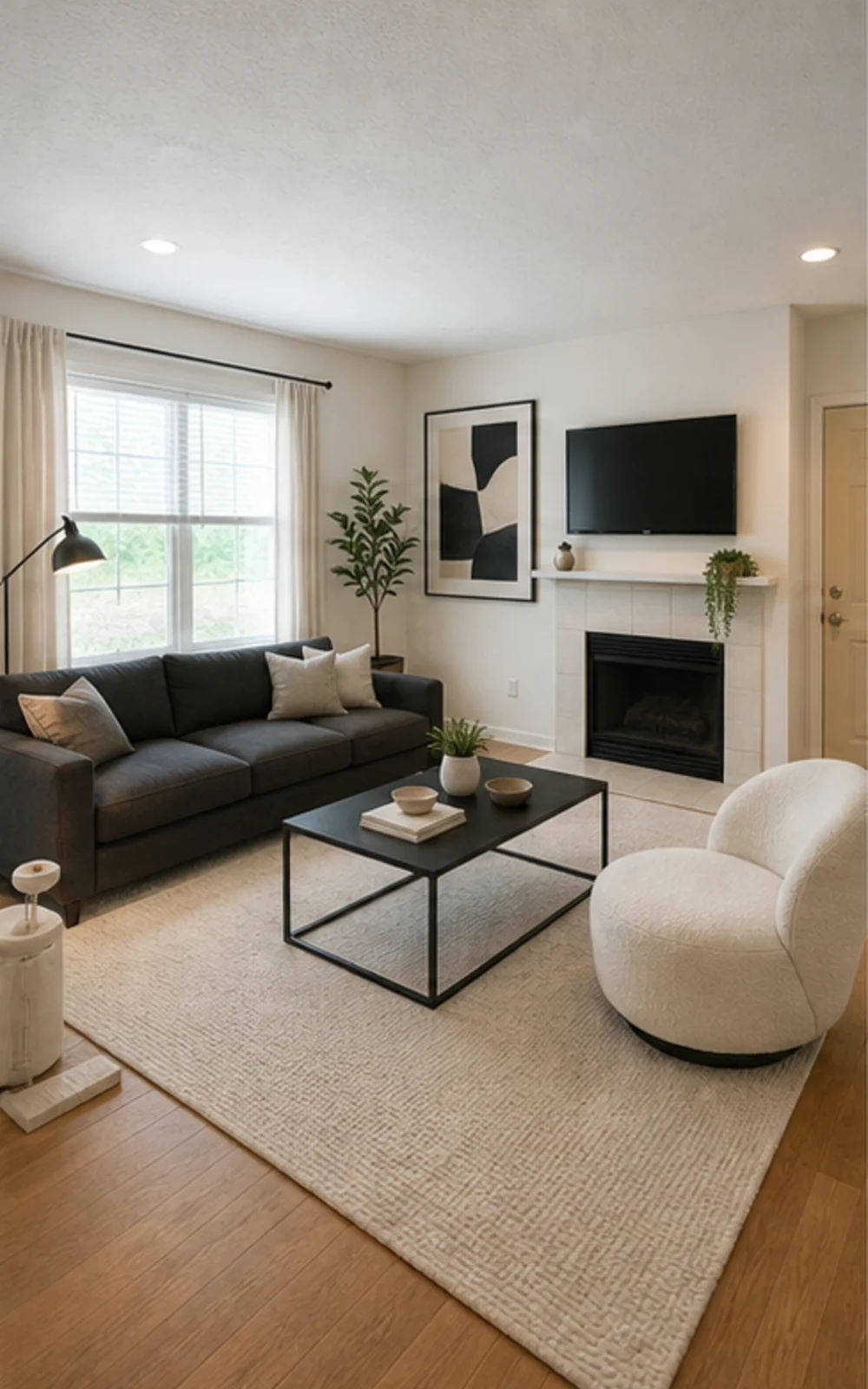
잡동사니를 정리한 뒤 스테이징하기
어수선했던 가족 거실이 선명한 가구 라인, 차분한 러그, 추상 미술, 밝은 채광이 살아 있는 깔끔한 모던 매물 사진으로 바뀌었어요.
변신 사례
매물 중개인, 호스트, 투자자, 시공업체가 실제로 사용하는 토크 스크립트. 같은 평면 안에서 더 나은 삶을 상상하게 만들기 위해.
매물 담당자
이전이후변신 사례
"방의 창문, 바닥, 구조는 그대로예요. 달라진 건 매수자가 한눈에 방을 읽을 수 있다는 점이에요. 소파는 어디에 놓일지, 빛은 어떻게 들어오는지, 왜 이 공간이 방문해볼 가치가 있는지까지요."
에어비앤비 슈퍼호스트
 이전
이전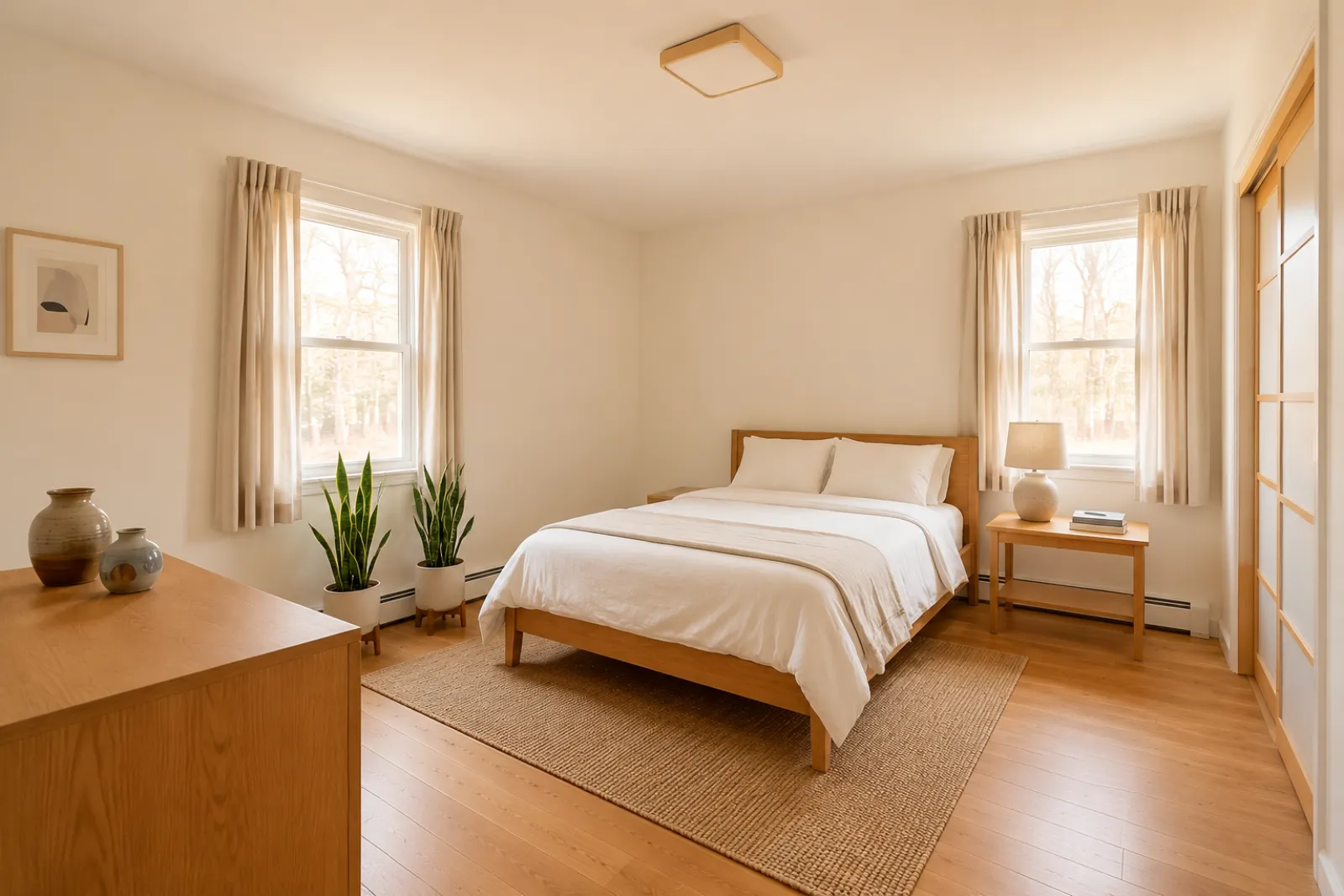 이후
이후변신 사례
"게스트룸은 여행자가 편의시설을 확인하기 전부터 의도적으로 느껴져야 해요. RoomFlip은 촬영 전에 더 차분하고 프리미엄한 방향이 구매할 가치가 있는지 호스트가 미리 확인하도록 도와줘요."
리모델링 컨설턴트
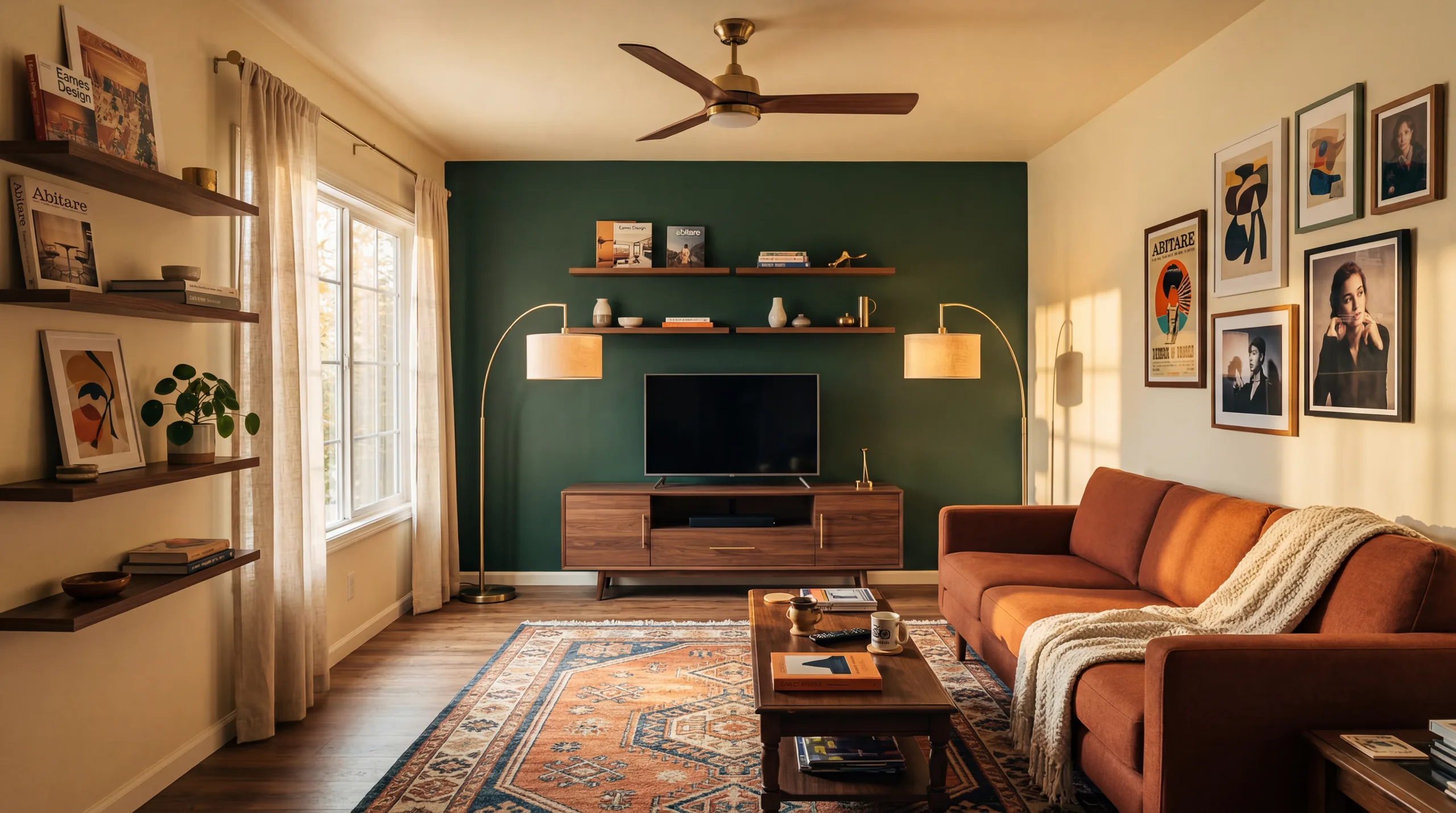 이전
이전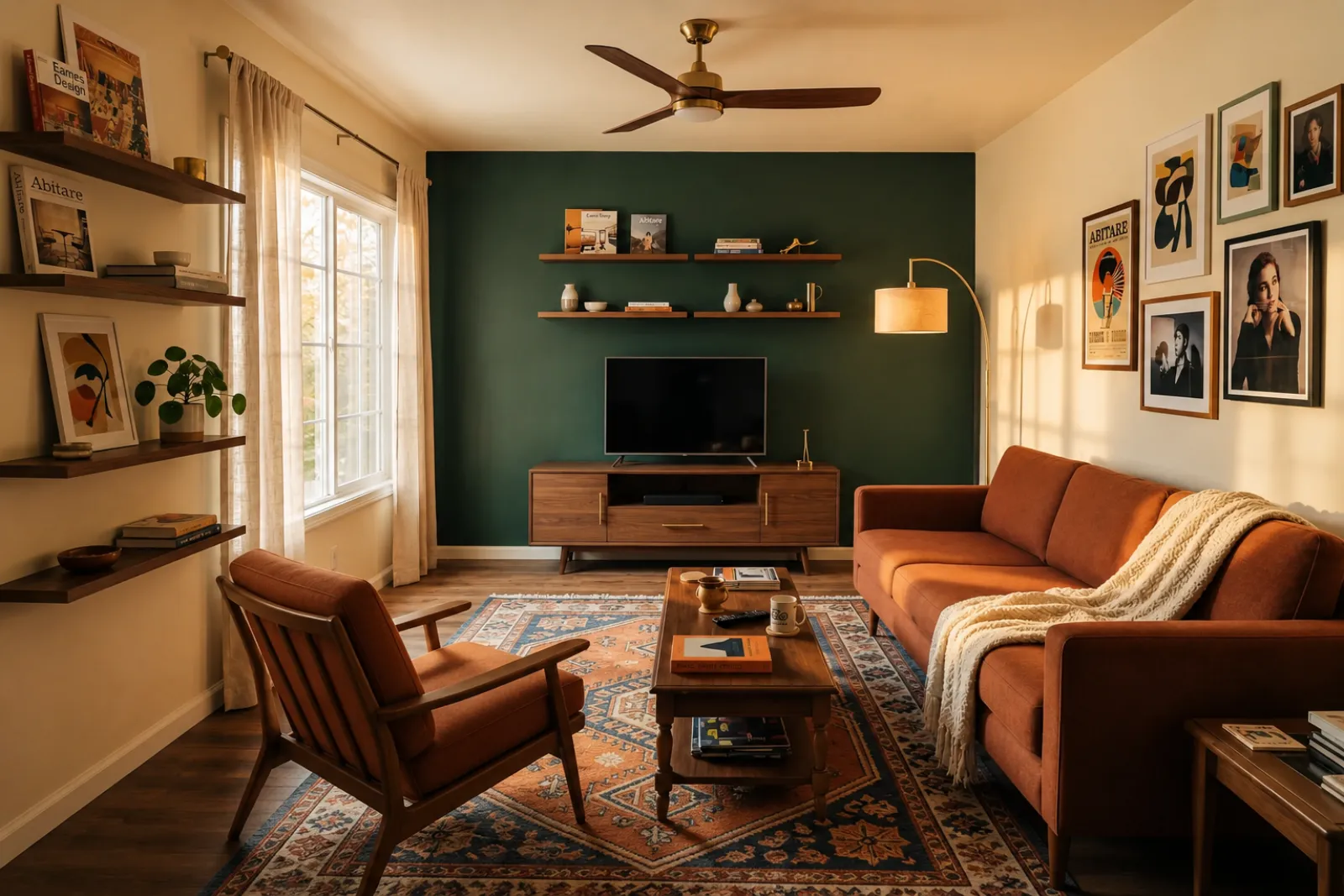 이후
이후변신 사례
"무드보드는 고객에게 너무 많은 상상을 요구해요. 실제 방 미리보기는 대화에 공통의 기준을 줘요. 이 컬러 팔레트, 이 정도의 무게감, 이만큼의 변화를, 고객이 이미 알고 있는 그 방 안에서 보여주니까요."
성장하는 가족
이전이후변신 사례
"우리는 '나중에 거실 고치자'고 계속 말했습니다. 이것을 보고 나니 '나중에'가 이번 주말처럼 느껴졌습니다. 아이들이 놀 수 있는 공간은 여전히 있지만, 이제 그 공간은 단순히 면적이 아니라 영혼을 갖게 되었습니다."
지금 있는 시각화 도구로 시작하세요. 매물, 렌탈, 고객 계획 맥락을 위한 전문가용 페이지는 완전한 매물 등록이나 제안 워크플로를 전제하지 않고 사용할 수 있어요.
공실이거나 오래된 매물 사진을 위한 비포 & 애프터 스테이징 미리보기를 만드세요.
가구를 구매하거나 실제 매물 사진을 업데이트하기 전에 렌탈 리프레시 아이디어를 미리 확인하세요.
가구가 들어오기 전, 텅 빈 신축 공간을 매수자가 이해하도록 도와주세요.
스테이징한 방 미리보기로 집주인과의 대화를 더 시각적이고 구체적으로 만드세요.
심층 리모델링 검토에 들어가기 전에 실제 방 사진으로 가벼운 스타일 변화를 미리 확인하세요.
고객 방 사진으로 시각적 방향을 보여준 다음, 직접 범위와 가격을 추가하세요.
실제 공간을 바꾸기 전에 시즌별 렌탈 리프레시 아이디어를 테스트하세요.
주문 전에 소파, 침대, 테이블이 실제로 들어가고 동선이 확보되는지 확인.
원본 방 사진에서 판단 가능한 미리보기까지, 네 단계면 충분해요.
광각 매물 사진을 드롭 — 빈 방, 반쯤 가구 있는 방, 사람이 살던 방 모두 가능. 모델은 실제 벽, 창문, 바닥, 자연광을 그대로 유지합니다.
중개사 스테이징, Airbnb 리프레시, 리노베이션 미리보기, 시공업체 제안서 중 선택. 작업마다 튜닝된 프롬프트로 적절한 룩을 렌더링.
생성된 스테이징 미리보기를 검토하고 사용하거나 공유하기 전에 원래 방과 꼼꼼히 비교하세요.
원본 사진을 함께 두고, 필요할 경우 가상 스테이징임을 표시하며, 게시하거나 견적을 내기 전에 실제 세부 사항을 확인하세요.
비포 & 애프터
핵심 워크플로
30초
평균 미리보기 시간
실제 사진
시작점
계획 도구
최적 활용
로그인 후 5 크레딧 무료 제공. 단건 거래에는 크레딧 팩, 매물마다 스테이징이 필요하면 구독을.
로그인 후 5 크레딧으로 시작하세요. 일회성 팩과 구독을 이용할 수 있으며, 결제 전에 현재 총액과 조건을 확인해 주세요.
구독 요금제
반복적인 매물, 임대, 고객 작업을 위한 요금제예요. 결제 전에 갱신 시점과 총액을 확인하세요.
비용을 내기 전에 워크플로우를 먼저 체험하세요
로그인 후 제공되는 5 시작 크레딧
몇 개의 방을 준비하는 집주인, 공인중개사, 호스트를 위한 요금제
매월 100 크레딧
업체, 임대 운영자, 다중 사진 매물 세트를 위한 요금제
매월 400 크레딧
일회성 크레딧 팩
가끔 매물 사진, 임대 리프레시, 고객 옵션을 만들 때: 결제는 한 번, 구독은 없음.
30 크레딧
≈ 15 HD images
Covers one room100 크레딧
≈ 50 HD images
300 크레딧
≈ 150 HD images
Stripe를 통한 안전한 결제 · 가격은 USD로 표시
실제 방, 매물, 렌탈, 고객 대화에 RoomFlip 가상 스테이징을 사용하기 전에 알아둘 것들.
RoomFlip은 실제 사진으로 비포 & 애프터 방 미리보기를 만드는 데 가장 적합합니다. 방향을 파악하거나, 대화를 준비하거나, 리프레시를 계획할 때 활용하세요. 공개 규정, 감정평가, 시공업체 견적, 플랫폼 요건을 대체하지는 않습니다.
원본 사진이 선명하고 수평이 맞으며 조명이 좋을 때 결과물이 가장 잘 나옵니다. 공개적으로 사용하기 전에 모든 결과물을 실제 방과 비교해 확인하세요.
네. AI 가상 스테이징은 미국 부동산 매물에서 합법이며, Airbnb 도 기존 유닛의 정확한 표현을 허용합니다. 대부분의 MLS 시스템과 전미부동산중개인협회는 가상 스테이징임을 명확히 공시할 것을 요구하므로 RoomFlip 은 이미지와 함께 복사 가능한 공시 캡션을 자동으로 추가합니다. 구매자·게스트와의 신뢰를 위해 항상 라벨링하세요.
신규 사용자는 로그인 후 시작 크레딧을 받아요. 미리보기가 더 필요하거나 더 깔끔한 다운로드가 필요하면 유료 크레딧 팩과 구독을 이용하실 수 있어요.
안 만듭니다. 프롬프트가 모델에 벽, 창문, 문, 바닥, 천장, 고정 건축 구조를 변경하지 않도록 명시합니다. AI 가 추가하는 것은 가구, 장식, 부드러운 조명뿐. 코너 또는 문 앞에서 잘 찍힌 사진을 업로드하면 결과는 같은 방을 전문가가 촬영한 버전처럼 보입니다 — 다른 방이 아니라.
네. 같은 방으로 여러 방향을 생성하고 비교한 다음, 저장하거나 계획 참고용으로 쓸 만한 것을 고를 수 있어요.
실내 공간이라면 어디든 가능: 거실, 침실, 주방, 욕실, 식당, 홈오피스, 아기방, 다목적실. 모델은 코너나 문에서 찍은 광각, 밝은 사진이 바닥, 천장, 창문, 주요 벽면을 잘 담았을 때 가장 잘 작동합니다. 잡동사니가 많은 사진도 동작하지만 결과가 덜 안정적 — 가능하면 바닥을 정리하세요.
필요 없습니다. 모든 워크플로우는 디자인 배경이 전혀 없는 매물 중개사, 호스트, 투자자, 시공업체가 게시 가능한 이미지를 만들도록 설계되었습니다. 작업을 고르고 사진을 업로드하면 워크스페이스가 프롬프트 튜닝, 조명 보정, 매물 카피를 처리. 더 세밀한 제어가 필요하면 유료 플랜이 스타일 슬라이더와 방별 오버라이드를 제공 — 그러나 기본 경로도 첫 렌더에 사용 가능한 결과를 만듭니다.
부동산 사진과 세부 정보를 업로드해 MLS 설명, Zillow 카피, Instagram 캡션, Facebook 게시물, SEO 제목, 공정 주택 규정 준수 검사를 즉시 생성하고 가상 스테이징과 연계하세요.
자세히 보기 →구매 전에 소파, 테이블, 침대, 수납장이 방에 들어갈 가능성이 있는지 확인하세요. 방 크기, 가구 크기, 통로 폭으로 빠르게 판단할 수 있습니다.
자세히 보기 →최대 6개의 방 사진을 업로드하고 리스팅, Airbnb 임대, 리노베이션 미리보기 및 고객 프레젠테이션을 위한 일관된 AI 가상 스테이징 세트를 만드세요.
자세히 보기 →주문하기 전에 소파, 테이블, 침대 또는 캐비닛이 방에 맞을지 확인하세요. 먼저 치수를 확인한 다음 실제 사진에서 스타일을 미리 볼 수 있습니다.
자세히 보기 →