Agen Listing
Masuk dan rasakan beban hari hilang dari pundak Anda
 Sebelum
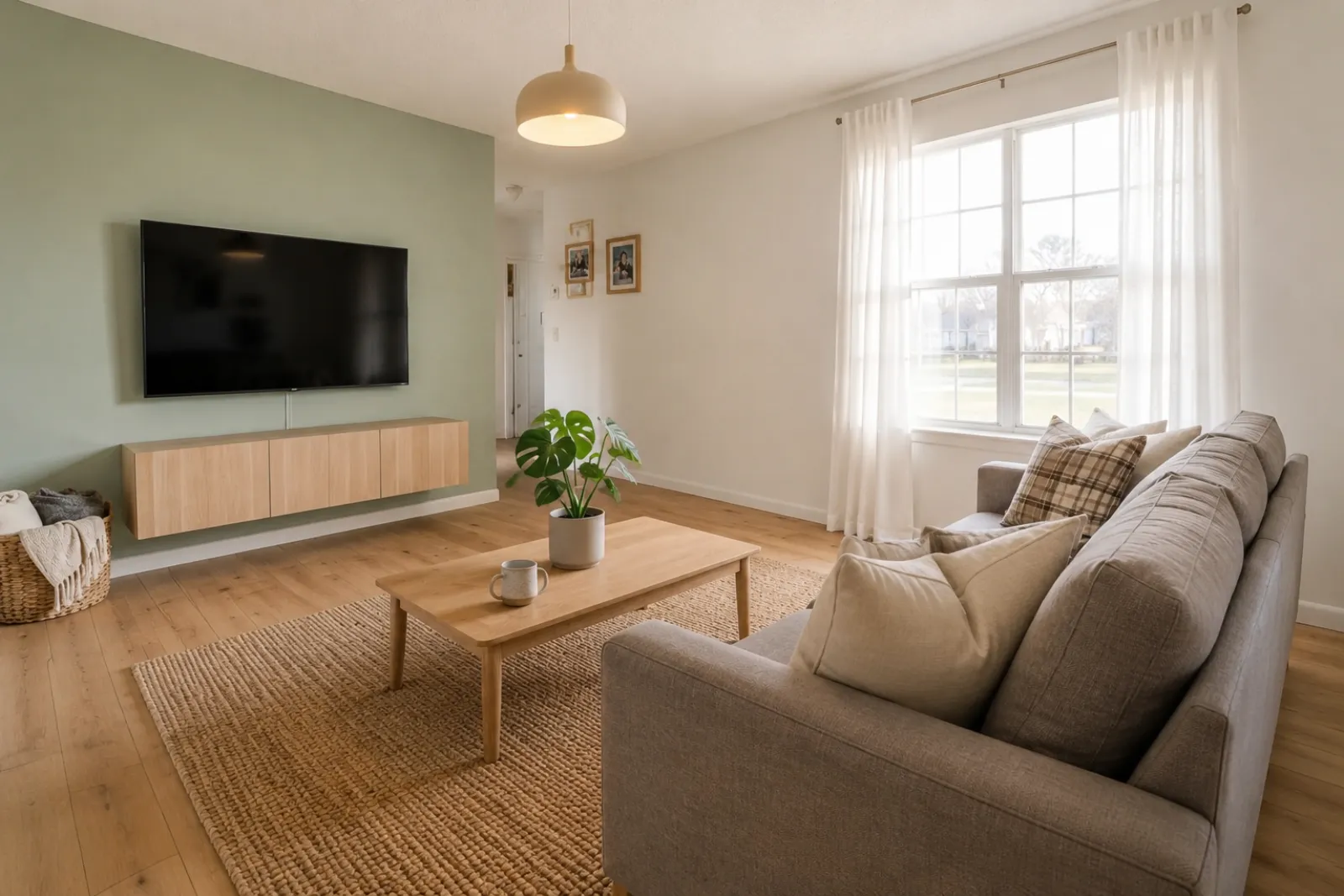 Sesudah
Cerita Transformasi
"Gambar yang dihasilkan adalah konsep visual. Periksa arsitektur, ukuran, furnitur, material, dan pengungkapan terhadap ruangan sebenarnya."
Buat pratinjau ruangan sebelum-sesudah dengan cepat untuk listing, sewaan, perencanaan renovasi, dan percakapan dengan klien. Gunakan hasilnya sebagai alat bantu visual, bukan pengganti pengungkapan atau verifikasi dunia nyata.
Mulai dari foto ruangan asli dan simpan foto aslinya di dekat hasil untuk membangun kepercayaan.
Studi Kasus Sebelum / Sesudah
RoomFlip paling kuat ketika satu gambar yang dihasilkan memiliki pekerjaan bisnis: membantu pembeli memahami skala, membantu tamu membayangkan masa inap, atau membantu klien menyetujui arah sebelum uang dibelanjakan.
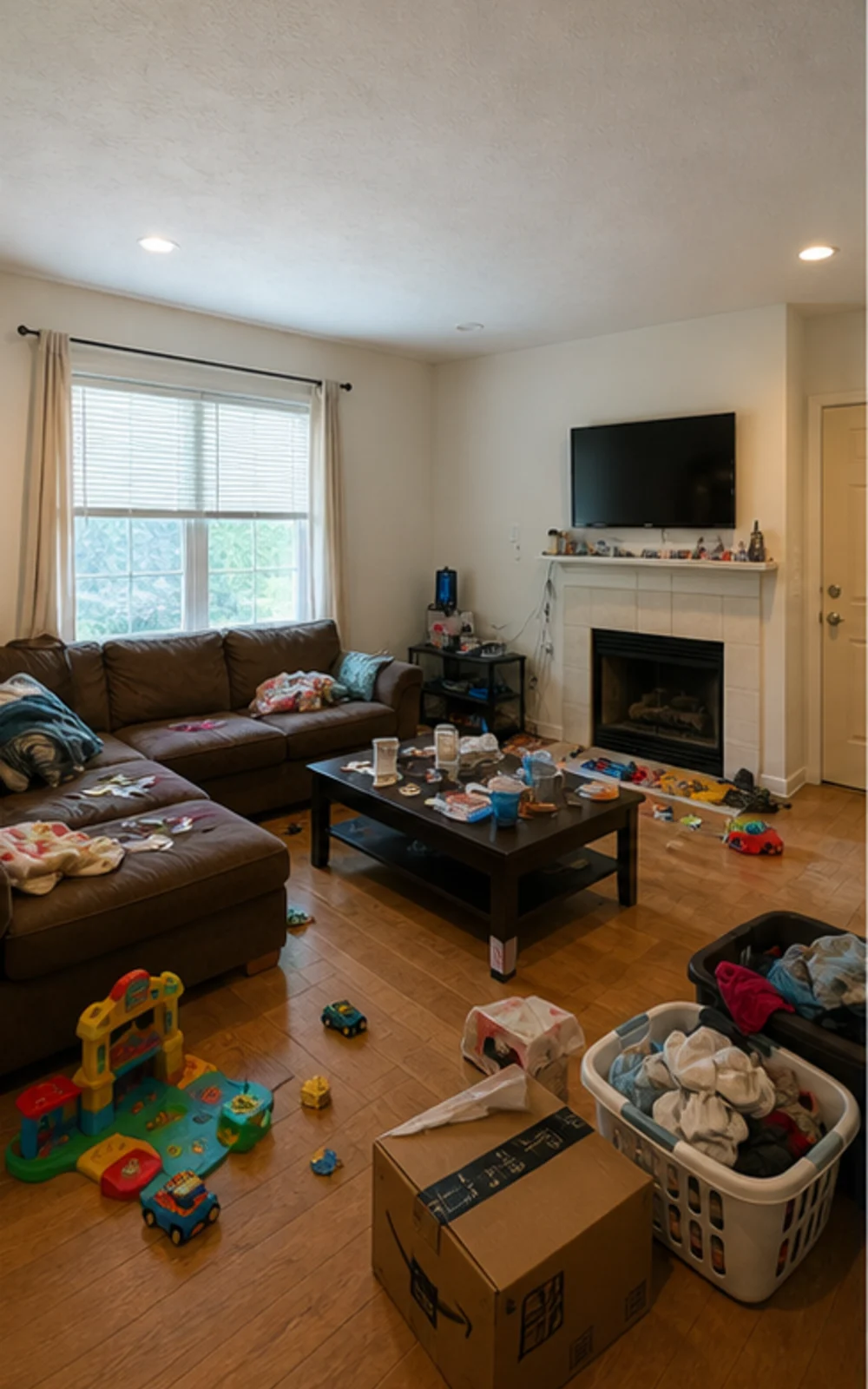
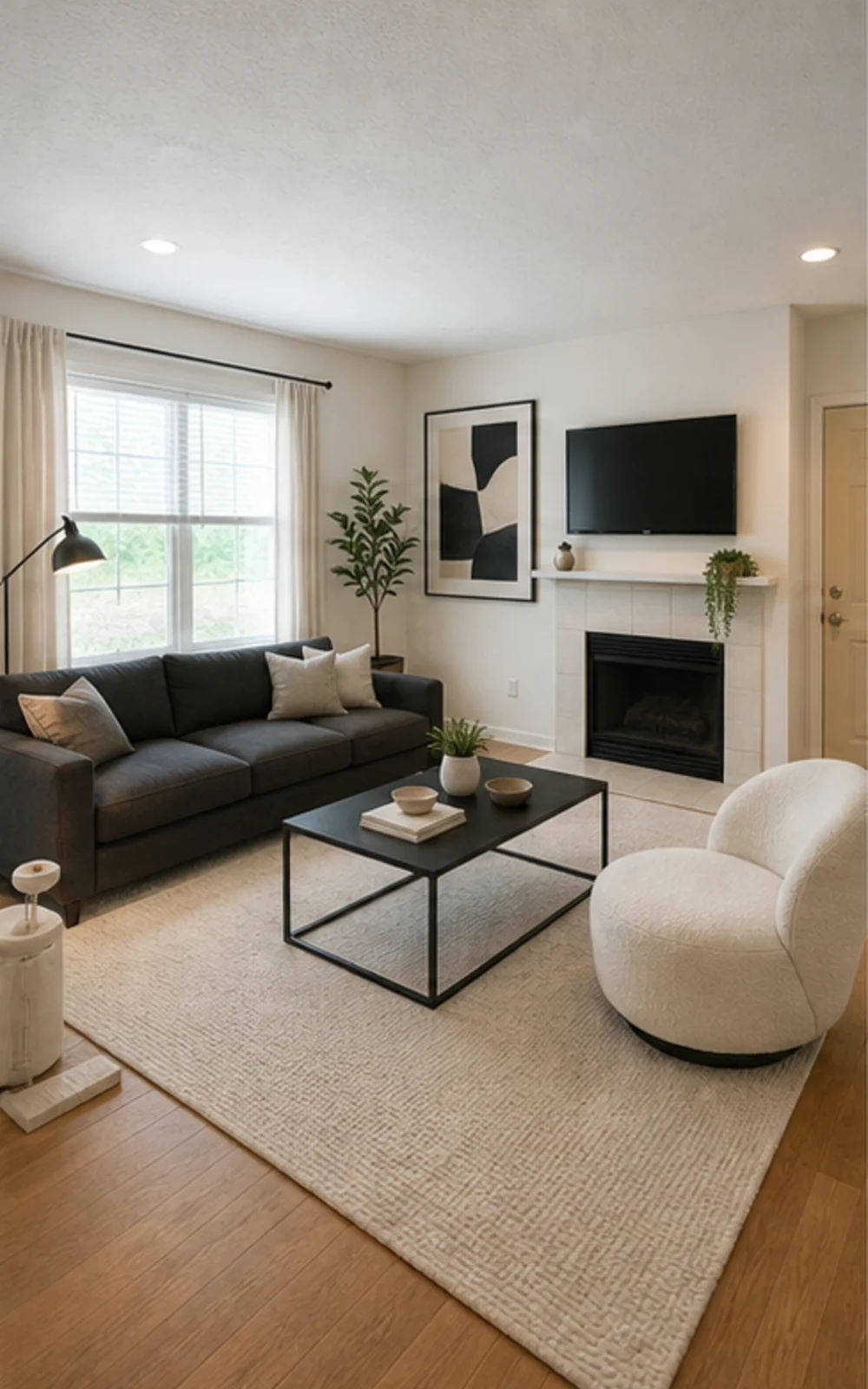
Bersihkan kekacauan, lalu tata
Ruang keluarga yang berantakan menjadi foto listing modern yang bersih dengan garis furnitur yang lebih tegas, karpet tenang, seni abstrak, dan cahaya siang yang lebih terang.
Cerita Transformasi
Gambar yang dihasilkan adalah konsep visual. Periksa arsitektur, ukuran, furnitur, material, dan pengungkapan terhadap ruangan sebenarnya.
Agen Listing
SebelumSesudahCerita Transformasi
"Gambar yang dihasilkan adalah konsep visual. Periksa arsitektur, ukuran, furnitur, material, dan pengungkapan terhadap ruangan sebenarnya."
Superhost Airbnb
 Sebelum
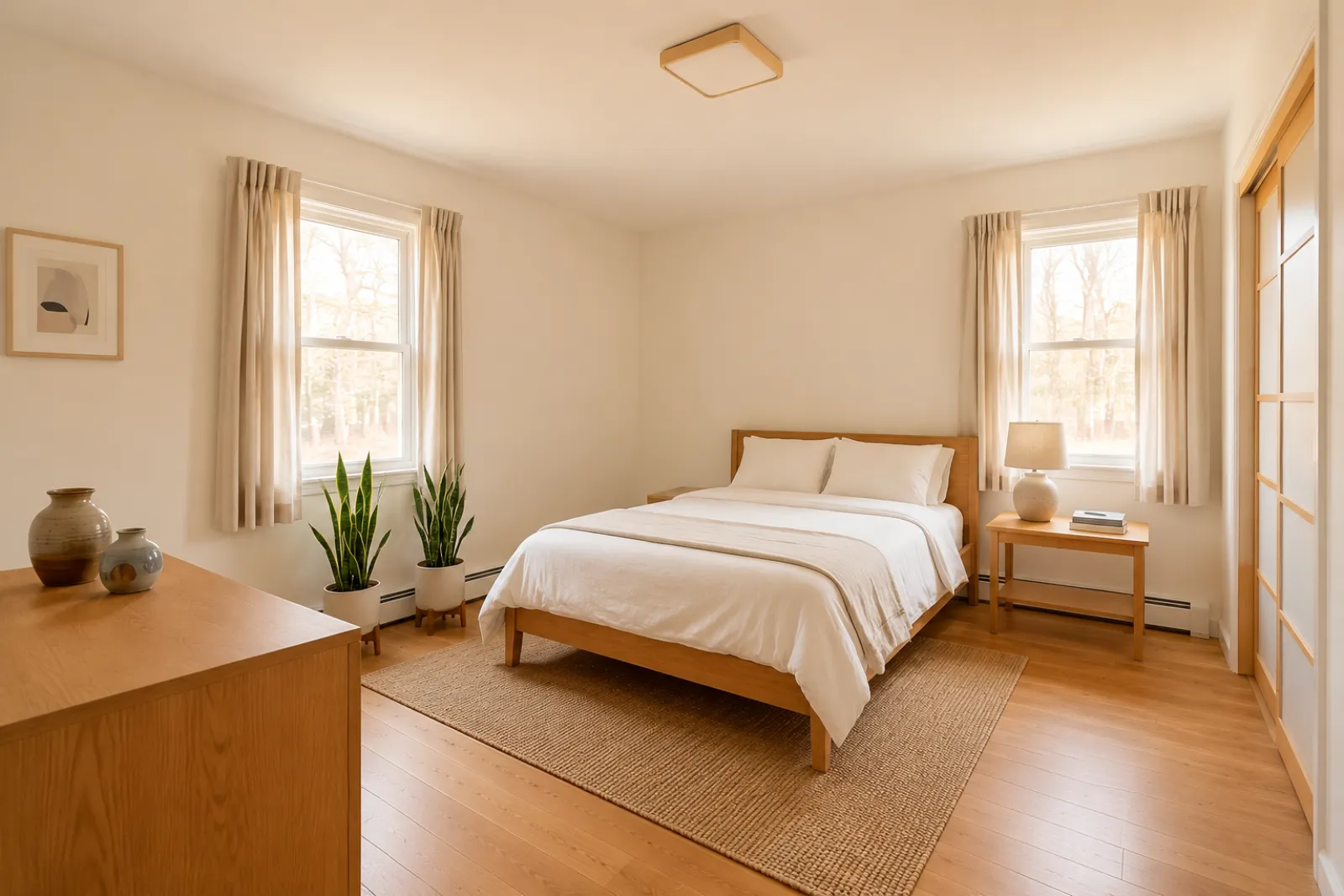 Sesudah
Cerita Transformasi
"Gambar yang dihasilkan adalah konsep visual. Periksa arsitektur, ukuran, furnitur, material, dan pengungkapan terhadap ruangan sebenarnya."
Konsultan Renovasi
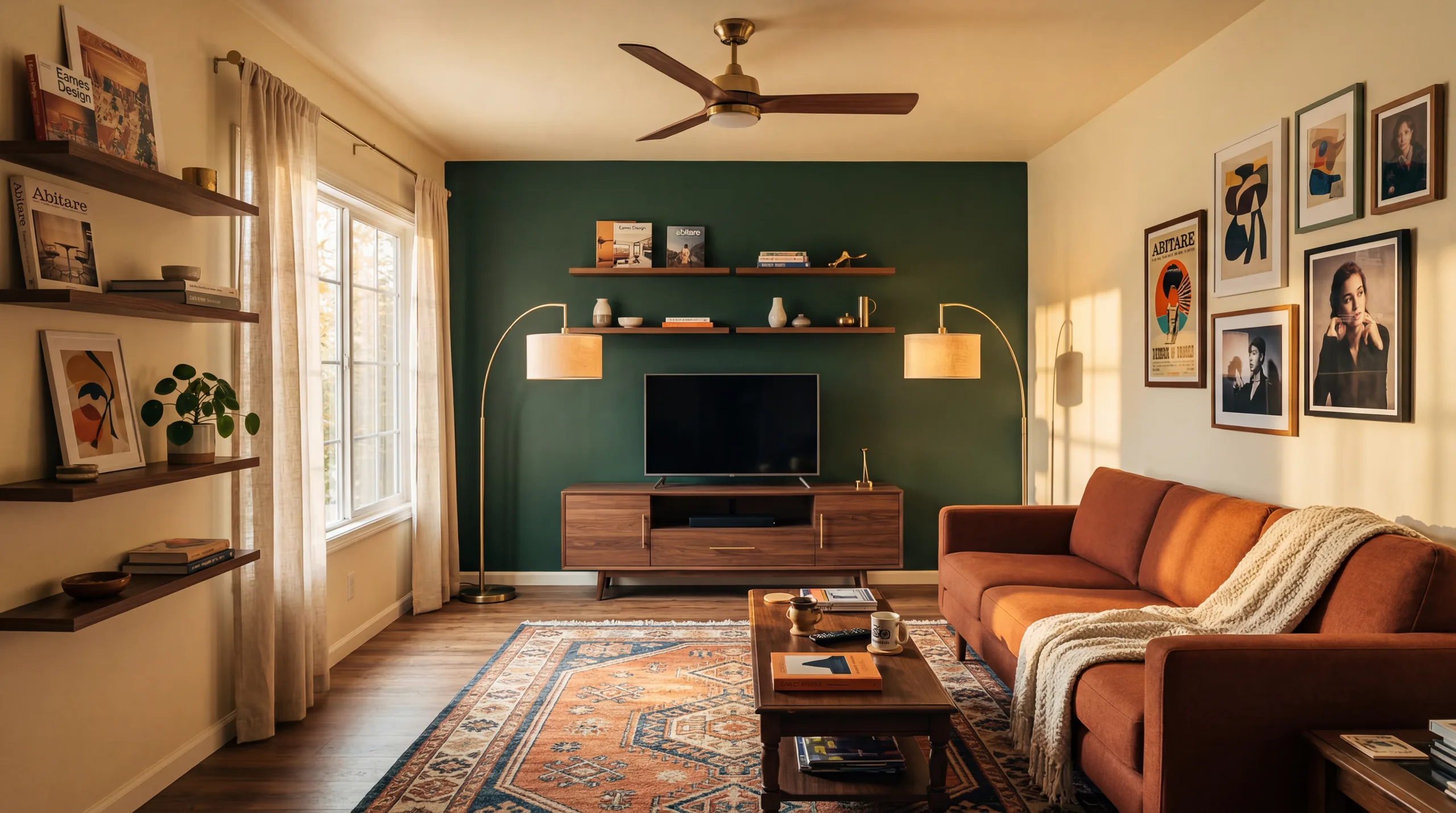 Sebelum
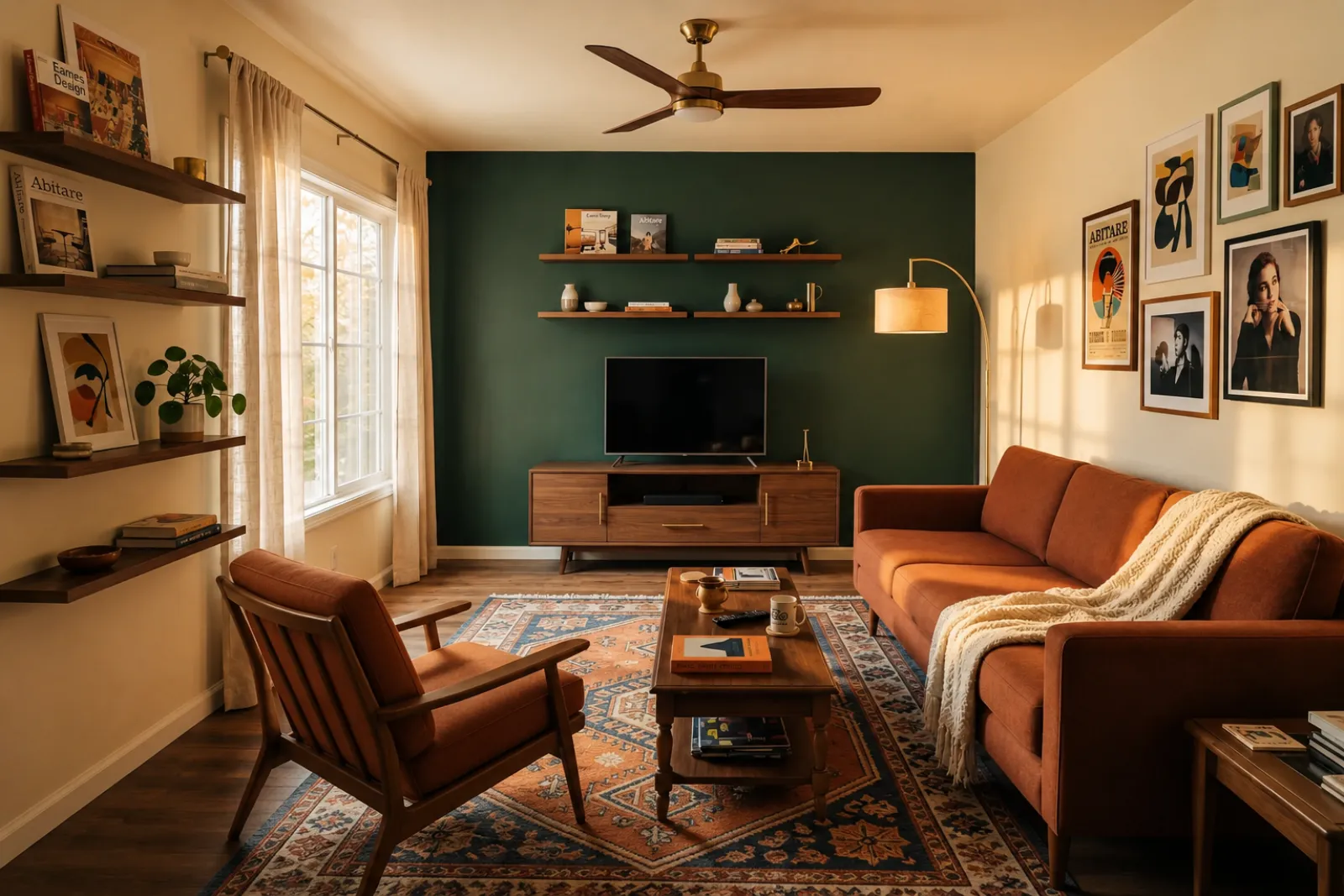 Sesudah
Cerita Transformasi
"Gambar yang dihasilkan adalah konsep visual. Periksa arsitektur, ukuran, furnitur, material, dan pengungkapan terhadap ruangan sebenarnya."
Keluarga yang Berkembang
SebelumSesudahCerita Transformasi
"Gambar yang dihasilkan adalah konsep visual. Periksa arsitektur, ukuran, furnitur, material, dan pengungkapan terhadap ruangan sebenarnya."
Mulai dari alat visual yang tersedia. Gunakan halaman profesional untuk konteks perencanaan listing, sewaan, dan klien tanpa berasumsi ada alur kerja listing atau proposal yang lengkap.
Buat pratinjau penataan sebelum-sesudah untuk foto listing yang kosong atau sudah usang.
Pratinjau ide penyegaran sewaan sebelum membeli furnitur atau memperbarui foto listing asli.
Bantu pembeli memahami ruangan baru yang masih kosong sebelum furnitur tiba.
Gunakan pratinjau ruangan hasil penataan untuk membuat percakapan dengan penjual lebih visual dan spesifik.
Pratinjau arah kosmetik dari foto ruangan asli sebelum masuk ke kajian renovasi yang lebih dalam.
Tunjukkan arah visual dari foto ruangan klien, lalu tambahkan lingkup pekerjaan dan harga Anda sendiri.
Uji ide penyegaran sewaan musiman sebelum mengubah ruangan yang sebenarnya.
Cek apakah sofa, kasur, atau meja benar-benar muat dan menyisakan ruang gerak — sebelum Anda pesan.
Empat langkah dari foto ruangan mentah menjadi pratinjau yang bisa Anda nilai.
Gambar yang dihasilkan adalah konsep visual. Periksa arsitektur, ukuran, furnitur, material, dan pengungkapan terhadap ruangan sebenarnya.
Pilih dari staging realtor, refresh Airbnb, preview renovasi, atau proposal kontraktor. Setiap job menjalankan prompt yang sudah dituned dan menghasilkan tampilan yang tepat.
Waktu pemrosesan berbeda menurut gambar dan permintaan saat ini. Bandingkan setiap hasil dengan foto asli.
Simpan foto asli di dekat hasil, beri label penataan virtual jika diperlukan, dan verifikasi detail dunia nyata sebelum memublikasikan atau memberi penawaran.
Sebelum/sesudah
Alur kerja inti
Bervariasi
Typical preview time
Foto asli
Titik awal
Alat bantu perencanaan
Penggunaan terbaik
Mulai dengan 5 credit gratis setelah sign-in. Tambah credit pack untuk single closing, atau langganan saat staging jadi bagian setiap listing.
Mulai dengan 5 kredit setelah masuk. Paket sekali bayar dan langganan tersedia; tinjau total dan ketentuan terkini sebelum checkout.
Paket langganan
Untuk pekerjaan listing, sewaan, atau klien yang berulang. Tinjau waktu perpanjangan dan total biaya sebelum checkout.
Coba alurnya sebelum mengeluarkan uang
5 kredit awal setelah masuk
Untuk pemilik rumah, agen, dan tuan rumah yang menyiapkan beberapa ruangan
100 kredit / bulan
Untuk agensi, operator sewaan, dan set listing multi-foto
400 kredit / bulan
Paket kredit sekali bayar
Untuk foto listing sesekali, penyegaran sewaan, atau opsi klien: satu pembayaran, tanpa langganan.
30 kredit
≈ 15 HD images
Covers one room100 kredit
≈ 50 HD images
300 kredit
≈ 150 HD images
Checkout aman melalui Stripe · Harga ditampilkan dalam USD
Hal yang perlu diketahui sebelum menggunakan penataan virtual RoomFlip untuk ruangan nyata, listing, sewaan, atau percakapan dengan klien.
RoomFlip paling cocok untuk membuat pratinjau ruangan sebelum-sesudah dari foto asli. Gunakan untuk memahami arah desain, menyiapkan percakapan, atau merencanakan penyegaran. Ini tidak menggantikan aturan pengungkapan, penilaian properti, penawaran kontraktor, atau ketentuan platform.
Hasil paling baik saat foto asli jelas, sejajar, dan cukup terang. Tinjau setiap hasil terhadap ruangan asli sebelum digunakan secara publik.
Ya. AI virtual staging legal untuk listing real estate di Amerika Serikat, dan Airbnb mengizinkan representasi akurat dari unit yang ada. Sebagian besar sistem MLS dan National Association of Realtors mensyaratkan disclosure yang jelas bahwa foto sudah di-stage secara virtual, jadi RoomFlip otomatis menambahkan caption disclosure yang bisa Anda copy bersama gambar. Selalu beri label gambar ter-stage untuk menjaga kepercayaan pembeli dan tamu.
Pengguna baru mendapat kredit awal setelah masuk. Paket kredit berbayar dan langganan tersedia saat Anda membutuhkan lebih banyak pratinjau atau unduhan yang lebih bersih.
Tidak. Prompt secara eksplisit memberi tahu model untuk menjaga dinding, jendela, pintu, lantai, langit-langit, dan arsitektur tetap tidak berubah. Yang ditambahkan AI hanya furnitur, dekor, dan sentuhan pencahayaan lembut. Jika Anda mengunggah foto yang jelas dan terang dari sudut atau pintu, output terbaca seperti versi profesional dari ruangan yang sama, bukan ruangan yang berbeda.
Ya. Anda dapat membuat beberapa arah desain untuk ruangan yang sama dan membandingkannya sebelum memutuskan mana yang layak disimpan atau dipakai sebagai acuan perencanaan.
Semua ruangan indoor bisa: ruang tamu, kamar tidur, dapur, kamar mandi, ruang makan, home office, nursery, dan bonus room. Model paling baik pada foto wide dan terang yang diambil dari sudut atau pintu yang menangkap lantai, langit-langit, jendela, dan dinding utama. Foto yang penuh barang masih bisa, tapi hasilnya kurang prediktabel — bersihkan lantai bila memungkinkan.
Gambar yang dihasilkan adalah konsep visual. Periksa arsitektur, ukuran, furnitur, material, dan pengungkapan terhadap ruangan sebenarnya.
Unggah foto dan detail properti untuk langsung membuat deskripsi MLS, salinan Zillow, keterangan Instagram, postingan Facebook, judul SEO, dan pemeriksaan kepatuhan Perumahan yang Adil. Dibuat untuk agen properti.
Lihat detail →Cek sebelum membeli apakah sofa, meja, tempat tidur, atau kabinet kemungkinan muat di ruangan Anda. Gunakan ukuran ruangan, furnitur, dan jalur lewat untuk perkiraan cepat.
Lihat detail →Unggah hingga 6 foto ruangan dan buat set penataan virtual AI yang konsisten untuk listing, sewa Airbnb, pratinjau renovasi, dan presentasi klien.
Lihat detail →Periksa apakah sofa, meja, tempat tidur, atau lemari kemungkinan akan muat di ruangan Anda sebelum memesan. Gunakan dimensi terlebih dahulu, lalu pratinjau gayanya dari foto asli.
Lihat detail →