লিস্টিং এজেন্ট
ঘরে ঢুকুন এবং দিনের সব ক্লান্তি দূর হয়ে যাক
 আগে
আগে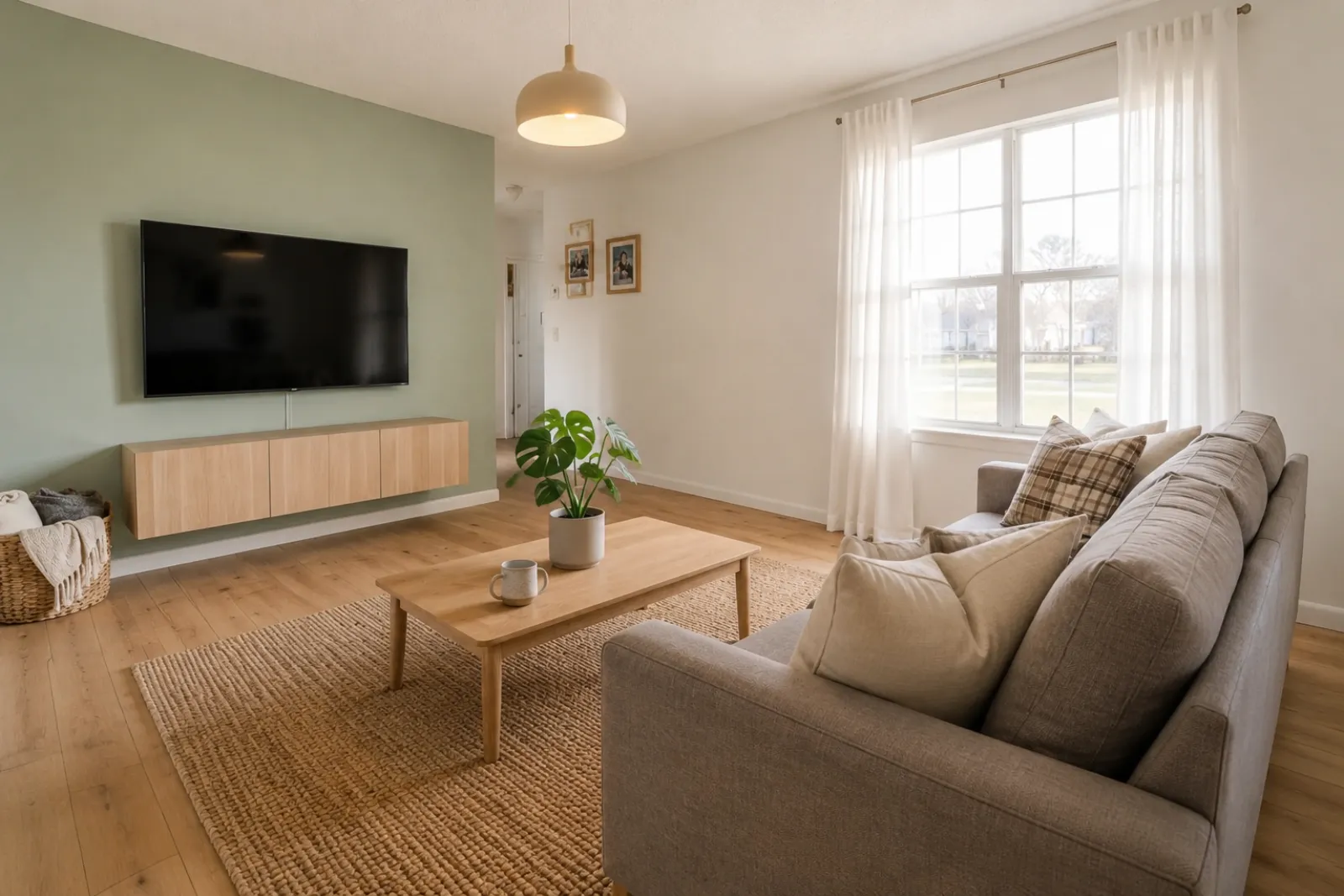 পরে
পরেরূপান্তর কাহিনী
"তৈরি করা ছবি কেবল দৃশ্যমান ধারণা। আসল ঘরের সঙ্গে স্থাপত্য, মাপ, আসবাব, উপকরণ এবং প্রকাশ যাচাই করুন।"
তালিকা, ভাড়া, সংস্কার পরিকল্পনা এবং ক্লায়েন্টের সঙ্গে আলোচনার জন্য দ্রুত আগে/পরে ভার্চুয়াল স্টেজিং প্রিভিউ তৈরি করুন। ফলাফলকে দৃশ্যগত সহায়ক হিসেবে ব্যবহার করুন; তথ্য প্রকাশ বা বাস্তব যাচাইয়ের বিকল্প হিসেবে নয়।
আসল ঘরের ছবি থেকে শুরু করুন এবং বিশ্বাসের জন্য মূল ছবিটি পাশে রাখুন।
আগে / পরে
RoomFlip সবচেয়ে শক্তিশালী হয় যখন একটি তৈরি করা ছবিতে একটি ব্যবসায়িক কাজ থাকে: ক্রেতাকে স্কেল বুঝতে সাহায্য করা, অতিথিকে থাকার জায়গা কল্পনা করতে সাহায্য করা, বা অর্থ ব্যয় করার আগে কোনও ক্লায়েন্টকে একটি দিক অনুমোদন করতে সাহায্য করা।
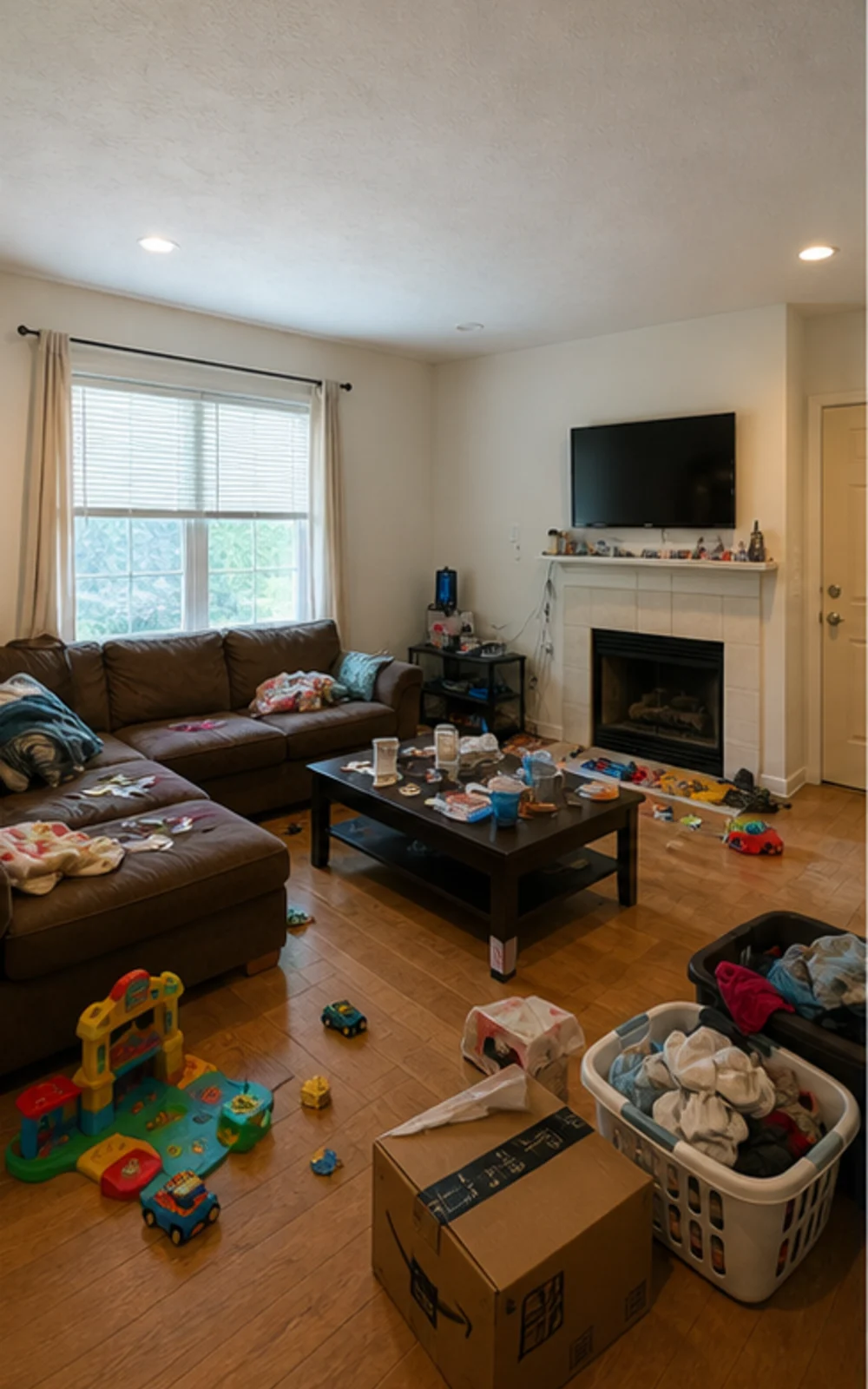
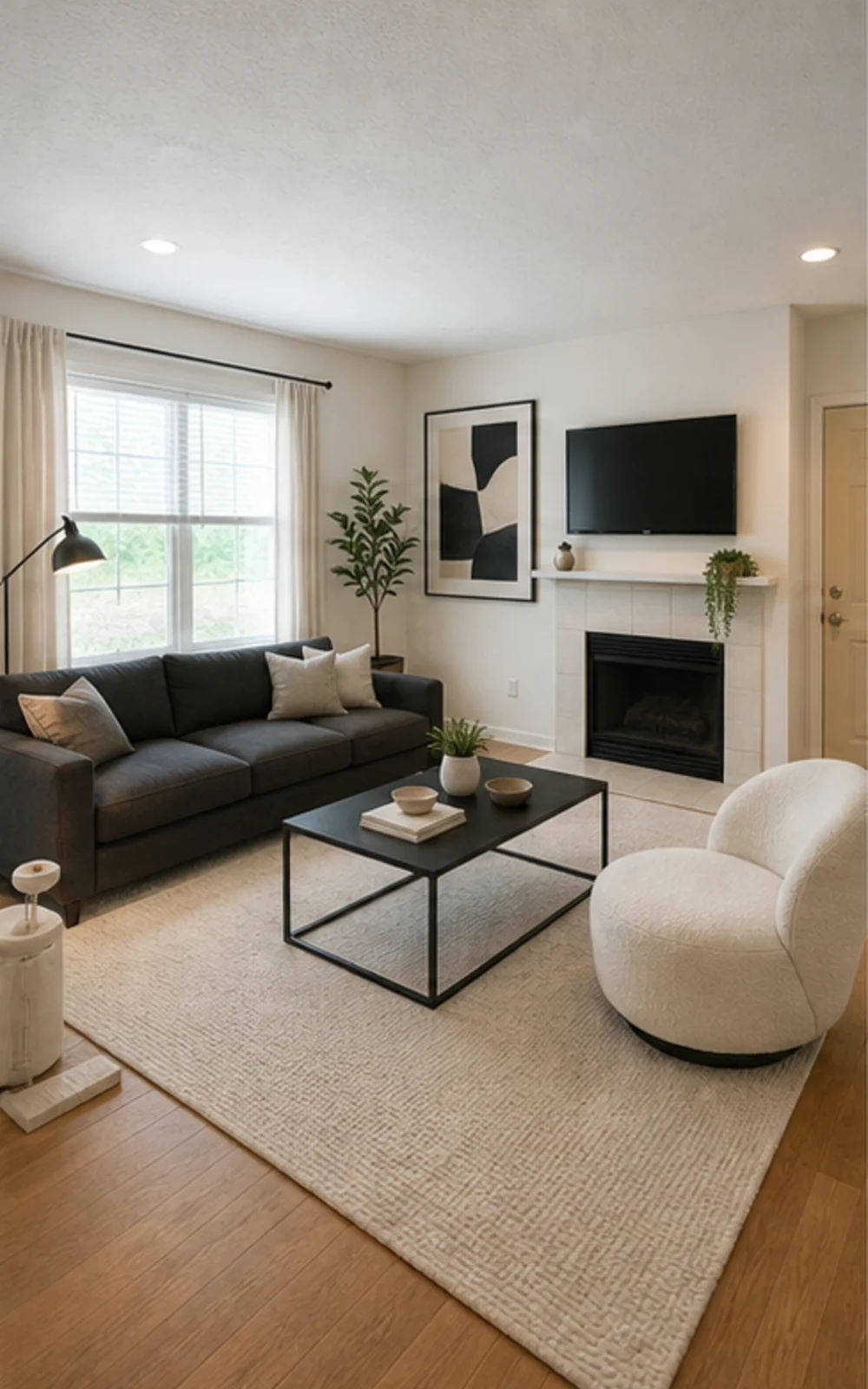
জঞ্জাল সরান, তারপর স্টেজ করুন
এলোমেলো ফ্যামিলি রুমটি তীক্ষ্ণ ফার্নিচার লাইন, শান্ত রাগ, অ্যাবস্ট্রাক্ট আর্ট ও উজ্জ্বল দিনের আলোসহ একটি পরিষ্কার আধুনিক লিস্টিং ছবিতে রূপ নেয়।
রূপান্তর কাহিনী
তৈরি করা ছবি কেবল দৃশ্যমান ধারণা। আসল ঘরের সঙ্গে স্থাপত্য, মাপ, আসবাব, উপকরণ এবং প্রকাশ যাচাই করুন।
লিস্টিং এজেন্ট
আগেপরেরূপান্তর কাহিনী
"তৈরি করা ছবি কেবল দৃশ্যমান ধারণা। আসল ঘরের সঙ্গে স্থাপত্য, মাপ, আসবাব, উপকরণ এবং প্রকাশ যাচাই করুন।"
Airbnb সুপারহোস্ট
 আগে
আগে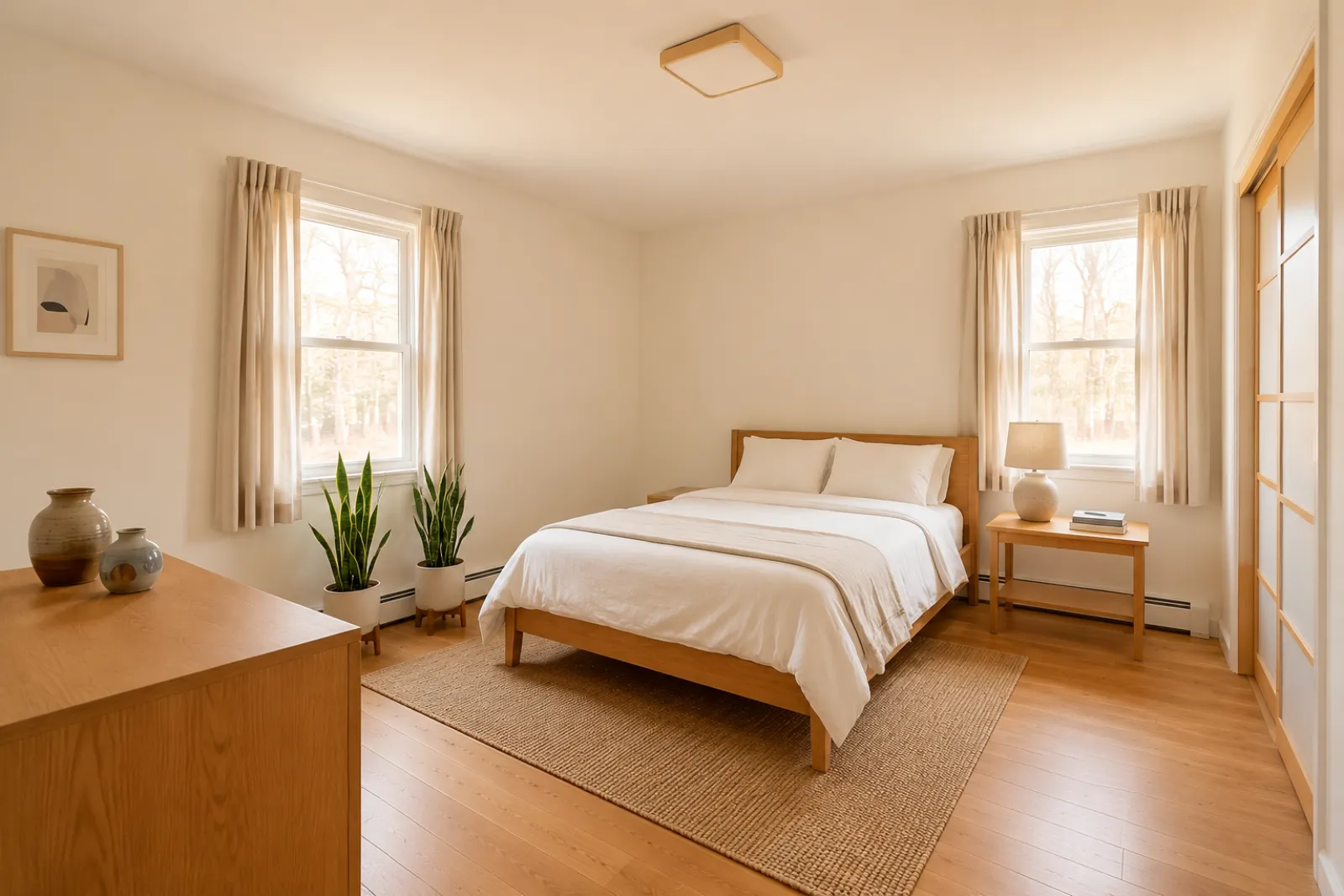 পরে
পরেরূপান্তর কাহিনী
"তৈরি করা ছবি কেবল দৃশ্যমান ধারণা। আসল ঘরের সঙ্গে স্থাপত্য, মাপ, আসবাব, উপকরণ এবং প্রকাশ যাচাই করুন।"
সংস্কার পরামর্শদাতা
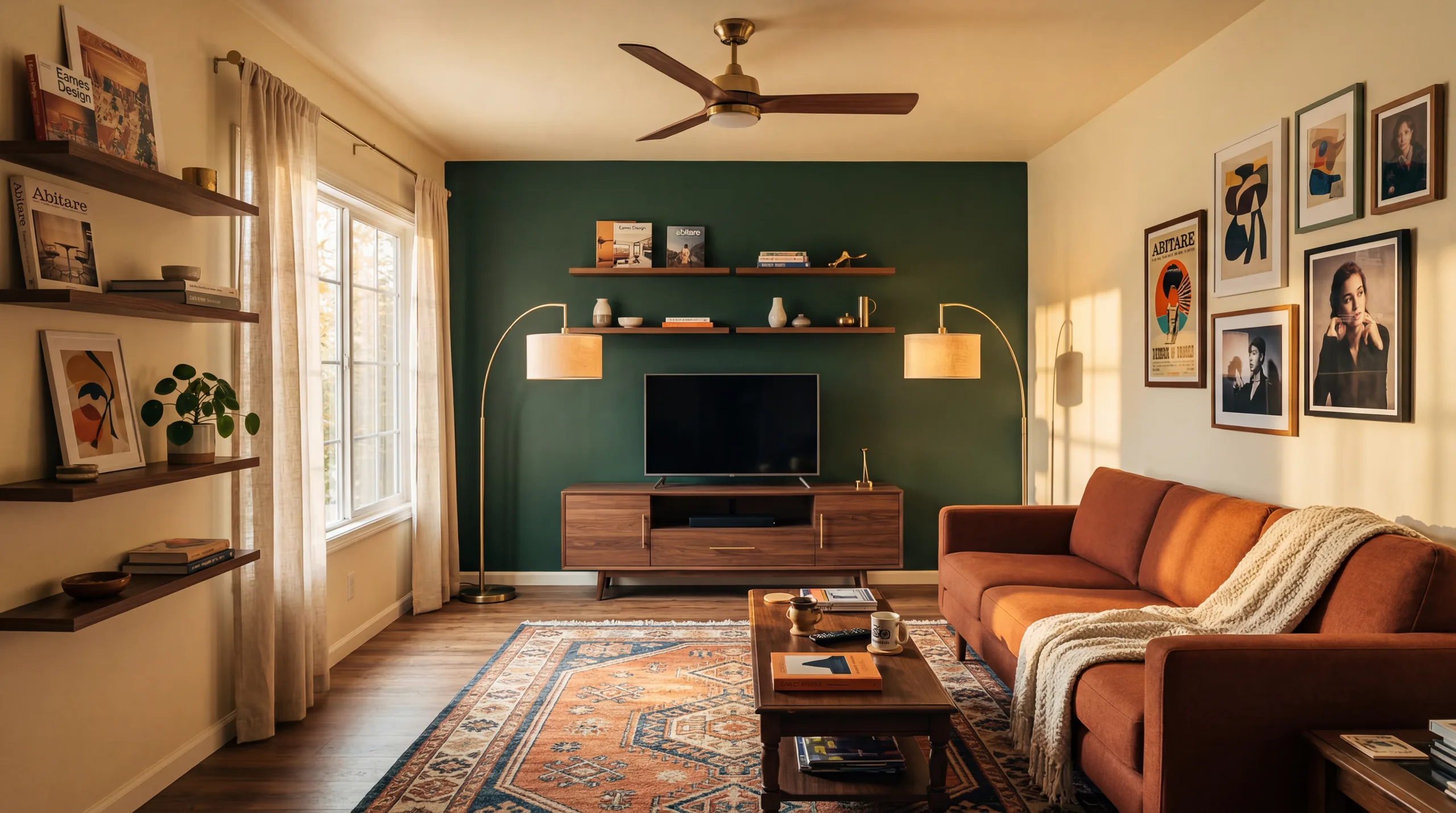 আগে
আগে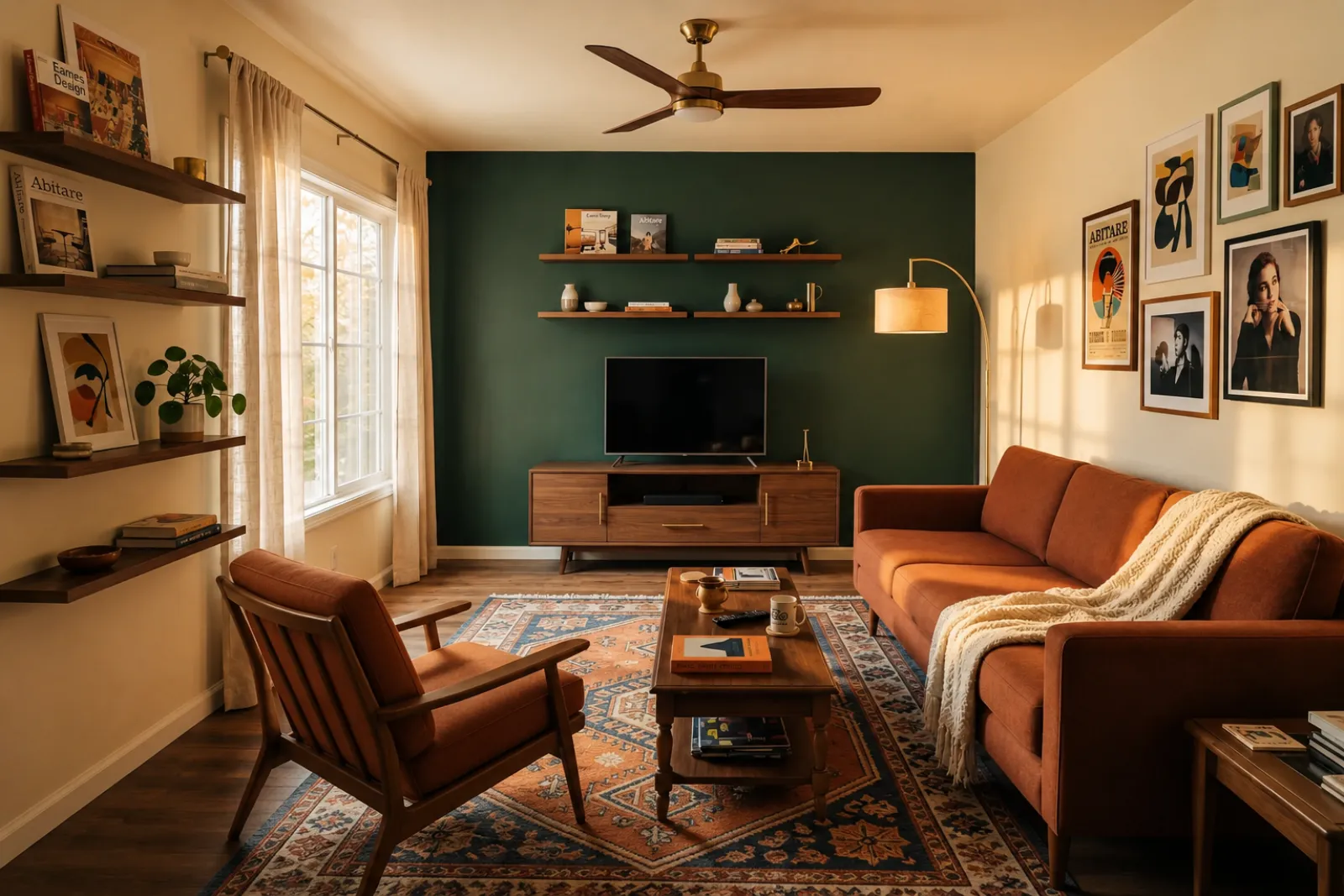 পরে
পরেরূপান্তর কাহিনী
"তৈরি করা ছবি কেবল দৃশ্যমান ধারণা। আসল ঘরের সঙ্গে স্থাপত্য, মাপ, আসবাব, উপকরণ এবং প্রকাশ যাচাই করুন।"
বাড়ন্ত পরিবার
আগেপরেরূপান্তর কাহিনী
"তৈরি করা ছবি কেবল দৃশ্যমান ধারণা। আসল ঘরের সঙ্গে স্থাপত্য, মাপ, আসবাব, উপকরণ এবং প্রকাশ যাচাই করুন।"
বর্তমান ভিজ্যুয়াল টুল দিয়ে শুরু করুন। সম্পূর্ণ লিস্টিং বা প্রস্তাবের কার্যপ্রবাহ ধরে না নিয়ে লিস্টিং, ভাড়া ও ক্লায়েন্ট পরিকল্পনার প্রসঙ্গে প্রফেশনাল পেজগুলো ব্যবহার করুন।
খালি বা পুরনো লিস্টিং ছবির জন্য আগে ও পরে স্টেজিং প্রিভিউ তৈরি করুন।
আসবাবপত্র কেনার বা আসল লিস্টিং ছবি আপডেট করার আগে ভাড়া সতেজ করার আইডিয়া প্রিভিউ করুন।
আসবাবপত্র আসার আগে নতুন নির্মিত খালি ঘরগুলো বুঝতে ক্রেতাদের সাহায্য করুন।
বিক্রেতার সাথে আলোচনাকে আরও দৃশ্যমান ও নির্দিষ্ট করতে স্টেজ করা ঘরের প্রিভিউ ব্যবহার করুন।
গভীর রেনোভেশন পর্যালোচনার আগে আসল ঘরের ছবি থেকে সৌন্দর্যবর্ধক দিকনির্দেশনা প্রিভিউ করুন।
ক্লায়েন্টের ঘরের ছবি থেকে ভিজ্যুয়াল দিকনির্দেশনা দেখান, তারপর নিজের কাজের পরিধি ও মূল্য যোগ করুন।
আসল জায়গা পরিবর্তনের আগে মৌসুমি ভাড়া রিফ্রেশের আইডিয়া পরীক্ষা করুন।
অর্ডার করার আগে — একটি sofa, bed, বা table আসলেই ফিট হবে এবং চলাফেরার জায়গা রাখবে কিনা তা দেখুন।
আসল ঘরের ছবি থেকে বিচারযোগ্য প্রিভিউ পর্যন্ত চারটি ধাপ।
তৈরি করা ছবি কেবল দৃশ্যমান ধারণা। আসল ঘরের সঙ্গে স্থাপত্য, মাপ, আসবাব, উপকরণ এবং প্রকাশ যাচাই করুন।
রিয়েলটর staging, Airbnb refresh, রেনোভেশন প্রিভিউ, বা ঠিকাদার প্রস্তাব থেকে বেছে নিন। প্রতিটি কাজ একটি tuned prompt চালায় এবং সঠিক চেহারা render করে।
ছবি ও বর্তমান চাহিদা অনুযায়ী প্রক্রিয়াকরণের সময় বদলায়। প্রতিটি ফলাফল মূল ছবির সঙ্গে তুলনা করুন।
আসল ছবিটি পাশে রাখুন, প্রয়োজন হলে ভার্চুয়াল স্টেজিং লেবেল করুন এবং প্রকাশ বা দরদামের আগে বাস্তব বিবরণ যাচাই করুন।
আগে/পরে
মূল কার্যপ্রবাহ
পরিবর্তনশীল
Typical preview time
আসল ছবি
শুরুর বিন্দু
পরিকল্পনার সহায়ক
সেরা ব্যবহার
সাইন-ইনের পর 10টি বিনামূল্যের ক্রেডিট দিয়ে শুরু করুন। একক closing-এর জন্য credit pack যোগ করুন, বা যখন staging প্রতিটি লিস্টিংয়ের অংশ তখন subscribe করুন।
সাইন ইন করার পর ১০টি ক্রেডিট দিয়ে শুরু করুন। এককালীন প্যাক ও সাবস্ক্রিপশন পাওয়া যায়; চেকআউটের আগে বর্তমান মোট খরচ ও শর্ত দেখে নিন।
সাবস্ক্রিপশন প্ল্যান
বারবার লিস্টিং, ভাড়া বা ক্লায়েন্ট কাজের জন্য। চেকআউটের আগে নবায়নের সময় ও মোট খরচ দেখে নিন।
খরচ করার আগে কার্যপ্রবাহটি চেষ্টা করুন
সাইন ইন করার পর ১০টি স্টার্টার ক্রেডিট
কয়েকটি ঘর প্রস্তুত করা বাড়ির মালিক, এজেন্ট ও হোস্টদের জন্য
১০০ ক্রেডিট / মাস
ফাইনাল ডিজাইন প্রতি ছবিতে প্রায় ০.২০ USD
এজেন্সি, ভাড়া পরিচালক ও একাধিক ছবির লিস্টিং সেটের জন্য
৪০০ ক্রেডিট / মাস
ফাইনাল ডিজাইন প্রতি ছবিতে প্রায় ০.১২ USD · সর্বনিম্ন ইউনিট দাম
একবারের ক্রেডিট প্যাক
মাঝে মাঝে লিস্টিং ছবি, ভাড়া রিফ্রেশ বা ক্লায়েন্ট বিকল্পের জন্য: একবারই পেমেন্ট, কোনো সাবস্ক্রিপশন নেই।
৩০ ক্রেডিট
প্রতি ক্রেডিটে ০.১৭ USD
≈ ১৫ HD images
Covers one room১০০ ক্রেডিট
প্রতি ক্রেডিটে ০.১৩ USD
≈ ৫০ HD images
৩০০ ক্রেডিট
প্রতি ক্রেডিটে ০.১০ USD
≈ ১৫০ HD images
Stripe-এর মাধ্যমে নিরাপদ চেকআউট · দাম USD-তে দেখানো হয়েছে
আসল ঘর, লিস্টিং, ভাড়া বা ক্লায়েন্ট আলোচনায় RoomFlip ভার্চুয়াল স্টেজিং ব্যবহারের আগে যা জানা দরকার।
RoomFlip আসল ছবি থেকে আগে ও পরে ঘরের প্রিভিউ তৈরি করতে সবচেয়ে ভালো। দিকনির্দেশনা বোঝা, আলোচনা প্রস্তুত করা বা রিফ্রেশের পরিকল্পনা করতে এটি ব্যবহার করুন। এটি ঘোষণার নিয়ম, মূল্যায়ন, ঠিকাদারের দরদাম বা প্ল্যাটফর্মের প্রয়োজনীয়তা প্রতিস্থাপন করে না।
আসল ছবি পরিষ্কার, সোজা ও ভালো আলোযুক্ত হলে ফলাফল সবচেয়ে ভালো হয়। পাবলিকলি ব্যবহারের আগে প্রতিটি আউটপুট আসল ঘরের সাথে মিলিয়ে দেখুন।
হ্যাঁ। যুক্তরাষ্ট্রে real estate লিস্টিংয়ের জন্য AI virtual staging বৈধ, এবং Airbnb বিদ্যমান ইউনিটের সঠিক উপস্থাপনা অনুমোদন করে। বেশিরভাগ MLS সিস্টেম এবং National Association of Realtors স্পষ্ট প্রকাশ চায় যে ছবিগুলি virtually staged করা হয়েছে, তাই RoomFlip স্বয়ংক্রিয়ভাবে একটি disclosure ক্যাপশন যোগ করে যা আপনি ছবির সাথে কপি করতে পারেন। ক্রেতা এবং অতিথিদের সাথে আস্থা বজায় রাখতে staged ছবি সবসময় লেবেল করুন।
নতুন ব্যবহারকারীরা সাইন ইন করার পর স্টার্টার ক্রেডিট পান। বেশি প্রিভিউ বা পরিষ্কার ডাউনলোডের প্রয়োজন হলে পেইড ক্রেডিট প্যাক ও সাবস্ক্রিপশন পাওয়া যায়।
না। Prompt স্পষ্টভাবে মডেলকে দেয়াল, জানালা, দরজা, মেঝে, ছাদ এবং স্থির স্থাপত্য অপরিবর্তিত রাখতে বলে। AI শুধু আসবাব, সাজসজ্জা এবং নরম আলোর স্পর্শ যোগ করে। আপনি যদি কোণ বা দরজা থেকে একটি স্পষ্ট, well-lit ছবি আপলোড করেন, তাহলে output একই ঘরের পেশাদারভাবে ছবি তোলা সংস্করণের মতো পড়ে, সম্পূর্ণ ভিন্ন ঘর নয়।
হ্যাঁ। একই ঘরের জন্য একাধিক দিকনির্দেশনা তৈরি করে সেগুলো তুলনা করতে পারেন, তারপর কোনটা সংরক্ষণযোগ্য বা পরিকল্পনার রেফারেন্স হিসেবে ব্যবহারের উপযুক্ত তা ঠিক করুন।
যেকোনো অভ্যন্তরীণ স্থান কাজ করে: living room, bedroom, kitchen, bathroom, dining room, home office, nursery, এবং bonus room। মডেল কোণ বা দরজা থেকে নেওয়া wide, well-lit ছবিতে সবচেয়ে ভালো perform করে যা মেঝে, ছাদ, জানালা এবং প্রধান দেয়ালের তল ধারণ করে। প্রচুর জিনিসপত্রে ভরা ছবি এখনও কাজ করে কিন্তু কম প্রেডিকটেবল ফলাফল দেয় — সম্ভব হলে মেঝে পরিষ্কার করুন।
তৈরি করা ছবি কেবল দৃশ্যমান ধারণা। আসল ঘরের সঙ্গে স্থাপত্য, মাপ, আসবাব, উপকরণ এবং প্রকাশ যাচাই করুন।
MLS বিবরণ, Zillow কপি, Instagram ক্যাপশন, Facebook পোস্ট, SEO শিরোনাম এবং ফেয়ার হাউজিং কমপ্লায়েন্স চেক তাৎক্ষণিকভাবে তৈরি করতে সম্পত্তির ছবি এবং বিবরণ আপলোড করুন। রিয়েল এস্টেট এজেন্টদের জন্য তৈরি।
বিস্তারিত দেখুন →কেনার আগে দেখুন সোফা, টেবিল, বিছানা বা ক্যাবিনেট আপনার রুমে মানাবে কিনা। রুমের মাপ, ফার্নিচারের মাপ ও হাঁটার জায়গা দিয়ে দ্রুত ধারণা নিন।
বিস্তারিত দেখুন →লিস্টিং, Airbnb ভাড়া, সংস্কারের পূর্বরূপ, এবং ক্লায়েন্ট উপস্থাপনার জন্য একটি সামঞ্জস্যপূর্ণ AI ভার্চুয়াল স্টেজিং সেট তৈরি করতে 6টি পর্যন্ত ঘরের ছবি আপলোড করুন।
বিস্তারিত দেখুন →অর্ডার করার আগে একটি সোফা, টেবিল, বিছানা বা ক্যাবিনেট আপনার ঘরে ফিট হবে কিনা তা পরীক্ষা করুন। প্রথমে মাত্রা ব্যবহার করুন, তারপর একটি আসল ছবি থেকে স্টাইল প্রিভিউ করুন।
বিস্তারিত দেখুন →