Đại lý Bất động sản
Bước vào và cảm nhận gánh nặng của ngày tan biến
 Trước
Trước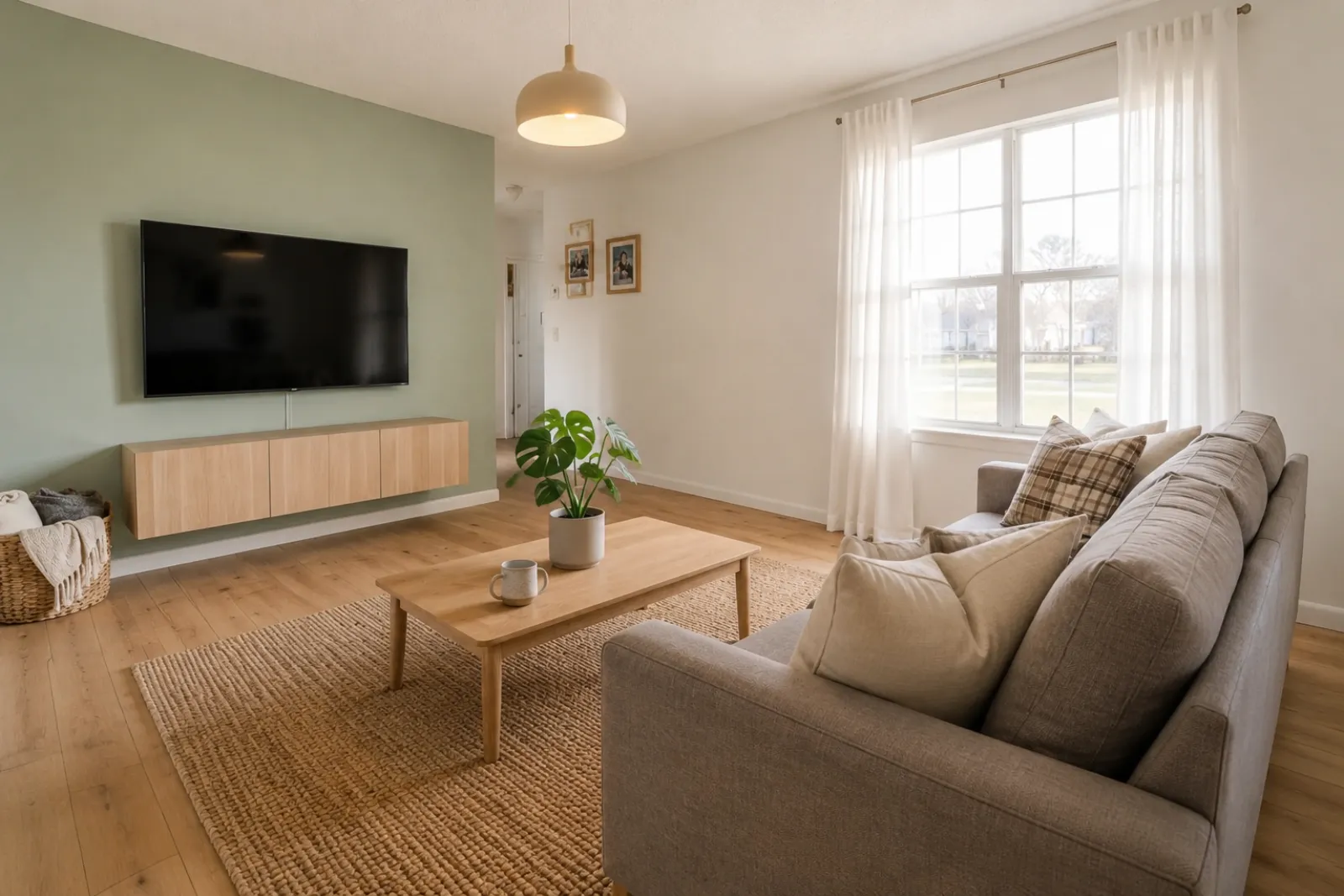 Sau
SauCâu chuyện chuyển đổi
"Ảnh được tạo chỉ là ý tưởng trực quan. Hãy kiểm tra kiến trúc, kích thước, đồ nội thất, vật liệu và thông tin công bố so với căn phòng thật."
Tạo nhanh bản xem trước dàn dựng ảo trước/sau cho tin đăng, cho thuê, kế hoạch cải tạo và cuộc trao đổi với khách hàng. Hãy dùng kết quả như một công cụ trực quan, không thay cho việc công bố thông tin hoặc xác minh ngoài đời thực.
Bắt đầu từ ảnh phòng thực tế và giữ ảnh gốc bên cạnh để tạo sự tin cậy.
Các trường hợp Trước / Sau
RoomFlip mạnh nhất khi một hình ảnh được tạo ra có một công việc kinh doanh: giúp người mua hiểu quy mô, giúp khách hình dung kỳ nghỉ, hoặc giúp khách hàng phê duyệt một hướng đi trước khi chi tiền.
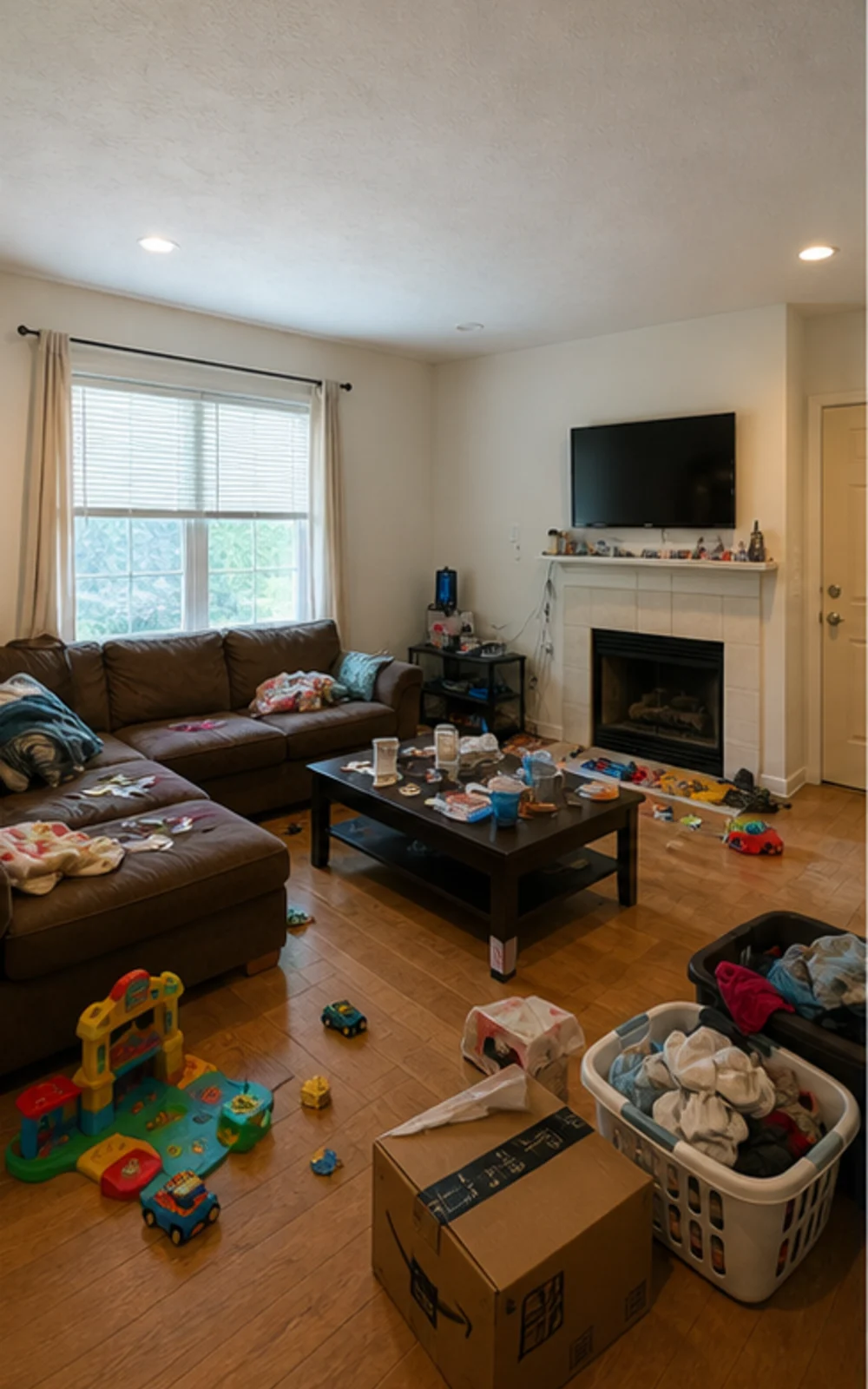
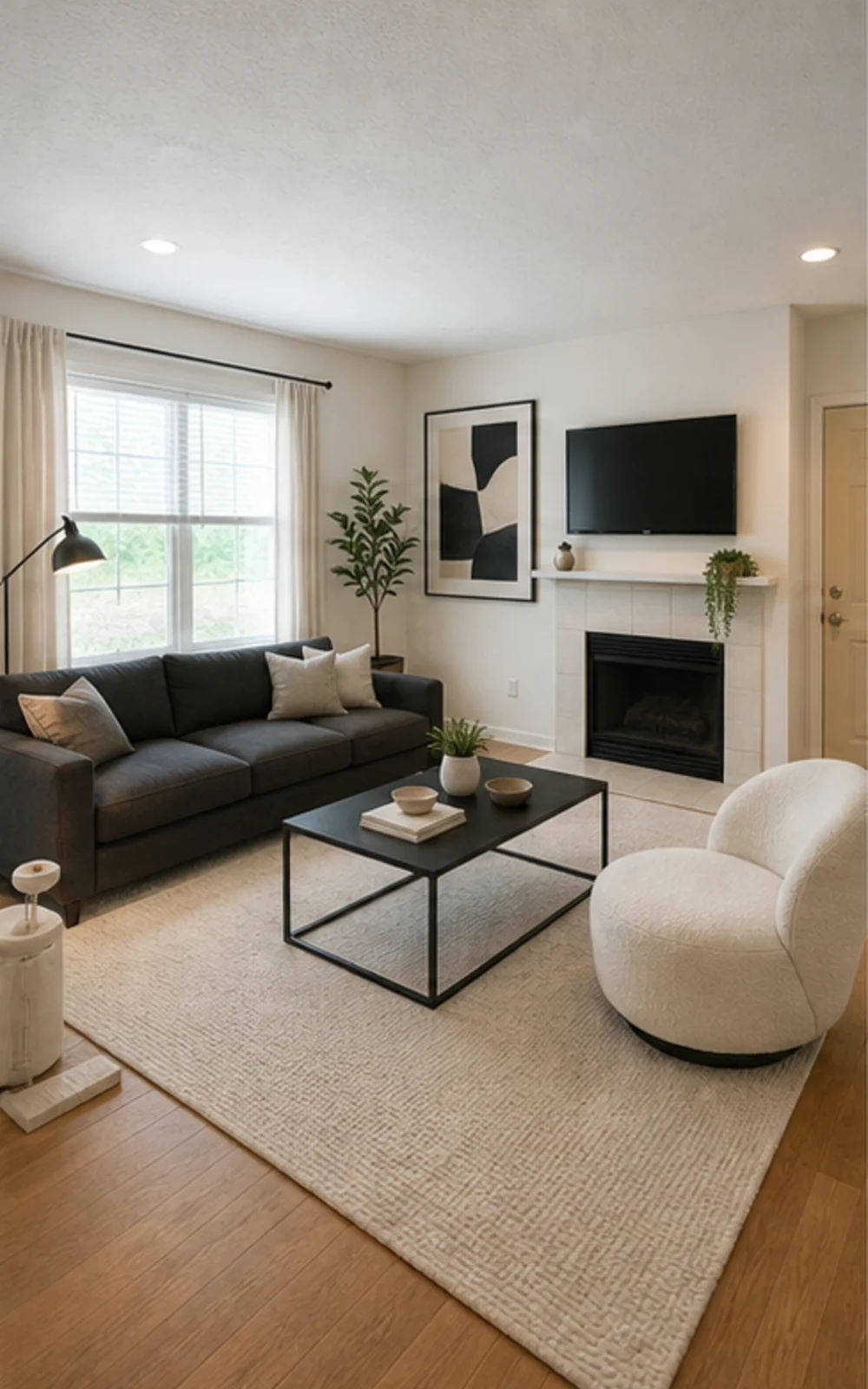
Dọn bớt đồ, sau đó dàn dựng
Phòng sinh hoạt bừa bộn trở thành ảnh tin đăng hiện đại gọn gàng với các đường nét nội thất sắc nét hơn, tấm thảm dịu mắt, tranh trừu tượng và ánh sáng ban ngày rõ ràng hơn.
Câu chuyện chuyển đổi
Ảnh được tạo chỉ là ý tưởng trực quan. Hãy kiểm tra kiến trúc, kích thước, đồ nội thất, vật liệu và thông tin công bố so với căn phòng thật.
Đại lý Bất động sản
TrướcSauCâu chuyện chuyển đổi
"Ảnh được tạo chỉ là ý tưởng trực quan. Hãy kiểm tra kiến trúc, kích thước, đồ nội thất, vật liệu và thông tin công bố so với căn phòng thật."
Siêu chủ nhà Airbnb
 Trước
Trước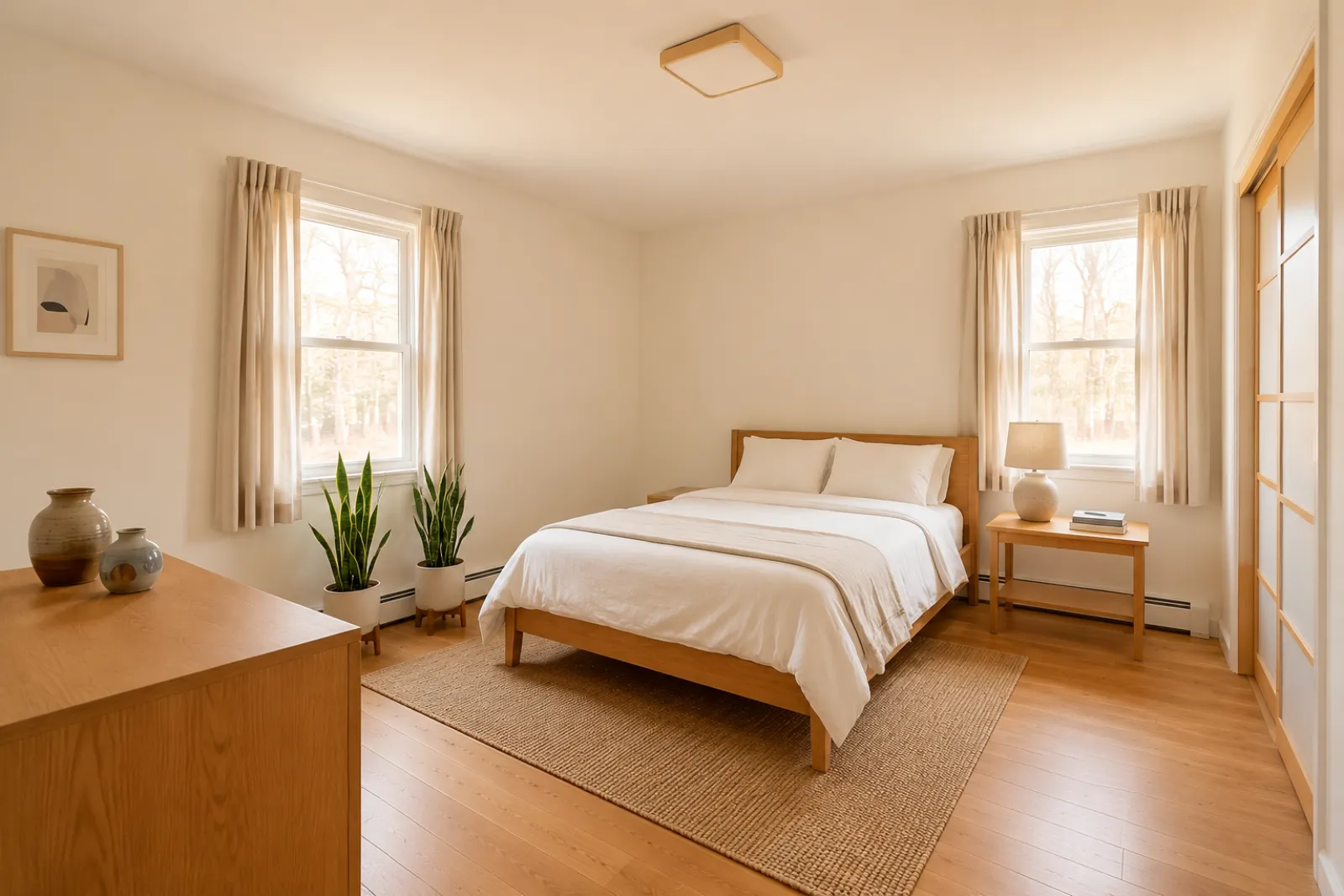 Sau
SauCâu chuyện chuyển đổi
"Ảnh được tạo chỉ là ý tưởng trực quan. Hãy kiểm tra kiến trúc, kích thước, đồ nội thất, vật liệu và thông tin công bố so với căn phòng thật."
Tư vấn viên Cải tạo
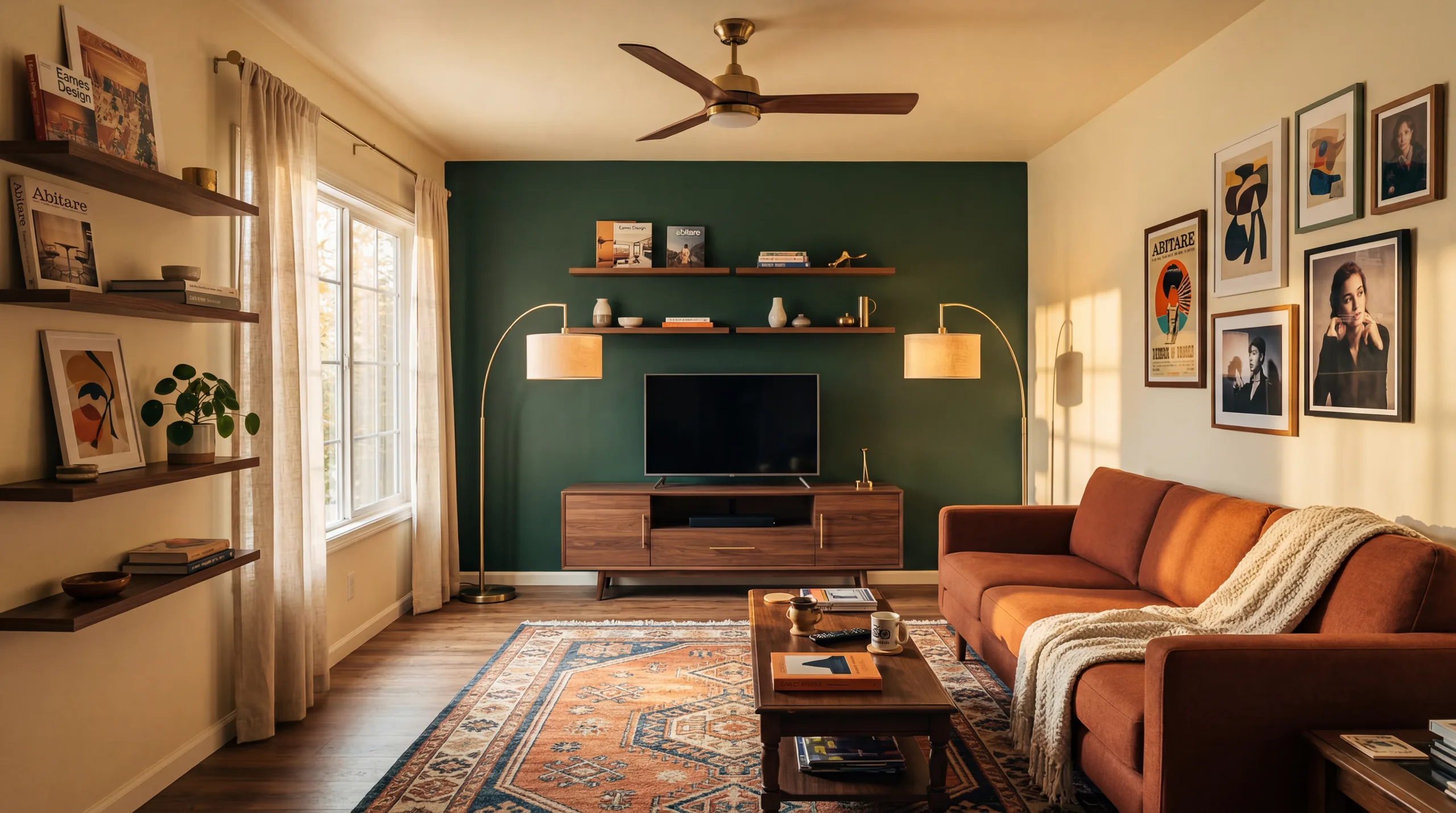 Trước
Trước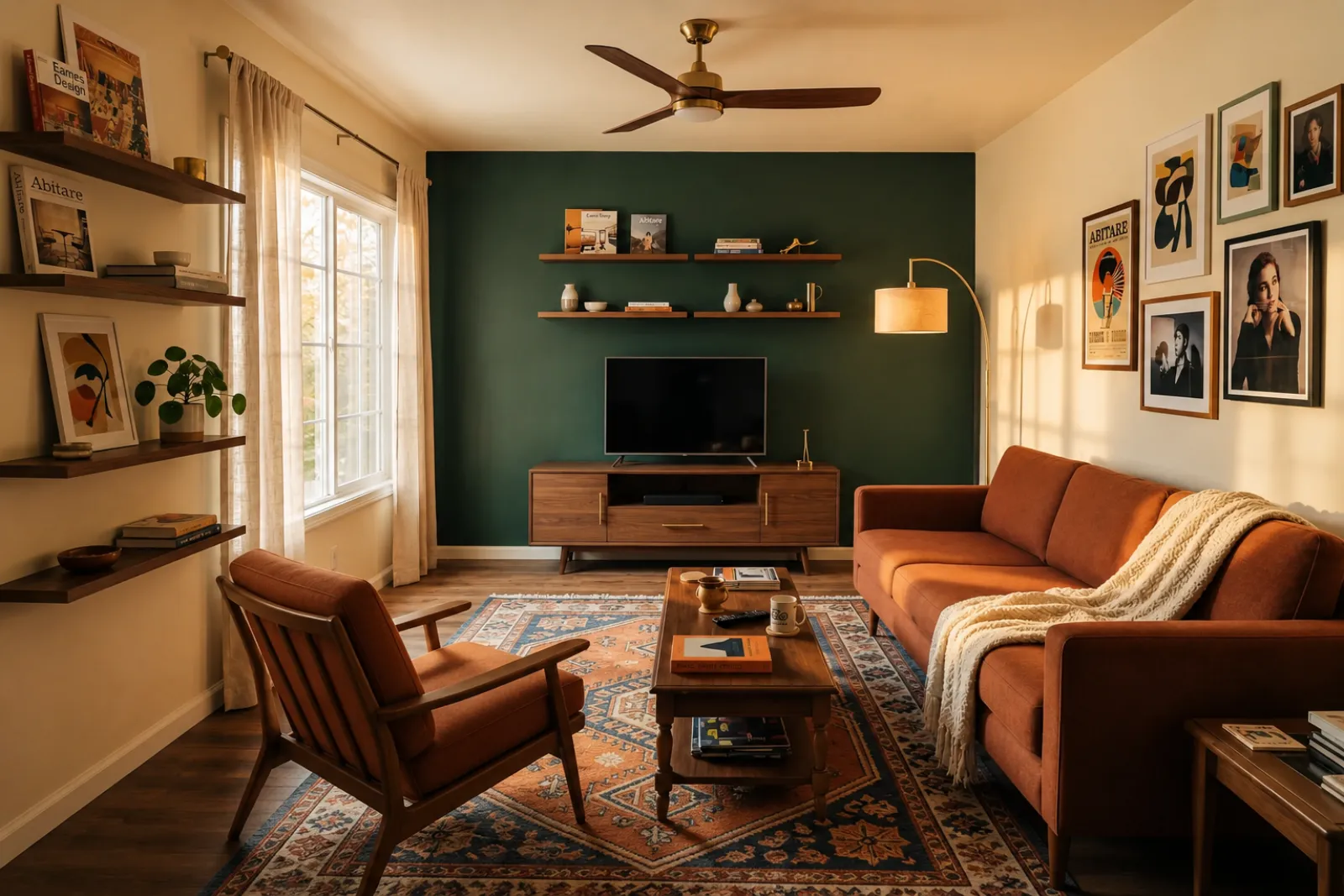 Sau
SauCâu chuyện chuyển đổi
"Ảnh được tạo chỉ là ý tưởng trực quan. Hãy kiểm tra kiến trúc, kích thước, đồ nội thất, vật liệu và thông tin công bố so với căn phòng thật."
Gia đình đang phát triển
TrướcSauCâu chuyện chuyển đổi
"Ảnh được tạo chỉ là ý tưởng trực quan. Hãy kiểm tra kiến trúc, kích thước, đồ nội thất, vật liệu và thông tin công bố so với căn phòng thật."
Bắt đầu với các công cụ hình ảnh hiện tại. Dùng các trang chuyên nghiệp cho bối cảnh lên kế hoạch tin đăng, cho thuê và tư vấn khách hàng mà không cần giả định quy trình niêm yết hay đề xuất đầy đủ.
Tạo bản xem trước dàn dựng trước và sau cho ảnh tin đăng trống hoặc đã cũ.
Xem trước ý tưởng làm mới căn cho thuê trước khi mua nội thất hoặc cập nhật ảnh tin đăng thực tế.
Giúp người mua hình dung các phòng trống trong nhà mới xây trước khi có nội thất.
Dùng bản xem trước phòng đã dàn dựng để cuộc trao đổi với người bán trực quan và cụ thể hơn.
Xem trước các hướng làm đẹp từ ảnh phòng thực tế trước khi đánh giá cải tạo sâu hơn.
Thể hiện định hướng hình ảnh từ ảnh phòng của khách hàng, sau đó bạn tự thêm phạm vi công việc và giá.
Thử ý tưởng làm mới theo mùa cho căn cho thuê trước khi thay đổi không gian thực tế.
Kiểm tra xem sofa, giường hoặc bàn có thực sự vừa và còn chỗ đi lại — trước khi bạn đặt mua.
Bốn bước từ ảnh phòng thô đến bản xem trước bạn có thể đánh giá.
Ảnh được tạo chỉ là ý tưởng trực quan. Hãy kiểm tra kiến trúc, kích thước, đồ nội thất, vật liệu và thông tin công bố so với căn phòng thật.
Chọn từ bài trí cho môi giới, làm mới Airbnb, xem trước cải tạo hoặc đề xuất nhà thầu. Mỗi công việc chạy một prompt được tinh chỉnh và render đúng phong cách.
Thời gian xử lý thay đổi theo hình ảnh và nhu cầu hiện tại. Hãy đối chiếu mọi kết quả với ảnh gốc.
Giữ ảnh gốc bên cạnh, ghi nhãn dàn dựng ảo khi cần và kiểm tra các chi tiết thực tế trước khi đăng tải hoặc báo giá.
Trước/sau
Core workflow
Thay đổi
Typical preview time
Real photo
Starting point
Planning aid
Best use
Bắt đầu với 5 tín dụng miễn phí sau khi đăng nhập. Thêm gói tín dụng cho một thương vụ đóng, hoặc đăng ký khi bài trí là một phần của mọi tin đăng.
Bắt đầu với 5 tín dụng sau khi đăng nhập. Có sẵn gói một lần và gói đăng ký; hãy xem kỹ tổng tiền và điều khoản hiện tại trước khi thanh toán.
Các gói đăng ký
Cho công việc tin đăng, cho thuê hoặc khách hàng lặp lại. Hãy xem kỹ thời điểm gia hạn và tổng tiền trước khi thanh toán.
Thử quy trình trước khi chi tiền
5 tín dụng khởi đầu sau khi đăng nhập
Dành cho gia chủ, môi giới và chủ nhà chuẩn bị vài căn phòng
100 tín dụng / tháng
Dành cho công ty, đơn vị vận hành cho thuê và bộ ảnh tin đăng nhiều ảnh
400 tín dụng / tháng
Gói credit dùng một lần
Cho các ảnh tin đăng thỉnh thoảng, làm mới căn cho thuê hoặc phương án cho khách hàng: một lần thanh toán, không cần đăng ký.
30 tín dụng
≈ 15 HD images
Covers one room100 tín dụng
≈ 50 HD images
300 tín dụng
≈ 150 HD images
Thanh toán an toàn qua Stripe · Giá hiển thị bằng USD
Những điều cần biết trước khi dùng dàn dựng ảo RoomFlip cho căn phòng thực tế, tin đăng, cho thuê hay trao đổi với khách hàng.
RoomFlip tốt nhất cho việc tạo bản xem trước phòng trước và sau từ ảnh thực tế. Dùng nó để hiểu một định hướng, chuẩn bị trao đổi hoặc lên kế hoạch làm mới. Nó không thay thế các quy tắc công khai, thẩm định giá, báo giá nhà thầu hay yêu cầu của nền tảng.
Kết quả tốt nhất khi ảnh gốc rõ nét, thẳng và đủ sáng. Hãy đối chiếu từng kết quả với căn phòng thực tế trước khi sử dụng công khai.
Có. Bài trí ảo AI là hợp pháp cho tin đăng bất động sản ở Hoa Kỳ, và Airbnb cho phép đại diện chính xác cho một căn hiện có. Hầu hết các hệ thống MLS và Hiệp hội Môi giới Quốc gia yêu cầu công bố rõ ràng rằng ảnh đã được bài trí ảo, vì vậy RoomFlip tự động thêm chú thích công bố mà bạn có thể sao chép với hình ảnh. Luôn dán nhãn hình ảnh đã bài trí để giữ niềm tin với người mua và khách.
Người dùng mới nhận tín dụng khởi đầu sau khi đăng nhập. Có sẵn gói tín dụng trả phí và gói đăng ký khi bạn cần thêm bản xem trước hoặc tải xuống sạch hơn.
Không. Prompt rõ ràng yêu cầu mô hình giữ nguyên tường, cửa sổ, cửa ra vào, sàn, trần và kiến trúc cố định. Điều duy nhất AI thêm vào là nội thất, trang trí và những điểm chạm ánh sáng nhẹ nhàng hơn. Nếu bạn tải lên một bức ảnh rõ ràng, đủ sáng từ góc hoặc cửa, đầu ra đọc như một phiên bản được chụp chuyên nghiệp của cùng một căn phòng, không phải một phòng khác hoàn toàn.
Có. Bạn có thể tạo nhiều hướng cho cùng một căn phòng và so sánh trước khi quyết định nên lưu hay dùng hướng nào làm tài liệu tham khảo.
Bất kỳ không gian trong nhà nào cũng hoạt động: phòng khách, phòng ngủ, nhà bếp, phòng tắm, phòng ăn, văn phòng tại nhà, phòng trẻ em và phòng bổ sung. Mô hình hoạt động tốt nhất với ảnh rộng, đủ sáng được chụp từ góc hoặc cửa nắm bắt sàn, trần, cửa sổ và các mặt tường chính. Ảnh lộn xộn nặng vẫn hoạt động nhưng cho kết quả ít dự đoán hơn — dọn sàn khi có thể.
Ảnh được tạo chỉ là ý tưởng trực quan. Hãy kiểm tra kiến trúc, kích thước, đồ nội thất, vật liệu và thông tin công bố so với căn phòng thật.
Tải lên ảnh và chi tiết bất động sản để tạo ngay mô tả MLS, bản sao Zillow, chú thích Instagram, bài đăng Facebook, tiêu đề SEO và kiểm tra tuân thủ Nhà ở Công bằng. Dành cho các đại lý bất động sản.
Xem chi tiết →Kiểm tra trước khi mua xem sofa, bàn, giường hoặc tủ có khả năng vừa với phòng không. Dùng kích thước phòng, nội thất và lối đi để ước tính nhanh.
Xem chi tiết →Tải lên tối đa 6 ảnh phòng và tạo một bộ tạo dáng ảo AI nhất quán cho danh sách bất động sản, cho thuê Airbnb, xem trước cải tạo và thuyết trình cho khách hàng.
Xem chi tiết →Kiểm tra xem ghế sofa, bàn, giường hay tủ có khả năng vừa với phòng của bạn trước khi đặt hàng. Trước tiên, hãy sử dụng kích thước, sau đó xem trước kiểu dáng từ ảnh thực tế.
Xem chi tiết →