นายหน้าอสังหาริมทรัพย์
ก้าวเข้ามาและรู้สึกถึงภาระของวันที่หายไปจากบ่าคุณ
 ก่อน
ก่อน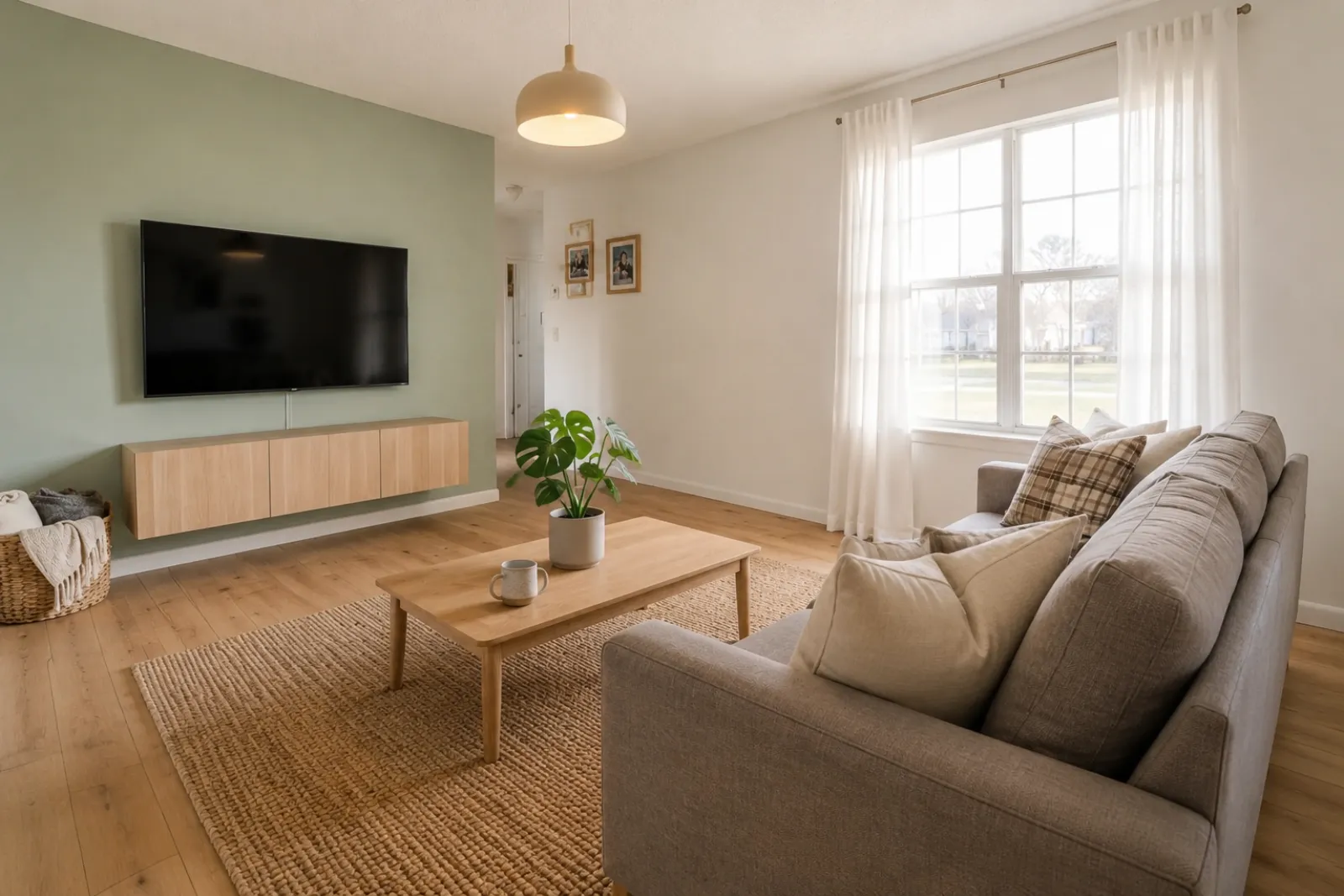 หลัง
หลังเรื่องราวการเปลี่ยนแปลง
"ภาพที่สร้างขึ้นเป็นแนวคิดเพื่อการมองเห็น โปรดตรวจสอบโครงสร้าง ขนาด เฟอร์นิเจอร์ วัสดุ และข้อความเปิดเผยกับห้องจริง"
สร้างพรีวิวห้องก่อนและหลังอย่างรวดเร็วสำหรับประกาศ ที่เช่า การวางแผนรีโนเวต และการพูดคุยกับลูกค้า ใช้ผลลัพธ์เป็นเครื่องช่วยภาพ ไม่ใช่สิ่งทดแทนการเปิดเผยข้อมูลหรือการตรวจสอบในโลกจริง
เริ่มจากภาพห้องจริงและเก็บภาพต้นฉบับไว้ใกล้ๆ เพื่อความน่าเชื่อถือ
ก่อน / หลัง
RoomFlip แข็งแกร่งที่สุดเมื่อภาพที่สร้างขึ้นมีงานทางธุรกิจ: ช่วยผู้ซื้อเข้าใจขนาด ช่วยแขกจินตนาการการพัก หรือช่วยลูกค้าอนุมัติทิศทางก่อนใช้เงิน
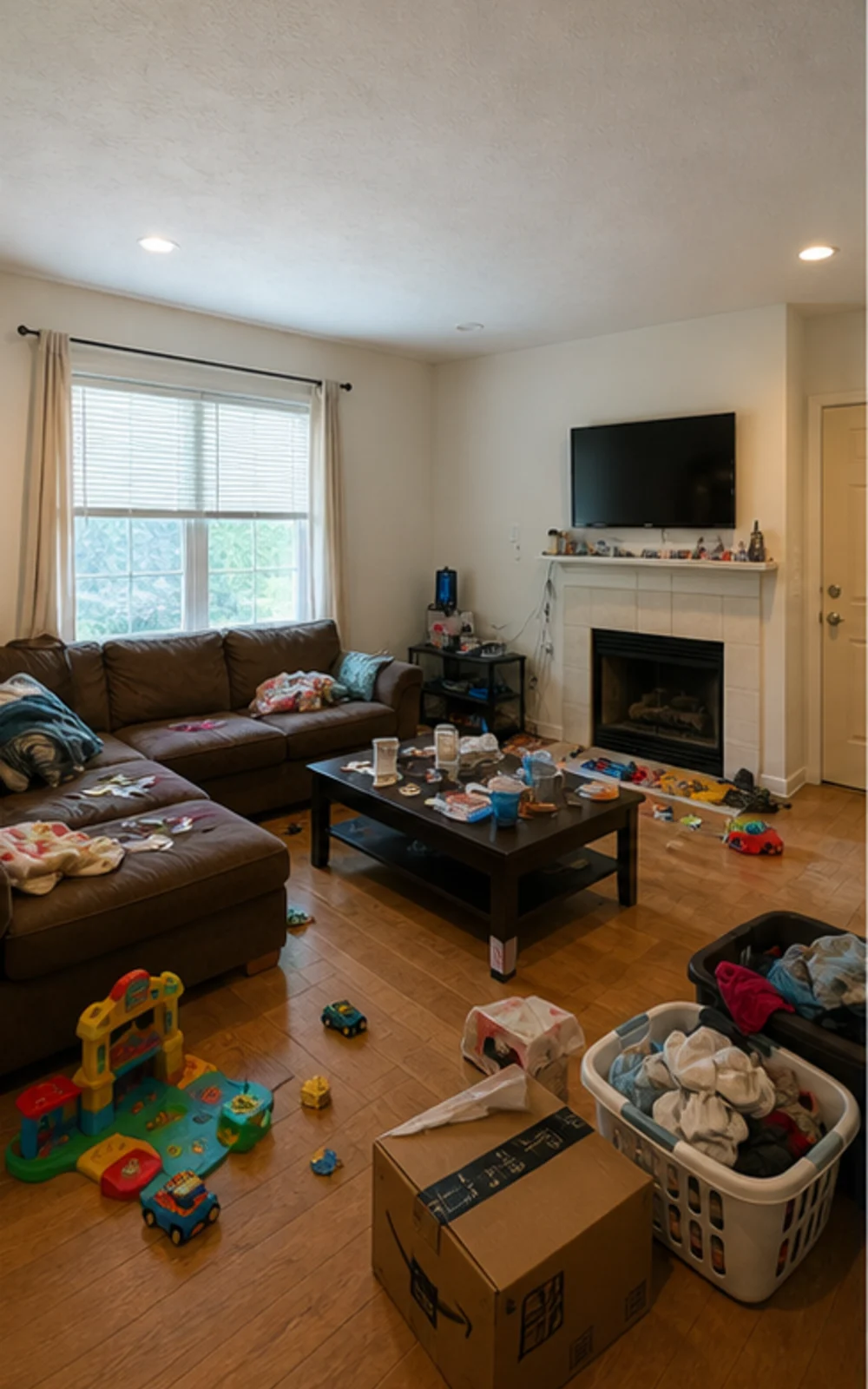
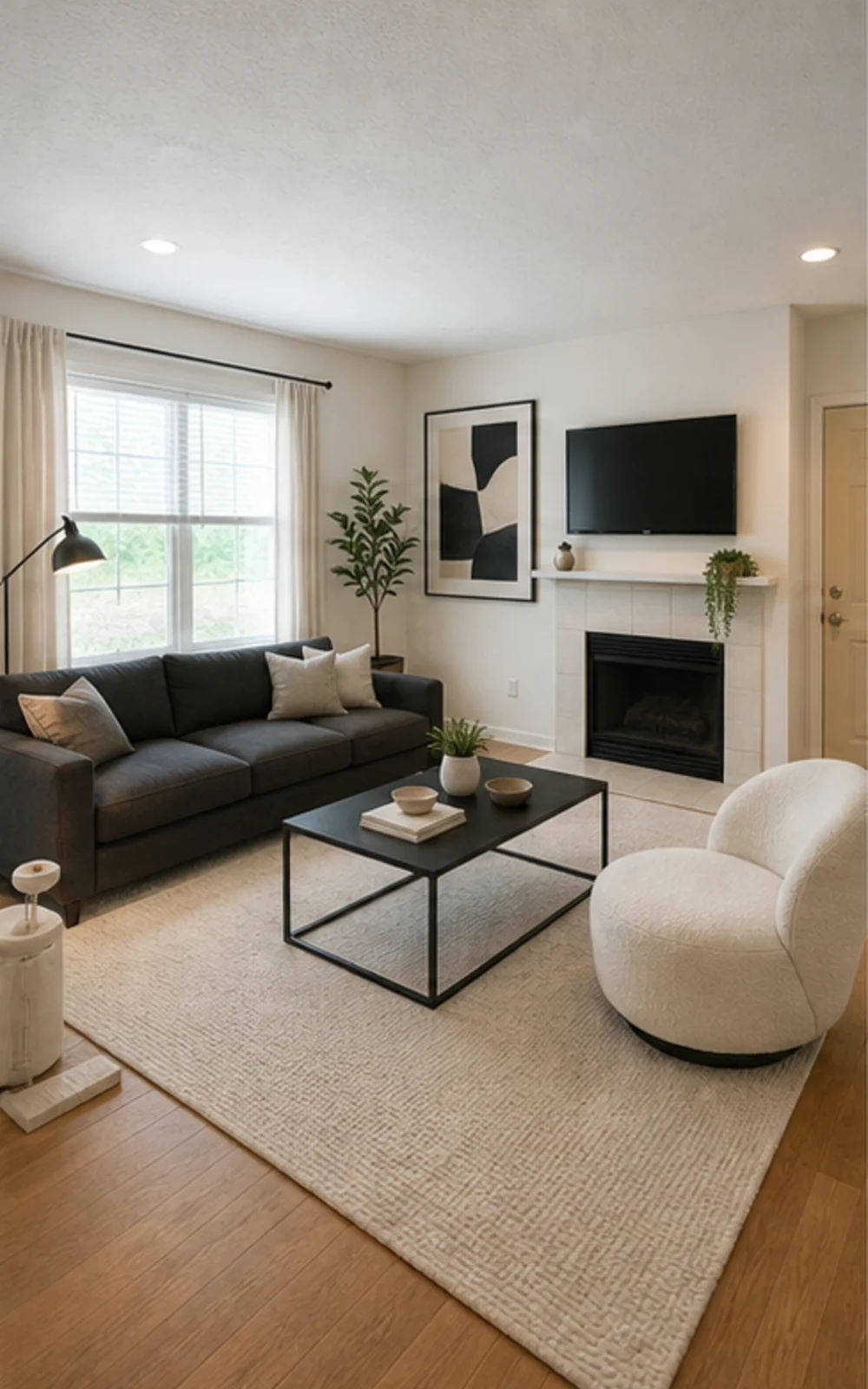
เก็บของรกก่อน แล้วค่อยจัดวาง
ห้องครอบครัวรกๆ กลายเป็นภาพประกาศโมเดิร์นสะอาดตา ด้วยเส้นเฟอร์นิเจอร์คมชัด พรมสีสงบ งานศิลปะนามธรรม และแสงกลางวันสว่างขึ้น
เรื่องราวการเปลี่ยนแปลง
ภาพที่สร้างขึ้นเป็นแนวคิดเพื่อการมองเห็น โปรดตรวจสอบโครงสร้าง ขนาด เฟอร์นิเจอร์ วัสดุ และข้อความเปิดเผยกับห้องจริง
นายหน้าอสังหาริมทรัพย์
ก่อนหลังเรื่องราวการเปลี่ยนแปลง
"ภาพที่สร้างขึ้นเป็นแนวคิดเพื่อการมองเห็น โปรดตรวจสอบโครงสร้าง ขนาด เฟอร์นิเจอร์ วัสดุ และข้อความเปิดเผยกับห้องจริง"
Superhost ของ Airbnb
 ก่อน
ก่อน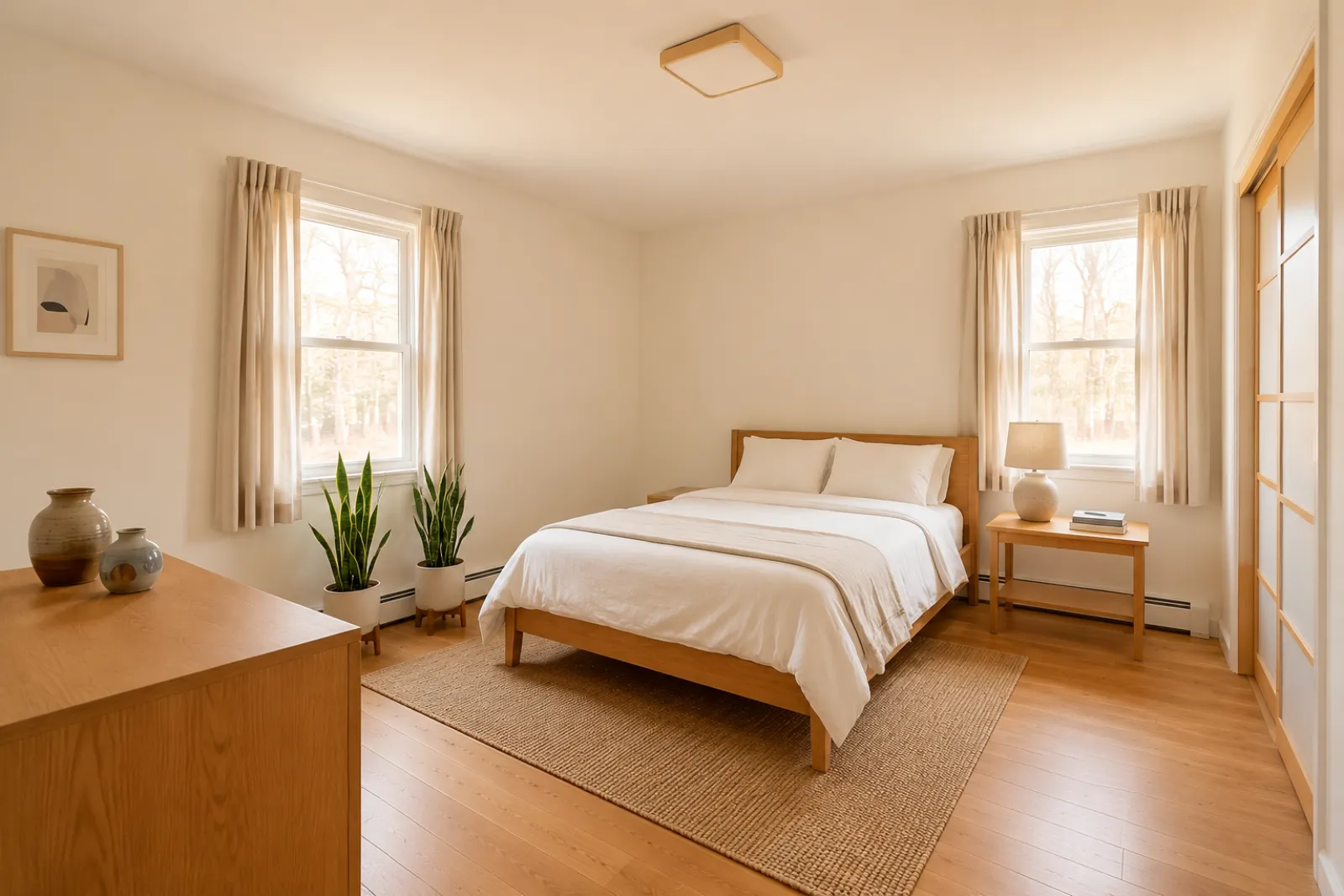 หลัง
หลังเรื่องราวการเปลี่ยนแปลง
"ภาพที่สร้างขึ้นเป็นแนวคิดเพื่อการมองเห็น โปรดตรวจสอบโครงสร้าง ขนาด เฟอร์นิเจอร์ วัสดุ และข้อความเปิดเผยกับห้องจริง"
ที่ปรึกษาการรีโนเวต
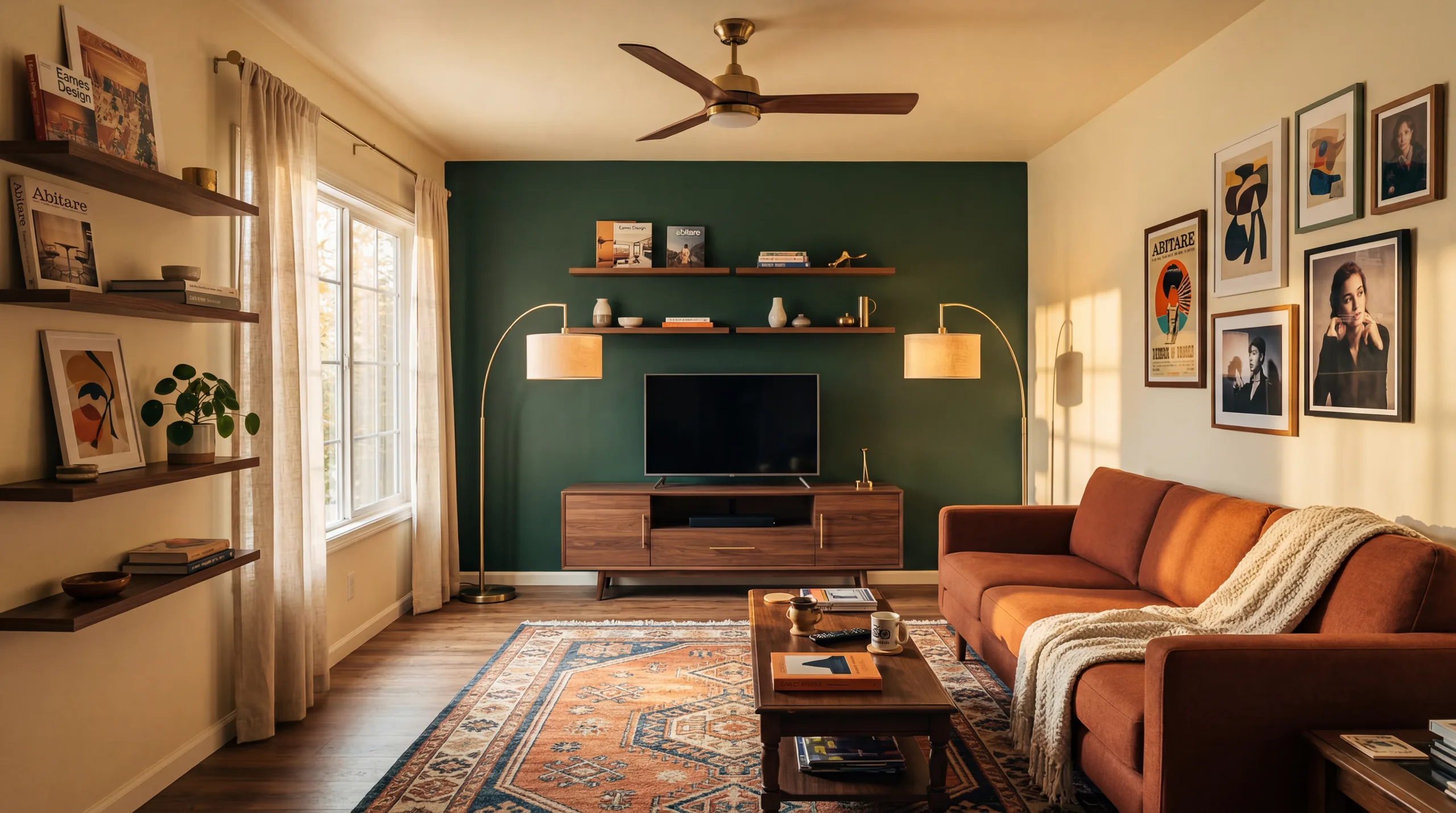 ก่อน
ก่อน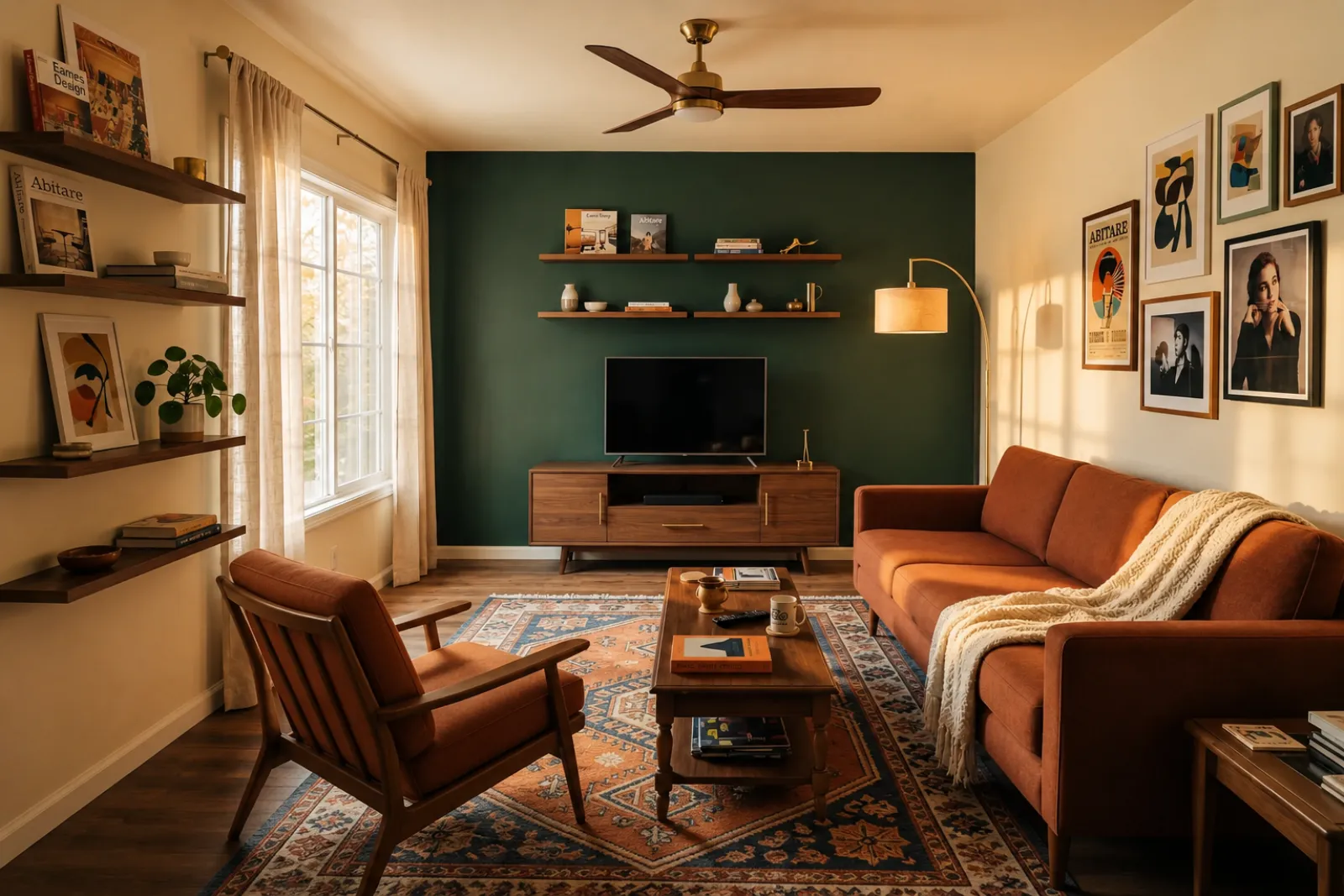 หลัง
หลังเรื่องราวการเปลี่ยนแปลง
"ภาพที่สร้างขึ้นเป็นแนวคิดเพื่อการมองเห็น โปรดตรวจสอบโครงสร้าง ขนาด เฟอร์นิเจอร์ วัสดุ และข้อความเปิดเผยกับห้องจริง"
ครอบครัวที่เติบโต
ก่อนหลังเรื่องราวการเปลี่ยนแปลง
"ภาพที่สร้างขึ้นเป็นแนวคิดเพื่อการมองเห็น โปรดตรวจสอบโครงสร้าง ขนาด เฟอร์นิเจอร์ วัสดุ และข้อความเปิดเผยกับห้องจริง"
เริ่มจากเครื่องมือภาพที่มีอยู่ ใช้หน้าสำหรับมืออาชีพสำหรับบริบทการวางแผนประกาศ ที่เช่า และลูกค้า โดยไม่ถือว่ามีเวิร์กโฟลว์ประกาศหรือข้อเสนอที่สมบูรณ์
สร้างพรีวิวการจัดวางก่อนและหลังสำหรับภาพประกาศห้องว่างหรือเก่า
พรีวิวไอเดียรีเฟรชที่เช่าก่อนซื้อเฟอร์นิเจอร์หรืออัปเดตภาพประกาศจริง
ช่วยให้ผู้ซื้อเข้าใจห้องโครงการใหม่ที่ว่างเปล่าก่อนเฟอร์นิเจอร์มาถึง
ใช้พรีวิวห้องที่จัดวางแล้วเพื่อให้บทสนทนากับผู้ขายเป็นภาพและเจาะจงมากขึ้น
พรีวิวทิศทางภายนอกจากภาพห้องจริงก่อนการตรวจสอบรีโนเวตอย่างละเอียด
แสดงทิศทางภาพจากภาพห้องของลูกค้า แล้วเพิ่มขอบเขตงานและราคาของคุณเอง
ทดสอบไอเดียรีเฟรชที่เช่าตามฤดูกาลก่อนเปลี่ยนพื้นที่จริง
เช็คว่าโซฟา เตียง หรือโต๊ะ จะวางได้จริงและเหลือทางเดินหรือไม่ — ก่อนสั่งซื้อ
สี่ขั้นตอนจากภาพห้องดิบสู่พรีวิวที่คุณตัดสินได้
ภาพที่สร้างขึ้นเป็นแนวคิดเพื่อการมองเห็น โปรดตรวจสอบโครงสร้าง ขนาด เฟอร์นิเจอร์ วัสดุ และข้อความเปิดเผยกับห้องจริง
เลือกจาก staging นายหน้า, refresh Airbnb, พรีวิวรีโนเวต หรือข้อเสนอผู้รับเหมา แต่ละงานใช้ prompt ที่จูนมาแล้วและเรนเดอร์ลุคที่เหมาะสม
เวลาในการประมวลผลขึ้นอยู่กับภาพและปริมาณงานในขณะนั้น โปรดเปรียบเทียบทุกผลลัพธ์กับภาพต้นฉบับ
เก็บภาพต้นฉบับไว้ใกล้ๆ ติดป้ายการจัดวางเสมือนเมื่อจำเป็น และตรวจสอบรายละเอียดในโลกจริงก่อนเผยแพร่หรือเสนอราคา
ก่อน/หลัง
เวิร์กโฟลว์หลัก
แตกต่างกัน
เวลาพรีวิวโดยทั่วไป
ภาพจริง
จุดเริ่มต้น
เครื่องช่วยวางแผน
การใช้งานที่ดีที่สุด
เริ่มด้วย 5 credit ฟรีหลังลงชื่อเข้าใช้ เพิ่ม credit pack สำหรับการปิดดีลเดียว หรือสมัครสมาชิกเมื่อ staging เป็นส่วนหนึ่งของทุกประกาศ
เริ่มต้นด้วย 5 เครดิตหลังเข้าสู่ระบบ แพ็กจ่ายครั้งเดียวและสมาชิกมีให้เลือก; ตรวจสอบยอดรวมและเงื่อนไขปัจจุบันก่อนชำระเงิน
แพ็กเกจสมาชิก
สำหรับงานประกาศ ที่เช่า หรือลูกค้าที่ทำต่อเนื่อง ตรวจสอบรอบการต่ออายุและยอดรวมก่อนชำระเงิน
ลองเวิร์กโฟลว์ก่อนใช้เงิน
5 เครดิตเริ่มต้นหลังเข้าสู่ระบบ
สำหรับเจ้าของบ้าน นายหน้า และเจ้าของที่พักที่เตรียมห้องไม่กี่ห้อง
100 เครดิต / เดือน
สำหรับเอเจนซี ผู้ประกอบการที่พัก และชุดประกาศหลายภาพ
400 เครดิต / เดือน
แพ็กเครดิตแบบจ่ายครั้งเดียว
สำหรับภาพประกาศตามโอกาส รีเฟรชที่เช่า หรือตัวเลือกลูกค้า: จ่ายครั้งเดียว ไม่มีสมาชิก
30 เครดิต
≈ 15 HD images
Covers one room100 เครดิต
≈ 50 HD images
300 เครดิต
≈ 150 HD images
ชำระเงินปลอดภัยผ่าน Stripe · ราคาแสดงเป็น USD
สิ่งที่ควรรู้ก่อนใช้การจัดวางเสมือนของ RoomFlip กับห้องจริง ประกาศ ที่เช่า หรือบทสนทนากับลูกค้า
RoomFlip เหมาะที่สุดสำหรับการสร้างพรีวิวห้องก่อนและหลังจากภาพจริง ใช้เพื่อทำความเข้าใจทิศทาง เตรียมบทสนทนา หรือวางแผนรีเฟรช มันไม่ได้แทนที่กฎการเปิดเผยข้อมูล การประเมินราคา ใบเสนอราคาผู้รับเหมา หรือข้อกำหนดของแพลตฟอร์ม
ผลลัพธ์จะดีที่สุดเมื่อภาพต้นฉบับชัดเจน ระดับ และมีแสงดี ตรวจสอบผลลัพธ์ทุกภาพเทียบกับห้องจริงก่อนนำไปใช้ต่อสาธารณะ
ใช่ AI virtual staging ถูกกฎหมายสำหรับประกาศอสังหาในสหรัฐ และ Airbnb อนุญาตการแสดงผลที่ถูกต้องของยูนิตที่มีอยู่ ระบบ MLS ส่วนใหญ่และ National Association of Realtors กำหนดให้เปิดเผยอย่างชัดเจนว่ารูปได้ stage แบบ virtual แล้ว RoomFlip จึงเพิ่มแคปชันเปิดเผยให้อัตโนมัติที่คุณก็อปได้พร้อมภาพ ติดป้ายเสมอเพื่อรักษาความไว้วางใจของผู้ซื้อและแขก
ผู้ใช้ใหม่ได้รับเครดิตเริ่มต้นหลังเข้าสู่ระบบ แพ็กเครดิตและสมาชิกแบบชำระเงินมีให้เมื่อต้องการพรีวิวเพิ่มหรือดาวน์โหลดภาพที่สะอาดกว่า
ไม่ Prompt บอกโมเดลชัดเจนให้รักษาผนัง หน้าต่าง ประตู พื้น เพดาน และสถาปัตยกรรมคงที่ไว้ไม่เปลี่ยน สิ่งเดียวที่ AI เพิ่มคือเฟอร์นิเจอร์ ของตกแต่ง และการปรับแสงนุ่ม ถ้าคุณอัปโหลดภาพชัดและมีแสงดีจากมุมหรือประตู ผลลัพธ์จะเหมือนเวอร์ชันถ่ายโดยมืออาชีพของห้องเดียวกัน ไม่ใช่ห้องที่ต่างออกไป
ได้ คุณสามารถสร้างหลายทิศทางสำหรับห้องเดียวกันและเปรียบเทียบก่อนตัดสินใจว่าอันไหนคุ้มค่าที่จะบันทึกหรือใช้เป็นข้อมูลอ้างอิงวางแผน
ทุกพื้นที่ภายในใช้ได้: ห้องนั่งเล่น ห้องนอน ห้องครัว ห้องน้ำ ห้องอาหาร โฮมออฟฟิศ ห้องเด็ก และ bonus room โมเดลทำงานได้ดีที่สุดกับภาพมุมกว้างมีแสงดีจากมุมหรือประตูที่จับพื้น เพดาน หน้าต่าง และผนังหลัก ภาพที่รกมากก็ยังใช้ได้แต่ผลคาดเดายากกว่า — เคลียร์พื้นถ้าทำได้
ภาพที่สร้างขึ้นเป็นแนวคิดเพื่อการมองเห็น โปรดตรวจสอบโครงสร้าง ขนาด เฟอร์นิเจอร์ วัสดุ และข้อความเปิดเผยกับห้องจริง
อัปโหลดรูปภาพและรายละเอียดทรัพย์สินเพื่อสร้างคำอธิบาย MLS, ข้อความ Zillow, คำบรรยาย Instagram, โพสต์ Facebook, ชื่อ SEO และการตรวจสอบการปฏิบัติตามกฎหมายการเคหะที่เป็นธรรมได้ทันที สร้างมาเพื่อตัวแทนอสังหาริมทรัพย์
ดูรายละเอียด →ตรวจสอบก่อนซื้อว่าโซฟา โต๊ะ เตียง หรือตู้มีแนวโน้มจะพอดีกับห้องหรือไม่ ใช้ขนาดห้อง ขนาดเฟอร์นิเจอร์ และระยะทางเดินเพื่อประเมินอย่างรวดเร็ว
ดูรายละเอียด →อัปโหลดภาพห้องได้ถึง 6 รูปและสร้างชุดจัดวางเสมือนด้วย AI ที่สอดคล้องกันสำหรับประกาศขาย เช่าผ่าน Airbnb พรีวิวรีโนเวต และนำเสนอลูกค้า
ดูรายละเอียด →ตรวจสอบว่าโซฟา โต๊ะ เตียง หรือตู้มีแนวโน้มว่าจะพอดีกับห้องของคุณก่อนสั่งซื้อ ใช้ขนาดก่อน แล้วพรีวิวสไตล์จากภาพห้องจริง
ดูรายละเอียด →