RoomFlip virtual staging

AI virtual staging for real room photos

Create quick before-and-after room previews for listings, rentals, renovation planning, and client conversations. Use the result as a visual aid, not a substitute for disclosure or real-world verification.

Upload a real photoPick the room goalCompare before and afterUse with context

Start from a real room photo and keep the original nearby for trust.

Style proof

Approved before and after staging directions.

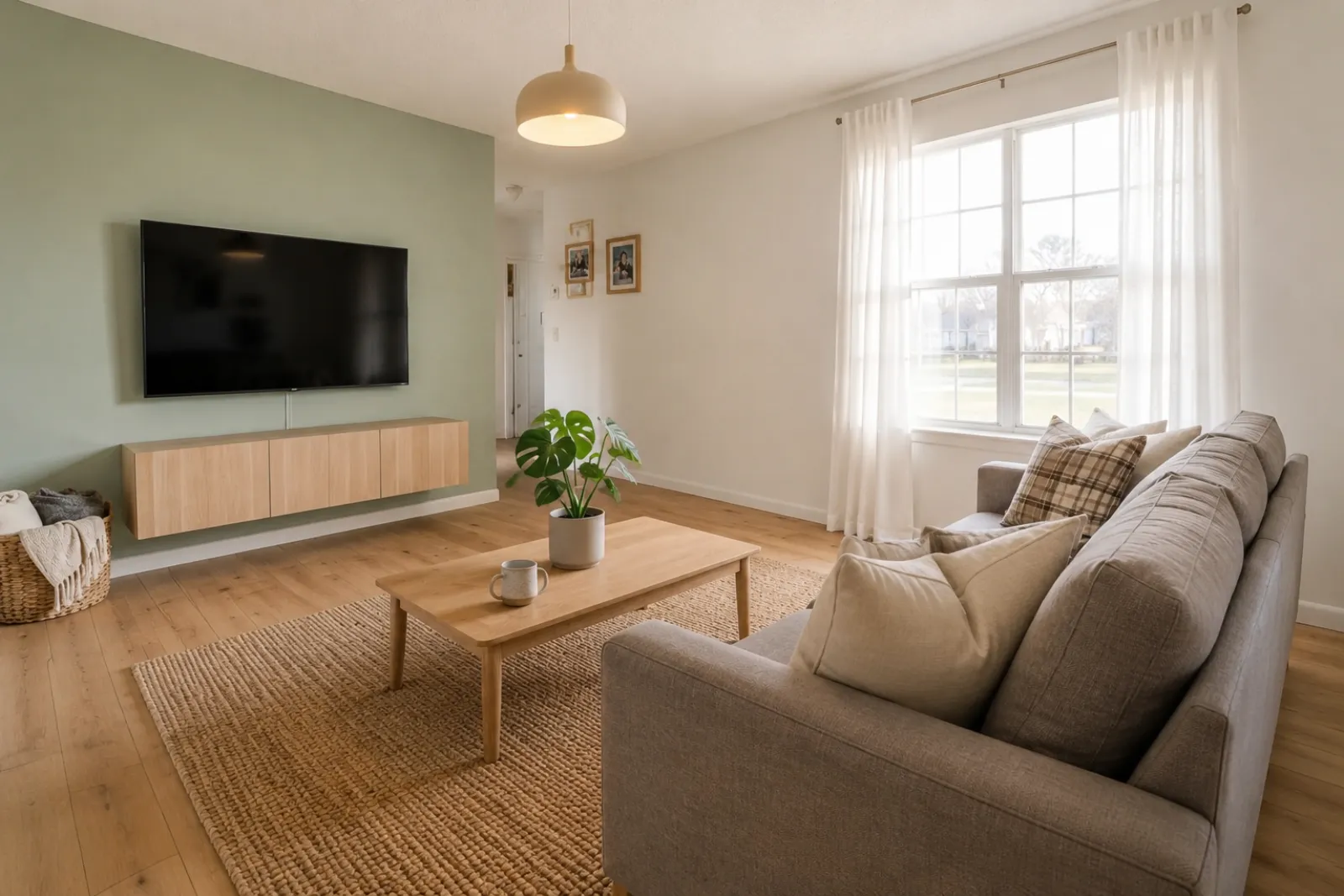
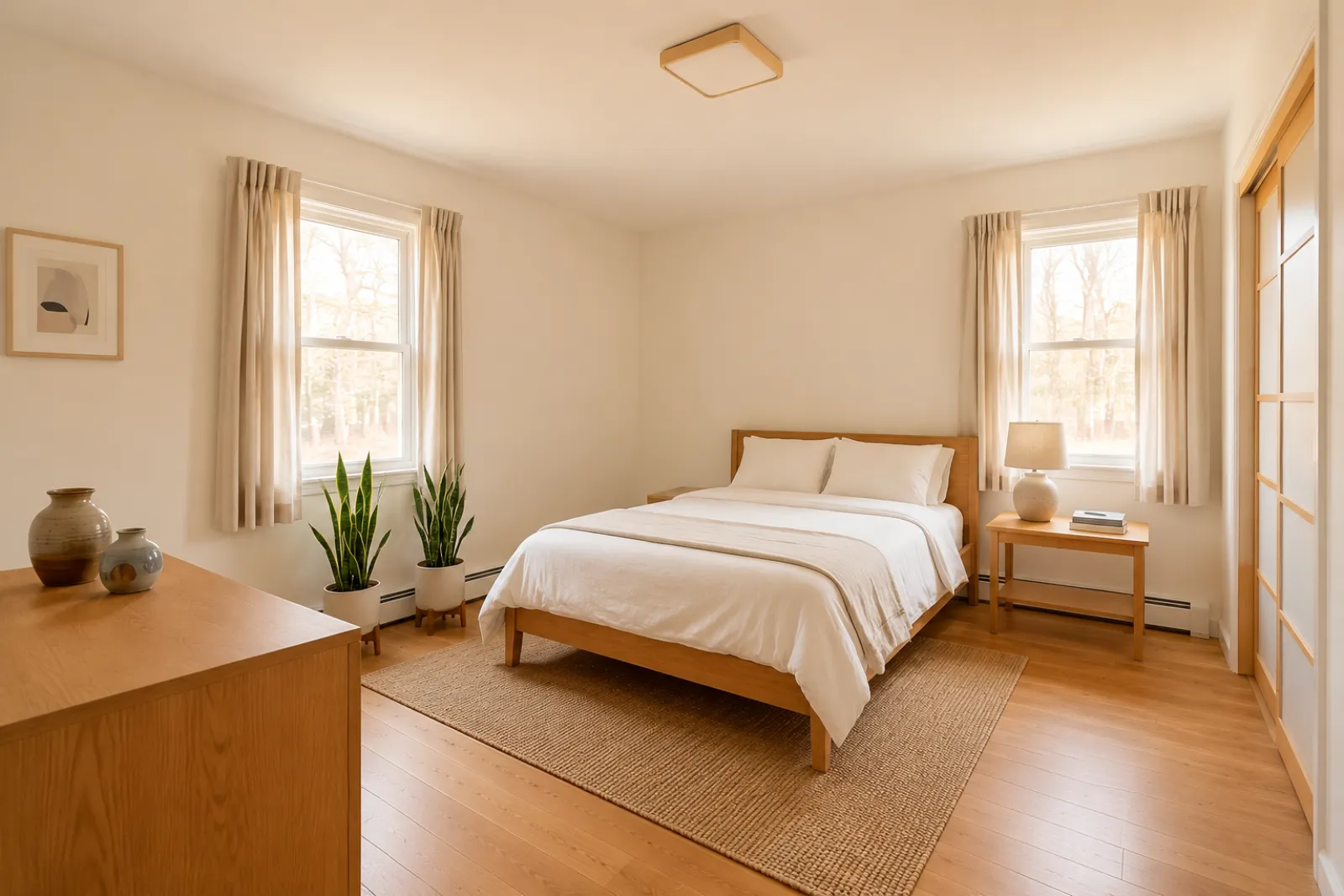
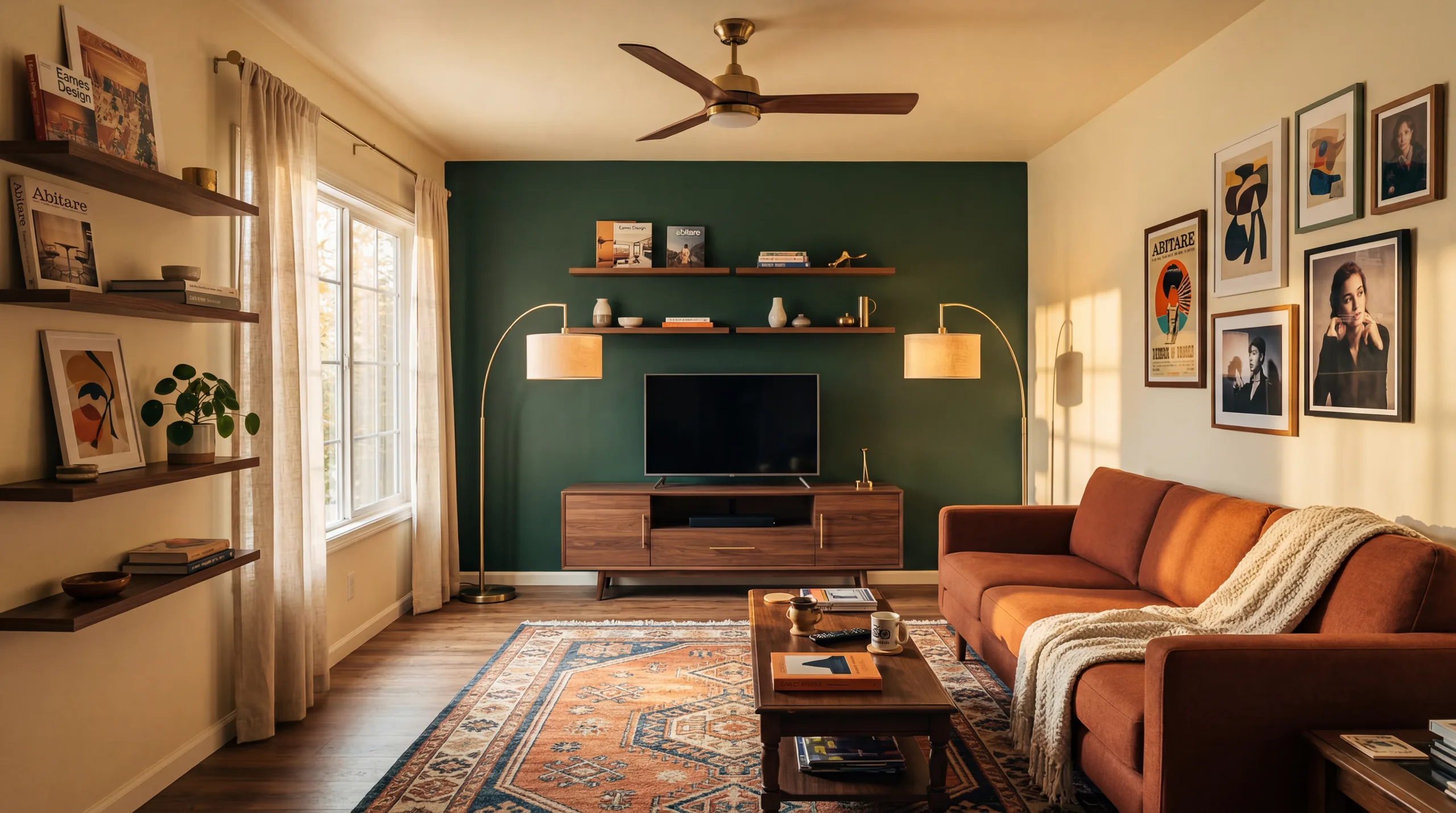
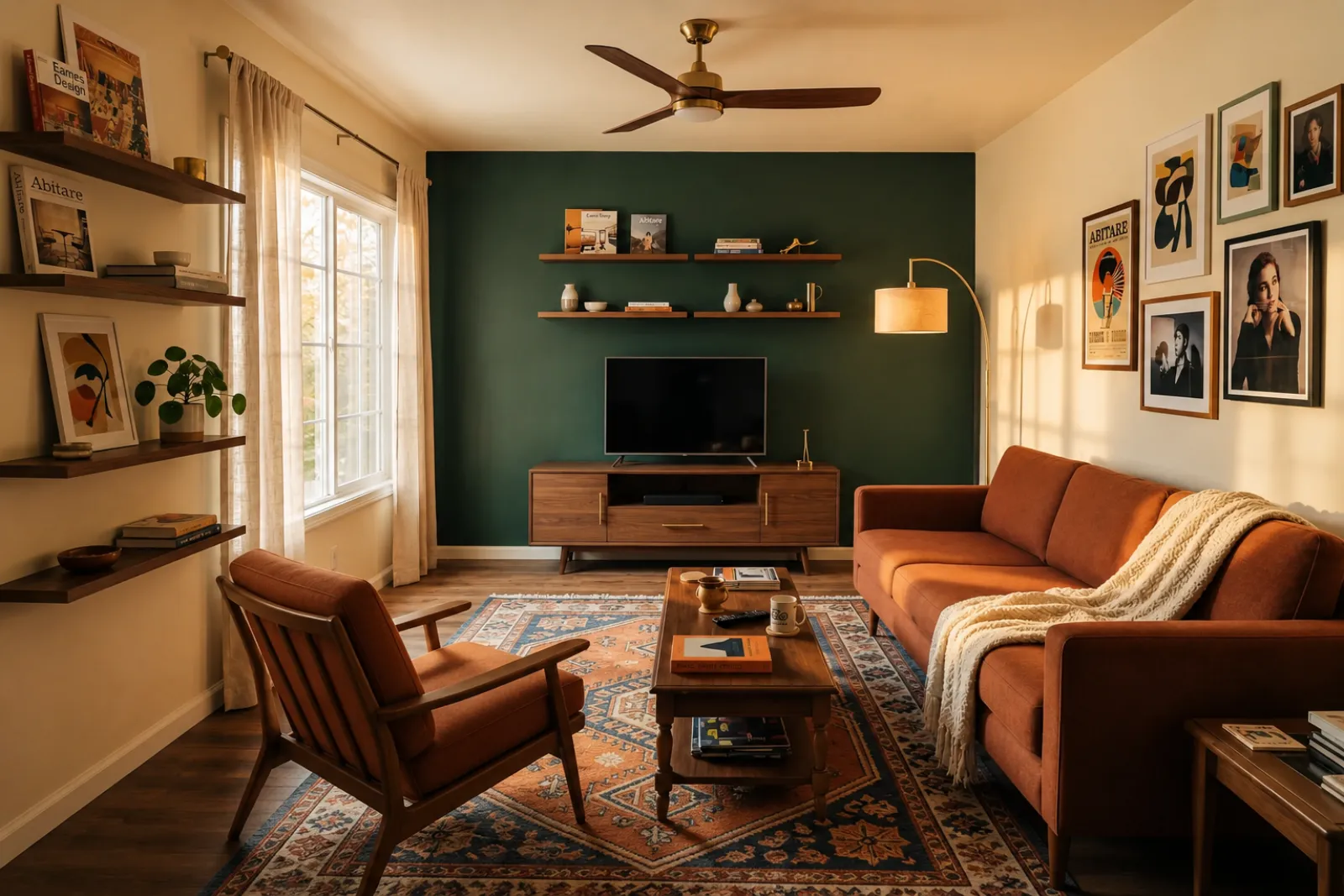
A virtual staging page needs to show the difference quickly. These examples keep the original room context visible while switching between room types and staging jobs.

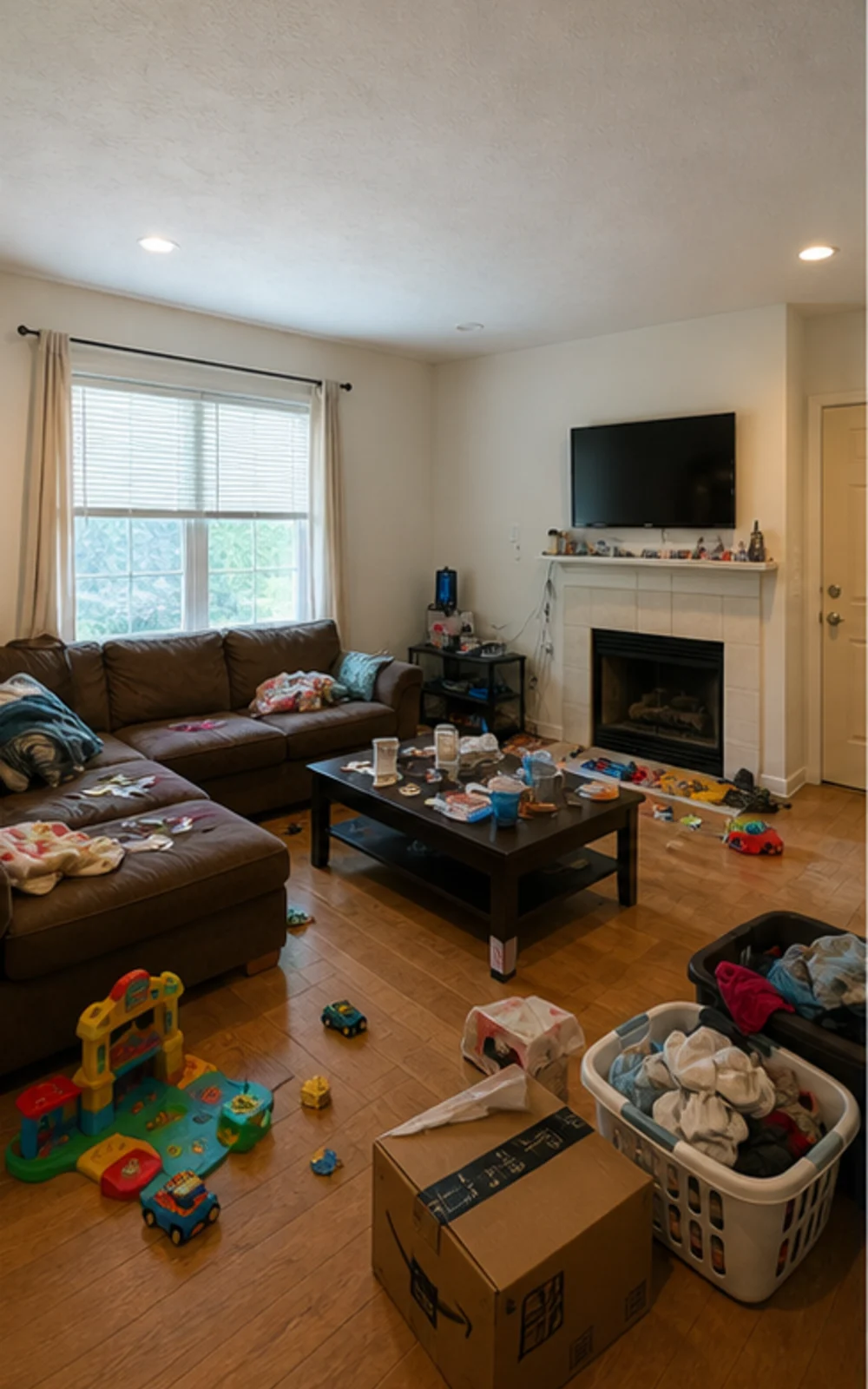
Original lived-in living room with clutter before AI virtual staging
Original
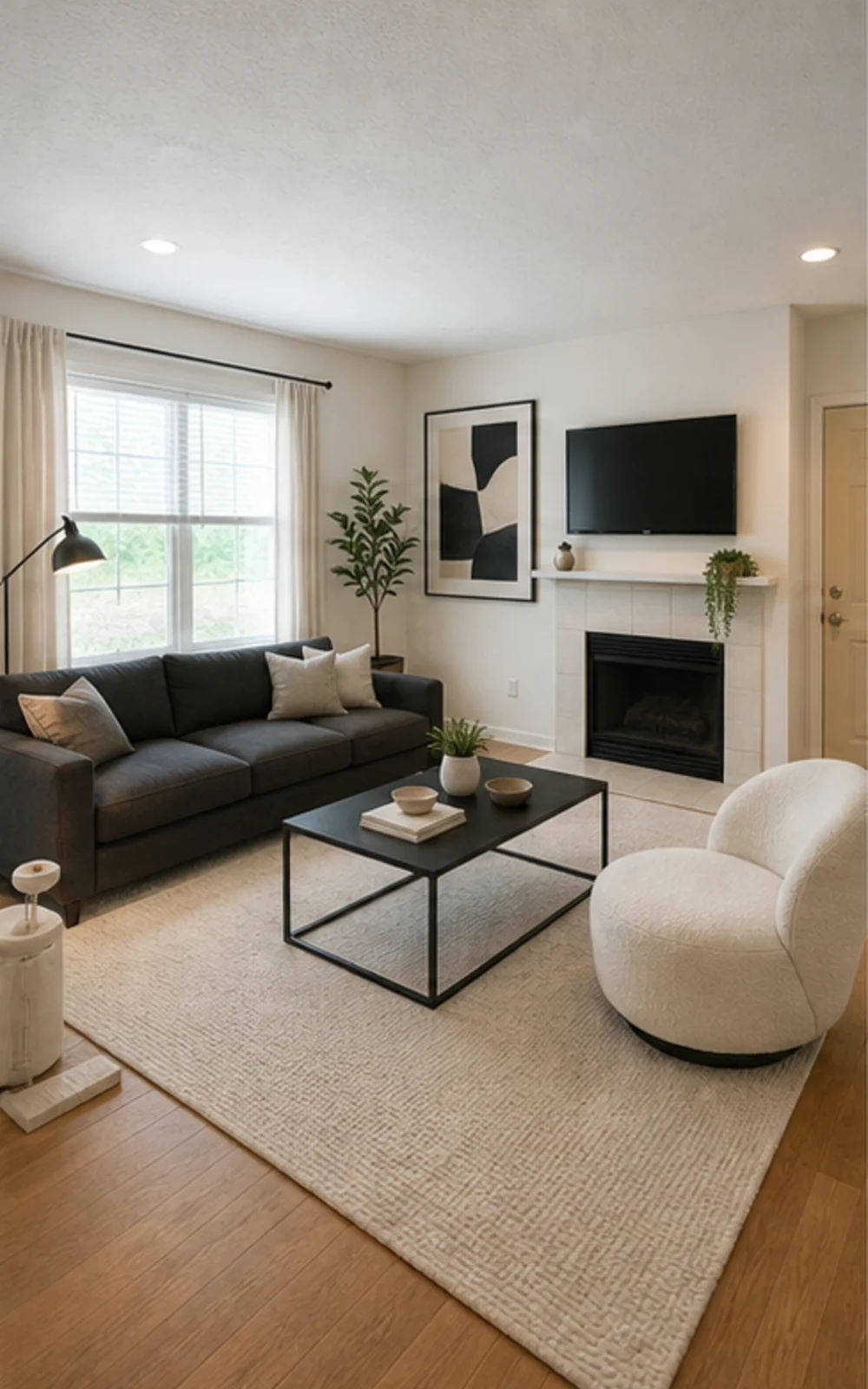
Modern AI virtual staging result for a cleaned living room
Modern

Remove clutter, then stage

A cluttered family room cleaned and restaged three ways

The messy family room becomes a clean modern listing photo with sharper furniture lines, a calm rug, abstract art, and brighter daylight.

Histórias de transformação

O ambiente fica mais fácil de vender quando o futuro parece concreto

Discursos reais que corretores, anfitriões, investidores e empreiteiros usam para ajudar o cliente a imaginar uma vida melhor na mesma planta.

Real estate agents

Listing staging that makes empty rooms easier to read

Before redesign
Before
After redesign
After

Talk Track

"Upload listing photos and compare before-and-after staging directions. Keep the original visible so sellers and buyers can understand what changed."

Airbnb hosts

Seasonal refresh ideas before buying new decor

Before redesign
Before
After redesign
After

Talk Track

"Test seasonal looks before you commit. Use the strongest direction as a planning reference, then photograph the real room once the refresh is done."

Investors & flippers

Renovation direction before a deeper property review

Before redesign
Before
After redesign
After

Talk Track

"Use a real room photo to compare cosmetic directions before you spend contractor time. Verify scope, budget, and value outside RoomFlip."

Contractors

Proposal visuals that make the direction easier to approve

Before redesign
Before
After redesign
After

Talk Track

"Show a before-and-after direction from the client's own room photo, then pair it with your real estimate, measurements, and proposal process."

Como funciona o RoomFlip Virtual Staging

Four steps from raw room photo to a preview you can judge.

1

Envie uma foto real do ambiente

Solte uma foto ampla do anúncio — vazia, semi-mobiliada ou habitada. O modelo preserva paredes, janelas, pisos e luz natural reais.

2

Escolha o caso de anúncio

Escolha entre staging para corretor, refresh de Airbnb, prévia de reforma ou proposta de empreiteiro. Cada caso usa um prompt afinado e renderiza o visual certo.

3

Receba o ambiente decorado

Em cerca de 30 segundos você recebe uma imagem fotorrealista que preserva a arquitetura real do ambiente e parece fotografada naturalmente.

4

Use the result with context

Keep the original photo nearby, label virtual staging when required, and verify real-world details before publishing or quoting.

Built around honest room previews

Before/after

Core workflow

30s

Typical preview time

Real photo

Starting point

Planning aid

Best use

Decore no ritmo dos seus anúncios

Comece com três créditos grátis após o login. Compre um pacote de créditos para um único fechamento, ou assine quando staging fizer parte de todo anúncio.

Simple pricing for your room photos

Start free with 3 photos after sign-in. Pay only when you want more — a one-time pack or a monthly plan.

Free

$0

3 starter photos

  • No credit card required
  • Test a room direction instantly
  • Watermark preview quality

30 photos

$4.99

$0.17 per photo

  • 30 room photos
  • All staging actions and styles
  • One-time payment · watermark-free
Most popular

100 photos

$12.99

$0.13 per photo

  • 100 room photos
  • All staging actions and styles
  • One-time payment · watermark-free

300 photos

$29.99

$0.10 per photo

  • 300 room photos
  • All staging actions and styles
  • One-time payment · watermark-free

Billing questions

Is this a subscription? Will I be charged again?
One-time photo packs are a single payment — no subscription and no recurring charge. Subscription plans are clearly labeled and renew only while active; you can cancel anytime.
How do photos and credits work?
Each photo you generate uses credits by quality: Preview uses 1, Clean uses 2, and Best Detail uses 3. A pack's photo count is based on Preview quality, so higher-quality renders use proportionally more.
Can I cancel a subscription?
Yes. Cancellation takes effect at the end of the current billing cycle — you keep Pro access and any remaining monthly credits until then.
What about refunds?
Credits are digital goods delivered instantly. For web purchases where no photos have been generated yet, contact support and we'll review a goodwill refund.
Why does my free photo have a watermark?
Free previews carry a small watermark so you can check the direction first. Paid photos are watermark-free and saved at higher resolution.

Perguntas frequentes

What to know before using RoomFlip virtual staging for a real room, listing, rental, or client conversation.

What is RoomFlip virtual staging best for?

RoomFlip is best for creating before-and-after room previews from real photos. Use it to understand a direction, prepare a conversation, or plan a refresh. It does not replace disclosure rules, appraisals, contractor quotes, or platform requirements.

Quão realistas são as fotos decoradas?

Results work best when the original photo is clear, level, and well lit. Review every output against the real room before using it publicly.

Posso usar fotos decoradas virtualmente no MLS, Zillow e Airbnb?

Sim. O staging virtual com IA é legal para anúncios imobiliários nos Estados Unidos, e o Airbnb permite representações precisas de uma unidade existente. A maioria dos MLS e a National Association of Realtors exigem aviso claro de que as fotos foram decoradas virtualmente, então o RoomFlip anexa automaticamente uma legenda de divulgação que você pode copiar com a imagem. Identifique sempre as imagens decoradas para manter a confiança de compradores e hóspedes.

Quão rápido é cada render e quanto custa?

New users get starter credits after sign-in. Paid credit packs and subscriptions are available when you need more previews or cleaner downloads.

A IA vai inventar paredes, janelas ou ambientes que não existem?

Não. O prompt instrui explicitamente o modelo a manter paredes, janelas, portas, pisos, tetos e arquitetura fixa inalterados. A IA só adiciona móveis, decoração e leves toques de iluminação. Se você envia uma foto clara, bem iluminada, tirada de um canto ou da porta, o resultado parece uma versão fotografada profissionalmente do mesmo ambiente — não um ambiente diferente.

Posso decorar o mesmo ambiente em estilos diferentes?

Yes. You can generate multiple directions for the same room and compare them before deciding which one is worth saving or using as a planning reference.

Quais ambientes funcionam melhor para staging virtual?

Qualquer espaço interno funciona: salas, quartos, cozinhas, banheiros, salas de jantar, home offices, quartos de bebê e ambientes extras. O modelo funciona melhor com fotos amplas, bem iluminadas, tiradas de um canto ou da porta, que capturam piso, teto, janelas e as principais paredes. Fotos muito bagunçadas ainda funcionam, mas os resultados são menos previsíveis — libere o chão sempre que possível.

Preciso ter experiência em design para usar?

Não. Todo fluxo é construído para que um corretor, anfitrião, investidor ou empreiteiro sem experiência em design entregue imagens prontas para publicação. Escolha o caso, envie uma foto, e o workspace cuida do tuning do prompt, correção de iluminação e texto do anúncio. Quem quer mais controle encontra sliders de estilo e overrides por ambiente nos planos pagos — mas o caminho padrão já entrega resultado utilizável no primeiro render.