Ejen Senarai
Masuk dan rasai beban hari hilang dari bahu anda
 Sebelum
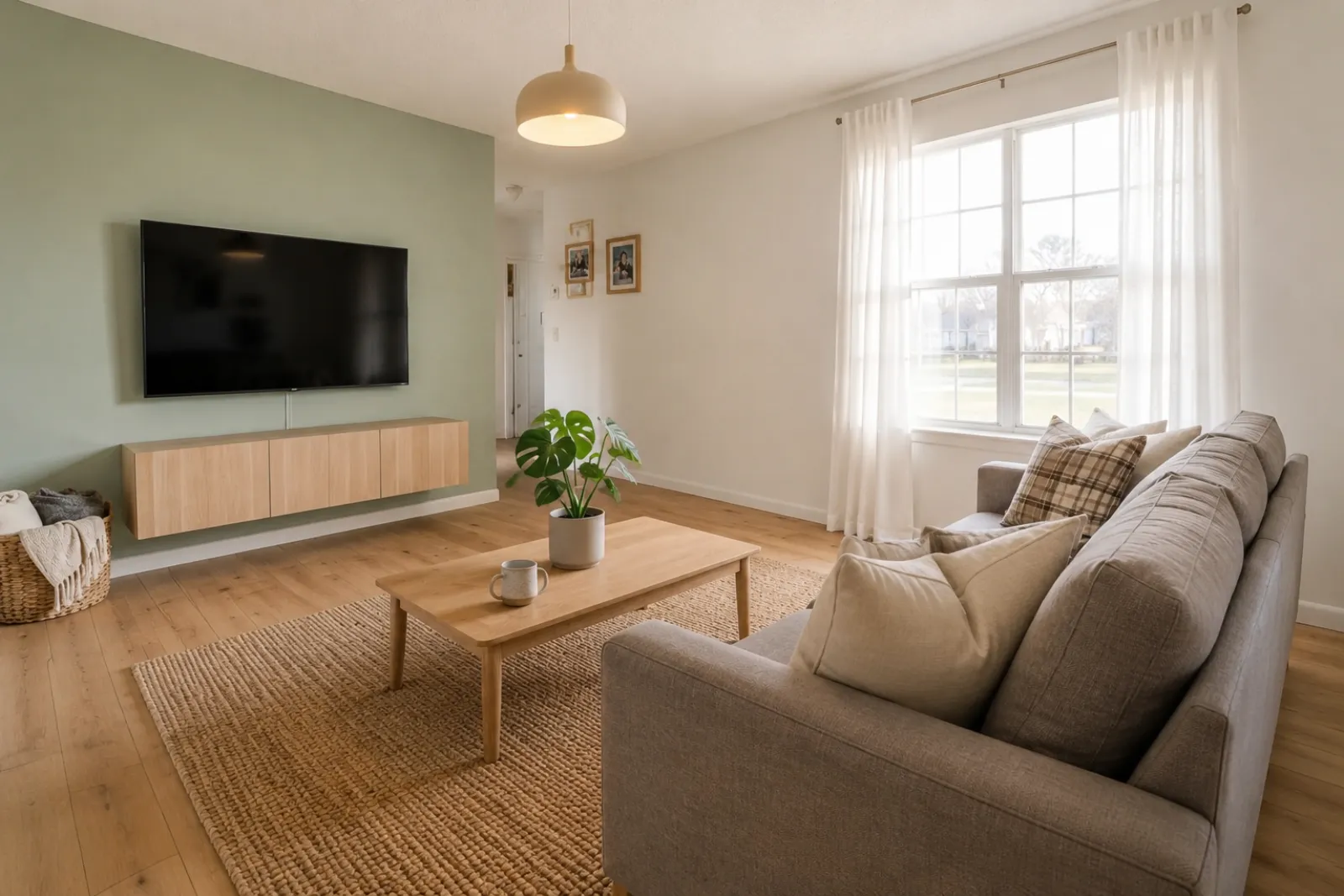 Selepas
Kisah Transformasi
"Imej yang dijana ialah konsep visual. Semak seni bina, ukuran, perabot, bahan dan pendedahan berbanding bilik sebenar."
Cipta pratonton bilik sebelum-dan-selepas yang pantas untuk penyenaraian, sewaan, perancangan ubah suai dan perbualan pelanggan. Gunakan hasil sebagai bantuan visual, bukan pengganti pendedahan atau pengesahan dunia sebenar.
Mulakan daripada foto bilik sebenar dan simpan foto asal berdekatan untuk kepercayaan.
Kes Sebelum / Selepas
RoomFlip paling berkesan apabila satu imej yang dijana mempunyai tugasan perniagaan: bantu pembeli memahami skala, bantu tetamu membayangkan penginapan, atau bantu pelanggan meluluskan arah sebelum wang dibelanjakan.
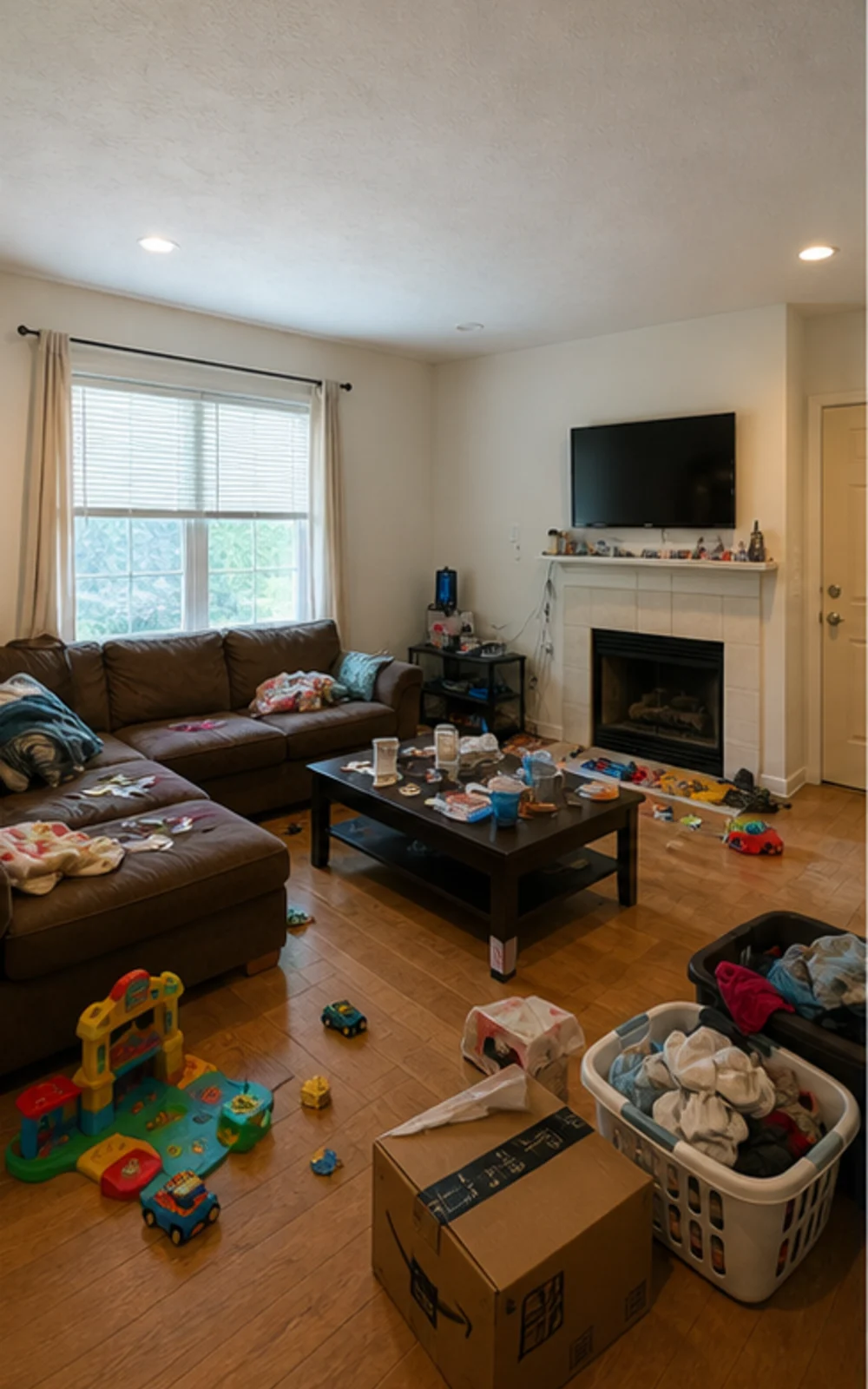
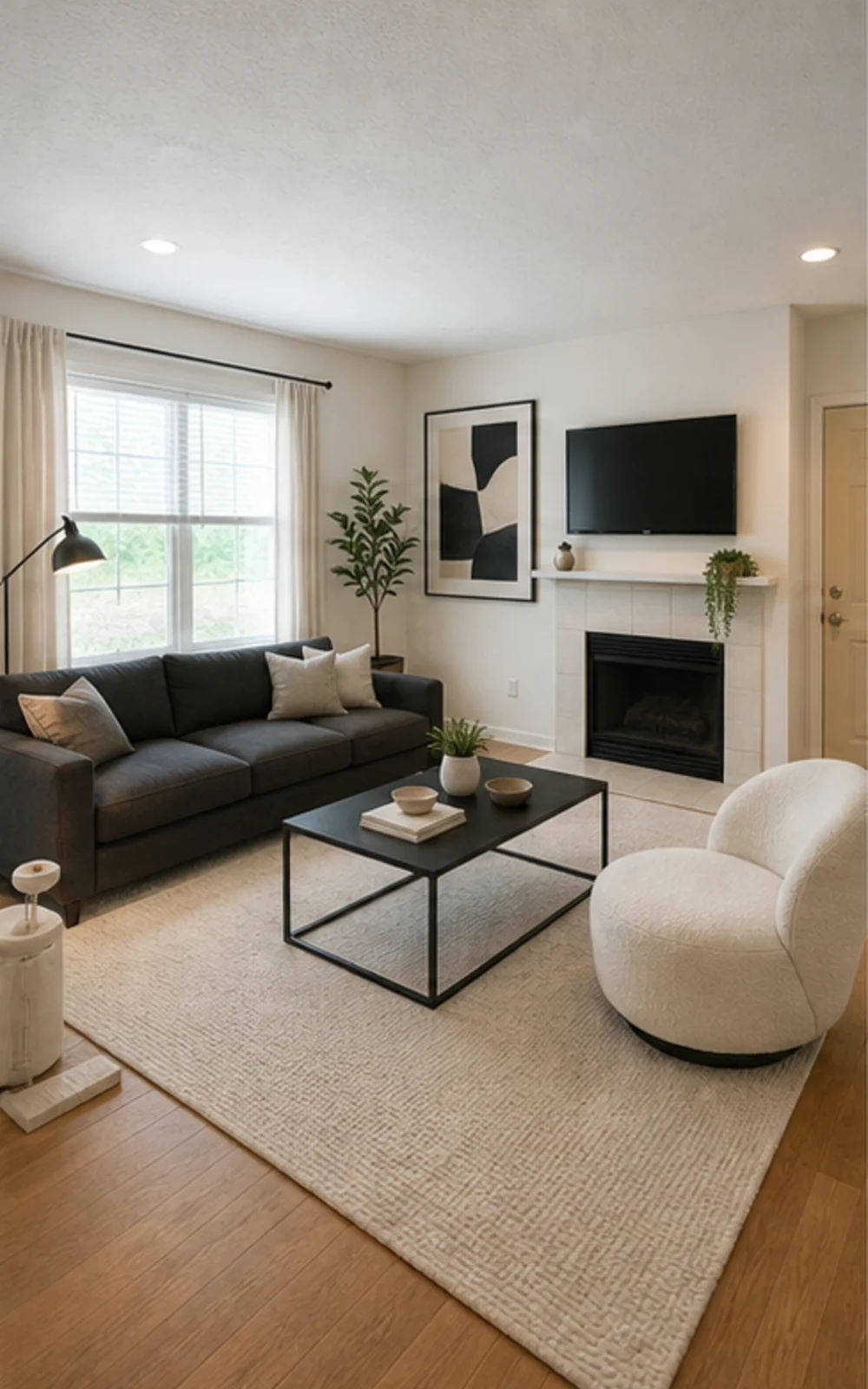
Buang kekusutan, kemudian stage
Bilik keluarga yang berselerak menjadi foto penyenaraian moden yang bersih dengan garisan perabot yang lebih tajam, permaidani yang tenang, seni abstrak dan cahaya siang yang lebih terang.
Kisah Transformasi
Imej yang dijana ialah konsep visual. Semak seni bina, ukuran, perabot, bahan dan pendedahan berbanding bilik sebenar.
Ejen Senarai
SebelumSelepasKisah Transformasi
"Imej yang dijana ialah konsep visual. Semak seni bina, ukuran, perabot, bahan dan pendedahan berbanding bilik sebenar."
Superhost Airbnb
 Sebelum
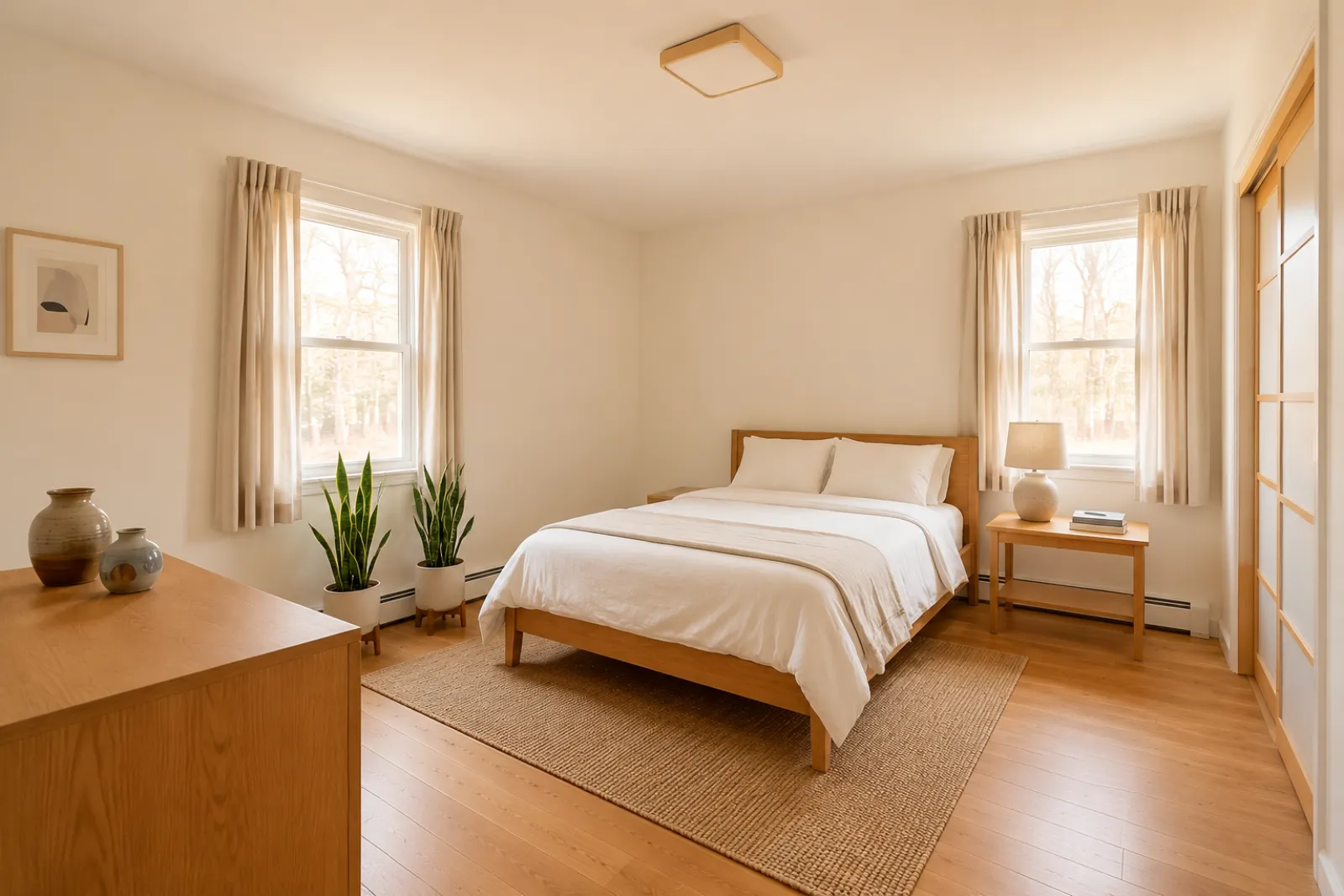 Selepas
Kisah Transformasi
"Imej yang dijana ialah konsep visual. Semak seni bina, ukuran, perabot, bahan dan pendedahan berbanding bilik sebenar."
Perunding Pengubahsuaian
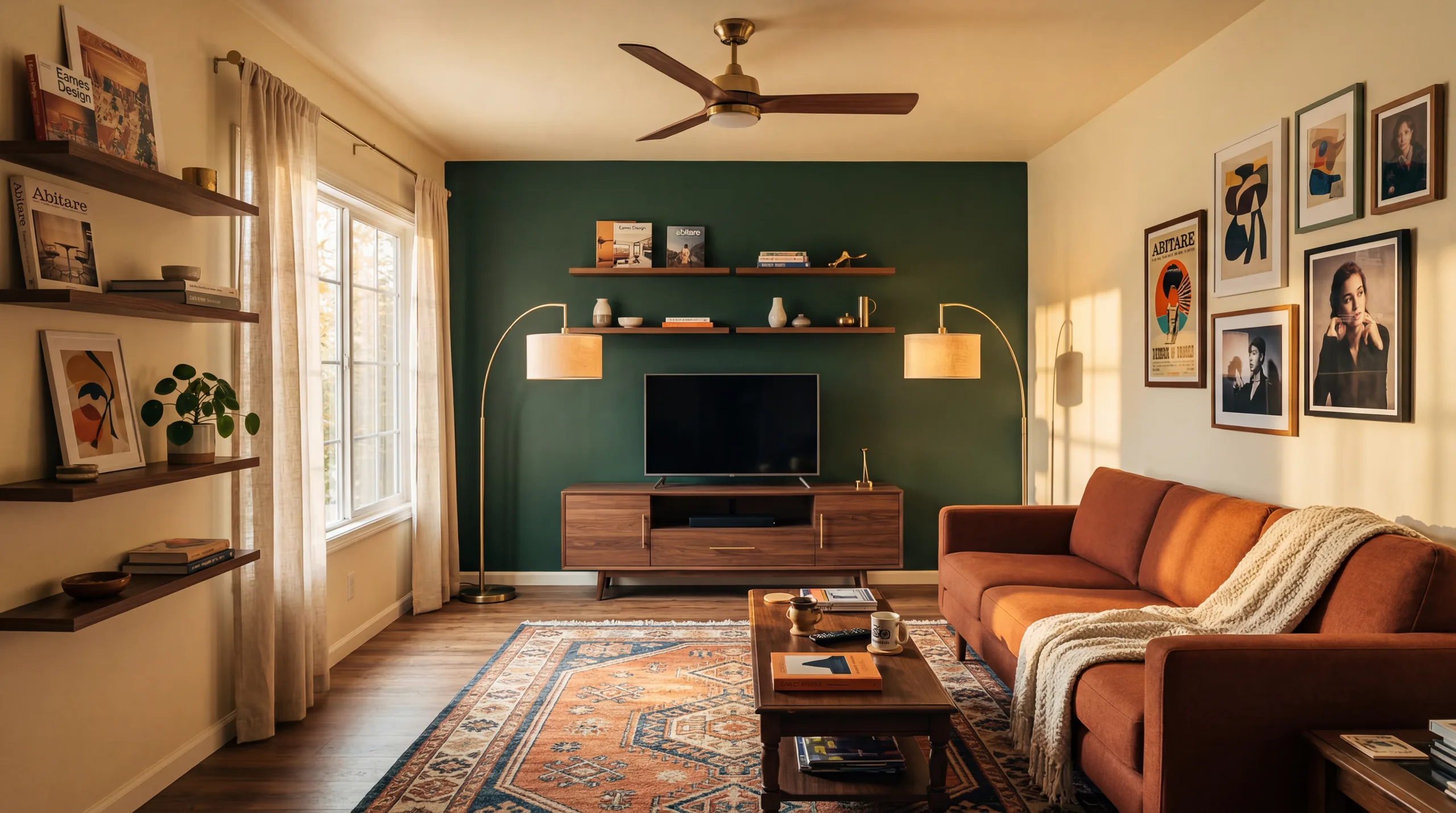 Sebelum
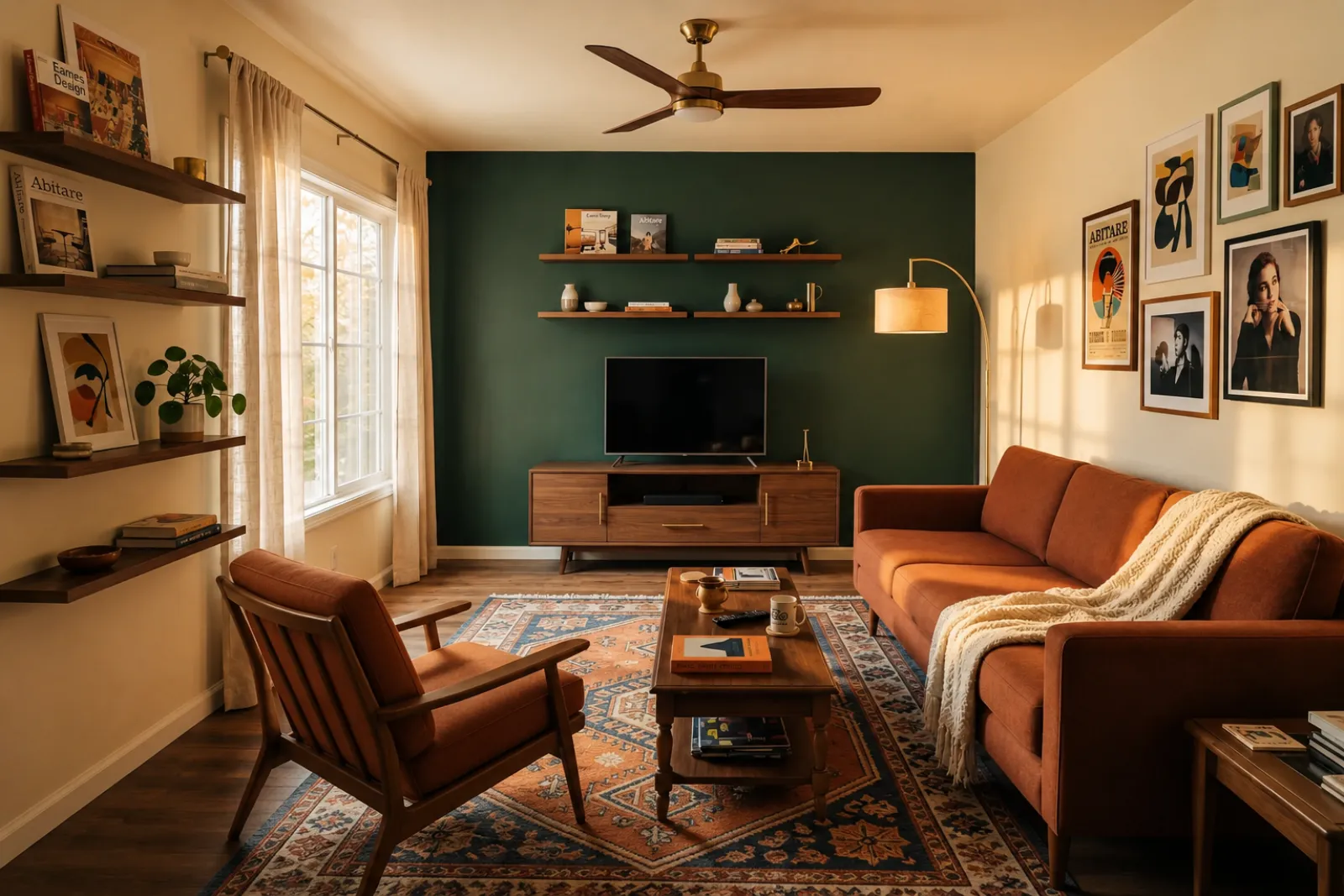 Selepas
Kisah Transformasi
"Imej yang dijana ialah konsep visual. Semak seni bina, ukuran, perabot, bahan dan pendedahan berbanding bilik sebenar."
Keluarga Berkembang
SebelumSelepasKisah Transformasi
"Imej yang dijana ialah konsep visual. Semak seni bina, ukuran, perabot, bahan dan pendedahan berbanding bilik sebenar."
Mulakan dengan alat visual semasa. Gunakan halaman profesional untuk konteks perancangan penyenaraian, sewaan dan pelanggan tanpa mengandaikan aliran kerja penyenaraian atau cadangan yang lengkap.
Cipta pratonton penyusunan sebelum-dan-selepas untuk foto penyenaraian yang kosong atau usang.
Pratonton idea penyegaran sewaan sebelum membeli perabot atau mengemas kini foto penyenaraian sebenar.
Bantu pembeli memahami bilik binaan baharu yang kosong sebelum perabot tiba.
Gunakan pratonton bilik ter-stage untuk menjadikan perbualan dengan penjual lebih visual dan spesifik.
Pratonton hala tuju kosmetik daripada foto bilik sebenar sebelum semakan ubah suai yang lebih mendalam.
Tunjukkan hala tuju visual daripada foto bilik pelanggan, kemudian tambahkan skop dan harga anda sendiri.
Uji idea penyegaran sewaan bermusim sebelum mengubah ruang sebenar.
Semak sama ada sofa, katil, atau meja akan muat dengan ruang berjalan — sebelum anda tempah.
Empat langkah daripada foto bilik mentah kepada pratonton yang boleh anda nilai.
Imej yang dijana ialah konsep visual. Semak seni bina, ukuran, perabot, bahan dan pendedahan berbanding bilik sebenar.
Pilih dari staging ejen, refresh Airbnb, pratonton renovasi, atau cadangan kontraktor. Setiap kerja menjalankan prompt ditune dan menghasilkan rupa yang betul.
Masa pemprosesan berbeza mengikut imej dan permintaan semasa. Bandingkan setiap hasil dengan foto asal.
Simpan foto asal berdekatan, labelkan penyusunan maya apabila diperlukan dan sahkan butiran dunia sebenar sebelum menerbitkan atau memberi sebut harga.
Sebelum/selepas
Core workflow
Berbeza-beza
Typical preview time
Real photo
Starting point
Planning aid
Best use
Mulakan dengan 10 credit percuma selepas log masuk. Tambah credit pack untuk satu closing, atau langgan apabila staging menjadi sebahagian setiap senarai.
Mulakan dengan 10 kredit selepas log masuk. Pek sekali bayar dan langganan tersedia; semak jumlah semasa dan terma sebelum checkout.
Pelan langganan
Untuk kerja penyenaraian, sewaan atau pelanggan yang berulang. Semak masa dan jumlah pembaharuan sebelum checkout.
Cuba aliran kerja sebelum anda berbelanja
10 kredit permulaan selepas log masuk
Untuk pemilik rumah, ejen dan hos yang menyediakan beberapa bilik
100 kredit / bulan
Reka bentuk akhir kira-kira USD 0.20 / imej
Untuk agensi, pengendali sewaan dan set penyenaraian berbilang foto
400 kredit / bulan
Reka bentuk akhir kira-kira USD 0.12 / imej · harga seunit terendah
Pek kredit sekali bayar
Untuk foto penyenaraian sekali-sekala, penyegaran sewaan atau pilihan pelanggan: satu pembayaran, tiada langganan.
30 kredit
USD 0.17 setiap kredit
≈ 15 HD images
Covers one room100 kredit
USD 0.13 setiap kredit
≈ 50 HD images
300 kredit
USD 0.10 setiap kredit
≈ 150 HD images
Pembayaran selamat melalui Stripe · Harga ditunjukkan dalam USD
Apa yang perlu diketahui sebelum menggunakan penyusunan maya RoomFlip untuk bilik sebenar, penyenaraian, sewaan atau perbualan pelanggan.
RoomFlip paling sesuai untuk mencipta pratonton bilik sebelum-dan-selepas daripada foto sebenar. Gunakannya untuk memahami hala tuju, menyediakan perbualan atau merancang penyegaran. Ia tidak menggantikan peraturan pendedahan, penilaian, sebut harga kontraktor atau keperluan platform.
Hasil paling baik apabila foto asal jelas, rata dan terang. Semak setiap hasil terhadap bilik sebenar sebelum menggunakannya secara terbuka.
Ya. AI virtual staging adalah sah untuk senarai hartanah di Amerika Syarikat, dan Airbnb membenarkan perwakilan tepat unit sedia ada. Kebanyakan sistem MLS dan National Association of Realtors memerlukan pendedahan jelas bahawa foto telah di-stage secara virtual, jadi RoomFlip auto-tambah kapsyen pendedahan yang anda boleh salin dengan imej. Sentiasa label imej ter-stage untuk kekal dipercayai oleh pembeli dan tetamu.
Pengguna baharu mendapat kredit permulaan selepas log masuk. Pek kredit berbayar dan langganan tersedia apabila anda memerlukan lebih banyak pratonton atau muat turun yang lebih bersih.
Tidak. Prompt secara eksplisit memberitahu model untuk mengekalkan dinding, tingkap, pintu, lantai, siling, dan seni bina tetap tidak berubah. Satu-satunya yang AI tambah ialah perabot, dekor, dan sentuhan pencahayaan lembut. Jika anda muat naik foto jelas dan terang dari sudut atau pintu, output kelihatan seperti versi yang difotografi profesional dari bilik sama, bukan bilik berbeza.
Ya. Anda boleh menjana berbilang hala tuju untuk bilik yang sama dan membandingkannya sebelum memutuskan yang mana patut disimpan atau digunakan sebagai rujukan perancangan.
Mana-mana ruang dalaman: ruang tamu, bilik tidur, dapur, bilik air, ruang makan, pejabat rumah, nursery, dan bonus room. Model perform terbaik pada foto lebar dan terang yang diambil dari sudut atau pintu yang menangkap lantai, siling, tingkap, dan dinding utama. Foto penuh barang masih boleh tetapi hasil kurang ramalan — bersihkan lantai bila boleh.
Imej yang dijana ialah konsep visual. Semak seni bina, ukuran, perabot, bahan dan pendedahan berbanding bilik sebenar.
Muat naik foto hartanah dan butiran untuk menjana penerangan MLS, salinan Zillow, kapsyen Instagram, siaran Facebook, tajuk SEO dan pemeriksaan kepatuhan Perumahan Adil dengan serta-merta. Dibina untuk ejen hartanah.
Lihat butiran →Semak sebelum membeli sama ada sofa, meja, katil atau kabinet berkemungkinan muat dalam bilik anda. Guna ukuran bilik, perabot dan laluan untuk anggaran cepat.
Lihat butiran →Muat naik sehingga 6 foto bilik dan cipta set penataan maya AI yang konsisten untuk penyenaraian, sewaan Airbnb, pratonton pengubahsuaian dan pembentangan pelanggan.
Lihat butiran →Semak sama ada sofa, meja, katil, atau kabinet mungkin sesuai dengan bilik anda sebelum membuat pesanan. Gunakan dimensi dahulu, kemudian pratonton gaya daripada foto sebenar.
Lihat butiran →