סוכן נדל"ן
היכנסו והרגישו את כובד היום עוזב את כתפיכם
 לפני
לפני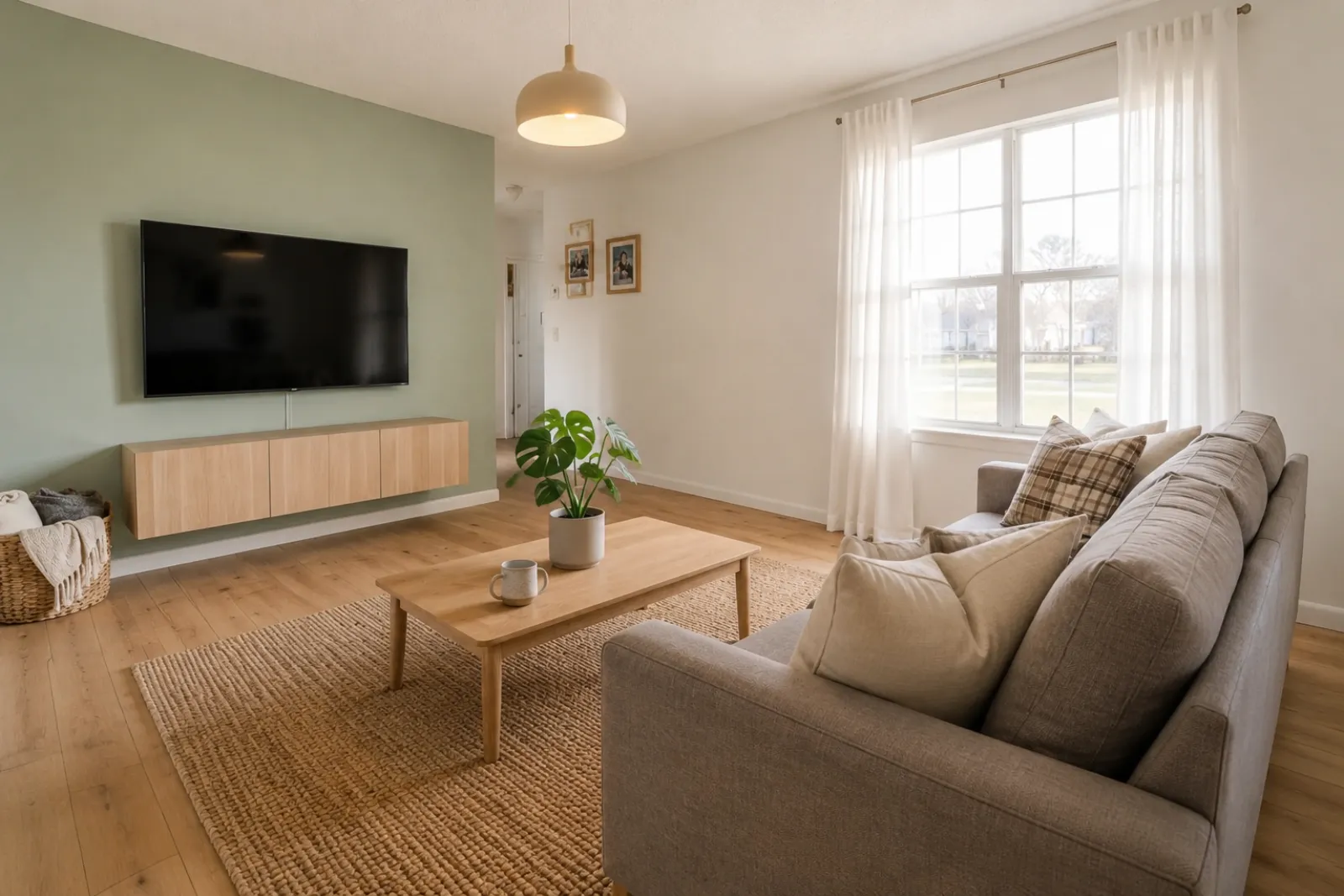 אחרי
אחריסיפורי שינוי
"התמונות שנוצרו הן רעיונות חזותיים. בדקו את המבנה, המידות, הריהוט, החומרים והגילויים מול החדר האמיתי."
צרו תצוגות חדר מהירות של לפני/אחרי לרישומים, השכרות, תכנון שיפוץ ומצגות עם לקוחות.
התחילו מתמונת חדר אמיתית ושמרו את המקור בצד לאמון.
מקרים לפני/אחרי
RoomFlip חזק במיוחד כאשר לתמונה שנוצרה יש משימה עסקית: לעזור לקונה להבין קנה מידה, לעזור לאורח לדמיין את השהות, או לעזור ללקוח לאשר כיוון לפני שהכסף מושקע.
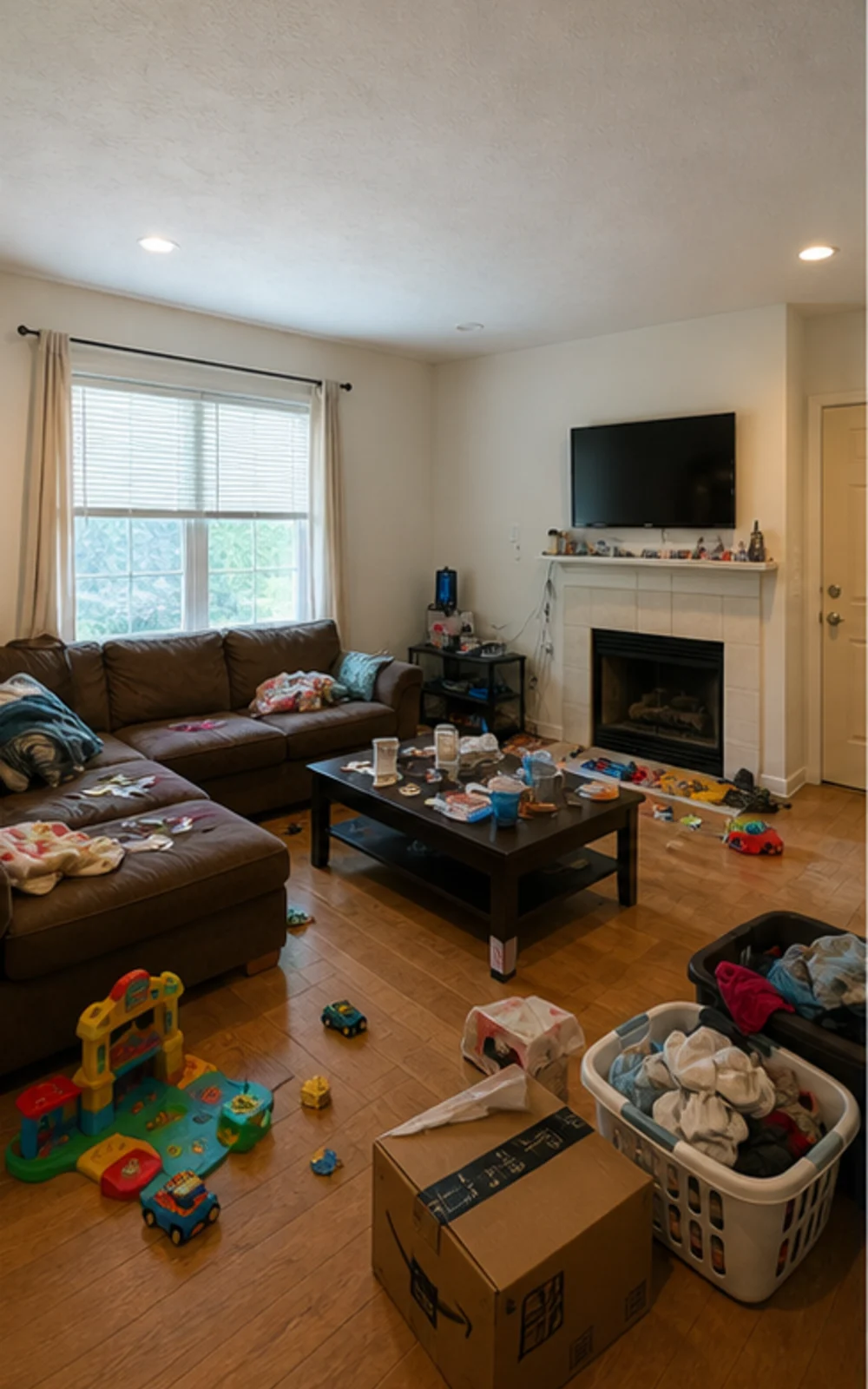
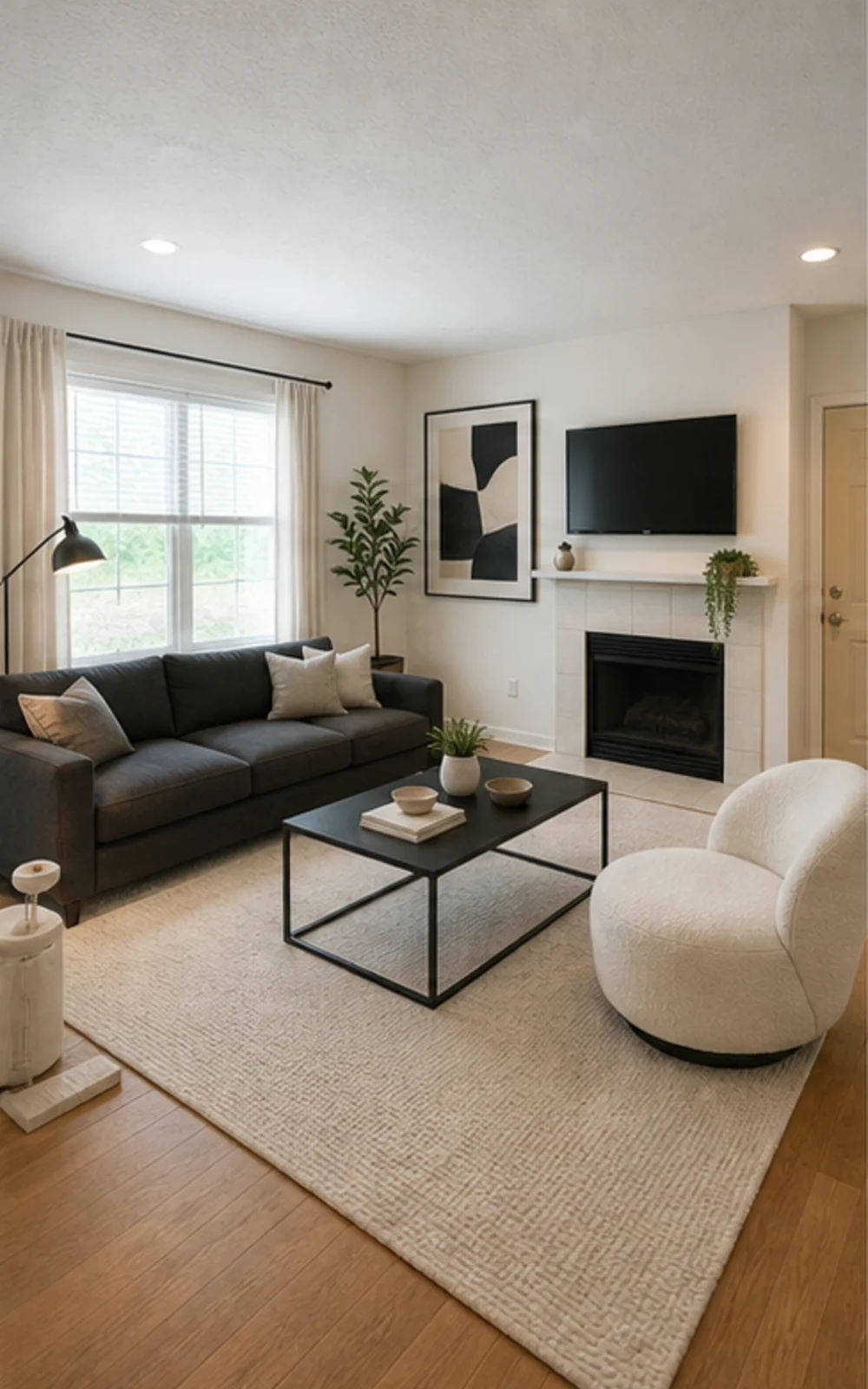
הסירו את העומס ואז עצבו
הסלון המשפחתי המבולגן הופך לתמונת רישום מודרנית ונקייה עם קווי רהיטים חדים יותר, שטיח רגוע, אמנות מופשטת ואור יום בהיר יותר.
סיפורי שינוי
התמונות שנוצרו הן רעיונות חזותיים. בדקו את המבנה, המידות, הריהוט, החומרים והגילויים מול החדר האמיתי.
סוכן נדל"ן
לפניאחריסיפורי שינוי
"התמונות שנוצרו הן רעיונות חזותיים. בדקו את המבנה, המידות, הריהוט, החומרים והגילויים מול החדר האמיתי."
סופר-הוסט של Airbnb
 לפני
לפני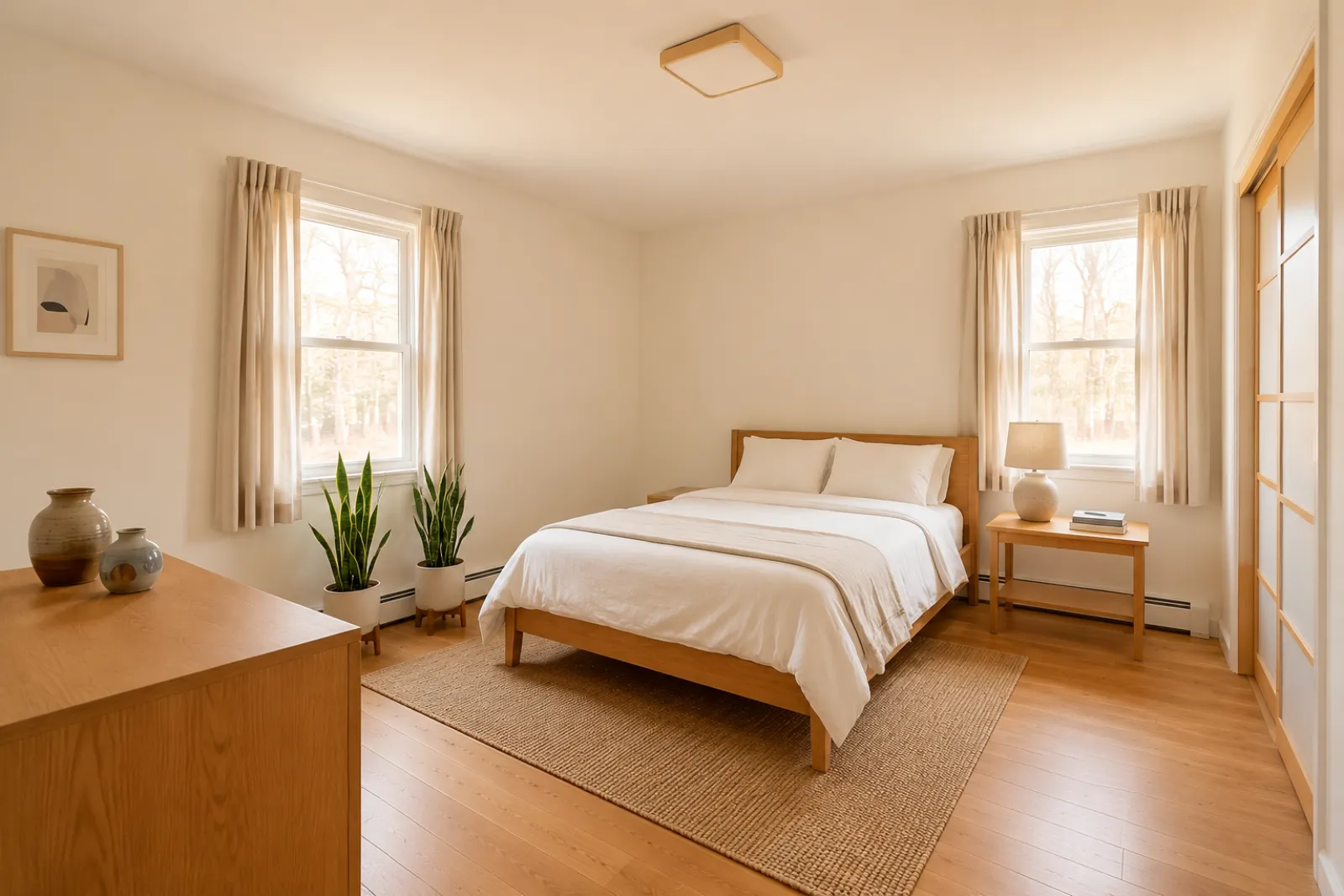 אחרי
אחריסיפורי שינוי
"התמונות שנוצרו הן רעיונות חזותיים. בדקו את המבנה, המידות, הריהוט, החומרים והגילויים מול החדר האמיתי."
יועץ שיפוצים
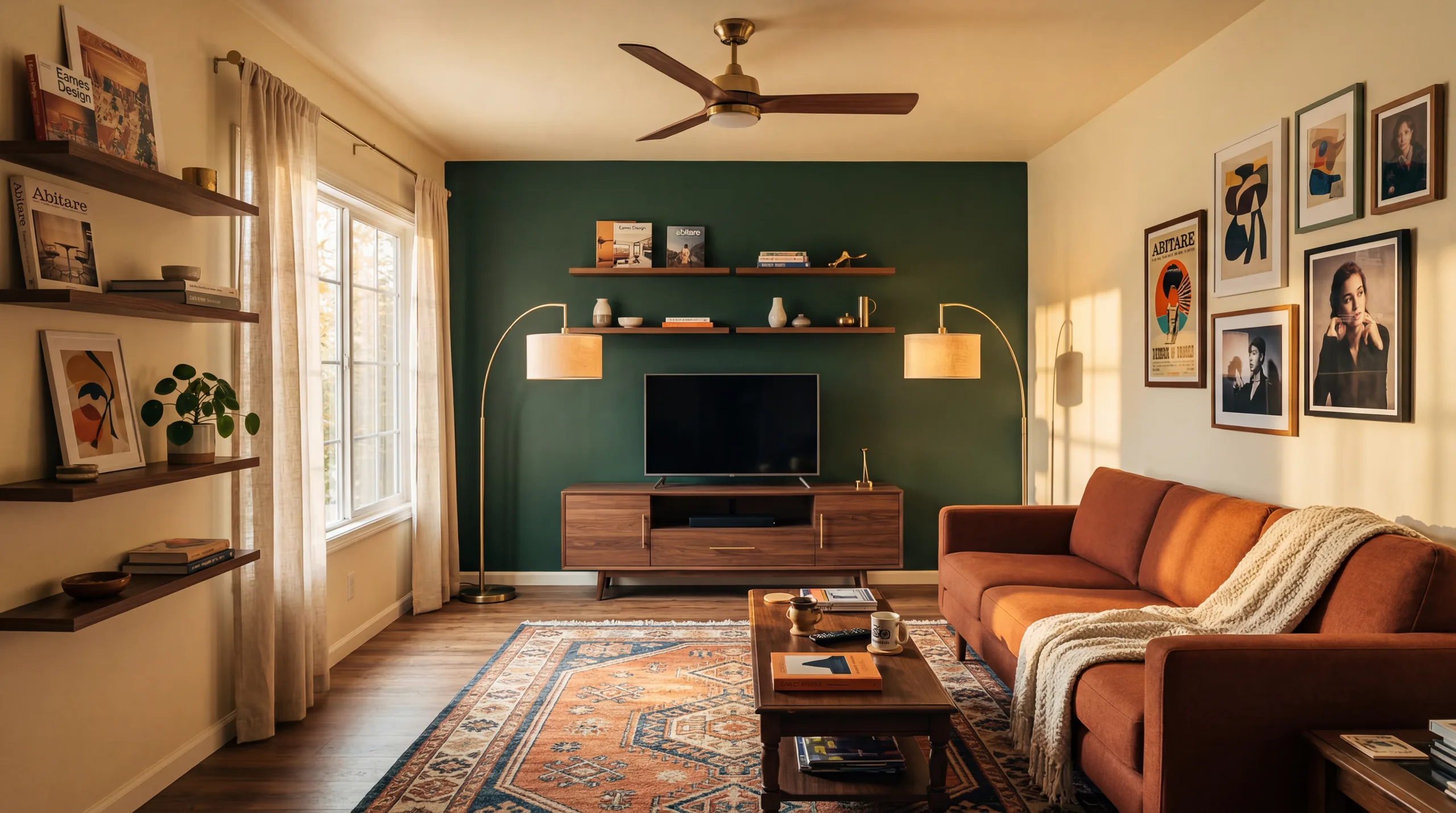 לפני
לפני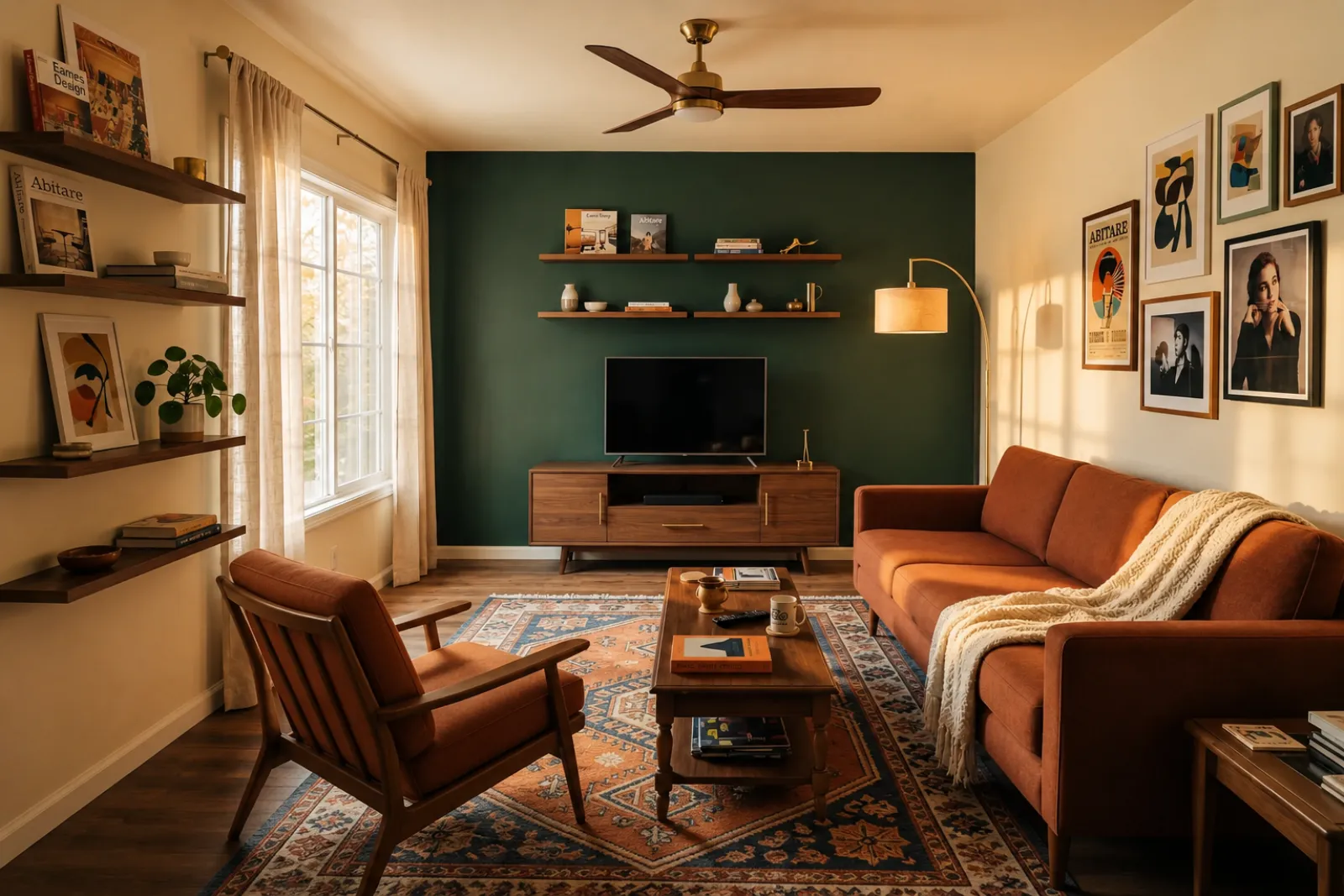 אחרי
אחריסיפורי שינוי
"התמונות שנוצרו הן רעיונות חזותיים. בדקו את המבנה, המידות, הריהוט, החומרים והגילויים מול החדר האמיתי."
משפחה גדלה
לפניאחריסיפורי שינוי
"התמונות שנוצרו הן רעיונות חזותיים. בדקו את המבנה, המידות, הריהוט, החומרים והגילויים מול החדר האמיתי."
התחילו עם הכלים הוויזואליים הקיימים. השתמשו בדפים המקצועיים להקשר של רישום, השכרה ותכנון עם לקוח, מבלי להניח זרימת עבודה מלאה של רישום או הצעת מחיר.
צרו תצוגות מקדימות של סטיילינג לפני/אחרי לתמונות רישום ריקות או ישנות.
בחנו רעיונות לריענון השכרה לפני קניית רהיטים או עדכון תמונות רישום אמיתיות.
עזרו לקונים להבין חדרים ריקים בבנייה חדשה לפני שהרהיטים מגיעים.
השתמשו בתצוגה מקדימה של חדר מעוצב כדי להפוך שיחה עם מוכר לוויזואלית וספציפית יותר.
בחנו כיוונים אסתטיים מתמונת חדר אמיתית לפני סקירת שיפוץ מעמיקה יותר.
הציגו כיוון ויזואלי מתמונת חדר של לקוח, ואז הוסיפו את היקף העבודה והתמחור שלכם.
בדקו רעיונות לריענון עונתי של השכרה לפני שינוי החלל האמיתי.
בדקו אם ספה, מיטה או שולחן באמת ייכנסו וישאירו מקום הליכה — לפני שתזמינו.
ארבעה שלבים מתמונת חדר גולמית לתצוגה מקדימה שאפשר לשפוט.
התמונות שנוצרו הן רעיונות חזותיים. בדקו את המבנה, המידות, הריהוט, החומרים והגילויים מול החדר האמיתי.
בחרו מסטיילינג למתווך, רענון Airbnb, תצוגת שיפוץ או הצעת קבלן. כל משימה מריצה פרומפט מכוון ויוצרת את המראה הנכון.
זמן העיבוד משתנה לפי התמונה והעומס הנוכחי. השוו כל תוצאה לתמונה המקורית.
שמרו את התמונה המקורית בהישג יד, סמנו הדמיה וירטואלית כשנדרש, ואמתו פרטים בעולם האמיתי לפני פרסום או הצעת מחיר.
לפני/אחרי
Core workflow
משתנה
Typical preview time
Real photo
Starting point
Planning aid
Best use
התחילו עם 5 קרדיטים בחינם אחרי ההרשמה. הוסיפו חבילת קרדיטים לסגירה אחת, או הירשמו למינוי כשהסטיילינג הוא חלק מכל מודעה.
התחילו עם 5 קרדיטים לאחר הכניסה. חבילות חד-פעמיות ומנויים זמינים; עיינו בסכום ובתנאים הנוכחיים לפני הקופה.
תוכניות מנוי
לעבודת רישום, השכרה או לקוח חוזרת. עיינו במועדי החידוש ובסכומים לפני הקופה.
נסו את זרימת העבודה לפני שאתם מוציאים
5 קרדיטים התחלתיים לאחר הכניסה
לבעלי בתים, סוכנים ומארחים שמכינים כמה חדרים
100 קרדיטים / חודש
לסוכנויות, מפעילי השכרות וסטים של רישום מרובה תמונות
400 קרדיטים / חודש
חבילות קרדיט חד-פעמיות
לתמונות רישום מזדמנות, ריענוני השכרה או אפשרויות ללקוח: תשלום אחד, ללא מנוי.
30 קרדיטים
≈ 15 HD images
Covers one room100 קרדיטים
≈ 50 HD images
300 קרדיטים
≈ 150 HD images
תשלום מאובטח דרך Stripe · המחירים מוצגים בדולרים
מה צריך לדעת לפני שמשתמשים בהדמיה הווירטואלית של RoomFlip לחדר אמיתי, רישום, השכרה או שיחה עם לקוח.
RoomFlip מתאים ביותר ליצירת תצוגות מקדימות של לפני/אחרי מתמונות אמיתיות. השתמשו בו כדי להבין כיוון, להכין שיחה או לתכנן ריענון. הוא אינו מחליף כללי גילוי, הערכות שווי, הצעות קבלן או דרישות פלטפורמה.
התוצאות עובדות הכי טוב כשהתמונה המקורית ברורה, ישרה ומוארת היטב. בחנו כל תוצאה מול החדר האמיתי לפני שימוש פומבי.
כן. סטיילינג וירטואלי AI חוקי למודעות נדל"ן בארה"ב, ו-Airbnb מתירה ייצוגים מדויקים של יחידה קיימת. רוב מערכות ה-MLS וההתאחדות הלאומית של מתווכים דורשות גילוי ברור שתמונות עברו סטיילינג וירטואלי, ולכן RoomFlip מוסיפה אוטומטית כיתוב גילוי שאפשר להעתיק עם התמונה. תייגו תמיד תמונות מסוגננות כדי לשמור על אמון עם קונים ואורחים.
משתמשים חדשים מקבלים קרדיטים התחלתיים לאחר הכניסה. חבילות קרדיט בתשלום ומנויים זמינים כשצריך עוד תצוגות מקדימות או הורדות נקיות יותר.
לא. הפרומפט אומר במפורש למודל לשמור על קירות, חלונות, דלתות, ריצוף, תקרות וארכיטקטורה קבועה ללא שינוי. הדבר היחיד שה-AI מוסיף הוא רהיטים, עיצוב פנים ונגיעות תאורה רכות יותר. אם אתם מעלים תמונה ברורה ומוארת היטב מפינה או מפתח דלת, הפלט נקרא כגרסה מצולמת מקצועית של אותו חדר, לא חדר אחר לחלוטין.
כן. אפשר ליצור מספר כיוונים לאותו חדר ולהשוות ביניהם לפני שמחליטים איזה מהם כדאי לשמור או להשתמש כהפניה לתכנון.
כל מרחב פנים עובד: סלונים, חדרי שינה, מטבחים, חדרי אמבטיה, פינות אוכל, משרדים ביתיים, חדרי תינוקות וחדרי בונוס. המודל מתפקד הכי טוב על תמונות רחבות ומוארות שצולמו מפינה או מפתח דלת שתופסות רצפה, תקרה, חלונות ומשטחי הקיר העיקריים. תמונות עמוסות עדיין עובדות אבל מפיקות תוצאות פחות צפויות — פנו את הרצפה כשאפשר.
התמונות שנוצרו הן רעיונות חזותיים. בדקו את המבנה, המידות, הריהוט, החומרים והגילויים מול החדר האמיתי.
העלה תמונות נכס ופרטים כדי ליצור באופן מיידי תיאורי MLS, טקסט ל-Zillow, כיתובים לאינסטגרם, פוסטים לפייסבוק, כותרות SEO ובדיקת תאימות לדיור הוגן. מיועד לסוכני נדל"ן.
הצג פרטים →בדקו לפני הקנייה אם ספה, שולחן, מיטה או ארון צפויים להתאים לחדר. השתמשו במידות החדר, הרהיט והמעבר להערכה מהירה.
הצג פרטים →העלה עד 6 תמונות חדר וצור סט הדמיה וירטואלית עקבי ב-AI עבור רישומים, השכרות Airbnb, תצוגות מקדימות של שיפוצים ומצגות ללקוחות.
הצג פרטים →בדקו אם ספה, שולחן, מיטה או ארון צפויים להתאים לחדר שלכם לפני ההזמנה. השתמשו במידות תחילה, ואז צפו בסגנון מתמונה אמיתית.
הצג פרטים →