लिस्टिंग एजेंट
अंदर आएं और दिन का सारा बोझ आपके कंधों से उतर जाए
 पहले
पहले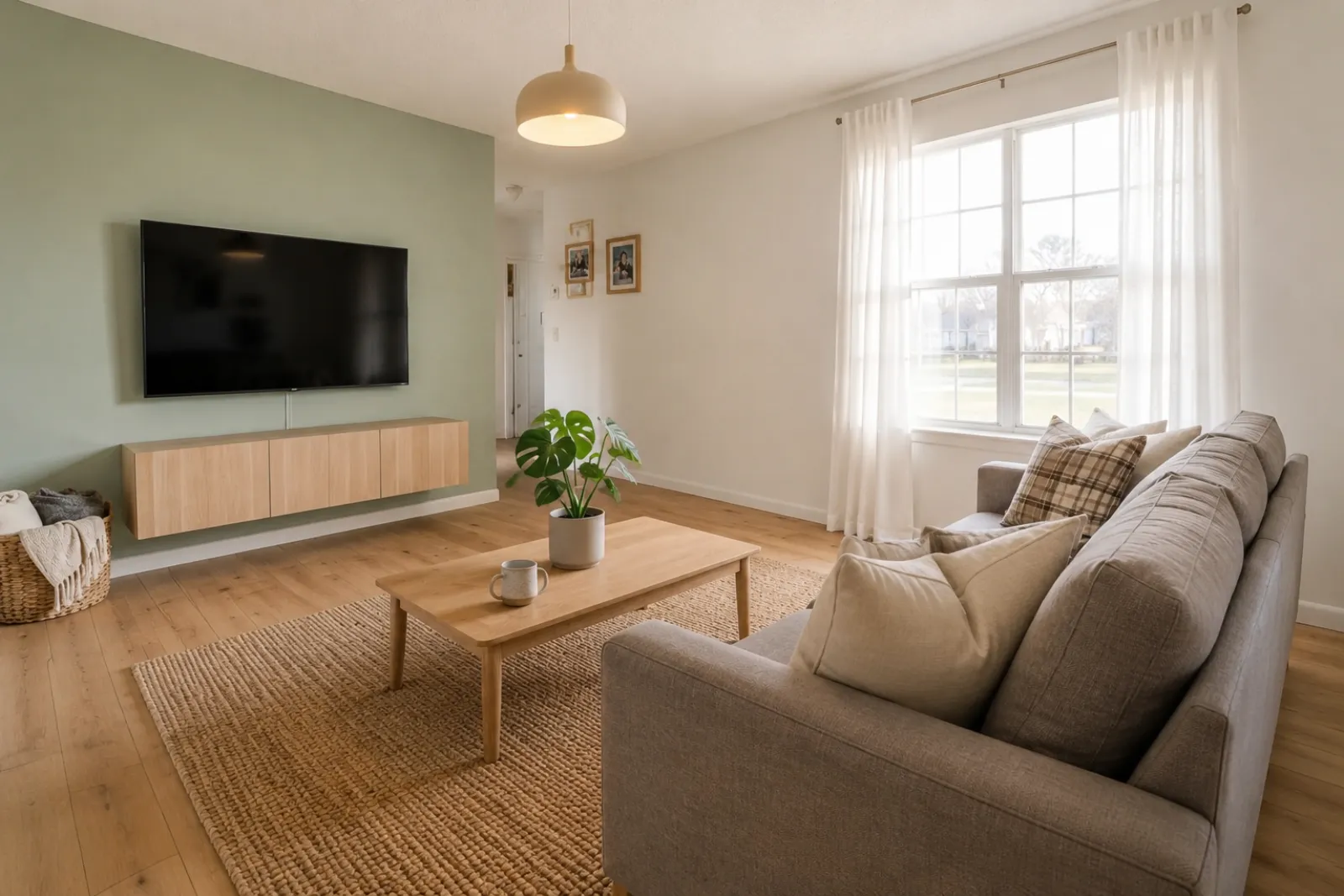 बाद में
रूपांतरण कहानियां
"बनाई गई इमेज केवल दृश्य अवधारणाएँ हैं। असली कमरे से वास्तु, माप, फ़र्नीचर, सामग्री और खुलासों की जाँच करें।"
लिस्टिंग, रेंटल, रेनोवेशन योजना और क्लाइंट बातचीत के लिए त्वरित पहले-और-बाद वर्चुअल स्टेजिंग प्रीव्यू बनाएं। परिणाम को विज़ुअल सहायता के रूप में उपयोग करें, न कि डिस्क्लोज़र या वास्तविक दुनिया की जाँच के विकल्प के रूप में।
असली कमरे की फोटो से शुरू करें और भरोसे के लिए मूल को पास रखें।
पहले / बाद के केस
RoomFlip तब सबसे मजबूत होता है जब एक जेनरेट की गई इमेज का कोई व्यावसायिक काम होता है: खरीदार को स्केल समझने में मदद करना, मेहमान को ठहरने की कल्पना करने में मदद करना, या पैसा खर्च करने से पहले किसी क्लाइंट को दिशा को मंजूरी देने में मदद करना।
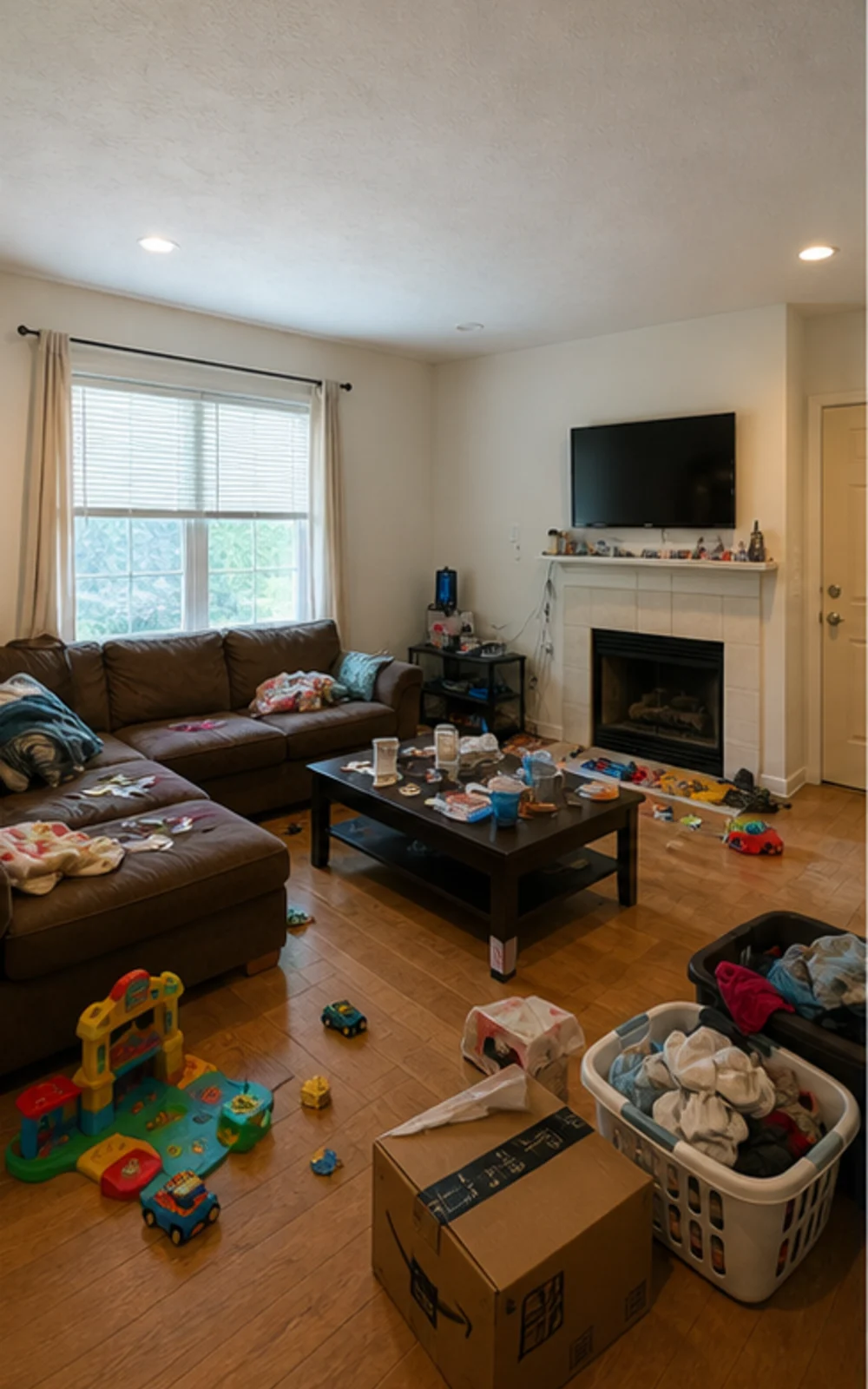
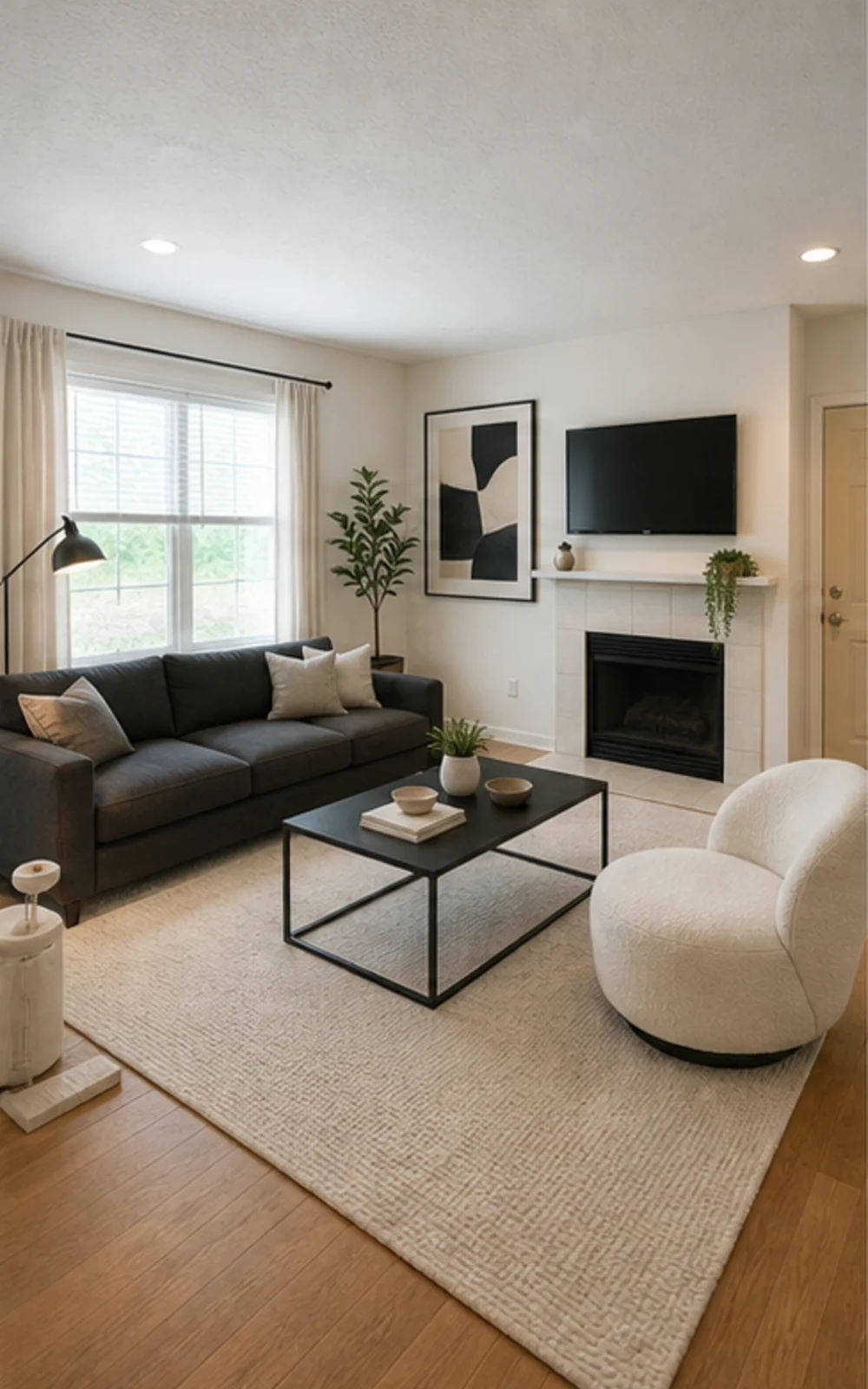
अव्यवस्था हटाएं, फिर स्टेज करें
अव्यवस्थित फैमिली रूम स्पष्ट फर्नीचर लाइन, शांत गलीचा, एब्स्ट्रैक्ट कला और तेज़ दिन की रोशनी के साथ साफ़ मॉडर्न लिस्टिंग फोटो बन जाता है।
रूपांतरण कहानियां
बनाई गई इमेज केवल दृश्य अवधारणाएँ हैं। असली कमरे से वास्तु, माप, फ़र्नीचर, सामग्री और खुलासों की जाँच करें।
लिस्टिंग एजेंट
पहलेबाद मेंरूपांतरण कहानियां
"बनाई गई इमेज केवल दृश्य अवधारणाएँ हैं। असली कमरे से वास्तु, माप, फ़र्नीचर, सामग्री और खुलासों की जाँच करें।"
Airbnb सुपरहोस्ट
 पहले
पहले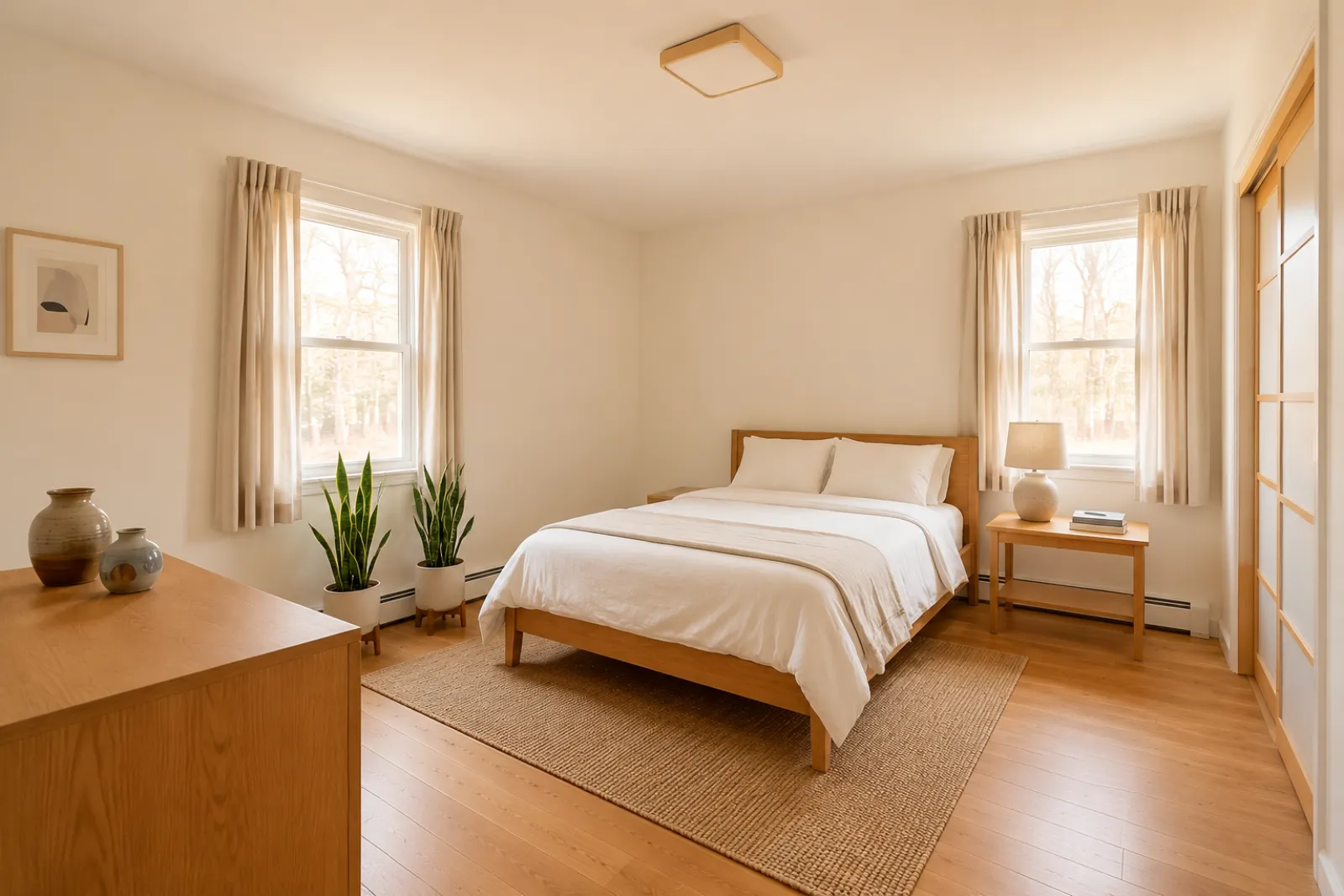 बाद में
रूपांतरण कहानियां
"बनाई गई इमेज केवल दृश्य अवधारणाएँ हैं। असली कमरे से वास्तु, माप, फ़र्नीचर, सामग्री और खुलासों की जाँच करें।"
नवीनीकरण सलाहकार
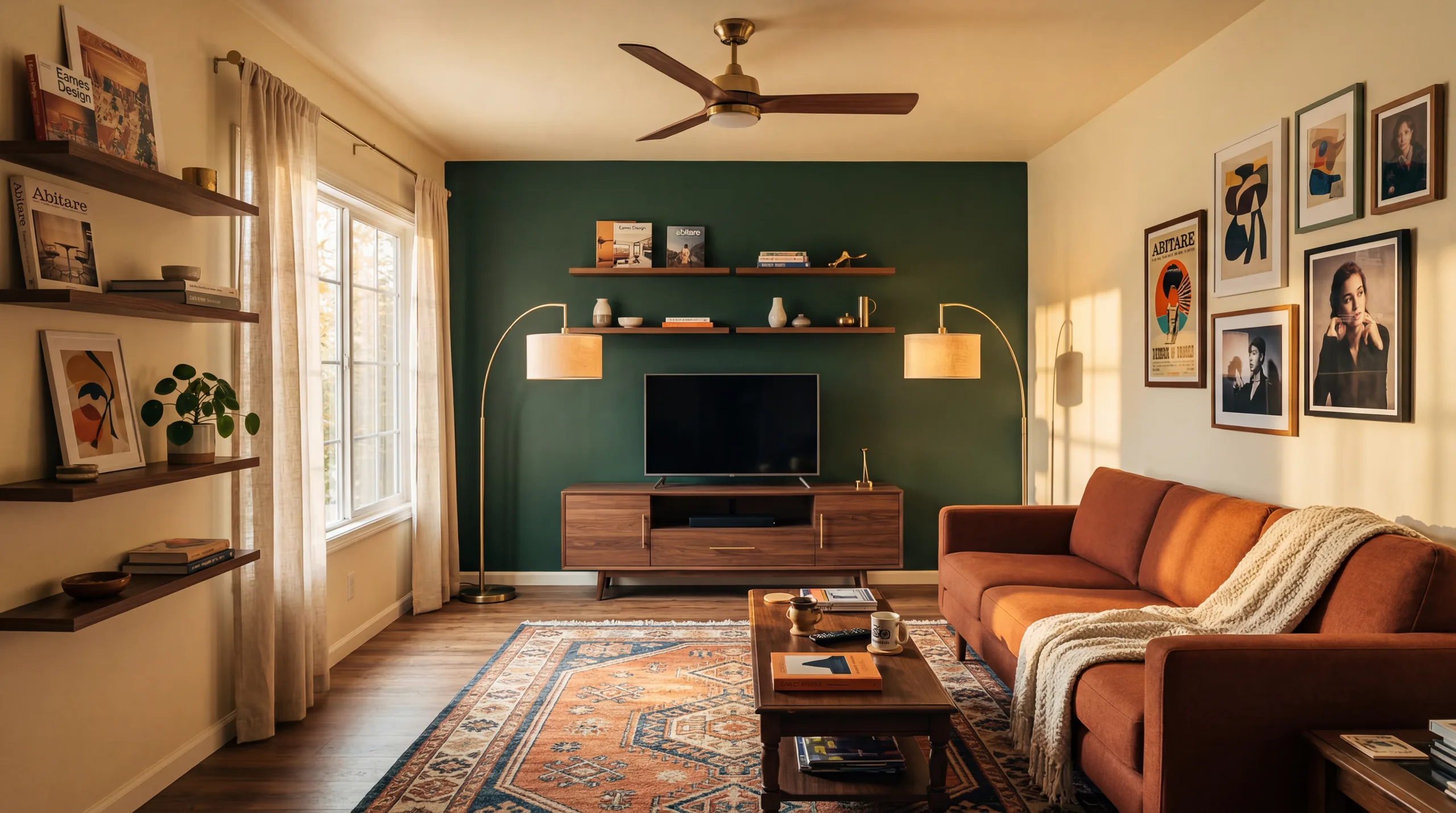 पहले
पहले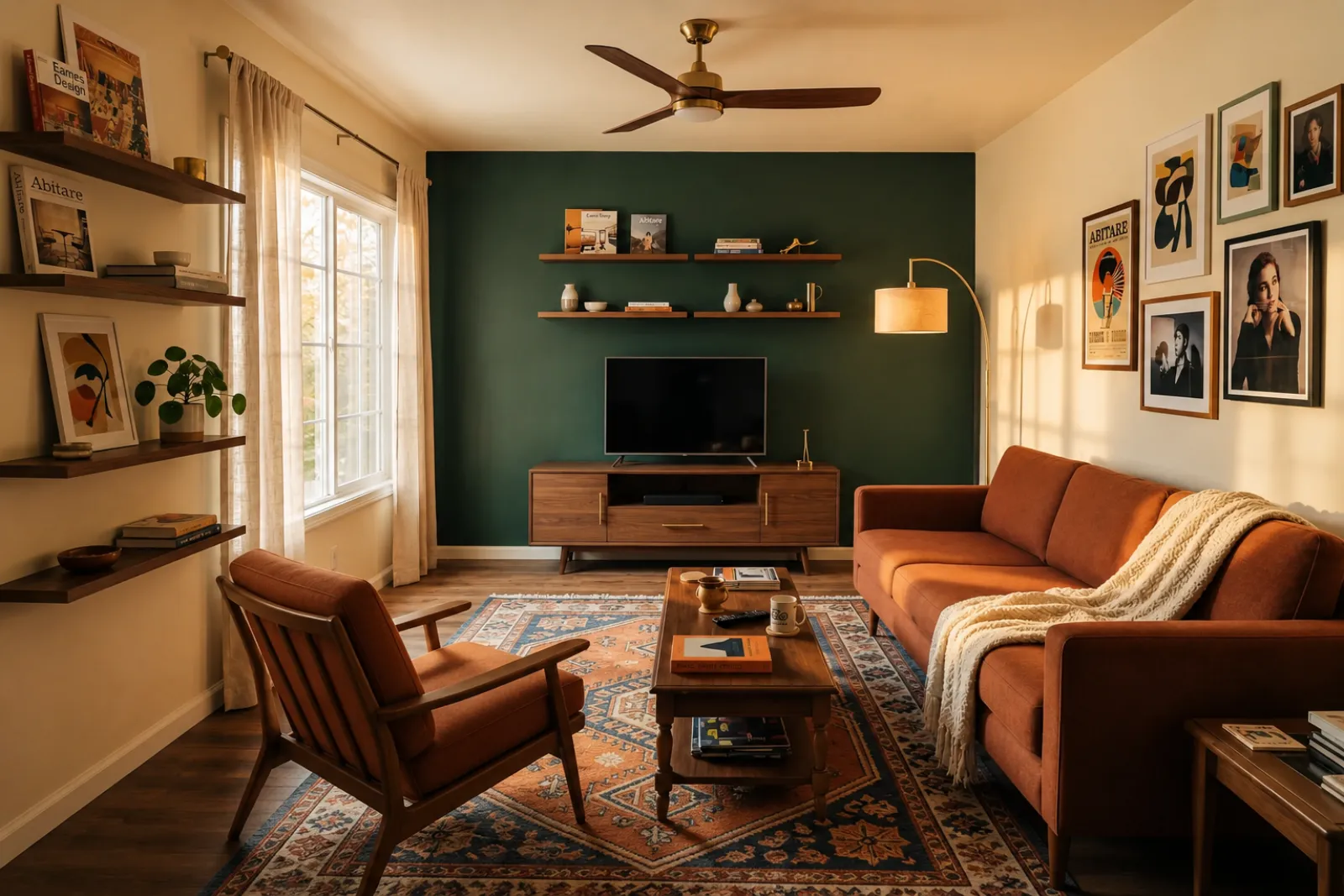 बाद में
रूपांतरण कहानियां
"बनाई गई इमेज केवल दृश्य अवधारणाएँ हैं। असली कमरे से वास्तु, माप, फ़र्नीचर, सामग्री और खुलासों की जाँच करें।"
बढ़ता हुआ परिवार
पहलेबाद मेंरूपांतरण कहानियां
"बनाई गई इमेज केवल दृश्य अवधारणाएँ हैं। असली कमरे से वास्तु, माप, फ़र्नीचर, सामग्री और खुलासों की जाँच करें।"
मौजूदा विज़ुअल टूल से शुरू करें। पूर्ण लिस्टिंग या प्रपोज़ल वर्कफ़्लो माने बिना लिस्टिंग, रेंटल और क्लाइंट योजना संदर्भ के लिए पेशेवर पेज उपयोग करें।
खाली या पुरानी लिस्टिंग फोटो के लिए पहले-और-बाद स्टेजिंग प्रीव्यू बनाएं।
फर्नीचर खरीदने या असली लिस्टिंग फोटो अपडेट करने से पहले रेंटल रिफ्रेश आइडिया का प्रीव्यू देखें।
फर्नीचर आने से पहले खरीदारों को खाली नए-निर्माण कमरों को समझने में मदद करें।
विक्रेता बातचीत को अधिक विज़ुअल और विशिष्ट बनाने के लिए स्टेज किए गए कमरे के प्रीव्यू का उपयोग करें।
गहरी रेनोवेशन समीक्षा से पहले असली कमरे की फोटो से कॉस्मेटिक दिशाओं का प्रीव्यू देखें।
क्लाइंट की कमरे की फोटो से विज़ुअल दिशा दिखाएं, फिर अपना स्कोप और मूल्य निर्धारण जोड़ें।
असली जगह बदलने से पहले मौसमी रेंटल रिफ्रेश आइडिया का परीक्षण करें।
जांचें कि सोफा, बेड या टेबल वाकई फिट होगा और चलने की जगह बचेगी — ऑर्डर करने से पहले।
कच्ची कमरे की फोटो से लेकर आपके आंकने लायक प्रीव्यू तक चार कदम।
बनाई गई इमेज केवल दृश्य अवधारणाएँ हैं। असली कमरे से वास्तु, माप, फ़र्नीचर, सामग्री और खुलासों की जाँच करें।
रियलटर स्टेजिंग, Airbnb रिफ्रेश, रेनोवेशन प्रीव्यू या कॉन्ट्रैक्टर प्रपोज़ल में से चुनें। प्रत्येक जॉब एक ट्यून किया प्रॉम्प्ट चलाती है और सही लुक रेंडर करती है।
प्रोसेसिंग का समय इमेज और मौजूदा मांग पर निर्भर करता है। हर नतीजे की मूल फ़ोटो से तुलना करें।
मूल फोटो को पास रखें, आवश्यकता होने पर वर्चुअल स्टेजिंग पर लेबल लगाएं और प्रकाशित या कोट करने से पहले वास्तविक दुनिया के विवरण सत्यापित करें।
पहले/बाद
मुख्य वर्कफ़्लो
बदलता रहता है
प्रोसेसिंग समय
असली फोटो
शुरुआत बिंदु
योजना सहायता
सबसे अच्छा उपयोग
साइन-इन के बाद 5 मुफ़्त क्रेडिट से शुरू करें। एक क्लोज़िंग के लिए क्रेडिट पैक जोड़ें, या जब स्टेजिंग हर लिस्टिंग का हिस्सा हो तो सदस्यता लें।
साइन इन के बाद 5 क्रेडिट से शुरू करें। एकमुश्त पैक और सब्सक्रिप्शन उपलब्ध हैं; चेकआउट से पहले वर्तमान कुल और शर्तें देखें।
सदस्यता योजनाएँ
बार-बार लिस्टिंग, रेंटल या क्लाइंट काम के लिए। चेकआउट से पहले रिन्यूअल समय और कुल राशि की समीक्षा करें।
खर्च करने से पहले वर्कफ़्लो आज़माएं
साइन इन के बाद 5 स्टार्टर क्रेडिट
कुछ कमरे तैयार करने वाले घर के मालिकों, एजेंटों और होस्ट्स के लिए
100 क्रेडिट / माह
एजेंसियों, रेंटल ऑपरेटरों और मल्टी-फोटो लिस्टिंग सेट के लिए
400 क्रेडिट / माह
एकमुश्त क्रेडिट पैक
कभी-कभार लिस्टिंग फोटो, रेंटल रिफ्रेश या क्लाइंट विकल्पों के लिए: एक भुगतान, कोई सब्सक्रिप्शन नहीं।
30 क्रेडिट
≈ 15 HD images
Covers one room100 क्रेडिट
≈ 50 HD images
300 क्रेडिट
≈ 150 HD images
Stripe के माध्यम से सुरक्षित चेकआउट · कीमतें USD में
असली कमरे, लिस्टिंग, रेंटल या क्लाइंट बातचीत के लिए RoomFlip वर्चुअल स्टेजिंग का उपयोग करने से पहले क्या जानें।
RoomFlip असली फोटो से पहले-और-बाद के कमरे के प्रीव्यू बनाने के लिए सबसे उपयुक्त है। दिशा समझने, बातचीत तैयार करने या रिफ्रेश की योजना के लिए इसका उपयोग करें। यह डिस्क्लोज़र नियमों, मूल्यांकन, ठेकेदार कोट या प्लेटफ़ॉर्म आवश्यकताओं की जगह नहीं लेता।
परिणाम तब सबसे अच्छे होते हैं जब मूल फोटो साफ़, समतल और अच्छी रोशनी वाली हो। सार्वजनिक रूप से उपयोग करने से पहले हर आउटपुट की असली कमरे से समीक्षा करें।
हां। AI वर्चुअल स्टेजिंग संयुक्त राज्य में रियल एस्टेट लिस्टिंग के लिए कानूनी है, और Airbnb मौजूदा यूनिट के सटीक प्रतिनिधित्व की अनुमति देता है। अधिकांश MLS सिस्टम और नेशनल एसोसिएशन ऑफ रियलटर्स को स्पष्ट प्रकटीकरण की आवश्यकता होती है कि फ़ोटो वर्चुअली स्टेज्ड हैं, इसलिए RoomFlip स्वचालित रूप से एक प्रकटीकरण कैप्शन जोड़ता है जिसे आप छवि के साथ कॉपी कर सकते हैं। खरीदारों और मेहमानों के साथ विश्वास बनाए रखने के लिए हमेशा स्टेज्ड छवियों को लेबल करें।
नए उपयोगकर्ताओं को साइन इन करने के बाद स्टार्टर क्रेडिट मिलते हैं। जब आपको अधिक प्रीव्यू या क्लीनर डाउनलोड चाहिए तो सशुल्क क्रेडिट पैक और सब्सक्रिप्शन उपलब्ध हैं।
नहीं। प्रॉम्प्ट स्पष्ट रूप से मॉडल को बताता है कि दीवारें, खिड़कियां, दरवाज़े, फ़र्श, छत और स्थिर वास्तुकला अपरिवर्तित रखें। AI केवल फ़र्नीचर, सजावट और हल्के प्रकाश स्पर्श जोड़ता है। यदि आप एक कोने या दरवाज़े से स्पष्ट, अच्छी रोशनी वाली फोटो अपलोड करते हैं, तो आउटपुट उसी कमरे का पेशेवर रूप से फोटो खींचे संस्करण की तरह पढ़ता है, पूरी तरह से एक अलग कमरे की तरह नहीं।
हाँ। आप एक ही कमरे के लिए कई दिशाएँ बना सकते हैं और यह तय करने से पहले उनकी तुलना कर सकते हैं कि कौन सी सेव करने या योजना संदर्भ के रूप में उपयोग करने लायक है।
कोई भी इनडोर स्थान काम करता है: लिविंग रूम, बेडरूम, रसोई, बाथरूम, डाइनिंग रूम, होम ऑफिस, नर्सरी और बोनस रूम। मॉडल कोने या दरवाज़े से ली गई चौड़ी, अच्छी रोशनी वाली फ़ोटो पर सबसे अच्छा प्रदर्शन करता है जो फर्श, छत, खिड़कियां और मुख्य दीवार तल कैप्चर करती है। बहुत अव्यवस्थित फ़ोटो भी काम करती हैं लेकिन कम पूर्वानुमेय परिणाम देती हैं — संभव हो तो फर्श साफ़ करें।
बनाई गई इमेज केवल दृश्य अवधारणाएँ हैं। असली कमरे से वास्तु, माप, फ़र्नीचर, सामग्री और खुलासों की जाँच करें।
MLS विवरण, Zillow कॉपी, Instagram कैप्शन, Facebook पोस्ट, SEO शीर्षक और फेयर हाउसिंग अनुपालन जांच तुरंत जेनरेट करने के लिए संपत्ति की तस्वीरें और विवरण अपलोड करें। रियल एस्टेट एजेंटों के लिए निर्मित।
विवरण देखें →खरीदने से पहले जांचें कि सोफा, टेबल, बेड या कैबिनेट आपके कमरे में फिट होगा या नहीं। कमरे, फर्नीचर और चलने की जगह के माप से तेज अनुमान पाएं।
विवरण देखें →लिस्टिंग, Airbnb रेंटल, नवीनीकरण पूर्वावलोकन और क्लाइंट प्रस्तुतियों के लिए एक सुसंगत AI वर्चुअल स्टेजिंग सेट बनाने के लिए 6 कमरे की तस्वीरों तक अपलोड करें।
विवरण देखें →ऑर्डर करने से पहले जांच लें कि सोफा, टेबल, बिस्तर या कैबिनेट आपके रूम में फिट होगा या नहीं। पहले आयामों का उपयोग करें, फिर वास्तविक तस्वीर से स्टाइल का पूर्वावलोकन करें।
विवरण देखें →