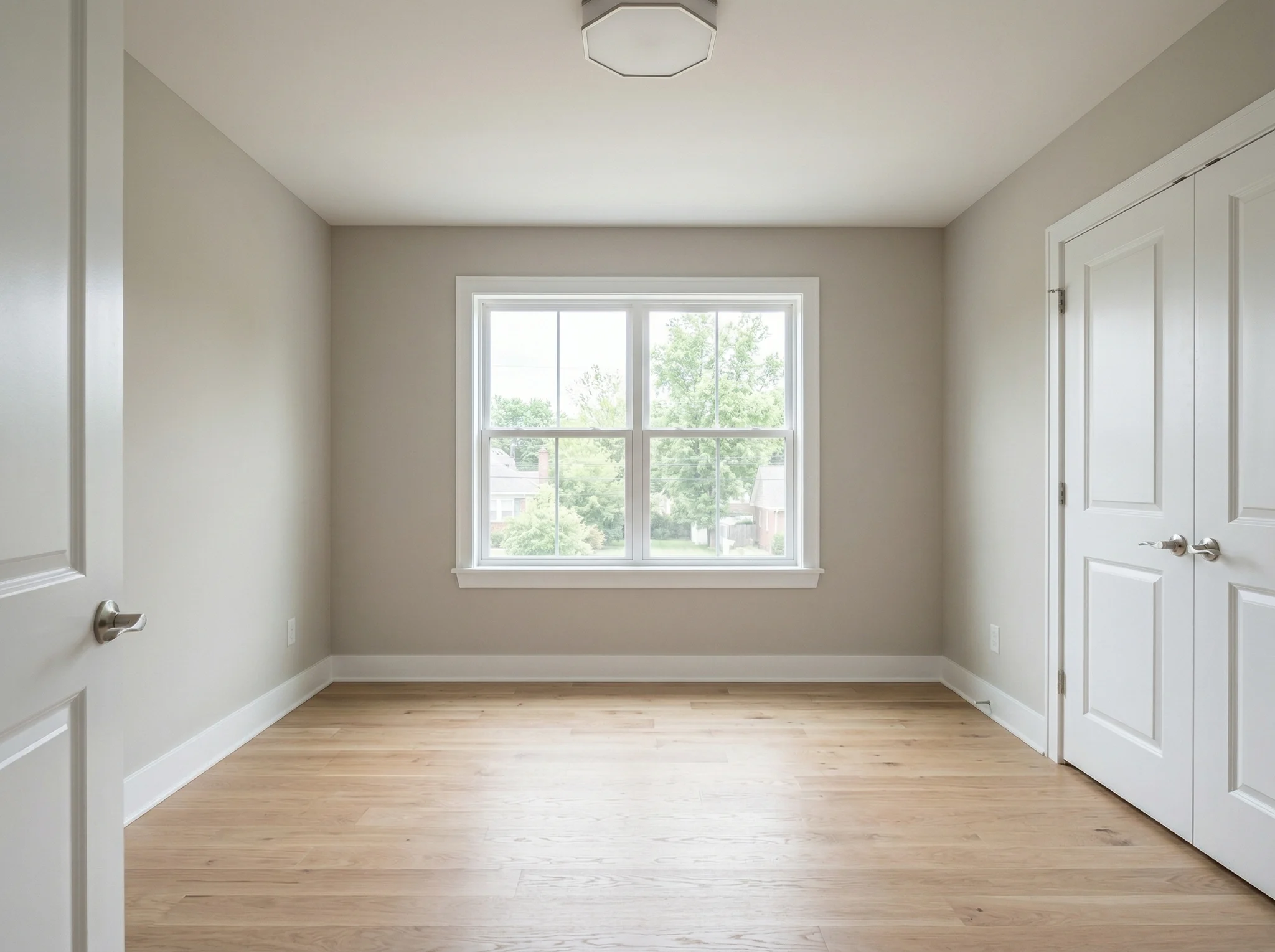
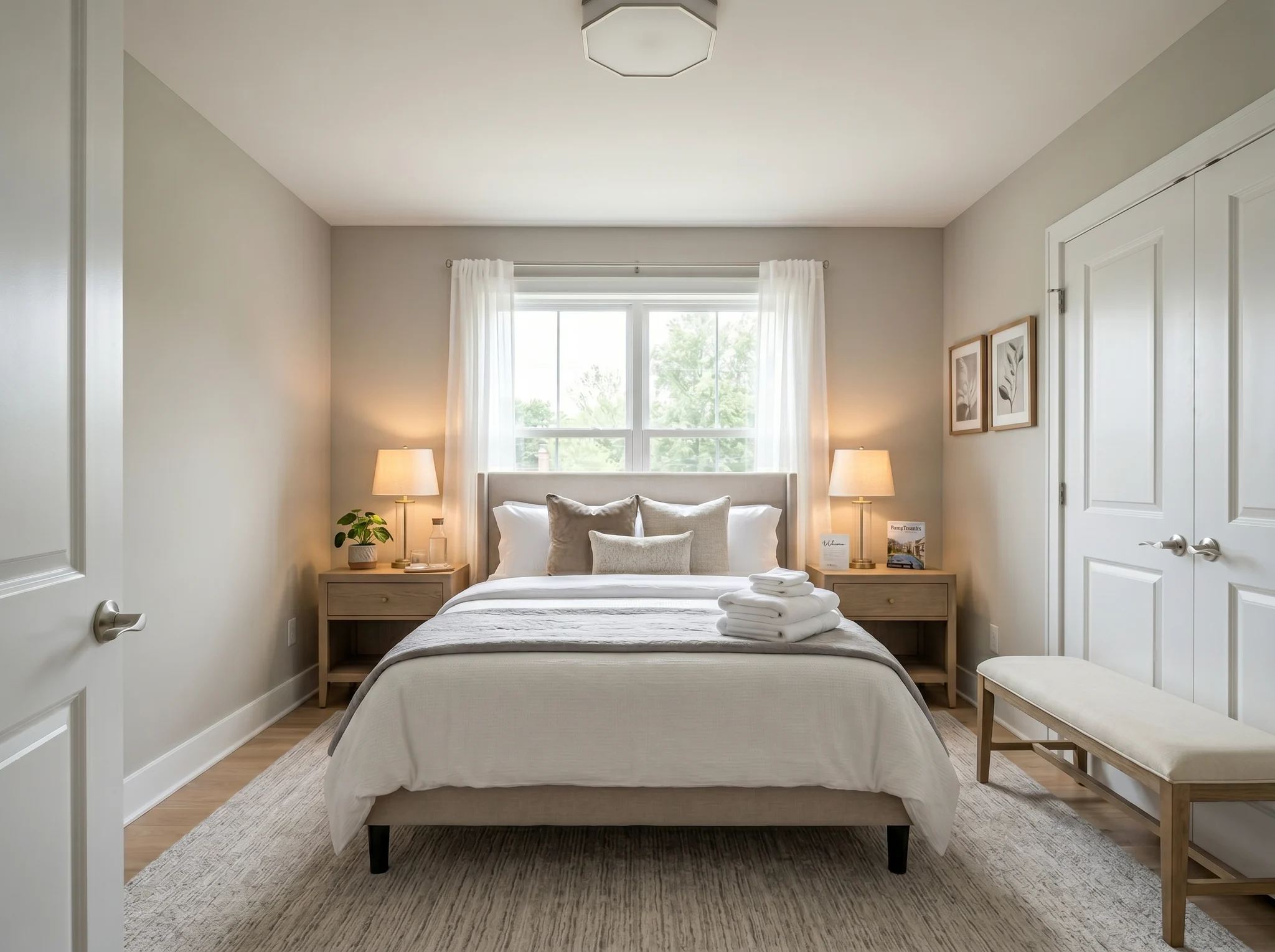
Bedroom
Upload one room photo and see how it could look furnished, rearranged, or refreshed — before you buy anything or move a single piece of furniture.
One-time packs. Credits roll over. Cancel anytime.
Παραδείγματα πριν / μετά
Το RoomFlip είναι ισχυρότερο όταν μια παραγόμενη εικόνα έχει επαγγελματικό σκοπό: βοήθεια στον αγοραστή να κατανοήσει την κλίμακα, στον επισκέπτη να φανταστεί τη διαμονή ή στον πελάτη να εγκρίνει μια κατεύθυνση πριν δαπανηθούν χρήματα.
Bedroom
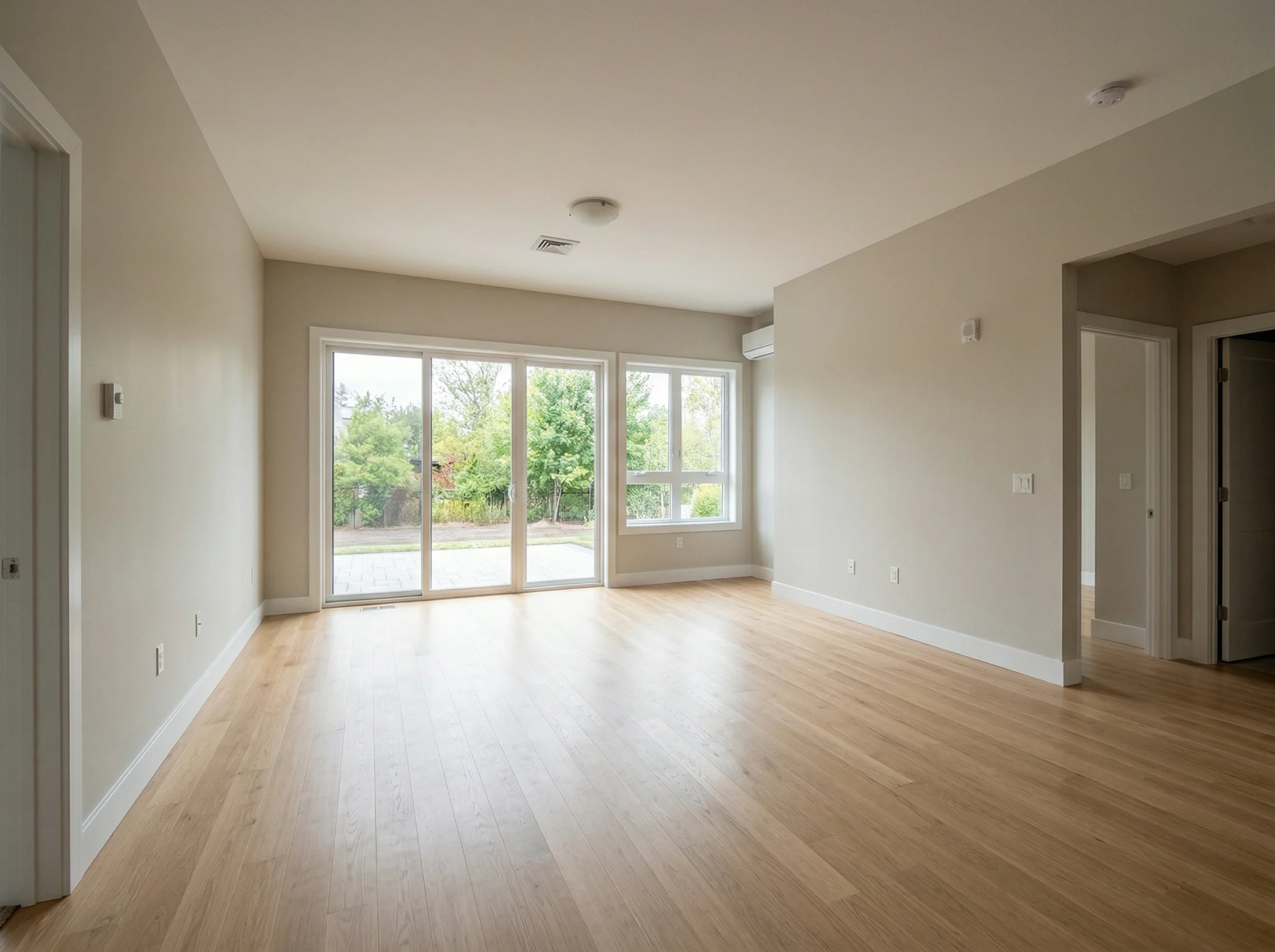
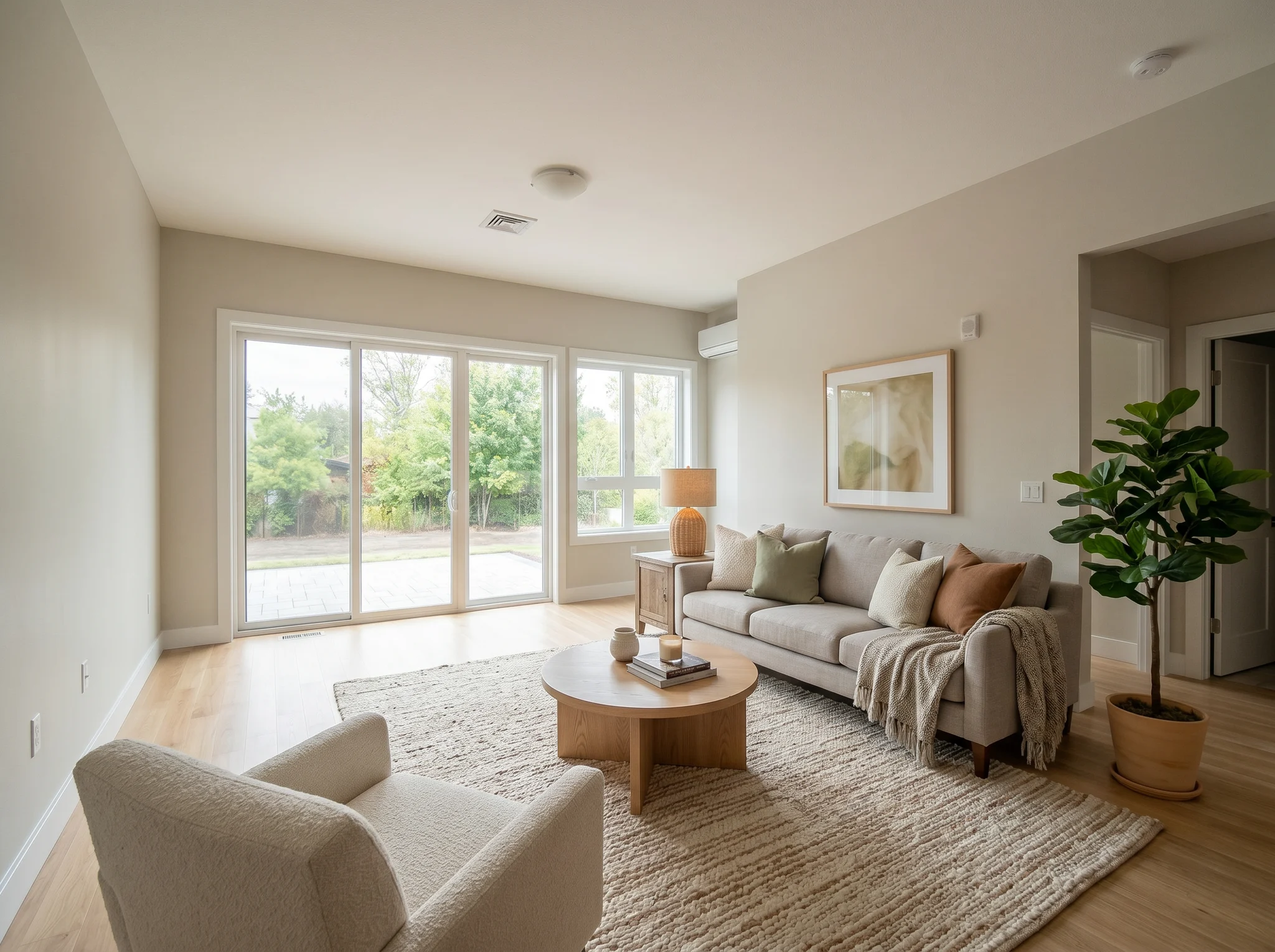
Living room
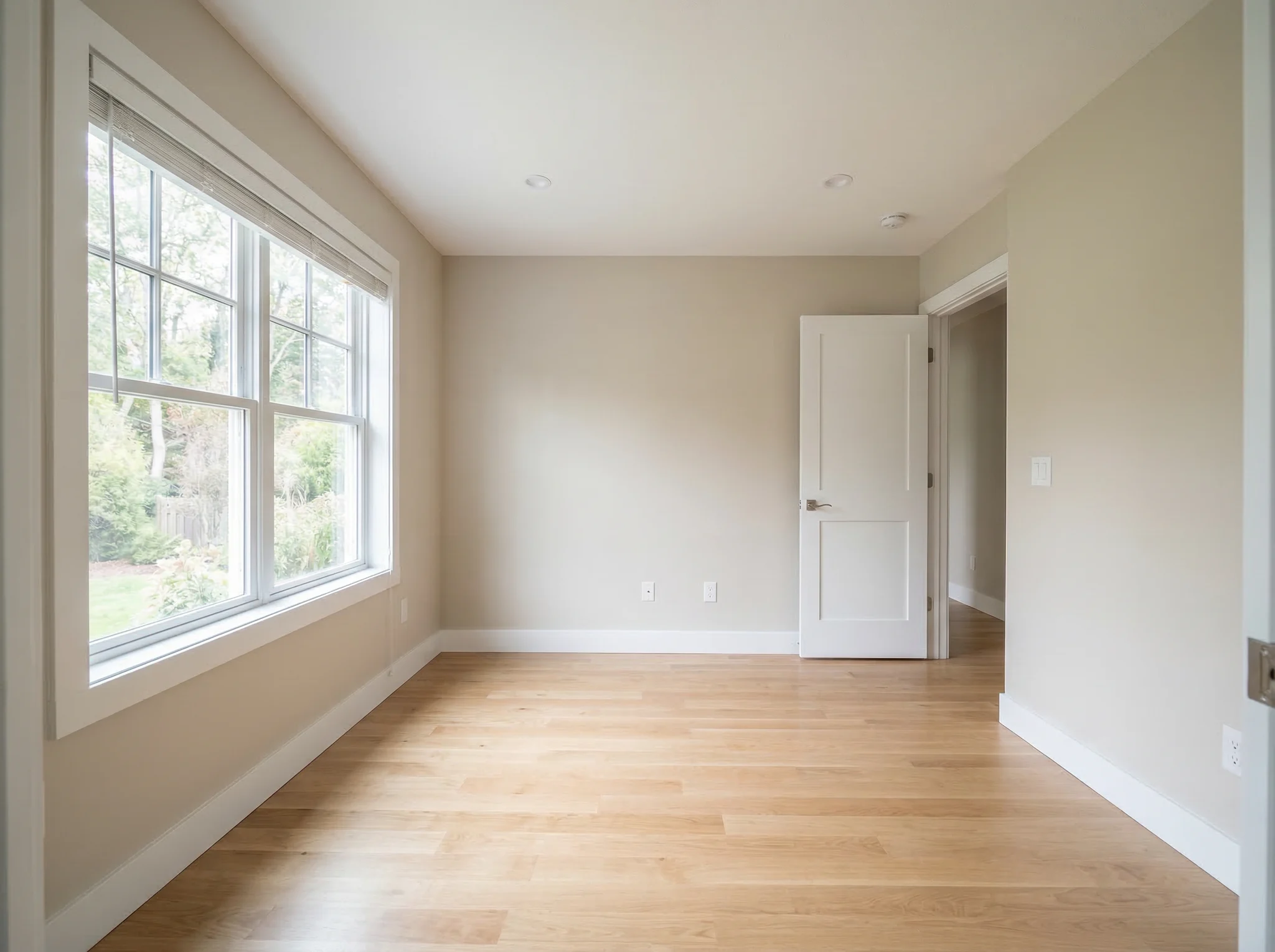
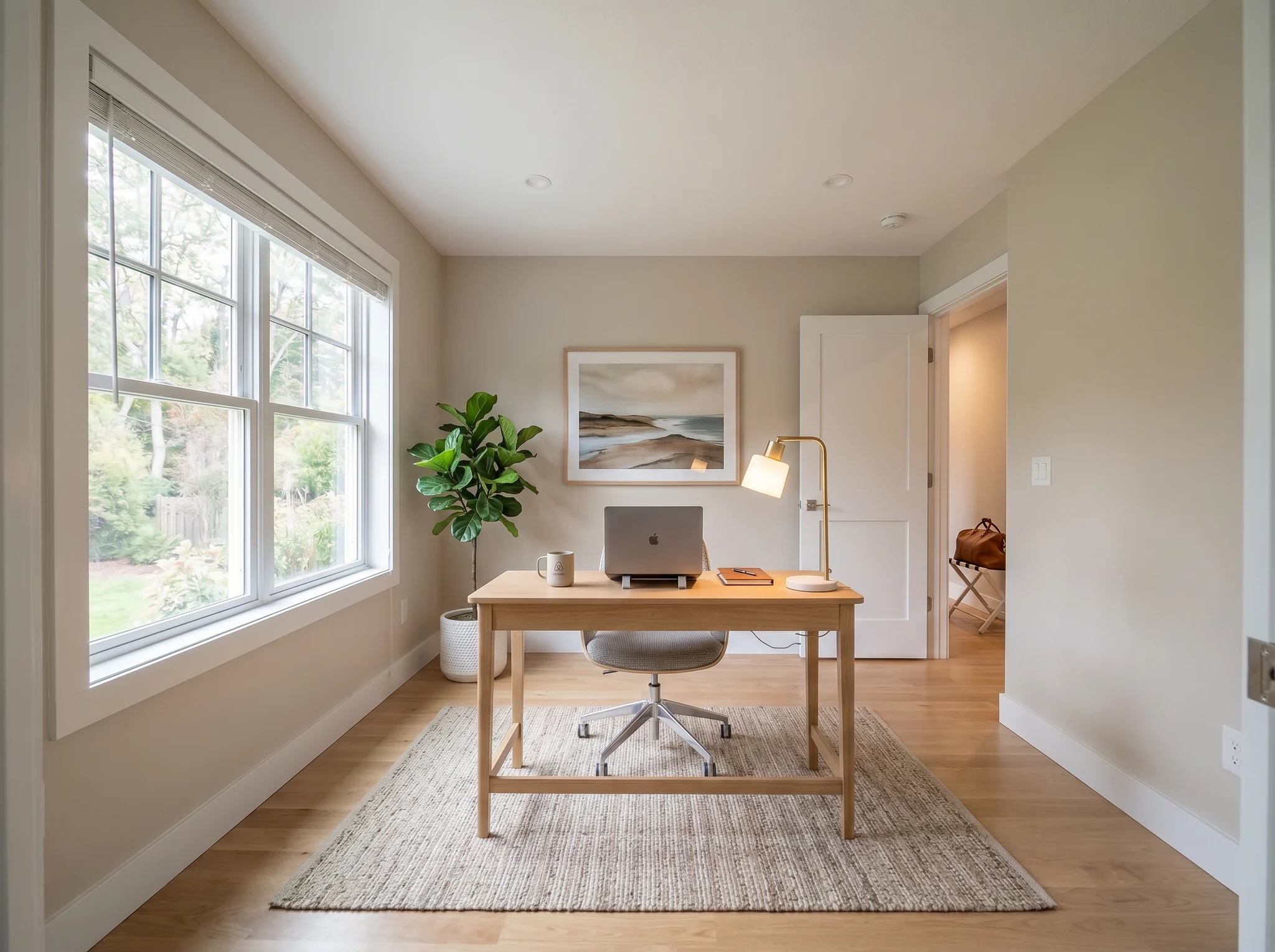
Home office
Παραδείγματα πριν / μετά
Σύγκρινε δύο ή τρεις ρεαλιστικές κατευθύνσεις, όχι είκοσι τυχαίες.
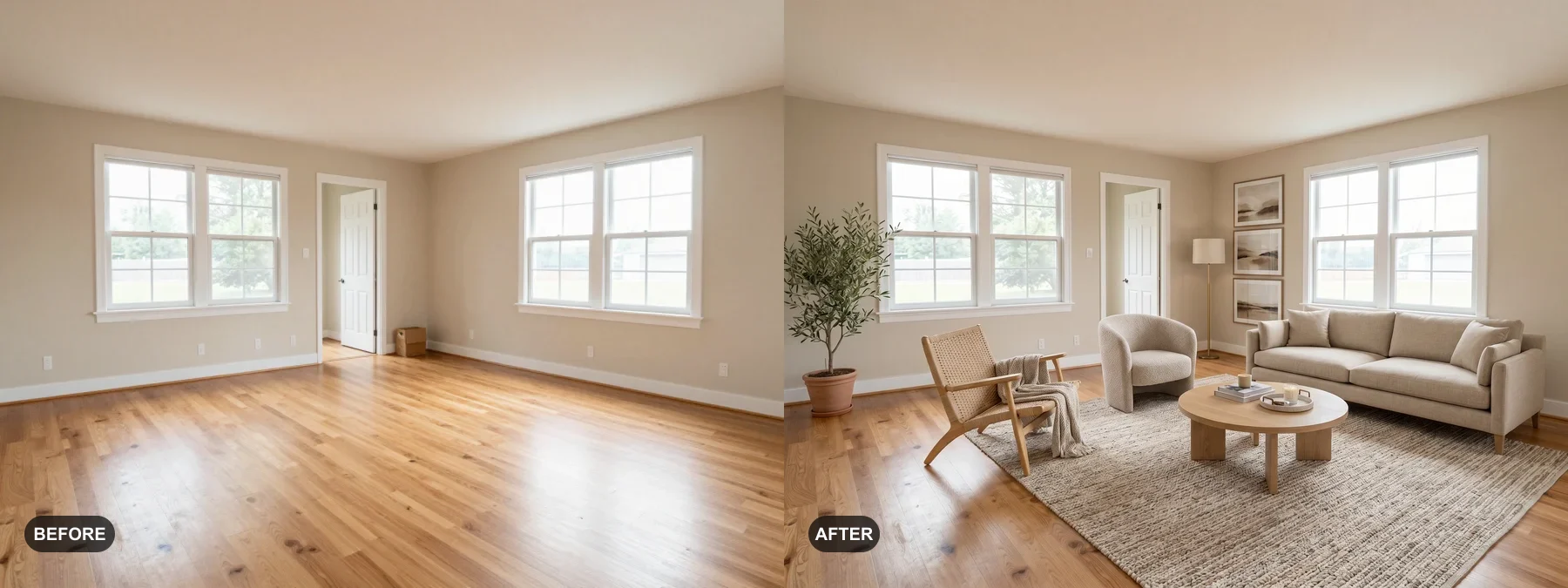 1
1 Διαμόρφωσε άδεια δωμάτια ή φρεσκάρισε κουρασμένα, ώστε οι αγοραστές να φανταστούν τον εαυτό τους εκεί.
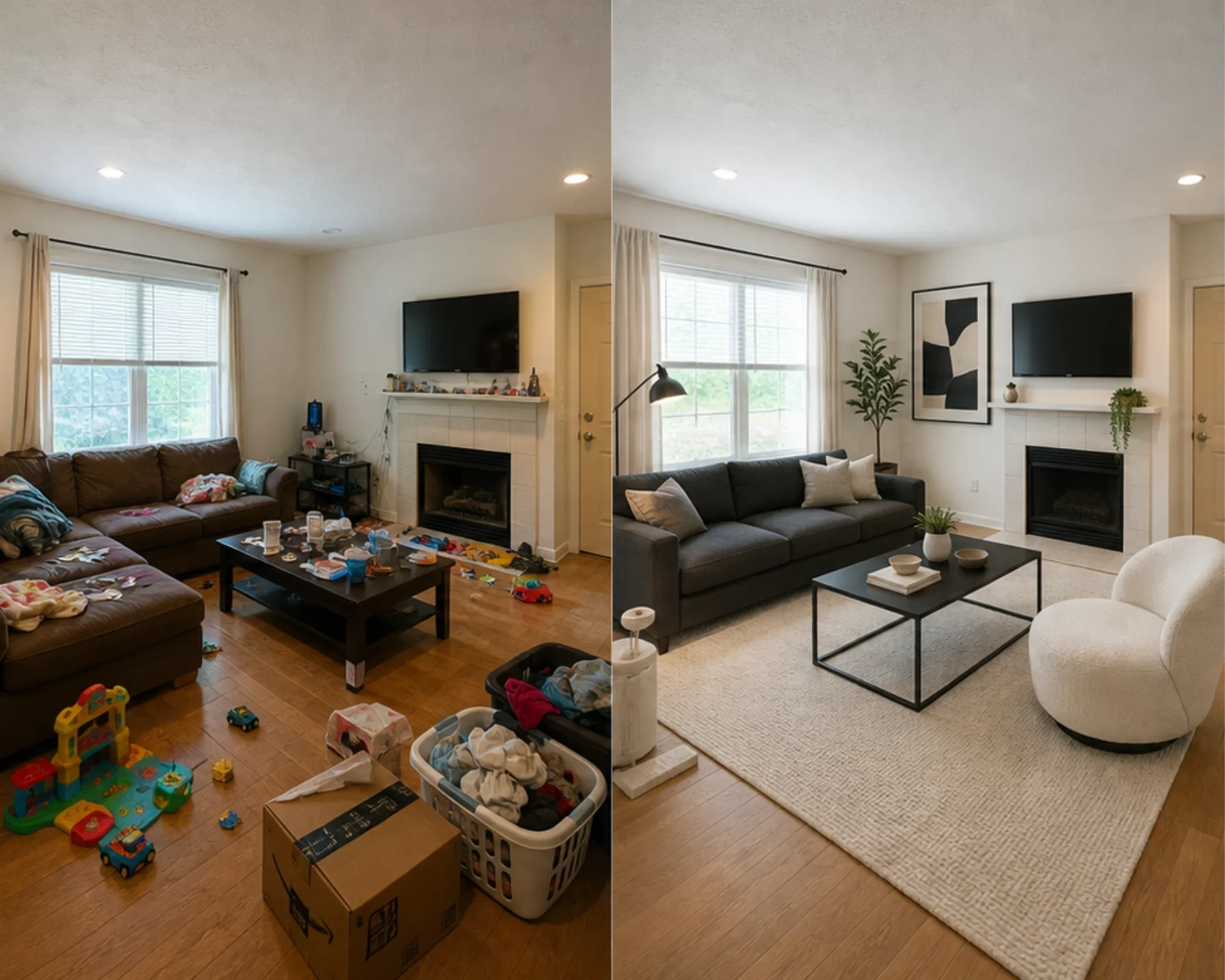 2
2 Δες αν ένα ξενώνας μπορεί να φανεί premium πριν ξοδέψεις σε έπιπλα.
 3
3 Πάρε προεπισκόπηση μιας κατεύθυνσης στυλ διατηρώντας τοίχους, παράθυρα και εντοιχισμένα στοιχεία.
Μετασχηματίστε οποιοδήποτε δωμάτιο σε τρία απλά βήματα με το AI εργαλείο εσωτερικού σχεδιασμού μας.
Ιδανικό για
Η πιο κοινή καθημερινή χρήση είναι η μείωση αβεβαιότητας πριν δαπανηθούν χρήματα: μετακόμιση σε μικρό χώρο, αγορά επίπλων, επιλογή χαλιού, ανανέωση ενοικίου ή απόφαση αν μια κατεύθυνση αξίζει να ακολουθηθεί. Μεσίτες και οικοδεσπότες έχουν επίσης σαφή διαδρομή όταν η δουλειά είναι εικονική διαμόρφωση.
Πιο κοινή ανάγκη σχεδιασμού
Ανεβάστε το πραγματικό δωμάτιο, ελέγξτε αν μια κατεύθυνση στυλ ή διάταξης φαίνεται αξιόπιστη, μετά μετρήστε πριν αγοράσετε βαφή, χαλιά ή έπιπλα.
Ιδανικό για: μικρά διαμερίσματα, σχεδιασμός μετακόμισης, βεβαιότητα για έπιπλα
Απόφαση υψηλής πρόθεσης
Χρησιμοποιήστε αριθμομηχανές για μέγεθος και κενά, μετά χρησιμοποιήστε προεπισκόπηση πραγματικής φωτογραφίας για να αποφασίσετε αν η κατεύθυνση είναι πολύ βαριά, πολύ μικρή ή αξίζει αγορά.
Ιδανικό για: έλεγχος καναπέδων, μέγεθος χαλιού, μείωση κινδύνου επιστροφής
Επαγγελματική χρήση
Μετατρέψτε απλές φωτογραφίες αγγελιών σε πιο ξεκάθαρη αφήγηση για το πώς το δωμάτιο θα μπορούσε να φαίνεται μετά από μια ελαφριά ανανέωση, πριν ξοδέψετε σε φυσική διαμόρφωση.
Ιδανικό για: παρουσιάσεις αγγελιών, προετοιμασία ανοιχτής προβολής, ενημέρωση πωλητών
Εστιασμένοι στα έσοδα
Δοκιμάστε αν ένα υπνοδωμάτιο ή χώρος διαβίωσης πρέπει να αισθάνεται πιο ήρεμος, φωτεινός ή premium πριν αγοράσετε έπιπλα που μπορεί να μη φωτογραφίζονται καλά.
Ιδανικό για: αναβαθμίσεις Airbnb, ανανεώσεις δωματίου επισκεπτών, πειράματα πληρότητας
Απλά credits και συνδρομές
3 δωρεάν δημιουργίες
0€
100 credits / μήνα
$9.99/μήνα
400 credits / μήνα
$24.99/μήνα
Ασφαλής πληρωμή μέσω Stripe. Ακύρωση οποτεδήποτε.
Συχνές Ερωτήσεις
Ό,τι χρειάζεστε να γνωρίζετε για τον AI Σχεδιαστή Δωματίου
Το RoomFlip.pro είναι ένα AI εργαλείο σχεδιασμού δωματίου και εικονικής διαμόρφωσης για πραγματικές φωτογραφίες δωματίων. Ανεβάστε ένα δωμάτιο, επιλέξτε κατεύθυνση και δημιουργήστε ρεαλιστικά οπτικά πριν/μετά που βοηθούν με αποφάσεις διάταξης, στυλ, επίπλων, αγγελιών ή ενοικιάσεων.
Ανεβάστε μια φωτογραφία δωματίου ή ένα μικρό σετ φωτογραφιών, επιλέξτε κατεύθυνση στυλ και το RoomFlip δημιουργεί διαμορφωμένες εικόνες που διατηρούν την πραγματική δομή δωματίου ενώ προσθέτουν έπιπλα, διακόσμηση, χρώμα και ενδείξεις φωτισμού. Τα αποτελέσματα χρειάζονται συνήθως 15-30 δευτερόλεπτα ανά εικόνα.
Ναι. Το RoomFlip υποστηρίζει έως 6 φωτογραφίες δωματίων σε ένα σετ, κάτι χρήσιμο όταν χρειάζεστε συνεπή οπτικά για αγγελία ακινήτου, Airbnb ενοίκιο, σχέδιο ανακαίνισης ή παρουσίαση πελάτη.
Οι νέοι χρήστες λαμβάνουν 3 δωρεάν credits μετά τη σύνδεση. Κάθε προεπισκόπηση χρησιμοποιεί 1 credit και μπορεί να περιλαμβάνει περιορισμούς δωρεάν επιπέδου. Τα επί πληρωμή credits ξεκλειδώνουν περισσότερες προεπισκοπήσεις και καθαρότερες επιλογές λήψης. Δείτε τη σελίδα δωρεάν AI σχεδιασμός δωματίου για τις τρέχουσες λεπτομέρειες.
Οι χρήστες με υψηλότερη πρόθεση είναι ιδιοκτήτες σπιτιών, ενοικιαστές και αγοραστές επίπλων που προσπαθούν να πάρουν πραγματική απόφαση για δωμάτιο πριν ξοδέψουν. Μεσίτες, οικοδεσπότες και επαγγελματίες σχεδιασμού αξιοποιούν επίσης το εργαλείο όταν χρειάζονται γρήγορη διαμόρφωση ή οπτικά παρουσίασης πελάτη.
Δοκίμασέ το δωρεάν
Ανεβάστε φωτογραφία, προεπισκοπήστε τη διάθεση και δημιουργήστε μια κατεύθυνση που μπορείτε να χρησιμοποιήσετε για διαμόρφωση, αποφάσεις επίπλων ή σχεδιασμό. Αρχικά credits διαθέσιμα μετά τη σύνδεση.