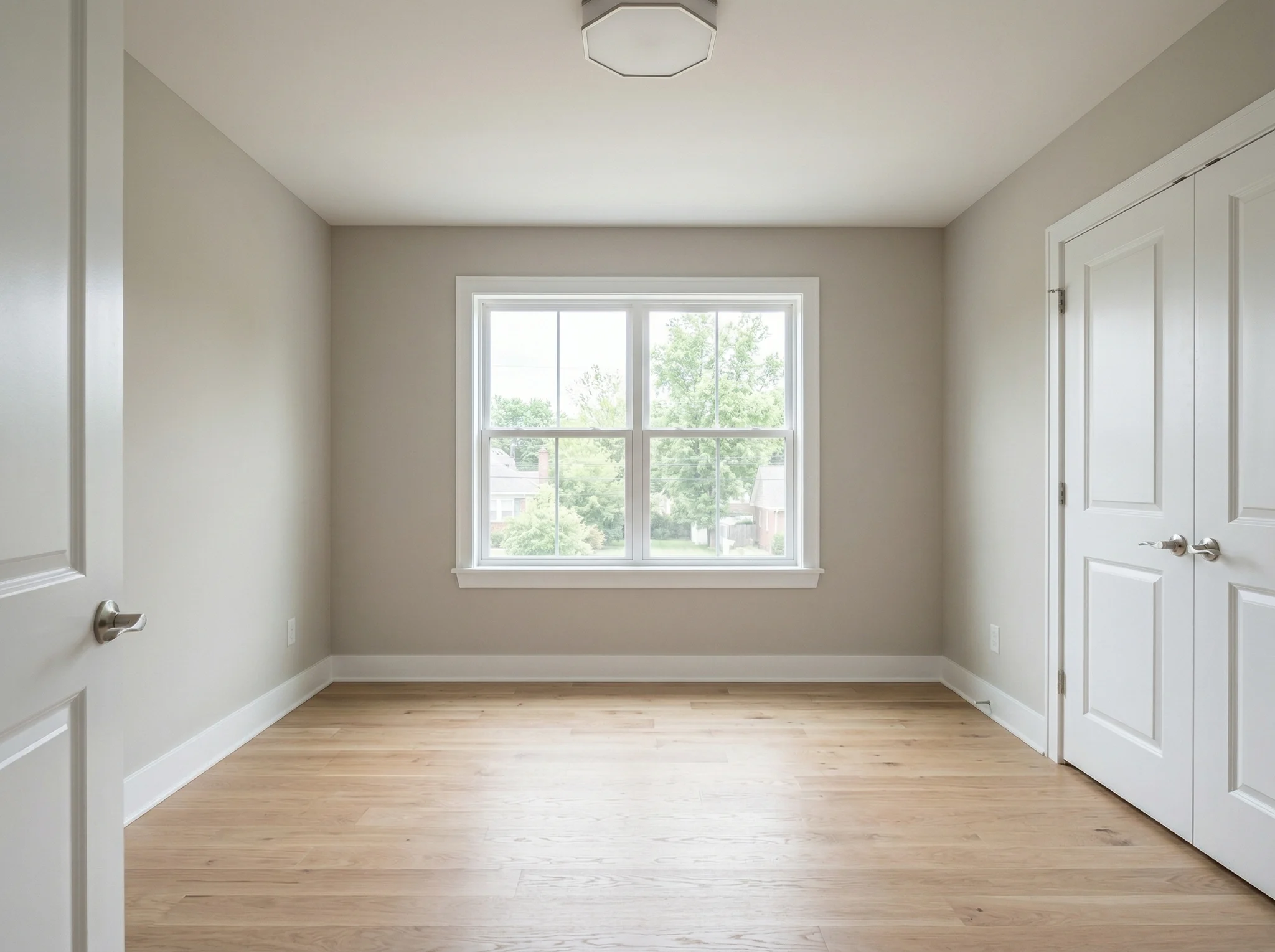
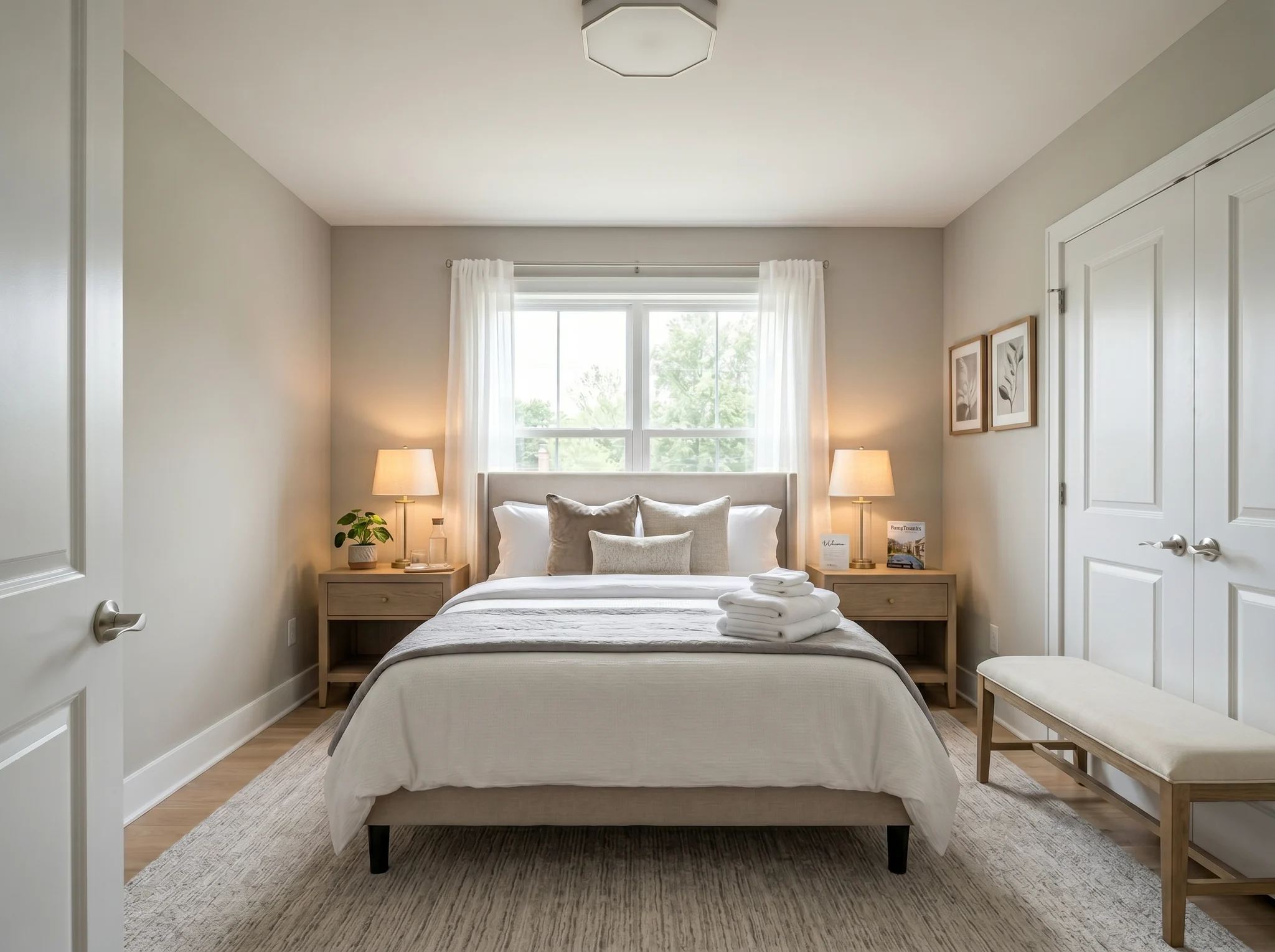
Bedroom
Upload one room photo and see how it could look furnished, rearranged, or refreshed — before you buy anything or move a single piece of furniture.
One-time packs. Credits roll over. Cancel anytime.
Các trường hợp Trước / Sau
RoomFlip mạnh nhất khi một hình ảnh được tạo ra có một công việc kinh doanh: giúp người mua hiểu quy mô, giúp khách hình dung kỳ nghỉ, hoặc giúp khách hàng phê duyệt một hướng đi trước khi chi tiền.
Bedroom
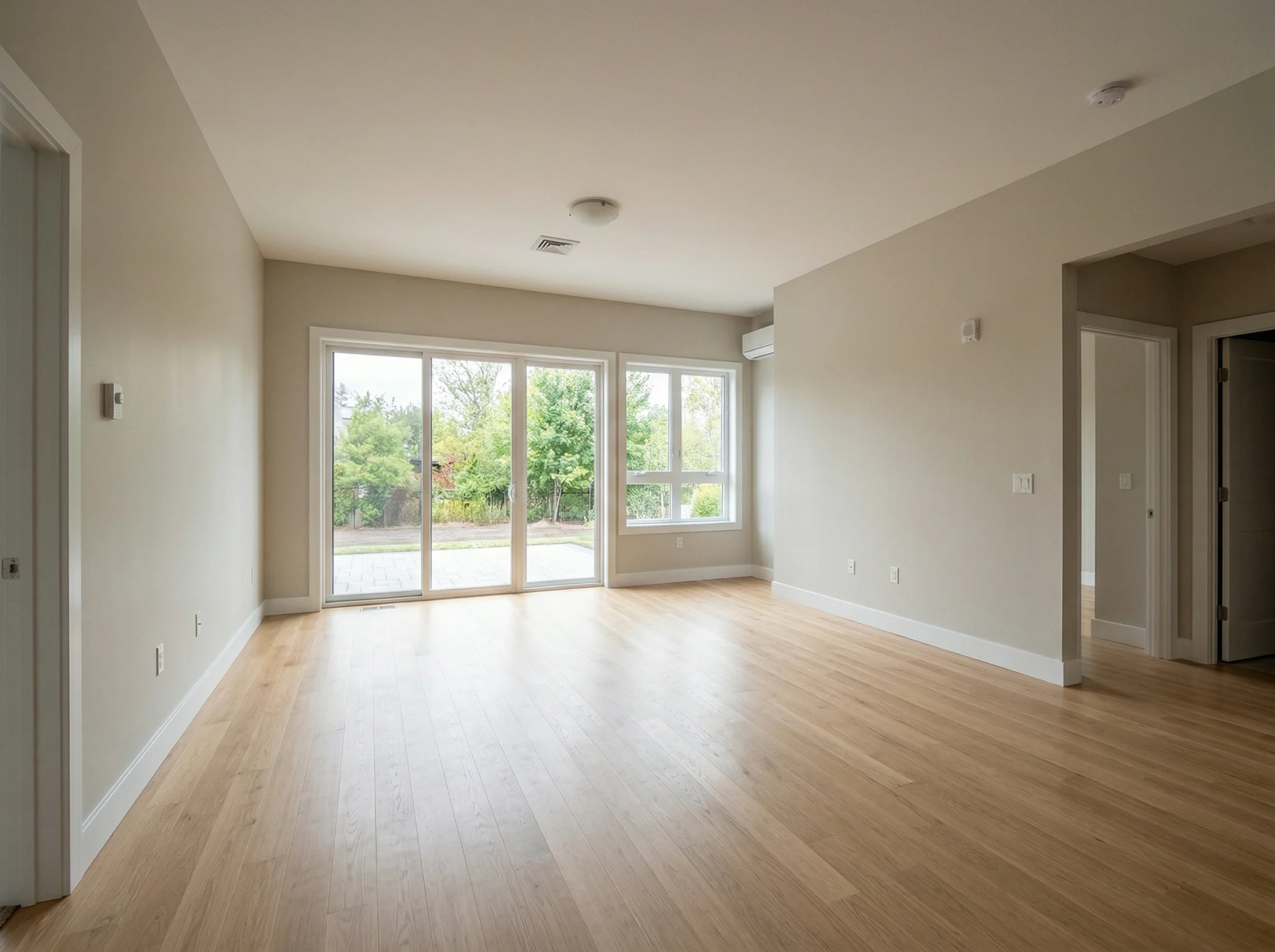
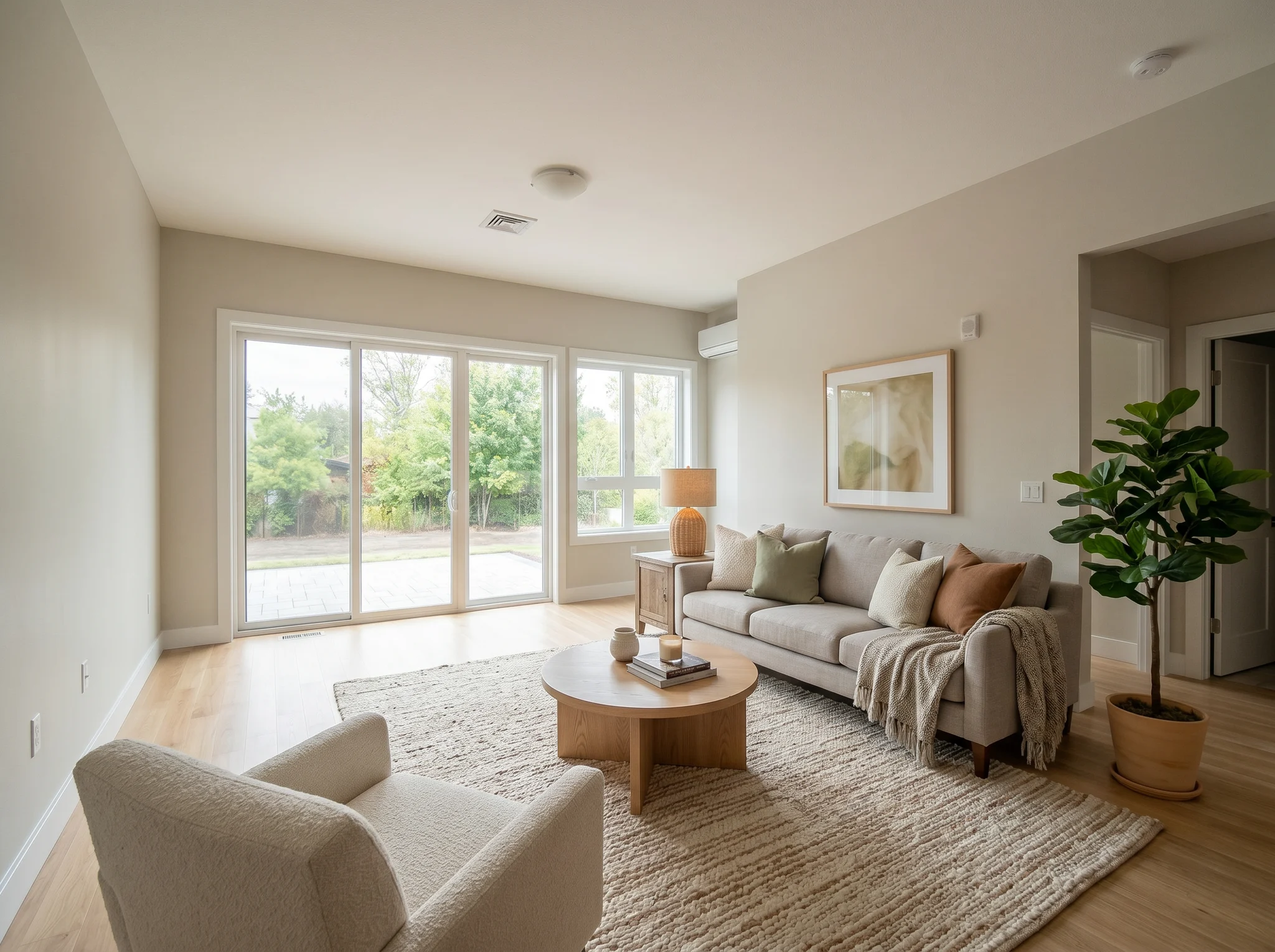
Living room
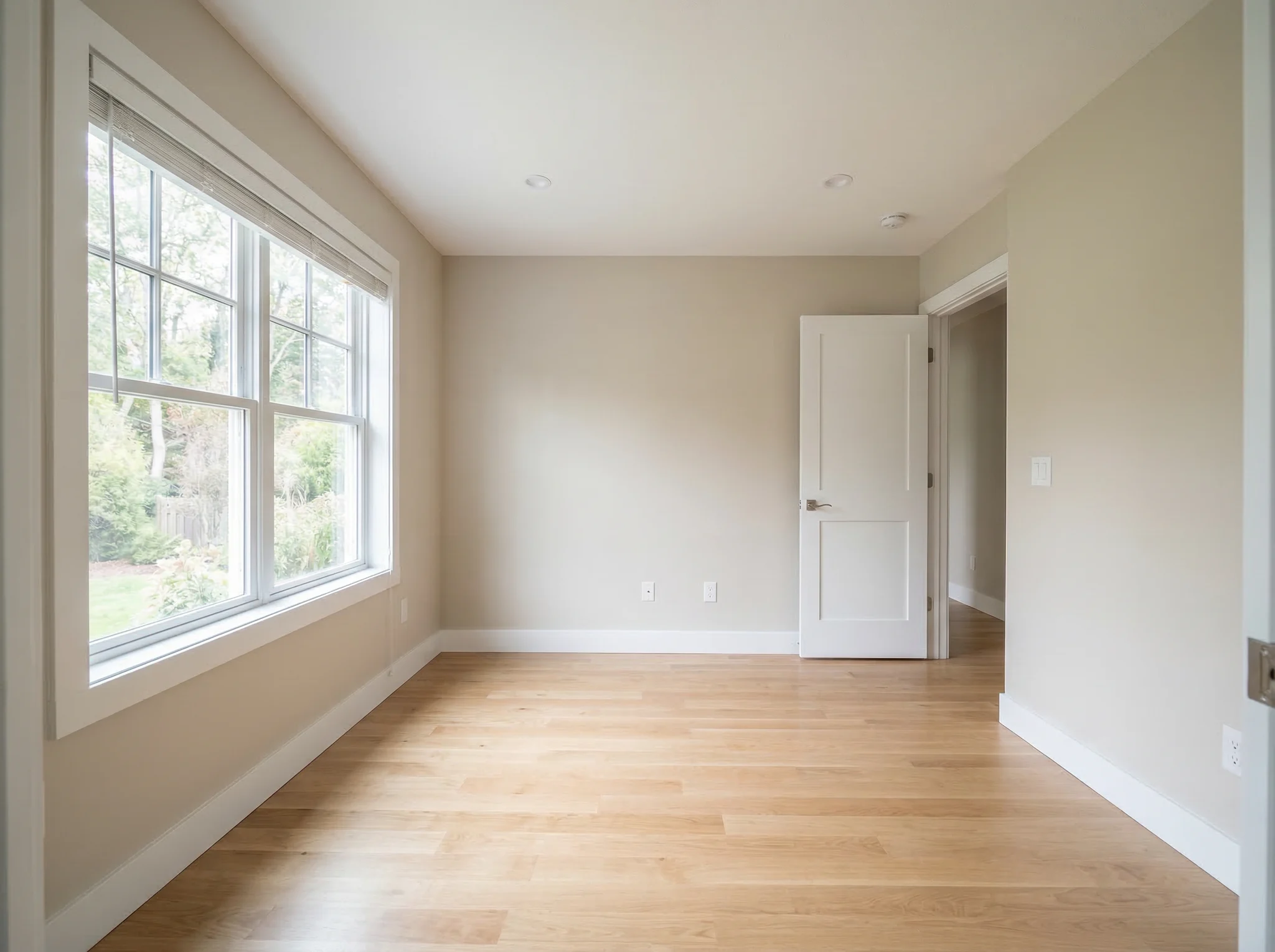
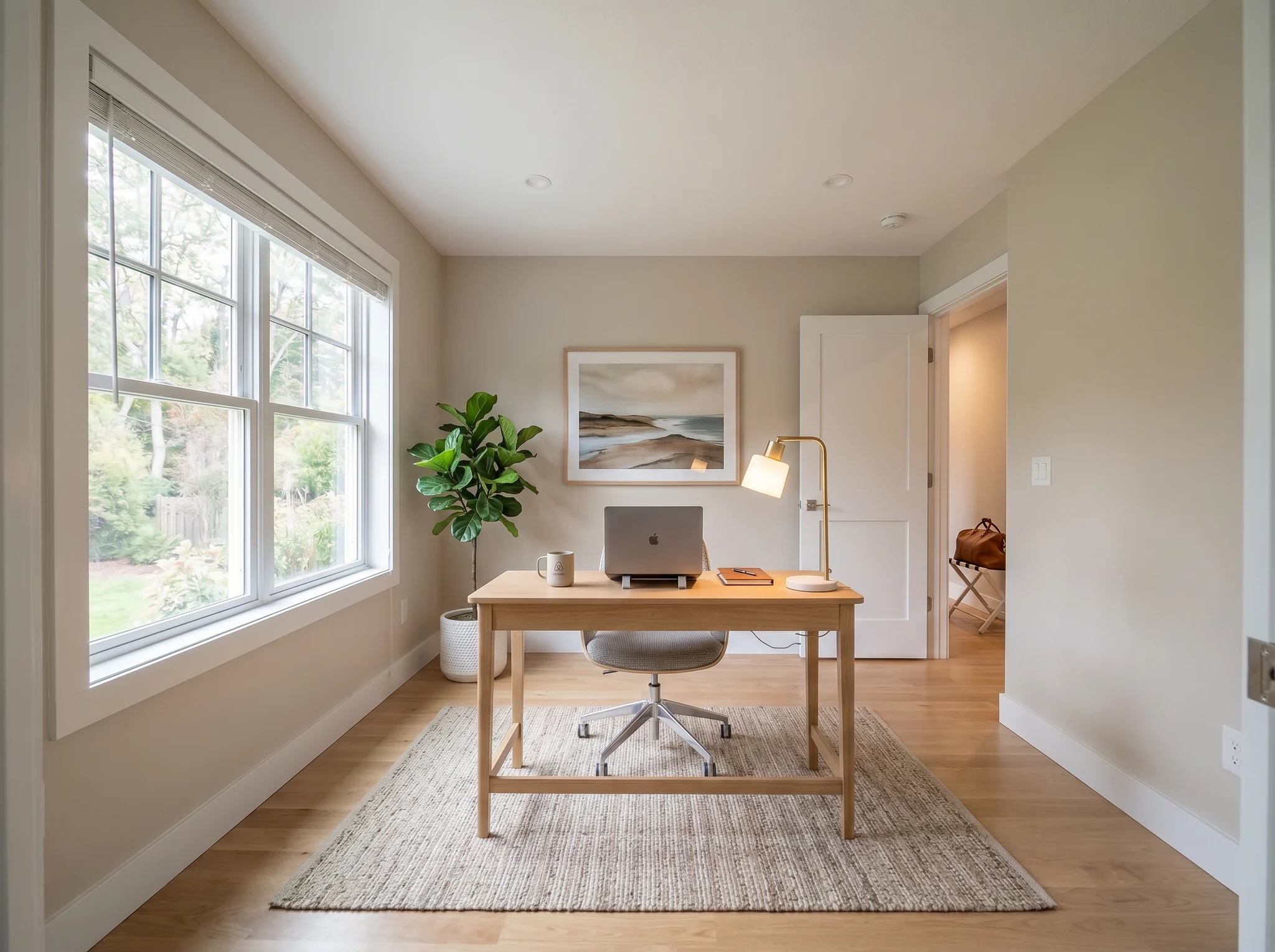
Home office
Các trường hợp Trước / Sau
So sánh hai hoặc ba hướng khả thi, không phải hai mươi ảnh ngẫu nhiên.
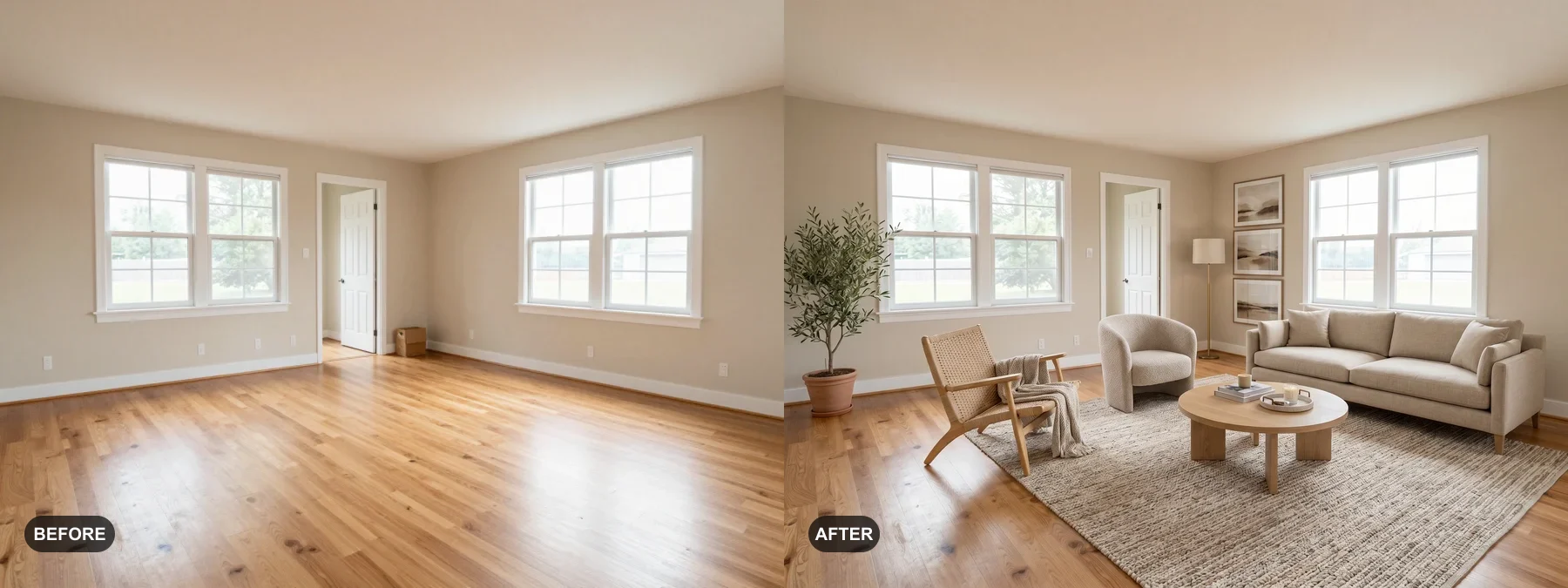 1
1 Bài trí phòng trống hoặc làm mới phòng cũ để người mua dễ hình dung mình sống ở đó.
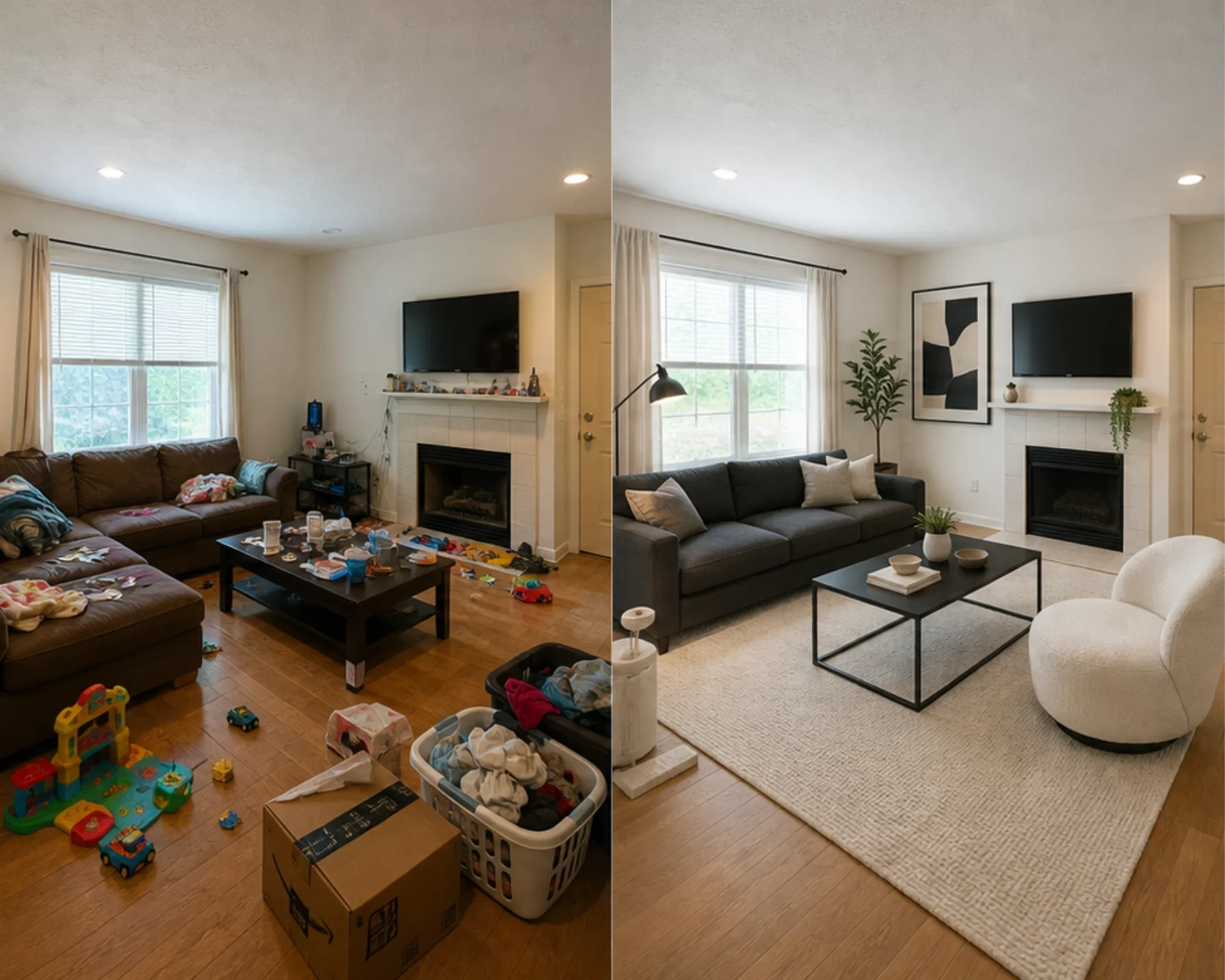 2
2 Kiểm tra xem phòng ngủ cho khách có thể trông cao cấp hay không trước khi mua nội thất.
 3
3 Xem trước hướng phong cách trong khi vẫn giữ nguyên tường, cửa sổ và đồ cố định.
Biến đổi bất kỳ căn phòng nào trong ba bước đơn giản bằng công cụ thiết kế nội thất được hỗ trợ bởi AI của chúng tôi.
Phù hợp nhất cho
Trường hợp sử dụng hàng ngày mạnh mẽ nhất là giảm sự không chắc chắn trước khi chi tiền: chuyển đến một nơi nhỏ, mua đồ nội thất, chọn thảm, làm mới một căn hộ cho thuê hoặc quyết định xem một hướng phòng có đáng để theo đuổi hay không. Các đại lý và chủ nhà vẫn có một con đường rõ ràng khi công việc là dàn trang ảo.
Công việc lập kế hoạch phổ biến nhất
Tải lên phòng thực tế, kiểm tra xem một phong cách hoặc hướng bố trí có cảm thấy đáng tin cậy hay không, sau đó đo đạc trước khi mua sơn, thảm hoặc đồ nội thất.
Phù hợp nhất cho: căn hộ nhỏ, lập kế hoạch chuyển nhà, sự tự tin về đồ nội thất
Quyết định có ý định cao
Sử dụng máy tính để đo kích thước và khoảng trống, sau đó sử dụng bản xem trước ảnh thực tế để quyết định xem hướng đó có quá nặng, quá nhỏ hay đáng để mua hay không.
Phù hợp nhất cho: kiểm tra ghế sofa, kích thước thảm, giảm thiểu rủi ro trả hàng
Sử dụng chuyên nghiệp
Biến những bức ảnh bất động sản thông thường thành một câu chuyện rõ ràng hơn về cảm giác của căn phòng sau khi làm mới nhẹ nhàng, trước khi chi tiền cho việc dàn trang thực tế.
Phù hợp nhất cho: bộ tài liệu bán hàng, chuẩn bị cho ngày mở cửa, buổi giới thiệu cho người bán
Hướng tới doanh thu
Kiểm tra xem phòng ngủ hoặc không gian sinh hoạt có nên tạo cảm giác êm dịu hơn, tươi sáng hơn hay cao cấp hơn trước khi mua đồ nội thất có thể không chụp ảnh đẹp.
Phù hợp nhất cho: nâng cấp Airbnb, làm mới phòng khách, thử nghiệm tỷ lệ lấp đầy
Tín dụng và gói đăng ký đơn giản
3 lượt tạo miễn phí
$0
100 tín dụng / tháng
$9.99/tháng
400 tín dụng / tháng
$24.99/tháng
Thanh toán an toàn qua Stripe. Hủy bất cứ lúc nào.
Câu hỏi thường gặp
Mọi thứ bạn cần biết về Trình thiết kế phòng AI
RoomFlip.pro là công cụ thiết kế phòng và dàn dựng ảo bằng AI cho ảnh phòng thực tế. Tải lên một căn phòng, chọn một hướng đi và tạo ra hình ảnh trước/sau thực tế giúp đưa ra quyết định về bố cục, phong cách, nội thất, niêm yết hoặc cho thuê.
Tải lên một ảnh phòng hoặc một bộ ảnh nhỏ, chọn một hướng phong cách và RoomFlip sẽ tạo ra các hình ảnh được dàn dựng, bảo tồn cấu trúc phòng thực tế trong khi thêm đồ nội thất, trang trí, màu sắc và các yếu tố ánh sáng. Kết quả thường mất khoảng 15-30 giây cho mỗi hình ảnh.
Có. RoomFlip hỗ trợ tối đa 6 ảnh phòng trong một bộ, rất hữu ích khi bạn cần hình ảnh nhất quán cho danh sách bất động sản, cho thuê Airbnb, kế hoạch cải tạo hoặc thuyết trình cho khách hàng.
Người dùng mới nhận 3 tín dụng miễn phí sau khi đăng nhập. Mỗi bản xem trước sử dụng 1 tín dụng và có thể bao gồm các giới hạn cấp miễn phí. Tín dụng trả phí sẽ mở khóa nhiều bản xem trước hơn và các tùy chọn tải xuống sạch hơn. Xem trang thiết kế phòng AI miễn phí của chúng tôi để biết chi tiết hiện tại.
Những người dùng có ý định cao nhất là chủ nhà, người thuê nhà và người mua đồ nội thất đang cố gắng đưa ra quyết định về phòng thực tế trước khi chi tiền. Các đại lý niêm yết, chủ nhà và chuyên gia thiết kế vẫn nhận được giá trị khi họ cần dàn dựng nhanh hoặc hình ảnh thuyết trình cho khách hàng.
Dùng thử miễn phí
Tải lên một bức ảnh, xem trước tâm trạng và tạo ra một định hướng bạn có thể sử dụng để sắp xếp, quyết định đồ nội thất hoặc lập kế hoạch. Các tín dụng khởi đầu có sẵn sau khi đăng nhập.